
iOS 27의 AI 사진 기능이 왜 좋은가
출처: 9to5Mac
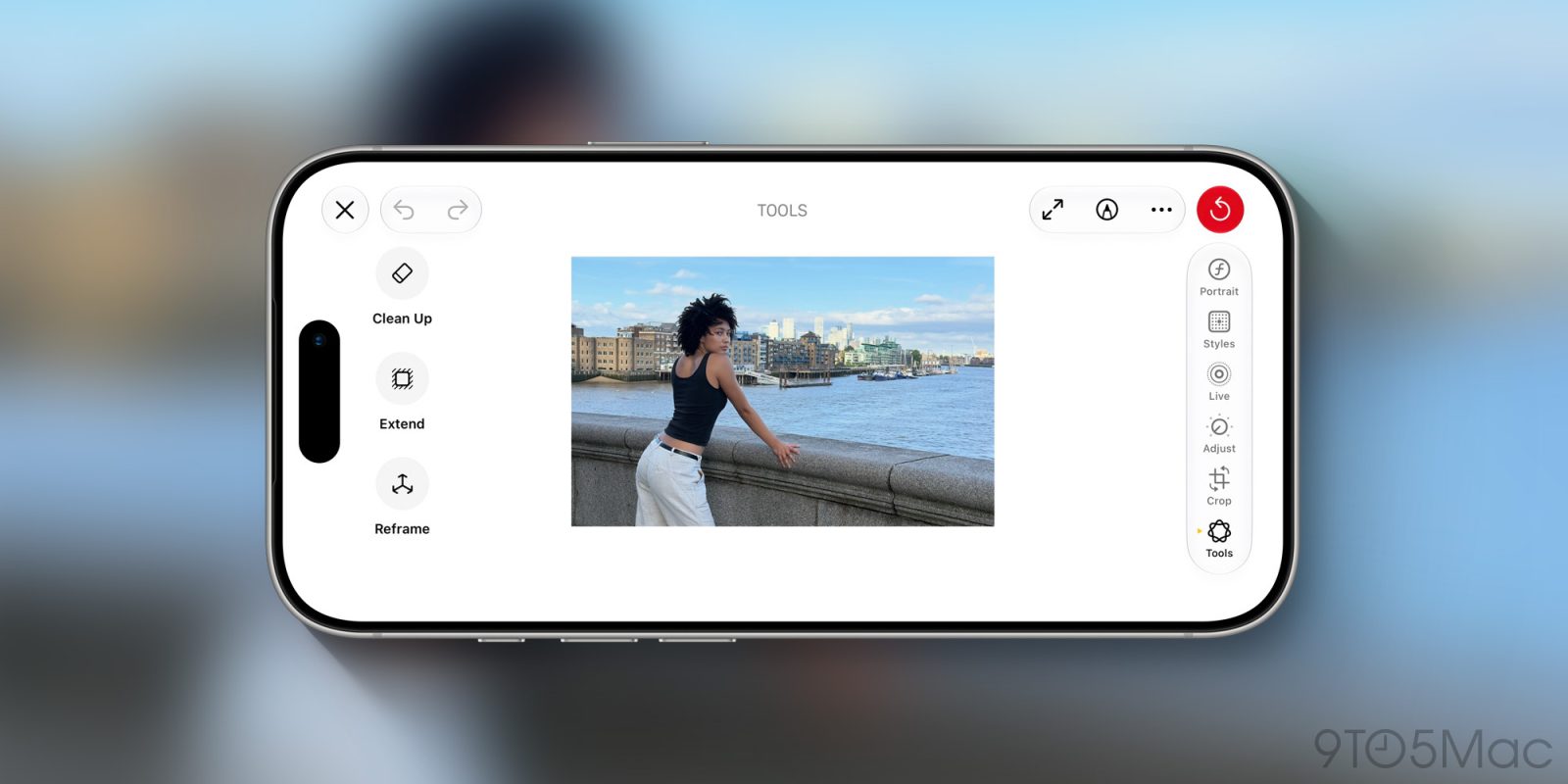
이번 WWDC에서 애플이 발표한 올해 11가지 핵심 AI 기능에 대한 요약에서 나는 카메라 기능이 매우 잘 설계되어 보인다고 말했다.
그 이후 두 주 동안 나는 그 관점이 크게 강화된 것을 확인했다. Clean Up 도구는 이제 훨씬 강력해졌고, Reframe과 Expand 도구들은 유사한 실제적인 요구를 해결한다…
사진이 변하고 있다
나는 14세 생일 선물로 첫 카메라를 받았다.
그것은 Zenit-E라는 소련 시대 러시아 금속 덩어리였으며, 무게가 차에 필적하고 전자기기나 자동 기능이 전혀 없었다.
기술적으로는 내장된 광측광계가 있었지만, 이는 거의 어둠과 햇빛 직사각을 구분할 수 있는 셀레늄식 광측광계로, 외부 광측광계가 필요했고 모든 노출은 수동으로 설정해야 했다.
It was ugly, heavy, and clunky – 나는 이를 완전히 사랑했다.
If you’d told me then that I would one day be using a phone as my primary camera, and getting far higher quality results than even much later SLRs, I would have enquired as to your use of recreational chemicals. And yet here we are.
It would have seemed just as unimaginable a decade ago to talk about DSLRs being discontinued, even in the pro market.
And yet Nikon has ceased manufacturing them altogether, and while Canon keeps making existing models, it’ hasn’t developed a new one in years and likely never will again.
Mirrorless cameras dominate the market, with industry surveys showing this to be true even among professionals.
We may not yet see many professional photographers routinely using iPhones for their shoots, but it’ s certainly common for them to be praised for their capabilities.
Today’ s iPhones are pretty serious cameras.
계산 사진술의 부상
Of course, there’ s only so much you can do with tiny sensors and plastic lenses.
You don’t, for example, get very much control over depth of field.
Apple was one of several companies to realise that clever photo processing could emulate results previously only possible with higher- end cameras.
Portrait mode provided a means of mimicking the effects of a shallow depth of field, for example. Early results weren’ t great, but the feature has become increasingly convincing over the years.
Today, a great deal of computation goes into the processing of iPhone photos quietly in the background.
잘못을 바로잡는 방법
Apple also started providing the means to correct mistakes after taking a photo. For example, if you use Portrait mode at f/2.8 but later decide you want more of the shot in focus, you can retroactively change the simulated aperture.
If you focus on the wrong person or object in Cinematic video mode, you can move the focal point during editing – either on the iPhone or on the Mac.
If you framed a photo poorly such that there was an unwanted person or object in the background, the Clean Up tool allowed you to remove it afterwards.
iOS 27의 세 가지 AI 사진 기능
In iOS 27, Apple has made the tool Clean Up tool significantly more powerful, and supplemented it with two additional corrective features: Reframe and Expand.
청소
The Clean Up tool now delivers better results when used in a similar way to previous versions of iOS. For example, this photo has a somewhat distracting ferry to Cher’ s left:
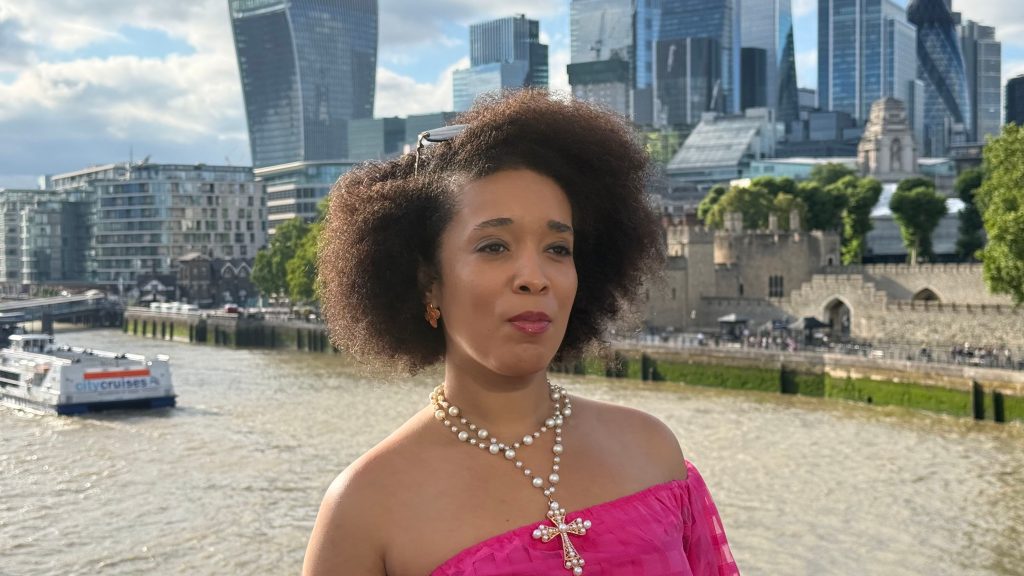
그래서 제거해 보겠습니다:

There’ s that ferry again, and also a mooring buoy to the left.
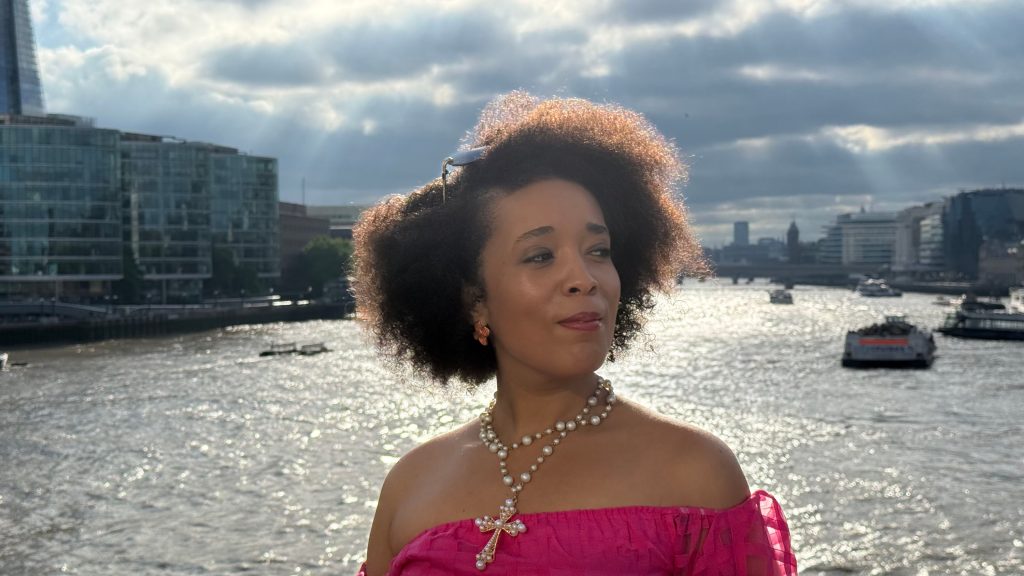
Let’ s remove both.
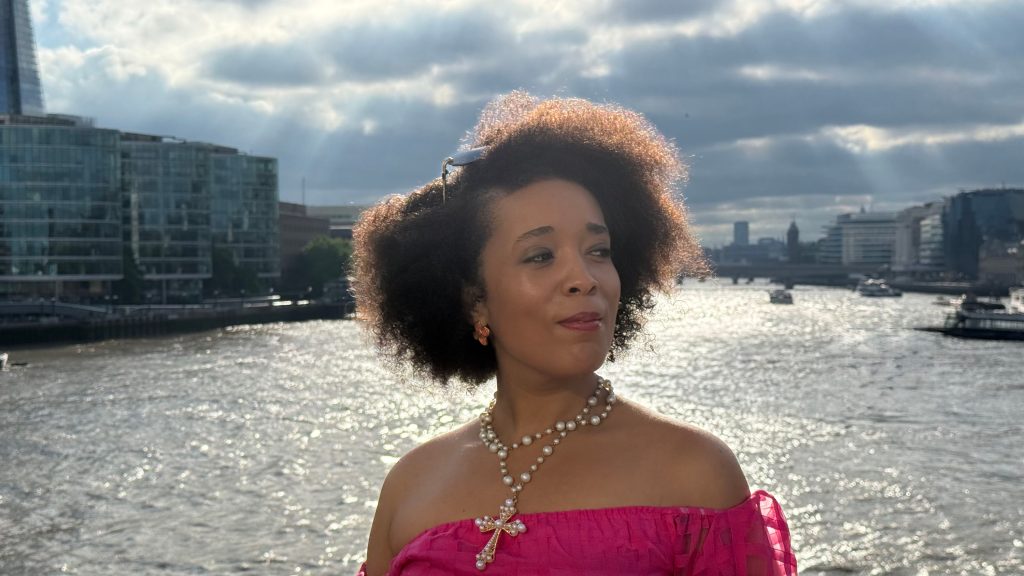
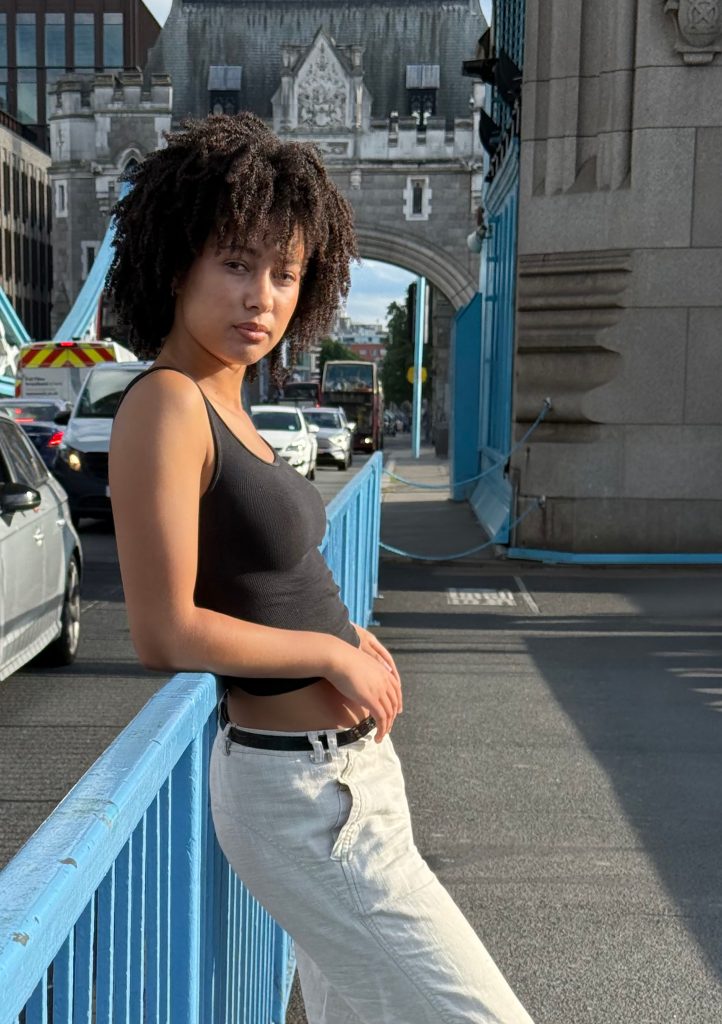
But let’ s give the tool a real challenge. Here we have two unwanted people in the shot of Ambara, especially given their high- vis clothing.
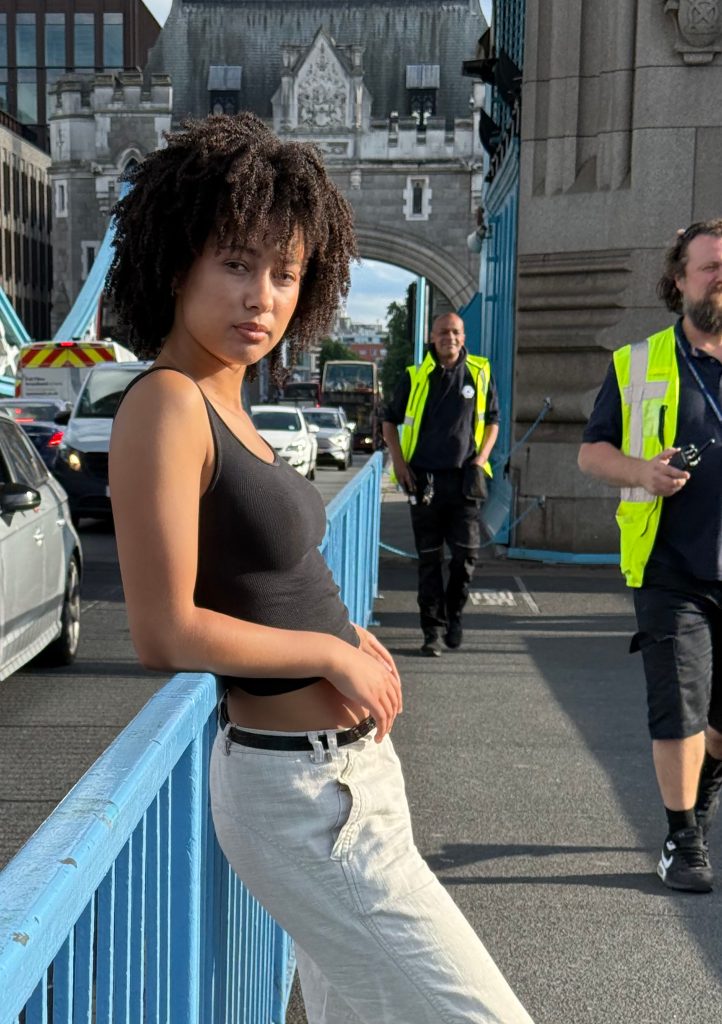
A few seconds later, it’ s as if they were never there.
재구성
Any photographer knows that a very slight shift in angle can completely change the composition.
Here, Ambara is nicely centred in the arch, but at the cost of including an ugly recovery truck on the left and a lot of cluttered traffic on the right.
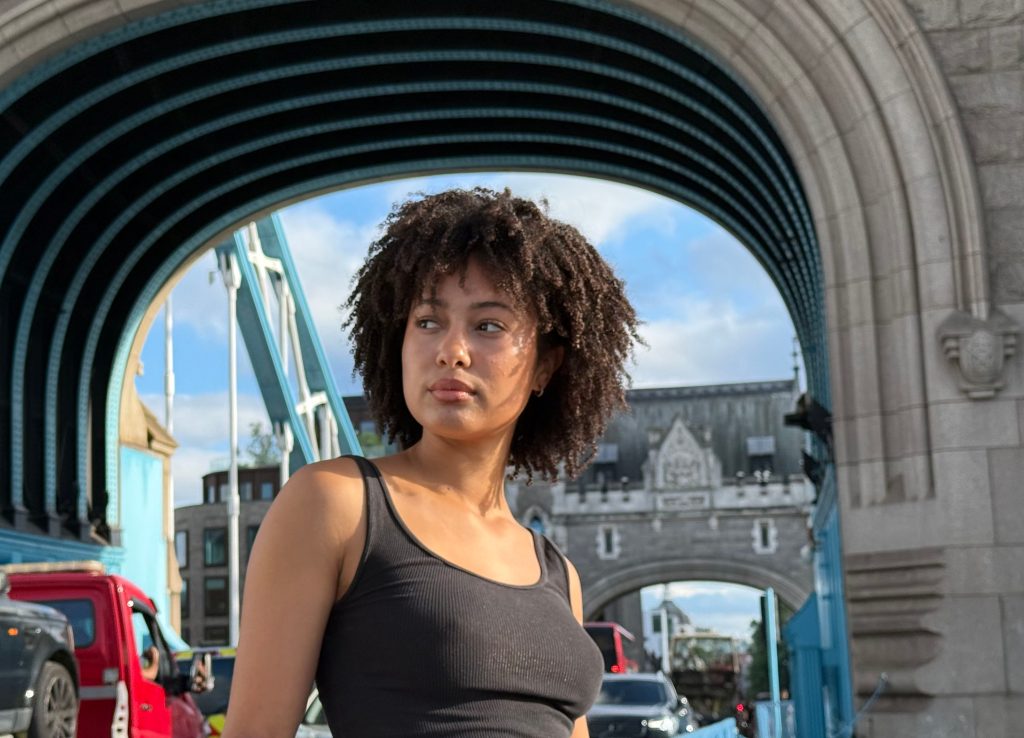
It might have been better to sacrifice the arch symmetry in order to position myself a little further to the left.
Reframe allows us to do exactly that.

We have a similar situation here with some distracting people in the background to the left.
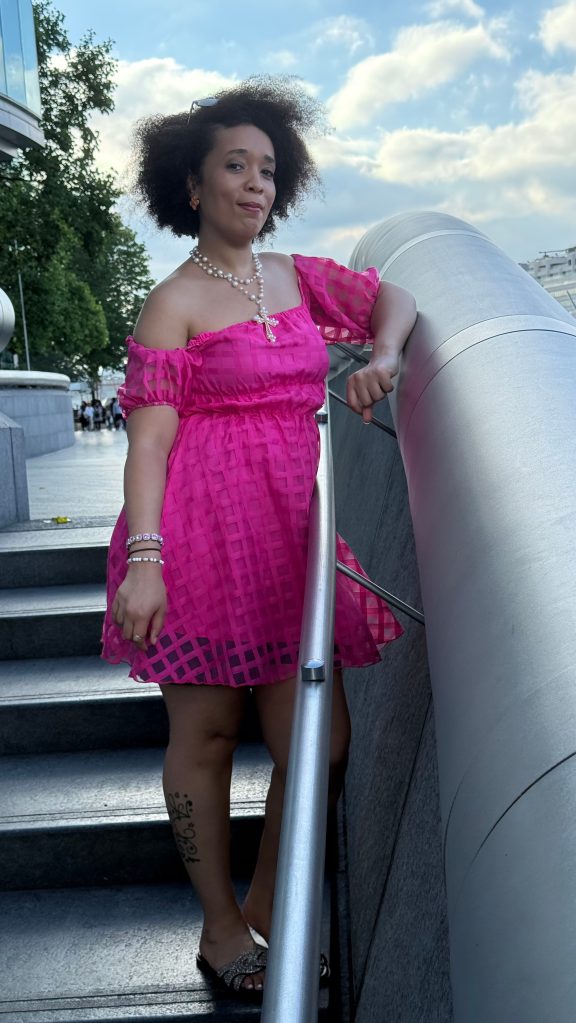
A very slight shift to the right would hide them from view, albeit at the cost of losing separation between Cher’ s hair and the tree.
(We’ d ideally want to remove the piece of litter also, but we can’ t currently combine Reframe and Clean Up.)
Again, let’ s make things more challenging. This composition looks slightly uncomfortable because it cuts Ambara’ s arm.
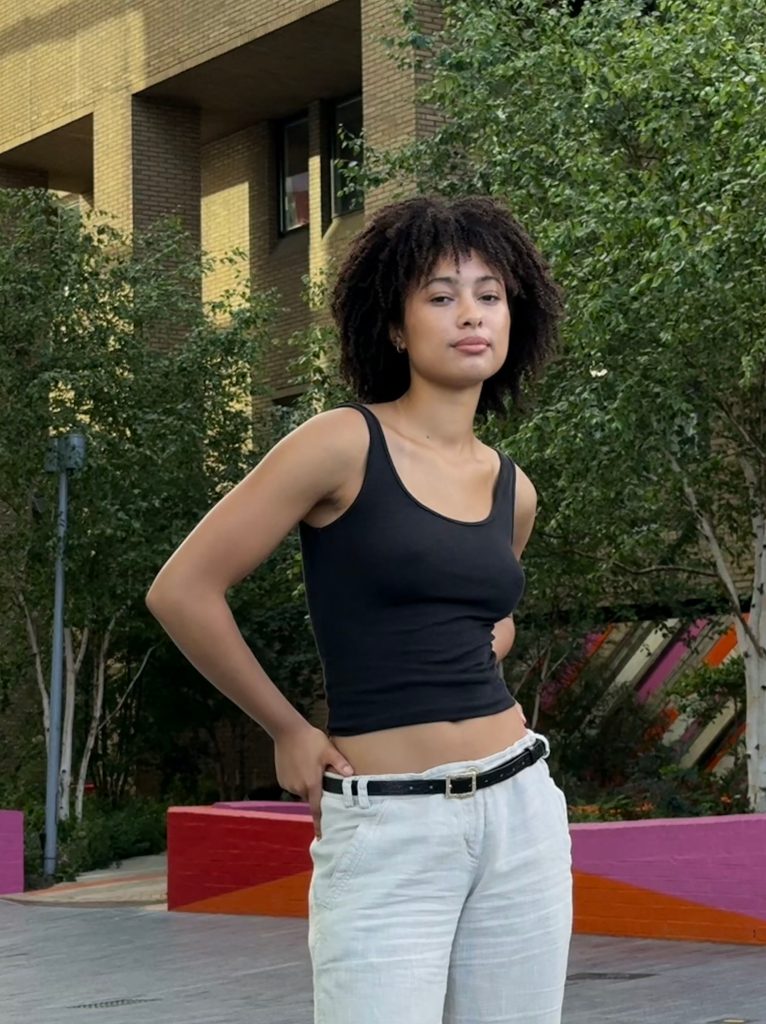
A shift in angle to the right would correct that, but this is a pretty big ask of the reframing tool as it essentially has to invent much of her arm. And yet …

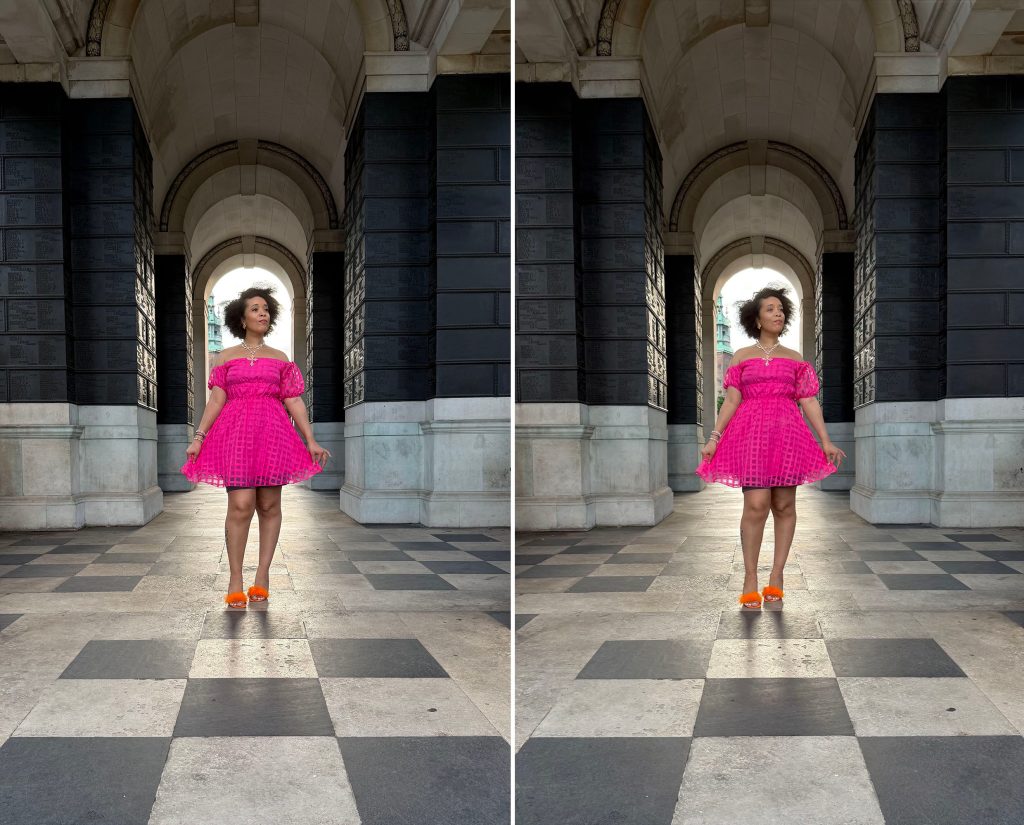
Sometimes the tiniest of changes can make a difference. For example, in this shot, I would like just a little more separation between Cher’ s windblown hair and the church spire in the background. The tiniest of reframes provided the solution.
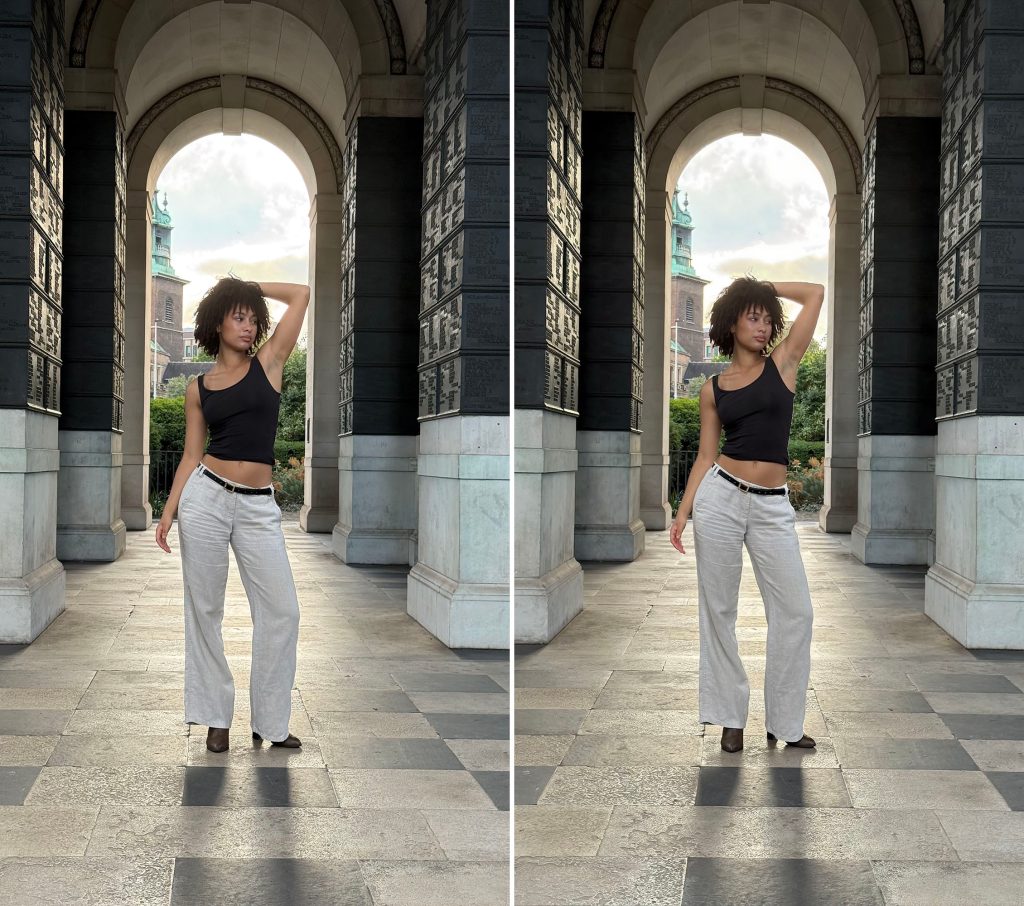
It’ s exactly the same here, where a microscopic change of angle provides separation between Ambara’ s elbow and the side of the arch.
확대
Finally, the Expand tool allows us to include elements that were outside of the frame. This is even more challenging as it requires the iPhone to make up plausible and realistic content.
Here we can see a couple of examples with London’ s Walkie Talkie building.
In the first one, I’ ve cut the building ver
(이 부분은 원본 문장이 완성되지 않았으므로 여기까지 번역했습니다.)