Terraform와 Azure DevOps를 사용한 Azure Web App의 CI/CD 배포
Source: Dev.to
Introduction
이 프로젝트는 Microsoft Azure에 웹 애플리케이션을 배포하기 위한 엔드‑투‑엔드 DevOps 워크플로우를 보여줍니다. 인프라는 Terraform을 사용해 프로비저닝하고, 애플리케이션 배포는 Azure DevOps CI/CD 파이프라인을 통해 자동화됩니다.
목표는 인프라스트럭처를 코드로 관리(Infrastructure as Code), 파이프라인 자동화, 그리고 Azure App Service를 활용한 클라우드‑네이티브 배포를 시연하는 것입니다.
Concepts
Azure App Service: 웹 앱 및 API를 구축, 배포, 확장하기 위한 완전 관리형 플랫폼입니다. 여러 언어와 프레임워크를 지원하며, 인프라 유지보수, 보안 패치, 스케일링 기능을 기본 제공한다.
Azure Web App: 웹 애플리케이션, REST API, 모바일 백엔드를 호스팅하기 위한 HTTP 기반 서비스입니다. App Service 플랫폼 위에 호스팅되는 특정 유형의 애플리케이션입니다.
Prerequisites
- Azure 구독
- Azure DevOps 조직
- Azure DevOps 리포지토리
- 충분한 권한을 가진 Azure Service Connection
- Terraform 설치 (v1.x)
Repository Azure DevOps Structure
AzureAppService/
├── index.html
└── azure-pipeline.yml
Step 1: Prepare Terraform configuration files
다음 Terraform 구성은 웹 애플리케이션을 호스팅하기 위해 필요한 Azure 인프라를 프로비저닝합니다.
terraform {
  required_providers {
    azurerm = {
      source  = "hashicorp/azurerm"
      version = "~> 3.0"
    }
  }
}

provider "azurerm" {
  features {}
}

resource "azurerm_resource_group" "main" {
  name     = "Hawkins"
  location = "West Europe"
}

resource "azurerm_app_service_plan" "main" {
  name                = "asp-devops-lab"
  location            = azurerm_resource_group.main.location
  resource_group_name = azurerm_resource_group.main.name
  sku {
    tier = "Free"
    size = "F1"
  }
}

resource "azurerm_app_service" "webapp" {
  name                = "webapp-devops-lab-2026"
  location            = azurerm_resource_group.main.location
  resource_group_name = azurerm_resource_group.main.name
  app_service_plan_id = azurerm_app_service_plan.main.id
}
Step 2: Terraform commands
terraform init
terraform plan
terraform apply
Step 3: Create files for Azure DevOps
파이프라인은 웹 애플리케이션을 패키징하고 Azure Service Connection을 사용해 Azure App Service에 배포합니다.
trigger:
  branches:
    include:
      - main

pool:
  vmImage: 'ubuntu-latest'

steps:
- task: ArchiveFiles@2
  inputs:
    rootFolderOrFile: '$(System.DefaultWorkingDirectory)'
    includeRootFolder: false
    archiveType: 'zip'
    archiveFile: '$(Build.ArtifactStagingDirectory)/webapp.zip'
    replaceExistingArchive: true

- task: AzureWebApp@1
  inputs:
    azureSubscription: 'Thor-Service-Connection'
    appName: 'webapp-devops-lab-2026'
    package: '$(Build.ArtifactStagingDirectory)/webapp.zip'
Step 4: Deploy the Application
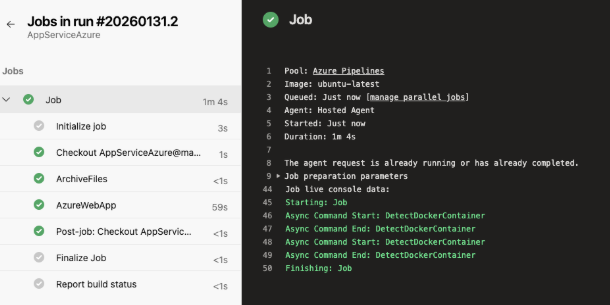
Azure DevOps에서 파이프라인을 실행합니다. 파이프라인이 웹 애플리케이션을 자동으로 패키징하고 배포합니다.
Step 5: Validate Deployment
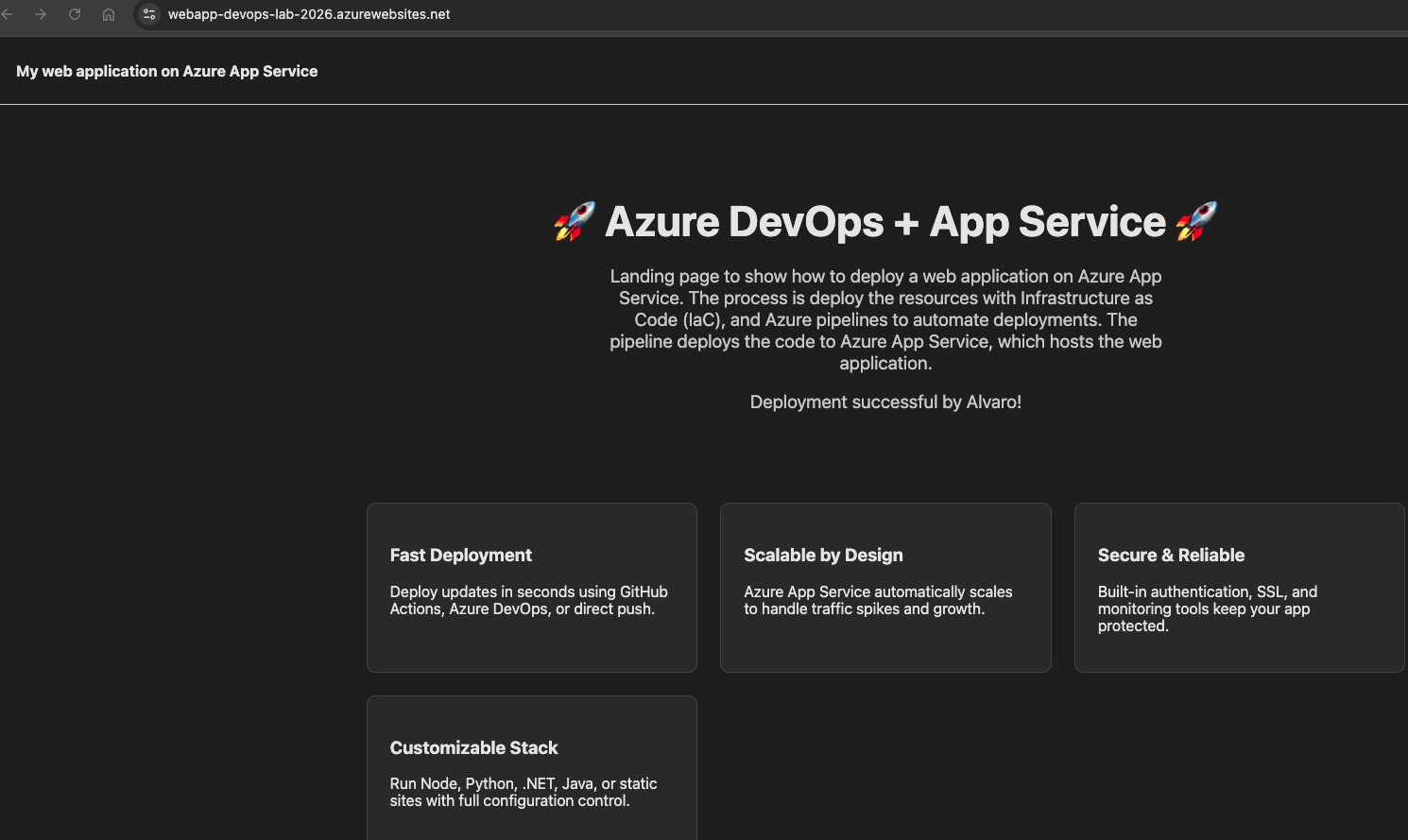
파이프라인이 완료된 후, Azure App Service URL에서 웹 앱에 접근할 수 있는지 확인합니다.