
YouTube tests ‘conversational AI’ on TV apps
Source: 9to5Google
YouTube TV introduces conversational AI
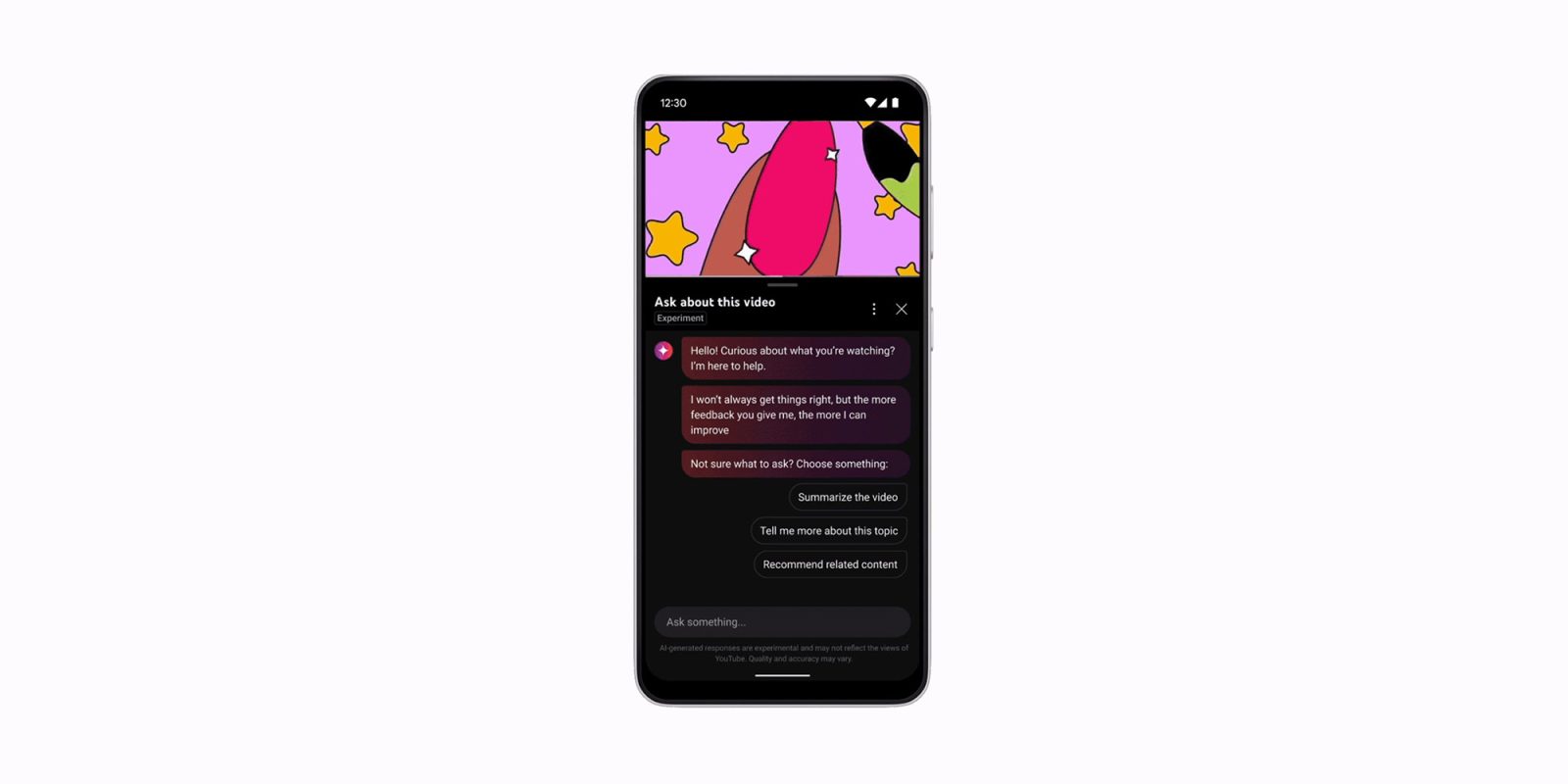
Google is testing a new “conversational AI” tool on its YouTube TV apps, enabling voice‑based interactions when you use the microphone. The feature appears as an Ask box beneath videos on the website and mobile apps, and it is now being rolled out to a small group of TV users.
On TVs, an Ask button will let you open the AI tool and either select from suggested prompts or press the microphone button to ask questions about the video. Gemini runs in the background to generate answers. If your TV remote includes a microphone button, you can trigger the tool directly with your voice (e.g., “What ingredients are they using for this recipe?” or “What’s the story behind this song’s lyrics?”).
Testing the conversational AI tool on TVs
- While watching a video, select the Ask button to open the AI tool.
- Choose a suggested prompt or use the microphone button to ask a question with your voice.
- If your remote has a microphone button, you can activate the tool directly from the remote.
The tool is currently available only in English, Hindi, Spanish, Portuguese, and Korean and is limited to select regions.
If you see the feature, consider snapping a picture and sending it to the tip box at gtips@9to5g.com.