
You can log into 28 vintage computer systems in your browser for free, thanks to the Interim Computer Museum — Experience legendary OSes, architectures, programming languages, and games
Source: Tom’s Hardware
The Interim Computer Museum (ICM) and SDF.org have made 28 vintage computer systems accessible online for free. By visiting connect.sdf.org and typing menu you gain guest access. Press 1 to toggle between pages and reveal the full list of 28 choices.
How to Access the Systems
- Open your browser and go to connect.sdf.org.
- At the prompt, type
menuand press Enter to open the system menu. - Press
1to switch between the two pages of options. - Choose a system by typing the corresponding command letter (e.g.,
a,b, …) and press Enter.
Note: Selecting a system drops you to a command prompt on that machine. Some familiarity with the system may be helpful, but many resources are available online for newcomers.
System Menu Overview
The menu is displayed in three columns:
| Column | Description |
|---|---|
| 1️⃣ Command Letter | Press the corresponding key to start a session on the selected system. |
| 2️⃣ Operating System | The OS running on the machine (e.g., Multics, TOPS‑20, UNIX V7). |
| 3️⃣ Hardware | The underlying hardware or emulation platform (e.g., “Honeywell 6180”, PDP‑10). |
The hardware column may refer to actual vintage hardware, hybrid setups, or pure emulation; the exact nature isn’t always specified.
Notable Systems
Multics (option a, page 1)
- OS: Multics (1964) – a pioneering operating system designed by MIT, GE, and Bell Labs.
- Hardware: Honeywell 6180.
- Significance: Influenced the development of Unix and remained in use into the early 2000s.
TOPS‑20 Trio (page 1)
- OS: TOPS‑20 (PDP‑10).
- Prompt: Iconic
@prompt. - Background: Runs classic software from the ARPANET era.
CDC 6500 NOS 1.3 (option m, page 1)
- OS: NOS 1.3.
- Hardware: CDC 6500, designed by Seymour Cray before the founding of Cray Research.
- Architecture: One main CPU plus ten Peripheral Processors (PPs) for scientific computing.
UNIX V7 on PDP‑11/70 “MissPiggy” (option a, page 2)
- OS: UNIX Version 7 – often called the “Rosetta Stone” of Unix.
- Hardware: PDP‑11/70.
- Highlight: A command‑line chess program can be played on this system.
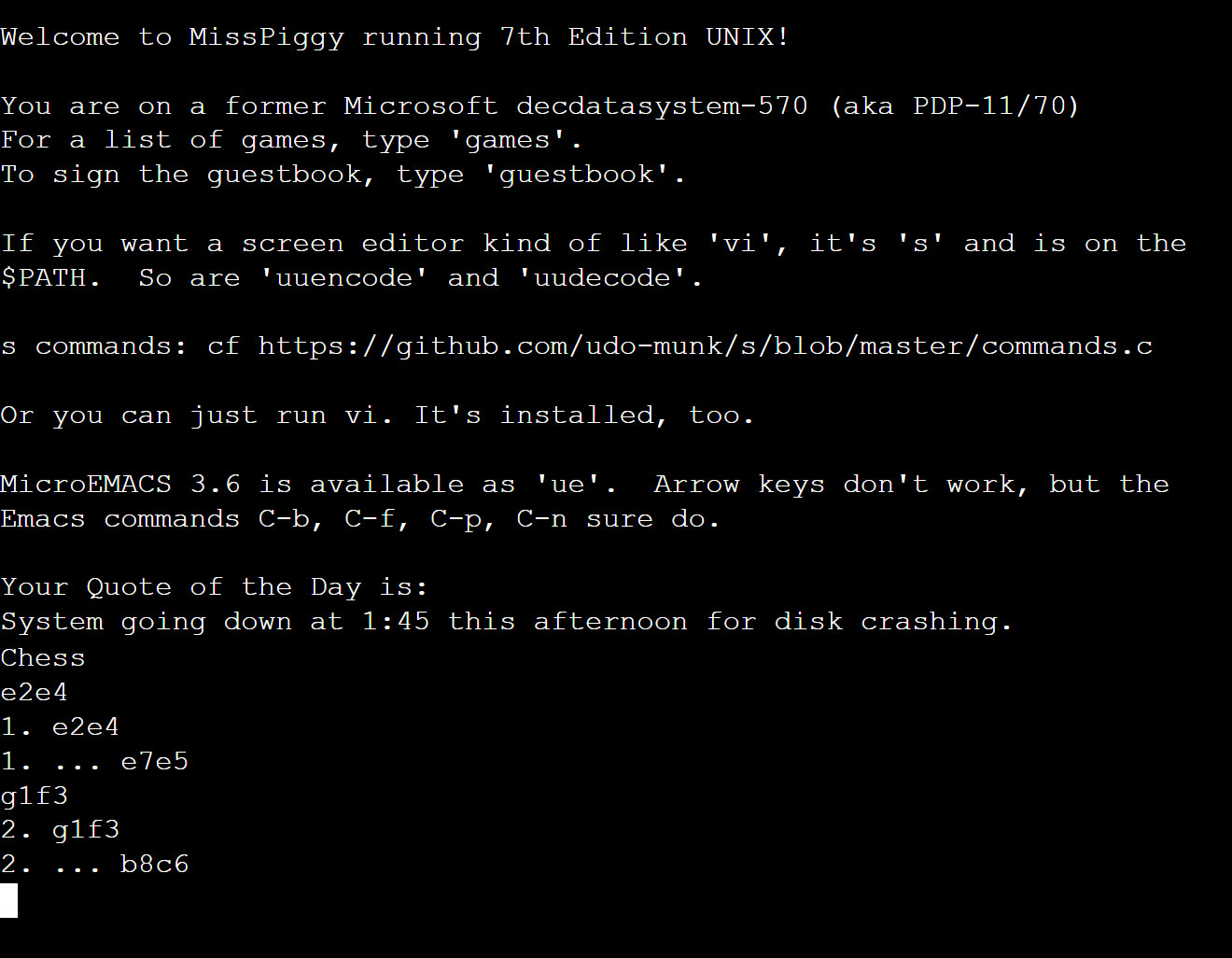
Image credit: Future
Funding and Support
The museum and its projects are funded through:
- BOOTSTRAP membership
- Sponsorships
- Donations
If you enjoy the experience and want to support further development, consider joining or contributing via the museum’s membership page.