
Windows 11 KB5077241 update improves BitLocker, adds Sysmon tool
Source: Bleeping Computer
Windows 11 KB5077241 – Optional Cumulative Preview Update (February 2026)
Microsoft has released KB5077241, an optional cumulative preview update for Windows 11.
It contains 29 changes, including:
- BitLocker – improved reliability; devices no longer freeze after entering the recovery key.
- Network speed test – built‑in test for Ethernet, Wi‑Fi, and cellular connections, accessible from the Wi‑Fi/Cellular Quick Settings or by right‑clicking the network icon in the system tray.
- File Explorer – open a new instance by holding Shift or using the middle mouse button.
- Sleep & resume – better reliability when waking from sleep and reduced resume time, especially under heavy load.
- System Monitor (Sysmon) – native functionality added (disabled by default).
- Quick Machine Recovery (QMR) – automatically enabled on Windows Professional devices that are not domain‑joined and not enrolled in enterprise endpoint management.
Note:
KB5077241 is a preview update (see the Microsoft preview‑update article).
Preview updates are released at the end of each month so administrators can test bug fixes, new features, and improvements before they become generally available on the next Patch Tuesday.
Unlike Patch Tuesday cumulative updates, preview updates do not contain security fixes; they only deliver quality improvements.
How to Install
- Open Settings → Windows Update.
- Click Check for updates.
- When the preview update appears, click Download and install.
Alternatively, you can manually download the update from the Microsoft Update Catalog:
Screenshots
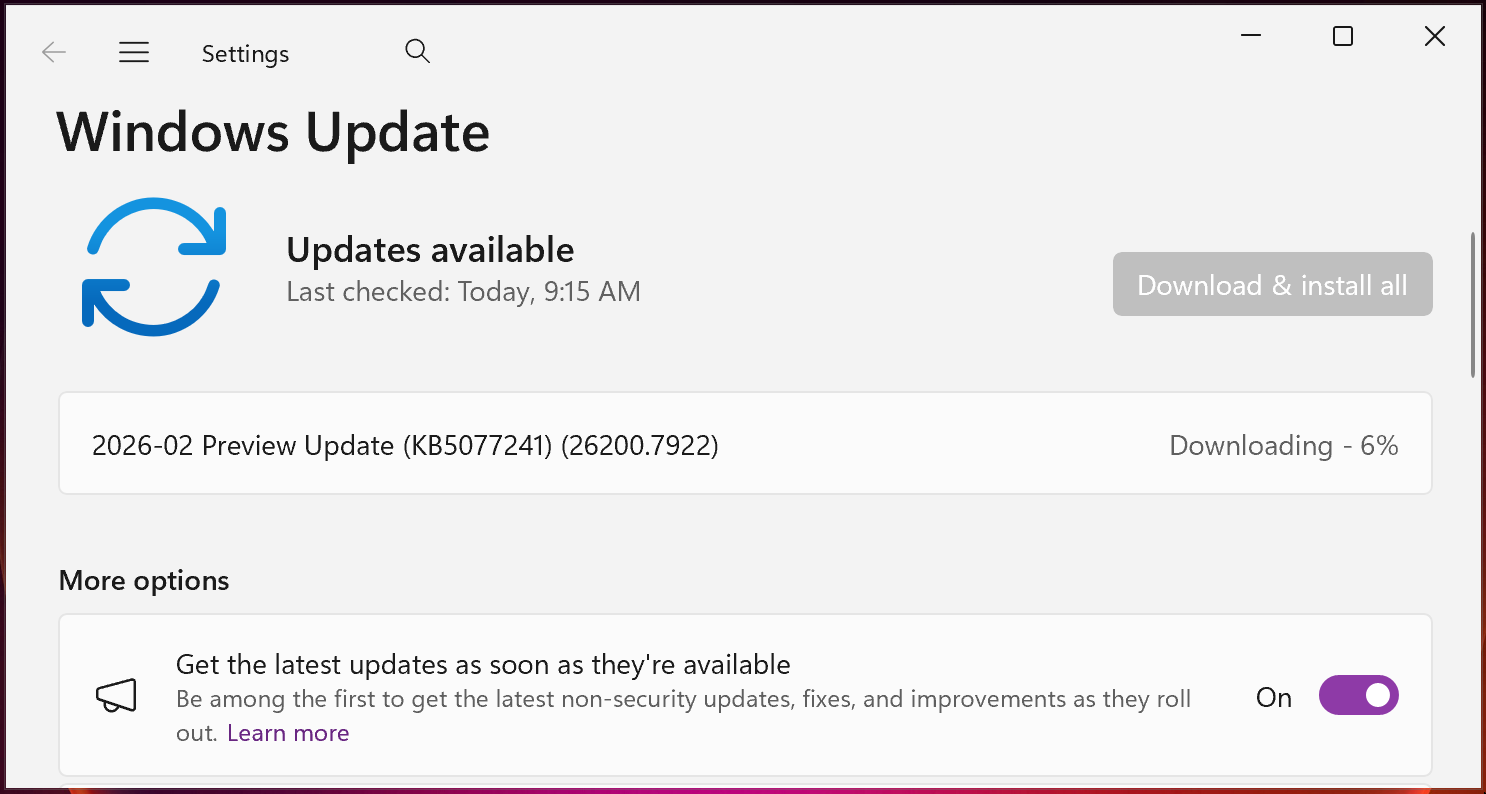
KB5077241 preview update (BleepingComputer)
Sponsored Content

Explore Wiz’s AI‑driven security board report template.
For more details on the changes in KB5077241, refer to the official Microsoft KB article: KB5077241.
Windows 11 KB5077241 highlights
Once installed, this optional non‑security update will upgrade Windows 11 25H2 and 24H2 devices to builds 26200.7922 and 26100.7922, respectively.
The February 2026 preview update adds a number of improvements. The most notable are listed below.
Improvements
- Taskbar behavior (uncombined mode) – When an app has multiple windows open, only the windows that don’t fit are moved to the overflow area. The overflow menu no longer appears with a large unused space.
- Desktop background – New! You can now set WebP (.webp) images as your desktop background from Settings > Personalization > Background, or by right‑clicking the image in File Explorer.
- Remote Server Administration Tools (RSAT) – New! RSAT is now supported on Windows 11 Arm64 devices. Administrators can install tools such as Active Directory Domain Services, Lightweight Directory Services, Active Directory Certificate Services, Server Manager, Group Policy Management, DNS Server, and DHCP Server. These tools are available as optional features via Settings > System > Optional Features or Control Panel > Programs > Turn Windows features on or off.
- Windows Update settings – Responsiveness of the Windows Update settings page has been improved.
Additional notes
- A redesigned Start menu introduced with the October 2025 non‑security update (KB5067036) is gradually rolling out to more Windows devices.
- Updated battery icons are being deployed to give a clearer view of current battery status.
- Secure Boot certificates – New certificates are being rolled out to replace the original 2011 certificates that expire in late June 2026. Microsoft first announced the refresh in January 2026 and has been urging administrators to update before the expiration.

The Future of IT Infrastructure Is Here
Modern IT infrastructure moves faster than manual workflows can handle.
In this new Tines guide you’ll learn how to:
- Reduce hidden manual delays
- Improve reliability with automated response
- Build and scale intelligent workflows on top of the tools you already use