
Welcome (back) to Macintosh
Source: Hacker News
All of the problems described below are traceable to components that are fully under Apple’s control. None are impossible for Apple to fix, yet many have persisted across multiple macOS releases and hardware generations.
1. Time Machine
- Symptom: After ≈ 10 years of use (whether I set it up or maintain it for others), Time Machine eventually stops backing up successfully.
- Current workaround: Delete the old backup and start over, without inheriting the previous backup state.
- Notes: This solution is repeatedly recommended on Apple’s own forums, indicating the issue is widespread and not a user‑error.
2. Spotlight Tag Index
- Symptom: Queries for a file type and a tag return only a subset of the most recent files with that tag.
- Rebuilding the Spotlight index: Does not resolve the problem.
- Only cure: Relaunch the Finder.
- Additional context:
- Even after 13 years, there is no supported, documented CLI or API to enumerate, add, or remove tags (aside from the legacy seven‑color label system).
3. Finder & Spotlight Queries
- Symptom: Occasionally Spotlight queries either:
- Kick off and hang forever, or
- Show results, but any subsequent action causes Finder to hang (likely a race condition during result updates).
- Rebuilding the Spotlight index: No effect.
- Only cure: Relaunch the Finder.
4. Finder Folder‑View Refresh
- Symptom: Finder windows often fail to reflect real‑time folder changes.
- Example: Files created by a program I’m developing do not appear in the folder view.
- Partial work‑around:
- Navigate out of the folder, use Go → Go to Folder…, type the full path, and wait a few seconds for the autocomplete to “clear the cobwebs.”
- Creating a new folder inside the affected folder does appear, but items created outside Finder still stay hidden.
- Full workaround: Relaunch the Finder.
- Persistence: Even leaving the computer idle for hours, closing all windows, and reopening the folder does not refresh the view.
5. Quick Look Audio Glitch with AirPods Pro
- Symptom: While listening through AirPods Pro, opening Quick Look on a video causes the audio track to glitch after 1–2 seconds.
- Result: The mixed audio is fine before and after the glitch, but the brief interruption is very noticeable.
- Status: No firmware or macOS update has resolved the issue.
6. Full‑Screen Window Activation
- Symptom: Switching to a window that lives in its own full‑screen space (e.g., via Cmd + Tab) does not automatically activate that window.
- Keyboard shortcuts that should work (e.g., space to pause a video) instead produce a system beep.
- Required action: Manually click inside the window to activate it.
- Impact: Particularly annoying in Safari full‑screen videos where playback controls become unusable.
7. macOS “Tahoe” Redesign & Stability
- Observation: Apple is pushing a redesign that many users did not ask for, compromising both fundamental usability and the visual polish that historically set macOS apart.
- Potential additional issue: Early reports suggest basic Apple Event infrastructure may be breaking, leading to hangs, instability, and unpredictable behavior.
- Reference:
- The Struggle of Resizing Windows on macOS Tahoe – noheger.at
- Tahoe AppleScript Timeouts – mjtsai.com
8. Hardware vs. Software
- Current machine: MacBook Pro M1 Max (2021) – still excellent hardware performance.
- Software state: macOS Tahoe is “abysmal” according to long‑time Mac users.
- Future outlook: While upcoming M5/M6 chips will be even more powerful, the software regression makes further upgrades unattractive.
9. Downgrade & Upgrade Concerns
- Public interest: Documenting downgrade paths and resisting “dark‑pattern” upgrade prompts has become a community priority.
- How to downgrade from macOS 26 (Tahoe) on a new Mac – Ars Technica
- Blocking the upgrade to Tahoe alerts and system‑settings indicator – Robservatory
- Broader impact: The “disease” has even spread to the Apple Watch (see the fitness‑tracking article).
10. Outlook
- Expectation: Rumors suggest the next macOS releases will focus on bug‑fixes and improvements, reminiscent of the Snow Leopard era.
- macOS 27 rumors – MacRumors
If Apple can address the longstanding reliability problems listed above, the community may feel confident enough to move forward with future upgrades. Until then, many power users are left relying on work‑arounds like Finder relaunches, full backup resets, and even hardware upgrades that don’t solve the underlying software issues.
Apple’s Organizational Acuity: A Call for Focus
“Does Apple even have the organizational acuity to understand, value, and focus on these problems?”
The Current Situation
If preventing developers and users from being broken weren’t a priority, we wouldn’t be where we are today—right? Even setting aside bugs and design changes, consider the impact of phasing out Rosetta 2. In a container‑heavy world, Rosetta 2 remains essential for developers because the ARM64‑Linux container ecosystem is nowhere near as widespread as the AMD x86‑64 one. Without it, many applications that currently run would become unusable.
My Hope for Apple
I hope there are Mac lovers inside Apple who:
- Resist every superficial redesign (icon changes, title‑bar shrinking, “misty shower” window re‑skins).
- Value the long‑term, continuously updated, well‑designed UI that made macOS a rare jewel in the mass‑market OS landscape.
- Bleed six colors – the community spirit championed by Six Colors.
- Find not just a sterile tool, but a culture and community, as shown in this video and this forum thread.
These people have seen what they love and value torn apart by shifting priorities from those above them—people who either don’t recognize the value of what they have or use it merely as a vehicle for their own agendas.
A Vision for Macintosh
I don’t want Macintosh to become another empire that peaked, then disintegrated because of internal wars, complacent leadership, and unpreparedness for inevitable “droughts.”
Instead, I hope a primordial spark of genius remains—one that:
- Serves user needs, not fleeting trends or constant “phonification.”
- Treats the computer as a tool for accomplishing tasks, not as a gimmick.
A Call to Refocus
Just as Apple emerged from a hardware nightmare plagued by thermal throttling, hair‑induced keyboard failures, and a disregard for user needs, it can—and should—refocus its software with the same humility.
Let’s stop treating the bicycle of the mind as a target for endless redesigns:
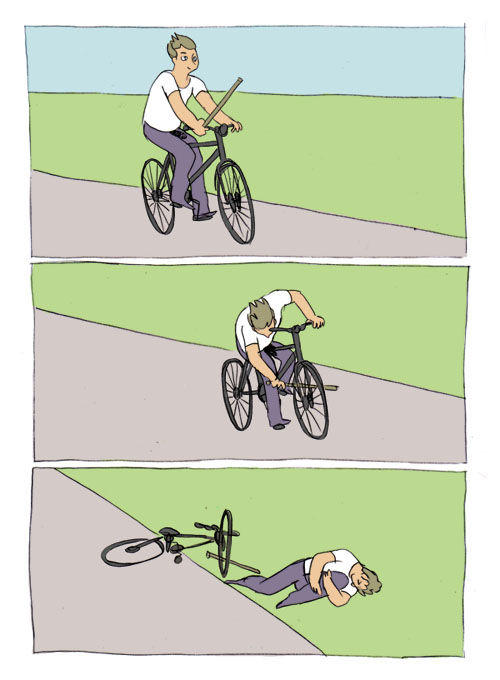
In short: Apple must listen, respect, and prioritize the core experience that made macOS beloved in the first place.