
Weathr app turns the Linux terminal into a live weather display — background ASCII animated real-time weather show is powered by Open-Meteo
Source: Tom’s Hardware
Though you might appreciate the clean, unfussy minimalism of the Linux terminal, it can also be extensively customized using a few lines of code, as shown in our guide. Developer Veirt has taken this further with Weathr, a Rust‑based app that renders real‑time ASCII art weather animations as your terminal backdrop.
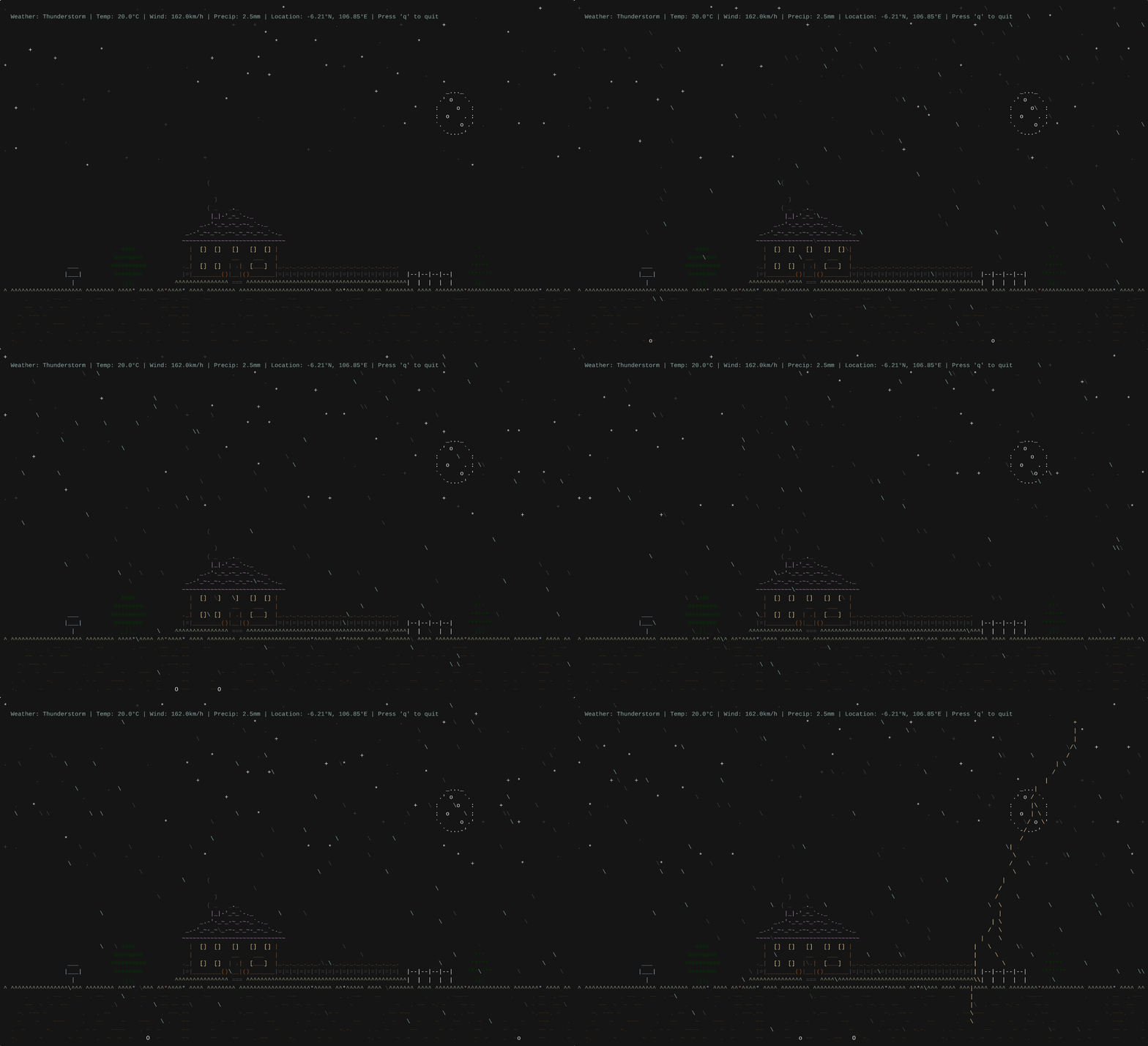
Image credit: Veirt on GitHub
Overview
Weathr pulls live weather data from Open‑Meteo and uses auto‑location detection to drive its animations. The demo shows a night‑time thunderstorm with moonlit rain, occasional lightning, and other weather‑specific effects. According to Veirt, the engine can display animated rain, snow, thunderstorms, flying airplanes, and day/night cycles.
Features
- Real‑time weather‑driven ASCII animations
- Auto‑location detection (fallback to manual configuration)
- Support for multiple weather conditions (rain, snow, thunderstorms, etc.)
- Day/night cycle handling
- Ability to simulate weather conditions for testing (e.g., sunny day in the UK)
Installation & Setup
Prerequisite: Rust must be installed on your Linux machine. See the Rust in Linux kernel article for more information.
-
Clone the repository:
git clone https://github.com/veirt/weathr.git cd weathr -
Build the project with Cargo:
cargo build --release -
Install the binary (optional):
cargo install --path . -
Run Weathr:
weathr -
To simulate a specific weather condition, use the
--simulateflag (example):weathr --simulate sunny
Licensing & Credits
Weathr is released under the GPLv3 license. Credits go to:
- Open‑Meteo – source of real‑time weather data
- ASCIIArt.EU – collection of ASCII art resources
Roadmap
- Support for additional weather APIs
- Pre‑compiled binaries for ARM64 platforms
- Hotkeys to control animations (pause, switch, etc.)
- Seasonal frills (e.g., Santa’s sleigh, Easter bunny, Halloween witches, fireworks, falling leaves)
Related Terminal Customizations
If Weathr feels too distracting, you can still enhance your terminal with subtler information displays, such as CPU temperature, IP address, or minimal weather snippets, using the guide on customizing the Linux terminal.