
Threads users can now join group chats during live events
Source: 9to5Mac
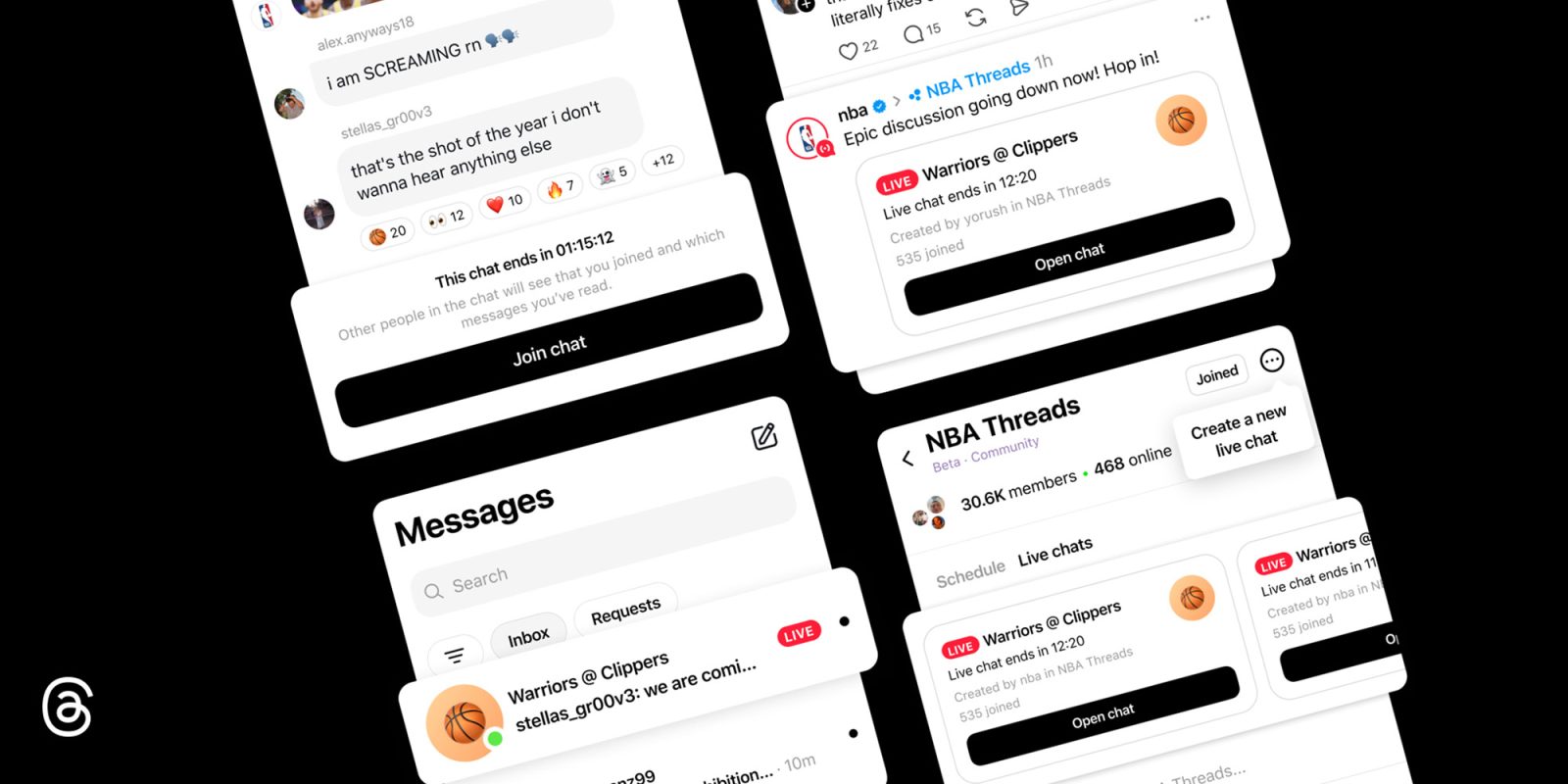
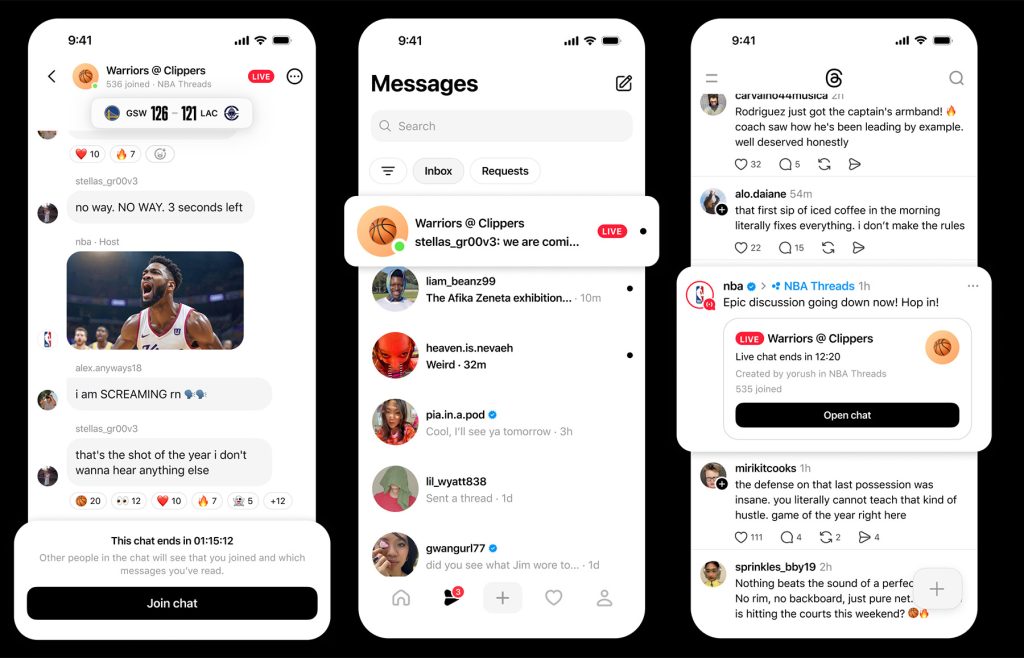
With the new Live Chats feature, Threads users can join public, real‑time group conversations built around major live events.
Threads announced Live Chats today, a feature that looks like a cross between classic group chats and trending topics.
What Live Chats Offer
- Users can jump into public group chats during live events (e.g., an NBA game) and take part in real‑time conversations.
- Once in a chat, you can send messages, photos, videos, and links, and react with emojis.
- If a chat reaches capacity, you can still watch the conversation, react to messages, and vote in polls.
Hosting a Live Chat
For now, only a small group of creators and Community Champions can host Live Chats. When they do, the chats become publicly discoverable and remain accessible even after the session ends.
Steps for eligible hosts:
- Open your Community and tap the three‑dot menu icon in the top right corner.
- Select Schedule a Live Chat.
- Name your chat, choose a start and end time, and invite participants.
- Share the Live Chat to your Threads feed and Instagram Story to spread the word.
Ongoing and upcoming live chats are listed at the top of communities (e.g., NBA Threads). After joining, users can access the chat from the Messages tab, just like any other one‑on‑one or group chat in the app.
Learn More
To learn more about the new Live Chats feature on Threads, follow this link.