
The only Google Photos feature I want is a physical E Ink picture frame
Source: Android Authority
Photo credit: Kaitlyn Cimino / Android Authority
I own more e‑ink devices than any normal person should, yet I’m still waiting for one very specific use case: a true Google Photos‑powered e‑ink frame. Google has spent years perfecting the ambient photo experience—whether it’s via Chromecast, a Nest Hub, a Pixel Tablet, or a Google TV device. I want that same experience on a glare‑free, low‑power e‑ink display mounted permanently on my wall.
Would you be interested in a Google Photos e‑ink frame?
31 votes
E Ink Displays Are Hitting the Wall

SwitchBot AI‑generated artwork frame
E‑ink picture frames are finally moving from niche curiosities to mainstream shopping carts. Recent launches—most notably SwitchBot’s latest model with AI‑generated artwork support—show that manufacturers understand the aesthetic appeal. An e‑ink screen looks far closer to printed art than an LCD ever could, and it eliminates the harsh back‑light glare that can dominate a living room.
Why E‑Ink Works as a Digital Frame
- Paper‑like finish – The muted contrast and texture give photos an archival, soft look that feels both classy and nostalgic.
- Seamless integration – The matte surface blends into neutral walls and modern interiors, allowing the frame to sit on a gallery wall without overpowering other décor.
- Natural evolution – For design‑conscious buyers, e‑ink feels like the logical next step for digital framing.
The Current Pain Points
- Price premium – E‑ink frames typically cost more than traditional digital frames, so you’re paying extra for the paper‑like finish without necessarily gaining smarter features.
- Clunky workflow – Most models still rely on manual photo transfers via companion apps or NFC taps, meaning you often have to curate the frame one image at a time.
- Limited functionality – The hardware has advanced, but the software experience hasn’t kept pace, leaving many users wishing for smoother, automated updates.
Bottom Line
E‑ink frames deliver a beautiful, low‑glare presentation that makes personal photos look like printed art. However, the higher price tag and still‑evolving software ecosystem mean they’re best suited for users who prioritize aesthetics over convenience. As the ecosystem matures, we can expect more seamless photo syncing and smarter features that will finally let the hardware’s potential shine.
Google Already Has Half the Solution
Google Photos logo on a Pixel phone
Joe Maring / Android Authority
Google solved this problem years ago within its own ecosystem. The screensaver mode on Chromecast and Nest devices doesn’t require you to send photos anywhere—you simply select an album, and the images sync in the background. Add or remove a photo, and the rotation updates instantly. Since I already have thousands of images stored in Google Photos, that cloud‑native model makes perfect sense.
One of my favorite uses of Google Photos is shared albums. They let me keep up with long‑distance friends and family without constantly texting for updates. I love the idea of waking up to new photos of nieces and nephews (or, to be honest, a friend’s new puppy) automatically added to the wall. That’s the magic of cloud‑native syncing.
Google owns the storage, the albums, and the rotation system.
There was a time when digital frames offered more direct Google Photos compatibility. But as Google tightened API access in the name of privacy, those integrations quietly disappeared. The result is today’s awkward middle ground: devices that advertise Google Photos integration yet stop short of replicating the automatic album rotation Google already provides on its own hardware.
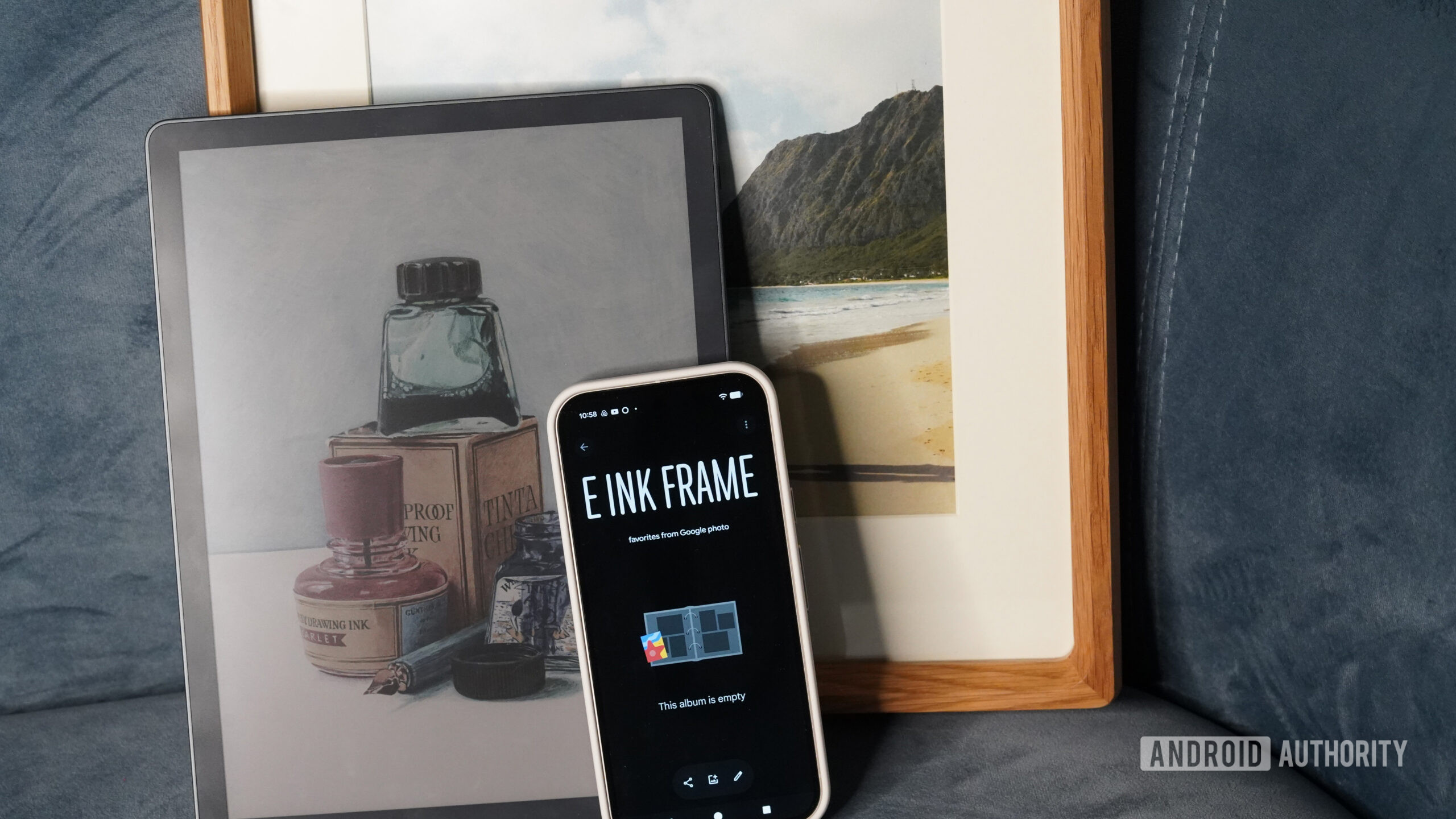
Editor Rita El Khoury recently dug into the Bloomin8 E‑Ink frame, which claims Google Photos support. Technically, it connects to your account. In practice, however, you still have to:
- Open Google Photos and select the images you want.
- Import them into the Bloomin8 app.
- Configure the rotation.
The only real advantage is skipping the step of downloading images locally if they live exclusively in the cloud. That’s mildly convenient, but it’s not true album syncing—it’s manual curation with fewer steps. At this point, I’m half‑tempted to duct‑tape my Kindle Colorsoft to the wall and call it a day.
An obvious gap
Kaitlyn Cimino / Android Authority
What makes this especially frustrating is how straightforward the opportunity seems. Google already owns the storage layer, the album tools, and the ambient rotation system that powers its screensavers. Extending that experience to a dedicated e‑ink frame would simply bring it into physical space.
It could tie into Google One subscriptions, shared family albums, curated art libraries, or even AI‑generated monthly highlights. And because it would live inside Google’s ecosystem, it could go further with simple Gemini‑powered voice commands to switch albums, filter by person, or surface recent memories.
The software foundation exists, and the user base is already there. Monetizing that experience with purpose‑built hardware feels less like a gamble and more like finishing a product that’s halfway built.
Google already built the experience; it just has to ship the frame.
If Google doesn’t want to manufacture it (understandable, given its uneven hardware history), then the company should partner with a firm that will. That would be far more compelling than yet another AI wallpaper generator or static art display.
I don’t need my picture frame to create images for me; I literally want digital frames because I have an excess of pictures to display. I don’t need generative landscapes or stylized abstractions. I want the spontaneous sunset, awkward family photos, and blurry holiday candids that capture real life as it happens. Google already has one of the best cloud‑based photo rotation systems in the business. It just needs to be slapped into an oversized Kindle.
Thank you for being part of our community. Please read our Comment Policy before posting.