
The latest updates to Google Pay
Source: Google Developers Blog
May 27, 2026
At Google I/O, we explored how Google Pay is evolving for the era of agentic commerce. We shared a variety of powerful new capabilities for the Google Pay developer platform, designed to facilitate commerce, streamline your checkout funnel, and deliver exceptional user experiences.
Read on for a summary of what we covered during the event, focusing on the latest tools designed to help you optimize your checkout experiences and reach your business goals, or check out the recording of our session on YouTube.
What’s new in Google Pay and Google Wallet
Preparing for Agentic Commerce
We know the value of the work you’ve already put into your payment stack. To help you transition into the era of AI‑powered shopping, your existing Google Pay backend and current Merchant ID are now fully compatible with the new Universal Commerce Protocol (UCP). This means you can power new, agentic‑commerce experiences using the same Google Pay infrastructure and payment‑service‑provider (PSP) relationships you use today, extending your reach without rebuilding your core payment logic.
To further super‑power your AI agents, we also unveiled the Google Pay & Wallet Developer MCP server. It integrates directly into your preferred development environment, enabling your AI agents to help manage integrations, troubleshoot errors, analyze trends, and generate code.
- Availability: Public Preview (graduating to General Availability later this year)
- Get started:

Figure A: Sample prompt handled by the MCP server.
Streamlining the Android Checkout Experience
We are committed to removing friction from the buyer’s journey, which is why we are bringing the power of the onPaymentAuthorized and onPaymentDataChanged callbacks to Android, achieving parity with our web platform. With these dynamic callbacks you can:
- Move the Google Pay button upstream (e.g., directly on Product Detail or Cart pages) to offer a true 1‑click Express checkout experience.
- Dynamically present shipping options and total prices (including taxes) based on the user’s address.
- Authorize transactions, handle retries, and deliver instant feedback without closing the payment sheet, improving authorization rates and conversions.
Get started:
Expanding Reach to Social Apps
Following our introduction of Google Pay support for Android WebViews last year, we are advancing our capabilities by extending support to social apps. With a single integration you can now enable seamless payment experiences across:
- Native Android apps
- Mobile web
- Desktop environments
- Major social platforms
WebView integration guide:
Sorry, your browser doesn’t support playback for this video.
Optimizing Checkout Experience
Managing processing costs is a top priority for growing businesses. We are introducing new tools to give you more transparency and control over transaction routing:
-
Card Funding Source Signal – The Google Pay API response now includes a
cardFundingSourcesignal (Credit, Debit, or Prepaid). Use it to apply discounts or surcharges on the confirmation screen based on the card type and its associated costs.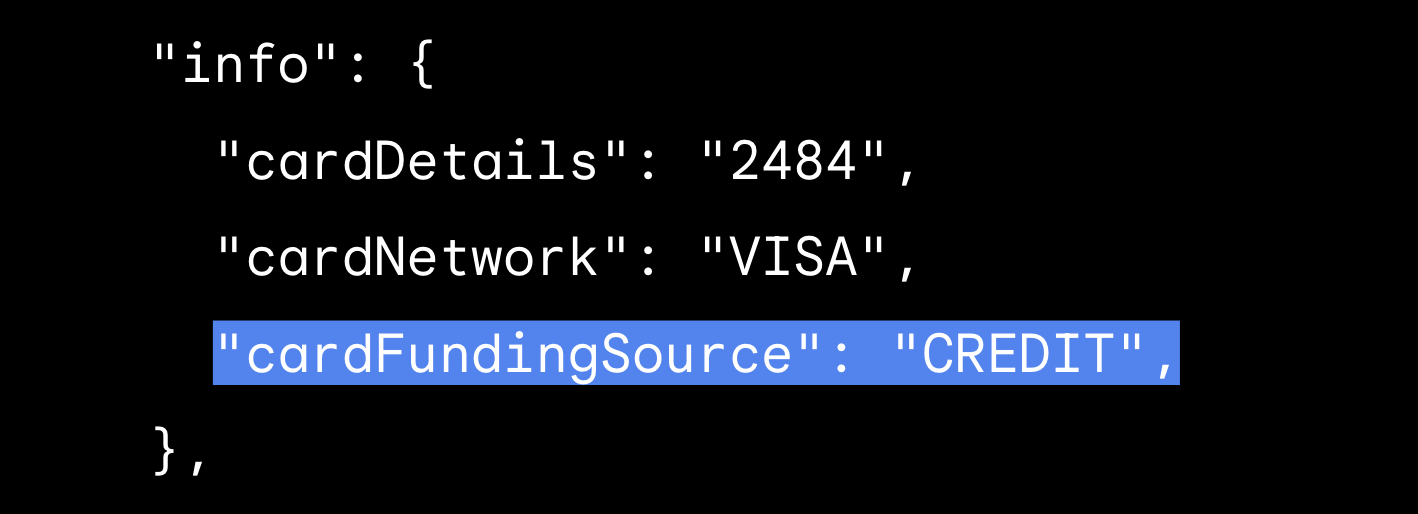
Figure B:cardFundingSourceresponse parameter. -
Eftpos Routing in Australia – For developers and merchants operating in Australia, the eftpos domestic payment network is now officially supported in the Google Pay API. Use the new
merchantPreferredCobadgedCardNetworksparameter to prioritize the local network and dynamically route transactions to eftpos without heavy backend lifting.
Seamless Continuity for Recurring Billing
To better support Merchant‑Initiated Transactions (MITs), you or your PSP can now receive lifecycle notifications for Google Pay payment tokens when underlying credentials change. These notifications include the updated token state, enabling you to proactively contact customers to update their payment methods before the next billing cycle and ensuring continuity for recurring transactions.
Get started:
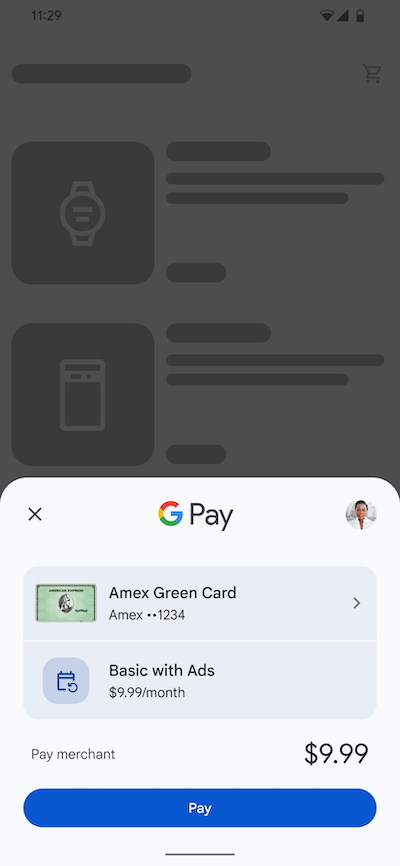
Figure C: Triggering a merchant‑initiated transaction.
Cross‑Device Authentication
When users initiate a transaction on your desktop site, they are prompted to authenticate on their phone via a secure notification or QR code. Customers can then approve the payment using a familiar biometric unlock or PIN on their trusted Android device—a simpler alternative to SMS OTPs or clunky redirects.
- Built‑in MFA compliance support
- Higher conversion rates
- Google Pay’s secure, tokenized credentials enable fraud‑liability shifts
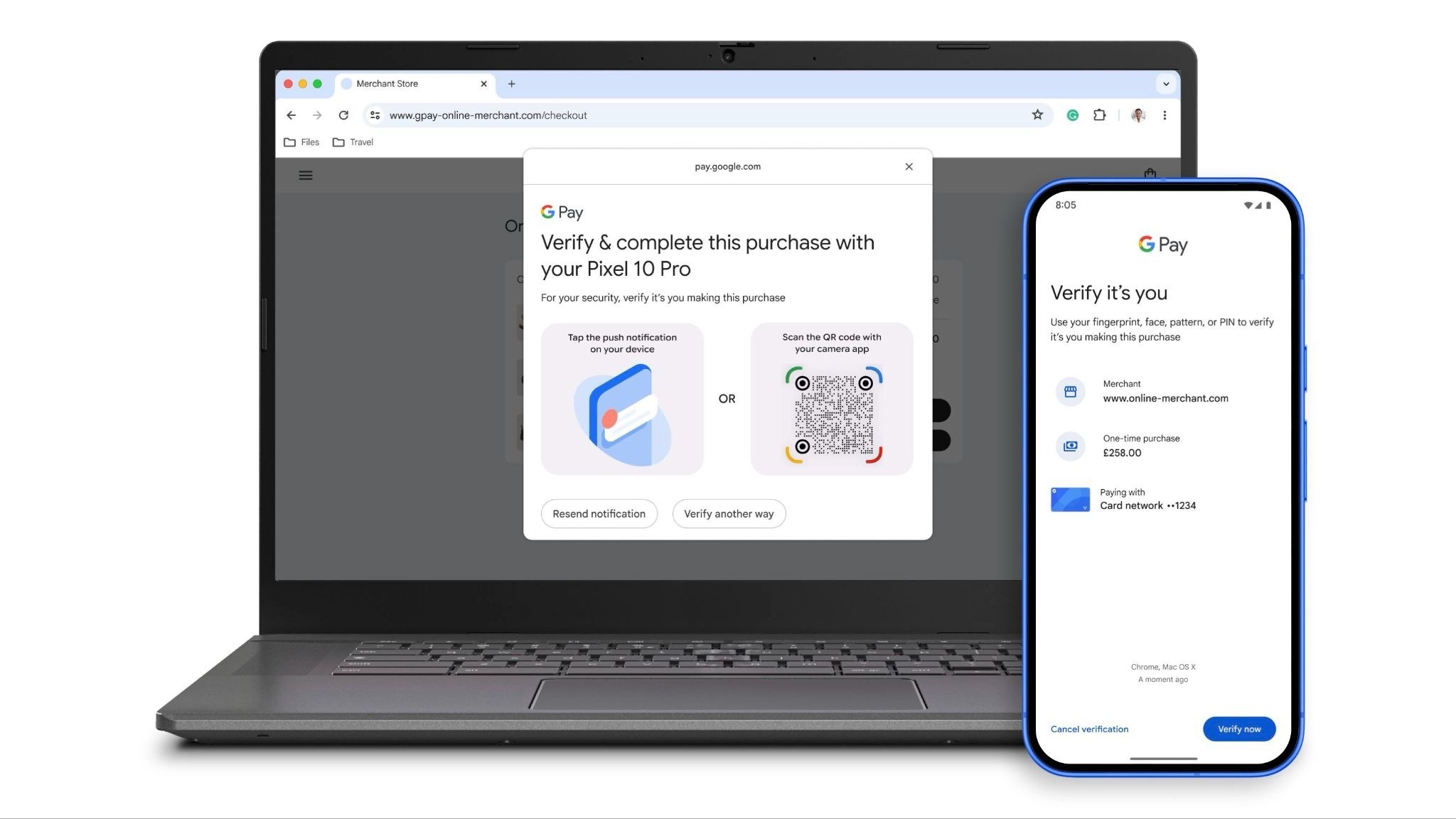
Cross‑Device authentication flow for Google Pay.
Get started with Google Pay
It’s been a highly productive year, and we look forward to seeing what you build next. Take a look at our developer documentation and get started with your Google Pay integration today to set up your platform for future agentic experiences.
Follow @GooglePayDevs on X for future updates.
Explore this announcement and all Google I/O 2026 updates on the Google I/O site.
Navigation