
The Jungle Protocol: Turning my Professional Journey into an Adaptive Quest
Source: Dev.to
This is a submission for the New Year, New You Portfolio Challenge Presented by Google AI
About Me
I’m Hrishikesh Dalal, a Computer Engineering student at Sardar Patel Institute of Technology (SPIT), Mumbai. I don’t just write code; I build experiences. Right now I’m engineering a Jumanji‑themed, gamified portfolio that turns a standard résumé into an adventure.
- Focus: Full‑Stack Development (Next.js, React) and developer tools.
- Open‑Source work: Published
envalyzeandenv‑faultto npm, contributed to Drupal and MDN Web Docs. - Side interests: Exploring the intersection of AI and law with projects like VerdictAI.
I write about system design, open source, and the reality of building software.
Portfolio
Link:
How I Built It
My Tech Stack
| Layer | Technology |
|---|---|
| Frontend | Next.js & Tailwind CSS |
| Animations | GSAP (cinematic feel) |
| 3D Elements | Three.js (interactive globe & hero patterns) |
| AI | Gemini API (powers NPC‑style chatbots) |
The Process: From Chaos to Clarity
Building a portfolio is a trap. You want to show off everything, but if you’re not careful you end up with a bloated mess.
1. The Affinity‑Mapping Phase
I was drowning in ideas from my UI/UX course: a full 3D world, a terminal, hidden easter eggs, business‑centric project stats, and a Jumanji‑themed game. I used Affinity Mapping to dump every “cool” idea onto a board and then ruthlessly segregated them.
2. The “Reality Check”
Key question: Why is someone here?
Hiring managers are busy. Some are tech‑savvy, some aren’t. Some might want to play a game; others just want to skim a résumé in 30 seconds.
Decision: A “Clean & Clear” landing page with a defined Call‑to‑Action (CTA) is non‑negotiable. The “wow” factor should enhance the information, not hide it.
Design Breakdown: Section by Section
The Hero (The First 5 Seconds)

I treated the hero like a movie opening. A pre‑loader with a cinematic transition drops you into an interactive dot pattern, grabbing attention immediately.
The Impact (Big Numbers & Open Source)

Instead of just saying “I build tools,” I used bold typography to showcase my npm stats—making the real‑world impact of envalyze and env‑fault unavoidable. I also highlighted my open‑source journey with Hacktoberfest badges and my role as a project admin.
The Experience Timeline
A scroll‑triggered timeline with GSAP micro‑interactions. Hovering an entry adds a subtle movement—enough to feel alive, but not distracting.
The Terminal (For the Geeks)
A fully functional terminal for my projects. You can change themes, run an echo, or watch animations.
- Pro Tip: Try typing
sudo. You’ve been warned. - Accessibility Switch: If you’re not a terminal fan, toggle back to a standard grid—no one gets left behind.
The “Jungle” Experience
The hardest part to perfect. My first version was just a collection of games; friends said, “It’s disconnected. I don’t see YOU in this.”
I went back to the drawing board and turned it into a narrative, adding:
- Prologue & Epilogue: Give the quest purpose.
- Level 2 (The Jumper): While you play, the character narrates my tech stack and experience journey.
- Secret Cheat Codes: Because what’s a game without them?
Bringing It to Life with AI
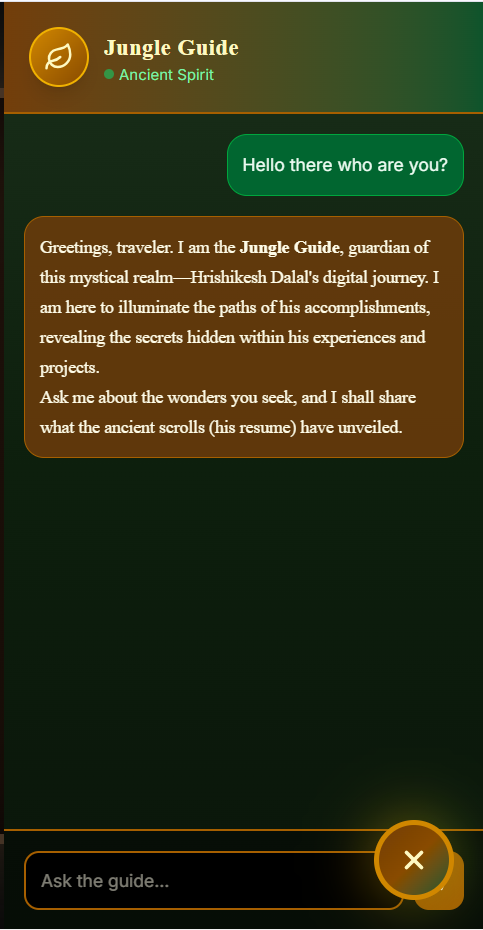
- Main Chatbot: Answers a variety of queries; sample questions are provided to improve its responses.
- Game Chatbot: Acts as an NPC, responding in‑character during the adventure.
Architecture
The diagram below shows how the game chatbot is integrated to handle context‑aware queries, ensuring it knows where you are in the game and who I am as a developer.

The User Interaction Layer
- User Sends Message – Interaction begins with the user typing into the interface.
- Frontend App (Next.js) – The core UI, built with React, includes a React Markdown Renderer so AI responses (often containing code snippets or formatted text) display cleanly and professionally.
Security and Traffic Management
Backend API Gateway & Security Layer – Instead of calling the Gemini API directly from the frontend (which would expose your API keys), the app calls a secure backend gateway. This layer handles authentication and protects your credentials.
Load Balancer – To prevent any single server from becoming overwhelmed, a load balancer sits in the middle. It analyzes incoming requests and routes them efficiently across multiple active instances.
The Processing Core
- Chat Model Instances – The system uses multiple parallel instances (Instance 1, 2, and 3) to process requests.
- Least‑Used Routing – The load balancer routes a request to Instance 1 because it is currently the “least used,” ensuring optimal performance and low latency.
- Google’s Gemini API – These instances act as the bridge to Google’s infrastructure. They send the processed user prompt to the Gemini API and receive the raw AI generation in return.
The Response Loop
- Forwards Response – Once a chat instance receives the data from Google, it forwards that response back through the secure backend.
- Final Display – The message is sent back to the Next JS app, where it is rendered as Markdown, completing the loop and appearing on the user’s screen.
Easter Eggs
I have a game at the start where the user can press the “?” button and play that simple.
“Stay Hungry, Stay Foolish.”
My portfolio ends with this quote because it sums up my approach to engineering. Whether it’s deep‑diving into the Drupal source code or building a terminal from scratch, I’m always looking for the next thing that feels slightly impossible to build.
What I’m Most Proud Of
If you’re a developer, you know the feeling: you spend 10 % of your time on the features people see and 90 % on the “over‑engineered” systems that make you feel like a wizard. Here are the pillars of this portfolio that I obsessed over.
1. The Terminal (Because real devs use a CLI)
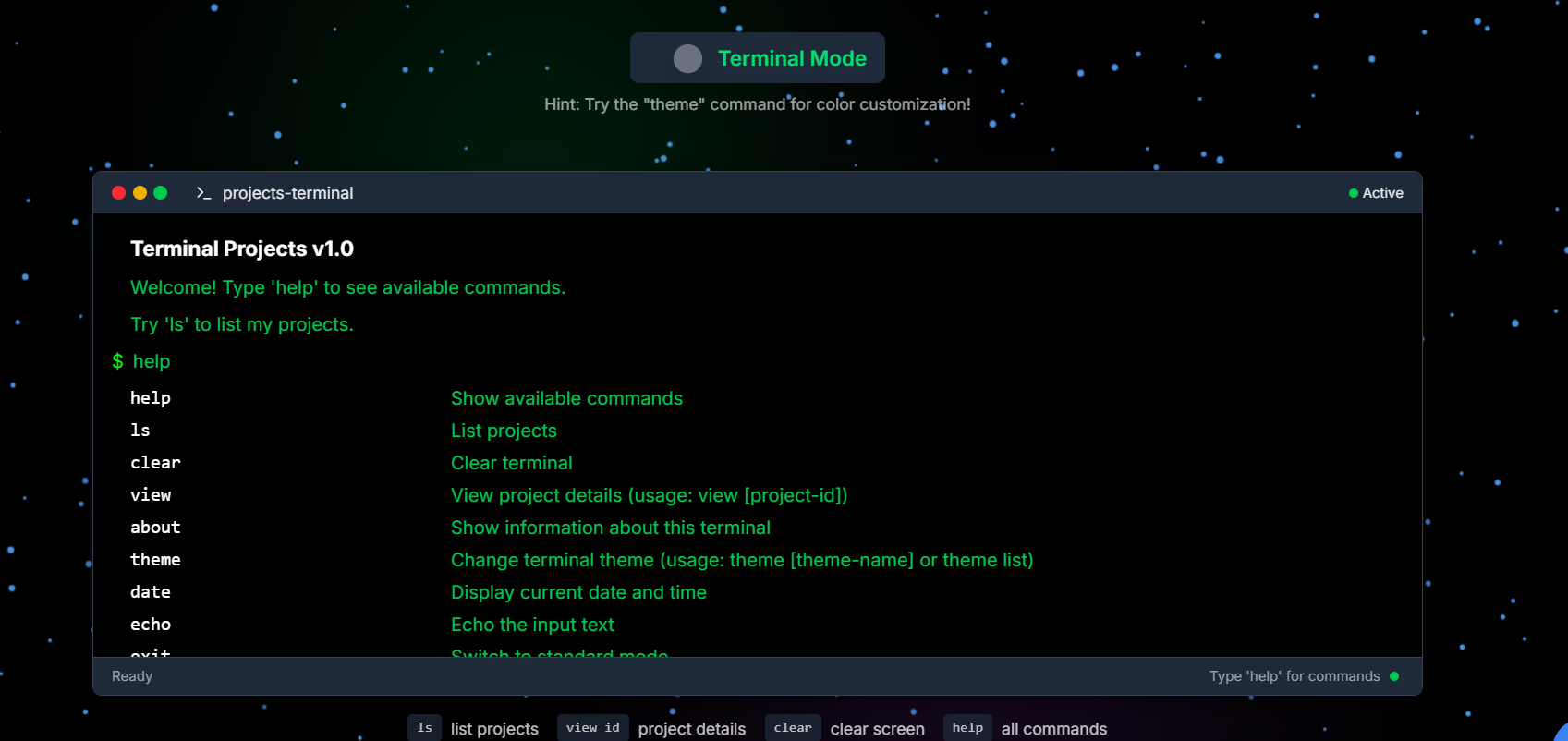
- The Experience: A working CLI where you can navigate projects, change themes, or trigger animations.
- The “Sudo” Trap: Hidden easter eggs for people who like to poke around—try typing
sudo. - The Hybrid UI: Recruiters aren’t always looking to type commands, so I built a “safety net” toggle that instantly switches the terminal into a standard project grid.
2. Projects with a “Business First” Logic
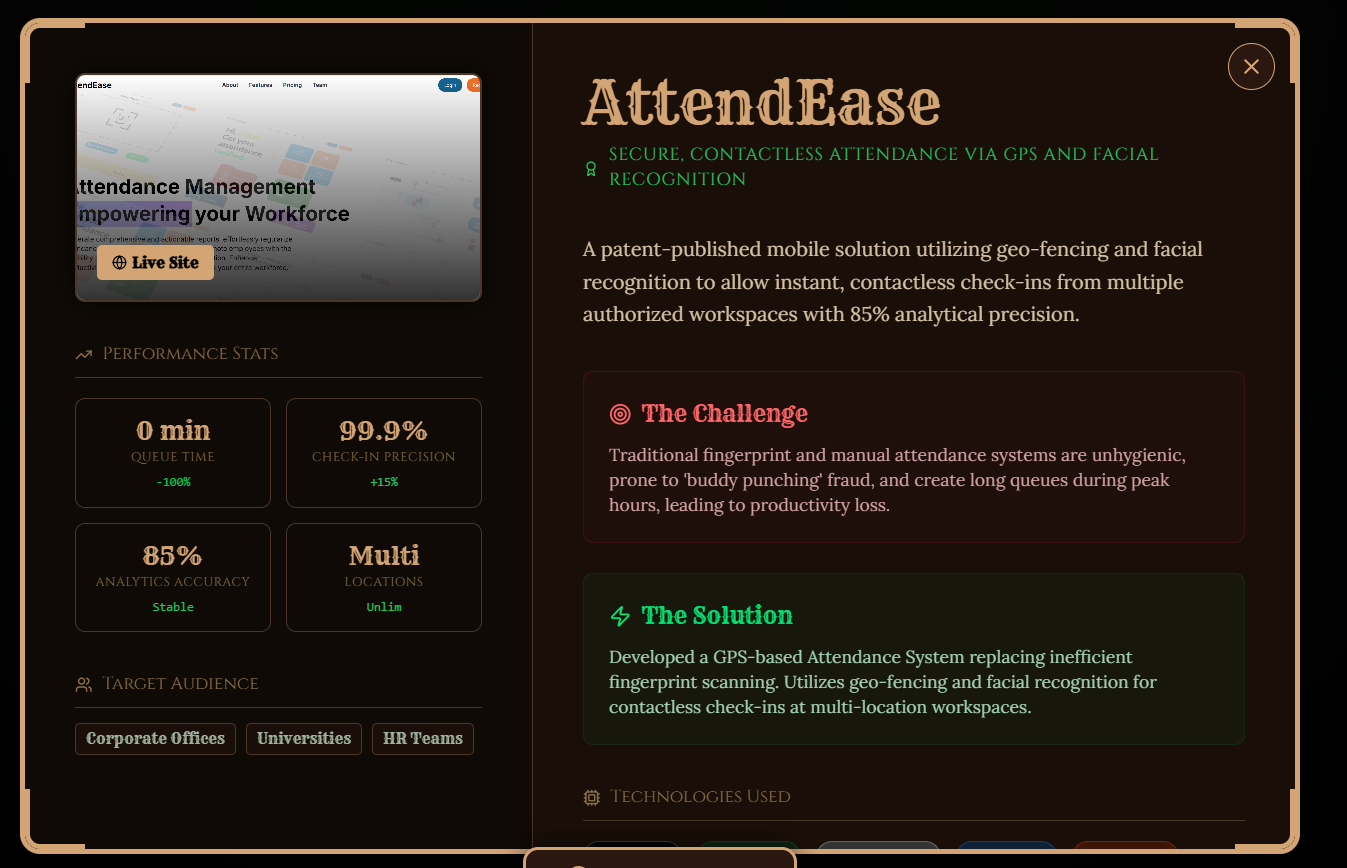
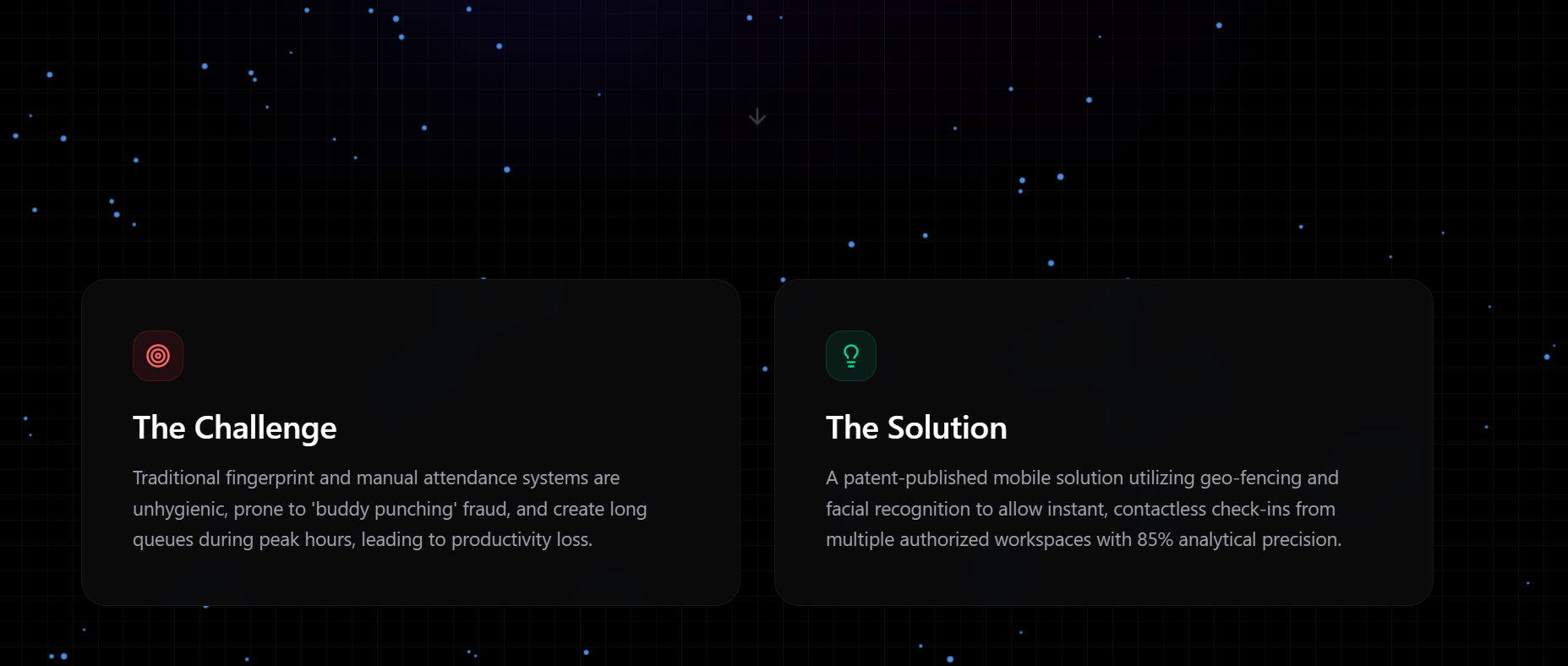
- Beyond the Code: Clicking into a project shows not only the tech stack but also the Business Perspective, Impact, and Stats.
- The “Why” Factor: I explain the reasoning behind my architectural choices so non‑technical stakeholders can understand the value I created, not just the code I wrote.
- Deep Dives: Each project page walks the viewer through the journey from a pain point to a scalable solution.
3. The Jumanji Game Engine
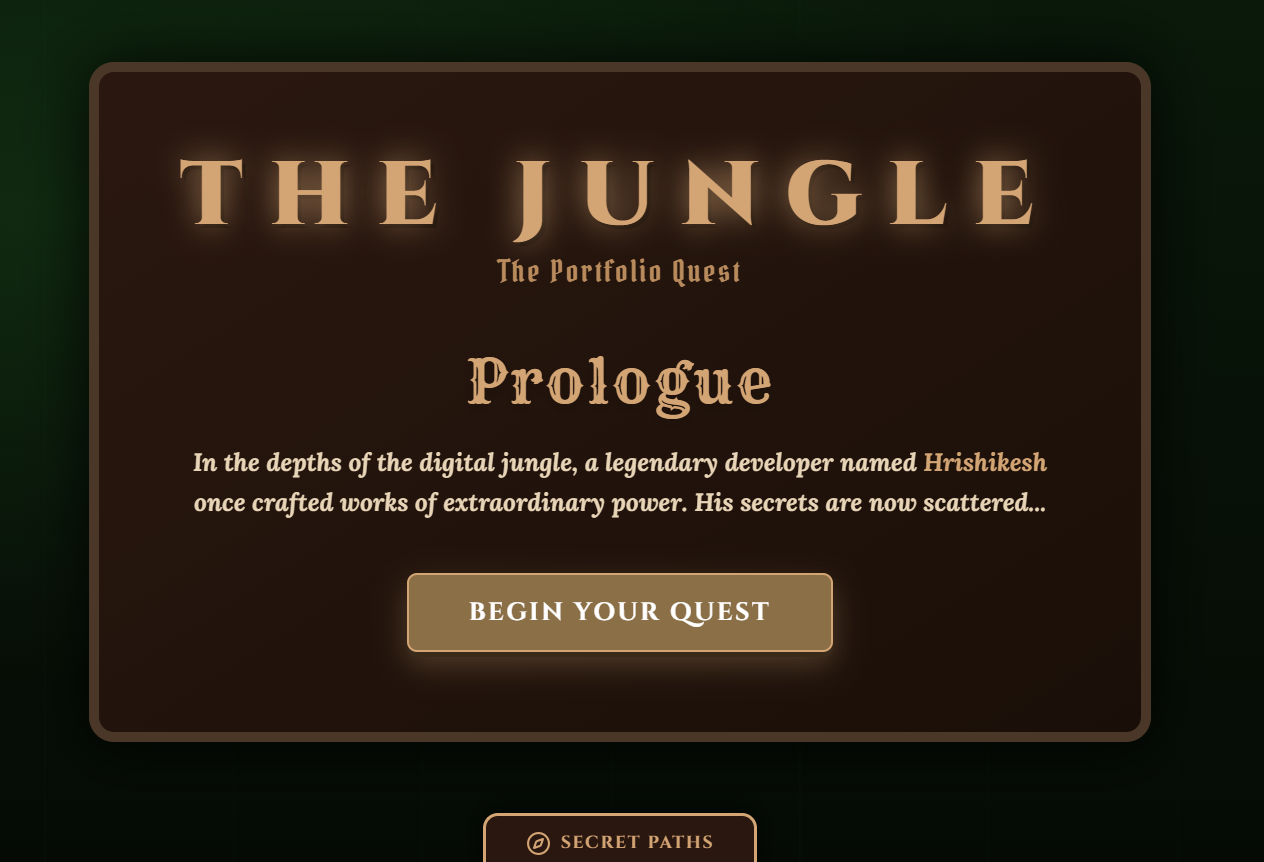
- The Narrative: A full prologue and epilogue make it feel like a real quest, not a random mini‑game.
- The Career Jumper: In Level 2, the character narrates my tech stack and career journey while you play.
- Recruiter Mode: A recruiter can upload a job description, and the game adapts the highlighted information to match the role’s requirements.
4. The Chatbot Architecture
(Additional diagram or image can be added here if needed.)
All images are hosted on Dev.to’s CDN and linked directly for optimal loading.

I’m most proud of what’s happening **under the hood** here. I built a production‑ready pipeline for the Gemini‑powered chatbot.
### The Load Balancer
My system uses three different chat‑model instances. I implemented a load balancer that routes traffic to the **least‑used** instance to keep things snappy, no matter the traffic.
### Security & Scalability
I kept the logic on the backend. The React frontend talks to a secure API Gateway, which handles the Gemini API calls to keep my keys safe.
### The NPC Persona
I used the **Gemini API** to give the bot a specific “In‑game NPC” persona—it knows it’s in the Jungle, but it also knows my GitHub stats.