
Stop Sending Static Resumes: How I Built a 'Chat With My Resume' Bot (Next.js + RAG)
Source: Dev.to
Let’s be honest: recruiters spend about 6 seconds looking at your portfolio.
You spend weeks building a beautiful site, polishing your CSS, and optimizing your Lighthouse score, only for most visitors to glance at the hero section and leave.
I wanted a portfolio that was active, not passive—a site that could answer questions like:
- “What is his experience with TypeScript?”
- “Has he ever worked with AWS?”
- “Why should we hire him?”
So I built a RAG‑powered AI chatbot that “reads” my resume and answers questions in real‑time. Here’s how I built it (and how you can too).
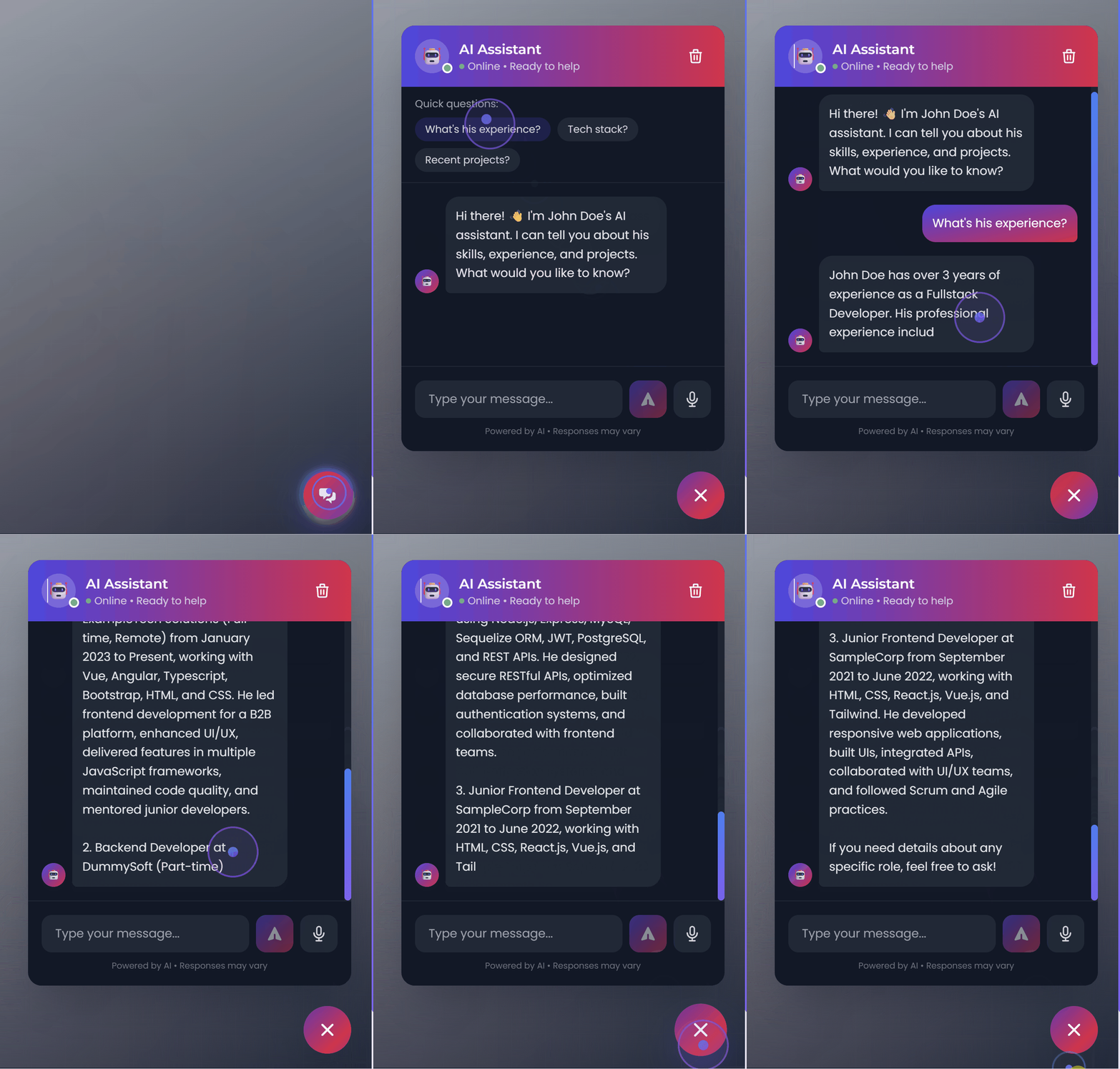
The Architecture: Keeping it “Pure”
When I started, I looked at libraries like LangChain. While powerful, they felt like overkill for a simple portfolio bot. I didn’t want 500 MB of dependencies just to make an API call.
Stack
- Frontend: Next.js 15 (App Router) for the UI.
- Backend: Node.js (Express) to handle the API keys securely.
- AI: OpenAI API (gpt‑4o‑mini) for the intelligence.
- Logic: Custom RAG (Retrieval‑Augmented Generation) pipeline.
The Challenge: Context & Streaming
Building a chatbot is easy. Building a chatbot that knows who you are is harder.
1. The “Brain” (RAG)
You can’t paste your whole resume into the prompt every time—it wastes tokens and money. Instead, I implemented a simple vector‑search logic:
- The app loads my portfolio data (experience, skills, bio) on startup.
- When a user asks a question, the system finds the most relevant “chunk” of text.
- It feeds only that chunk to OpenAI with a system prompt like:
“You are an AI assistant for [Name]. Answer the recruiter’s question using only the context provided below.”
2. The “Typewriter” Effect (Streaming)
Nothing kills the vibe like waiting 5 seconds for a response. I wanted that “ChatGPT feel” where the text types out word‑by‑word. To achieve this I avoided standard REST responses and used Server‑Sent Events (SSE).
// Example SSE endpoint (Node.js + Express)
app.get('/api/chat', (req, res) => {
  res.setHeader('Content-Type', 'text/event-stream');
  res.setHeader('Cache-Control', 'no-cache');
  res.flushHeaders();

  // Stream chunks from OpenAI
  openai.chat.completions.create({
    model: 'gpt-4o-mini',
    messages: [{ role: 'system', content: systemPrompt }, ...userMessages],
    stream: true,
  }).then(stream => {
    for await (const part of stream) {
      const content = part.choices[0]?.delta?.content;
      if (content) {
        res.write(`data: ${JSON.stringify({ content })}\n\n`);
      }
    }
    res.write('event: done\n\n');
    res.end();
  }).catch(err => {
    console.error(err);
    res.write('event: error\n\n');
    res.end();
  });
});
This ensures the user sees activity immediately, keeping them engaged.
Gotchas (Why This Took Weeks)
While the code looks simple, getting it production‑ready was tricky:
- Security: OpenAI keys must never be exposed in client‑side code; a proxy server is required.
- Mobile Responsiveness: A floating chat widget needs to handle iPhone keyboards without breaking the layout.
- Context Windows: Chat history must be pruned carefully to avoid hitting token limits.
The Result
Now, when a recruiter visits my site, they don’t just scroll—they engage. They can ask about my rates, availability, and tech stack, turning a static monologue into a dynamic interview.
Want to Add This to Your Portfolio?
If you want to build this yourself, I highly recommend looking into the OpenAI Node SDK and Server‑Sent Events. It’s a great learning experience.
It’s a fully typed, production‑ready starter kit:
- ✅ Pure RAG setup (no complex libraries)
- ✅ Pre‑built streaming UI (Next.js 15)
- ✅ Easy “Resume” configuration
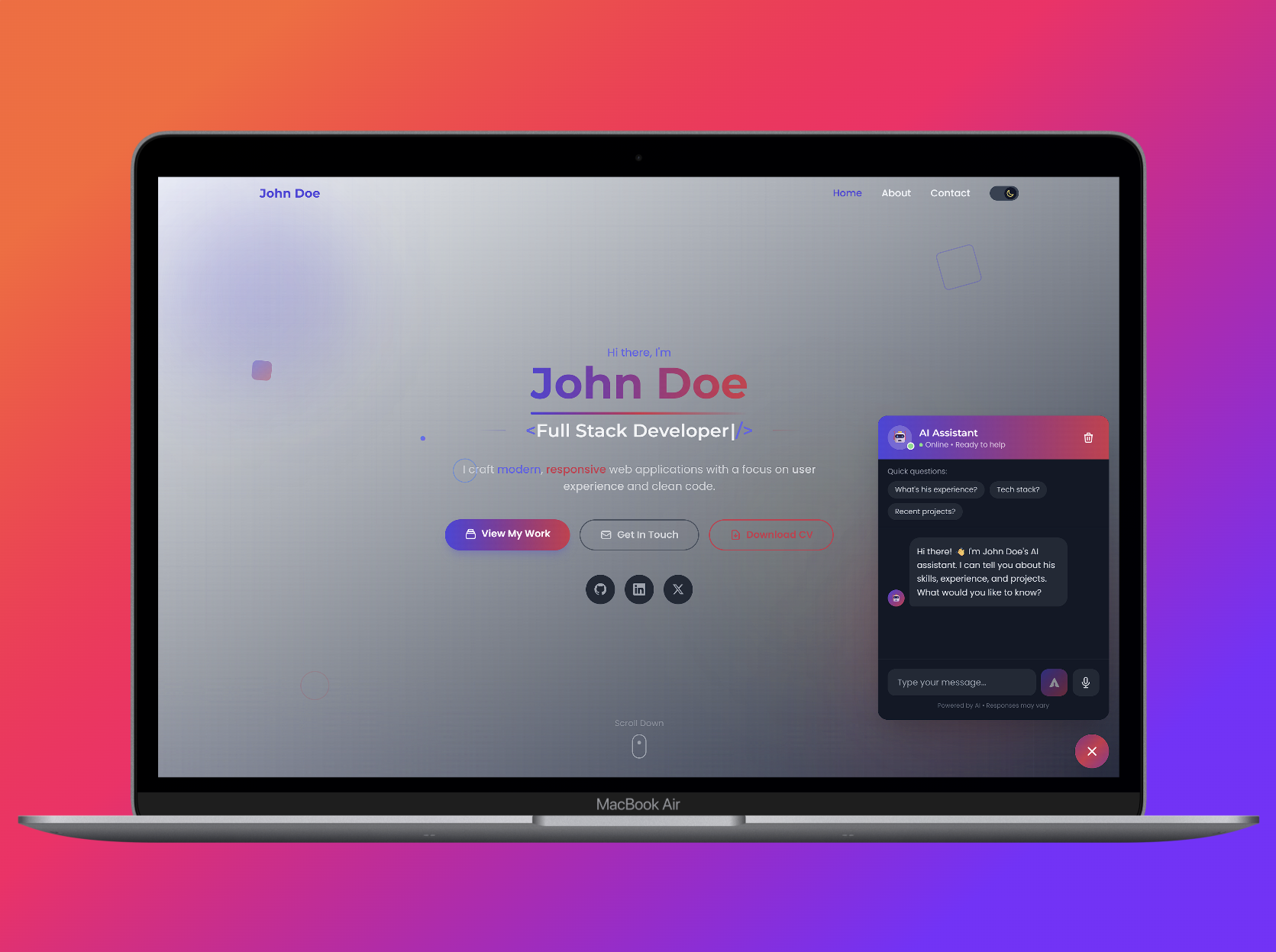
You can grab the template and start customizing it this weekend:
🚀 Get it on Lemon Squeezy – use code HOLIDAY2026 at checkout for a discount!
Happy coding!