
Search and filter bar for repository security advisories
Published: (May 6, 2026 at 11:35 AM EDT)
1 min read
Source: GitHub Changelog
Source: GitHub Changelog
New search and filter bar for repository security advisories
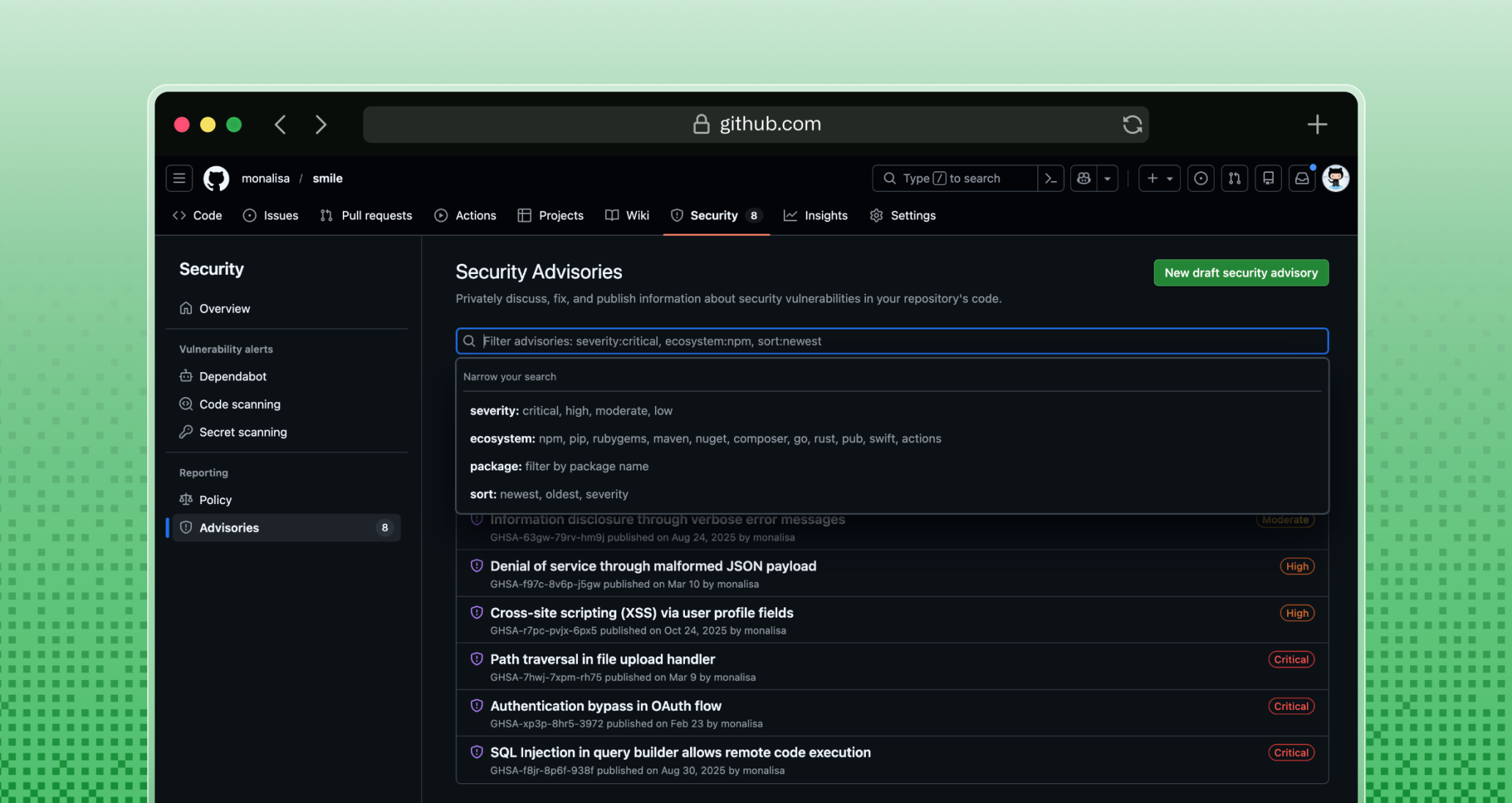
You can now search and filter security advisories directly from your repository’s Security tab. The new search bar and filter controls sit at the top of the advisory list, letting you locate advisories by:
- Keyword (
sort,package,ecosystems,severity) - Specific filter selections (e.g., ecosystem, severity)
How it works
- Open the Security tab of a repository.
- Use the search input to type keywords such as
sortor a package name. - Expand the filter dropdowns to narrow results by ecosystem, severity, or other criteria.
Benefits
- Faster triage: Locate relevant advisories without leaving the page or calling the API.
- Improved workflow: Spend less time scrolling and more time addressing critical issues.
- Unified experience: Search and filter directly within the repository’s security interface.
Community discussion
This changelog is part of GitHub’s ongoing investment in the security advisory experience. Join the conversation on the GitHub Community.