
Repo maintenance is boring. So I turned it into an RPG with GitHub Copilot CLI.
Source: Dev.to
This is a submission for the GitHub Copilot CLI Challenge
What I Built
git‑quest (@maplekuo/git-quest) is an MCP (Model Context Protocol) server that integrates directly into the GitHub Copilot CLI tool system.
Key Features
- 🎮 5 MCP tools –
scan_quests,accept_quest,verify_quest,player_stats,quest_log - 📜 3 scanners –
missing‑docs(★☆☆),todo‑hunter(★★☆),missing‑tests(★★★) - 🐉 Boss Quests – multi‑issue files that require comprehensive cleanup
- ⚔️ 6 levels – Novice → Apprentice → Journeyman → Expert → Master → Legend
- 🏅 6 badges – First Blood, Scribe, Exterminator, Guardian, Dragon Slayer, Perfectionist
- 💾 Persistent progress via
.git‑quest.jsonin your repo - 🔧 One‑command setup –
npx @maplekuo/git-quest setup
Tech Stack: TypeScript, Node.js, @modelcontextprotocol/sdk (stdio transport). Zero external dependencies beyond the MCP SDK.
Demo
Below is a walkthrough of git‑quest in action on a deliberately messy demo repository (missing JSDoc, scattered TODOs, hack workarounds, and untested utilities).
Step 1: Scan for Quests
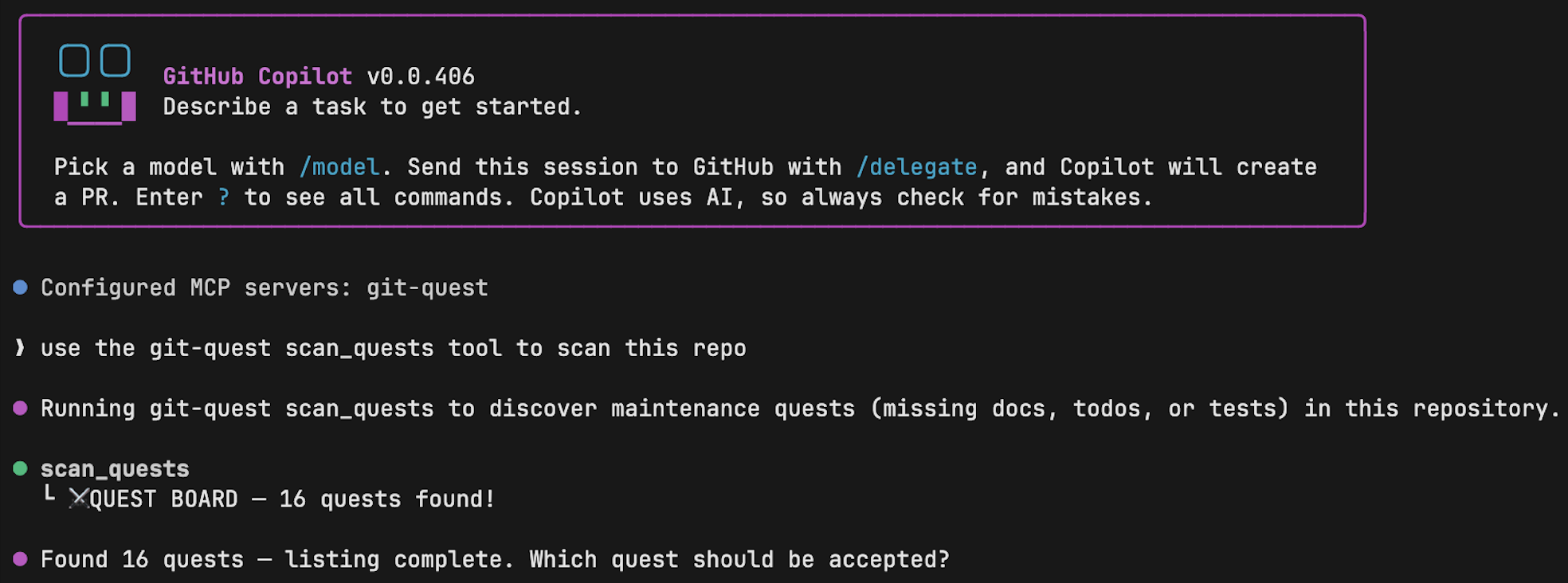
One command. Copilot CLI connects to the git‑quest MCP server and scans the repo. 16 quests found – each with a name, difficulty rating, type, and location. The quest board reads like a dungeon map:
- “The Undocumented AuthManager” (★☆☆)
- “The Cursed Workaround” (★★☆)
- “Purify utils.ts” (★★★★ Boss)
Step 2: Accept a Quest
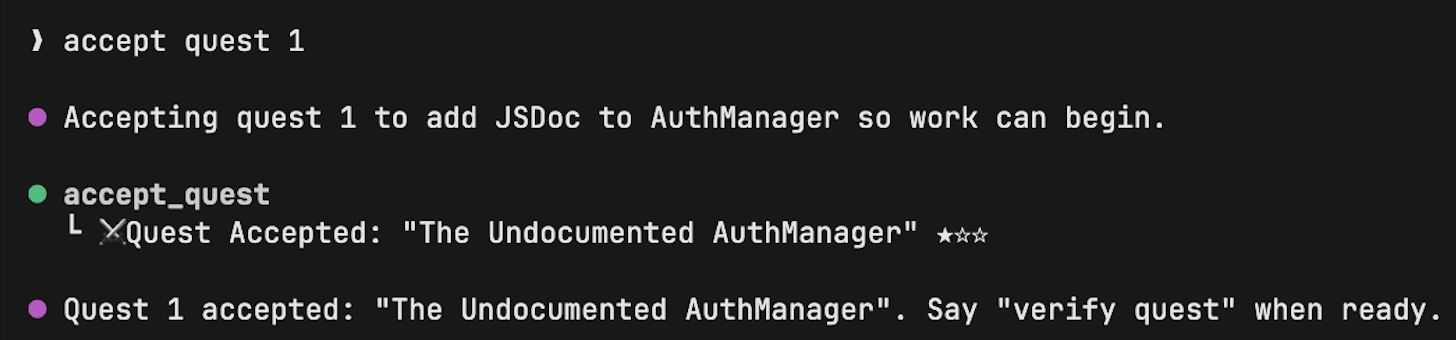
accept_quest 1 – you’re locked in. Objective: add JSDoc documentation to the AuthManager class in src/auth.ts. Difficulty: ★☆☆. Reward: 10 XP.
Step 3: Let Copilot CLI Solve It


I said “complete this quest” and Copilot CLI took over. It:
- Read the source file.
- Analyzed the class structure.
- Wrote proper JSDoc for every method.
- Edited the file.
- Called
verify_questto check its work.
✅ QUEST COMPLETE. +10 XP – no copy‑pasting, no tab‑switching.
Step 4: A Harder Quest — Fixing a HACK
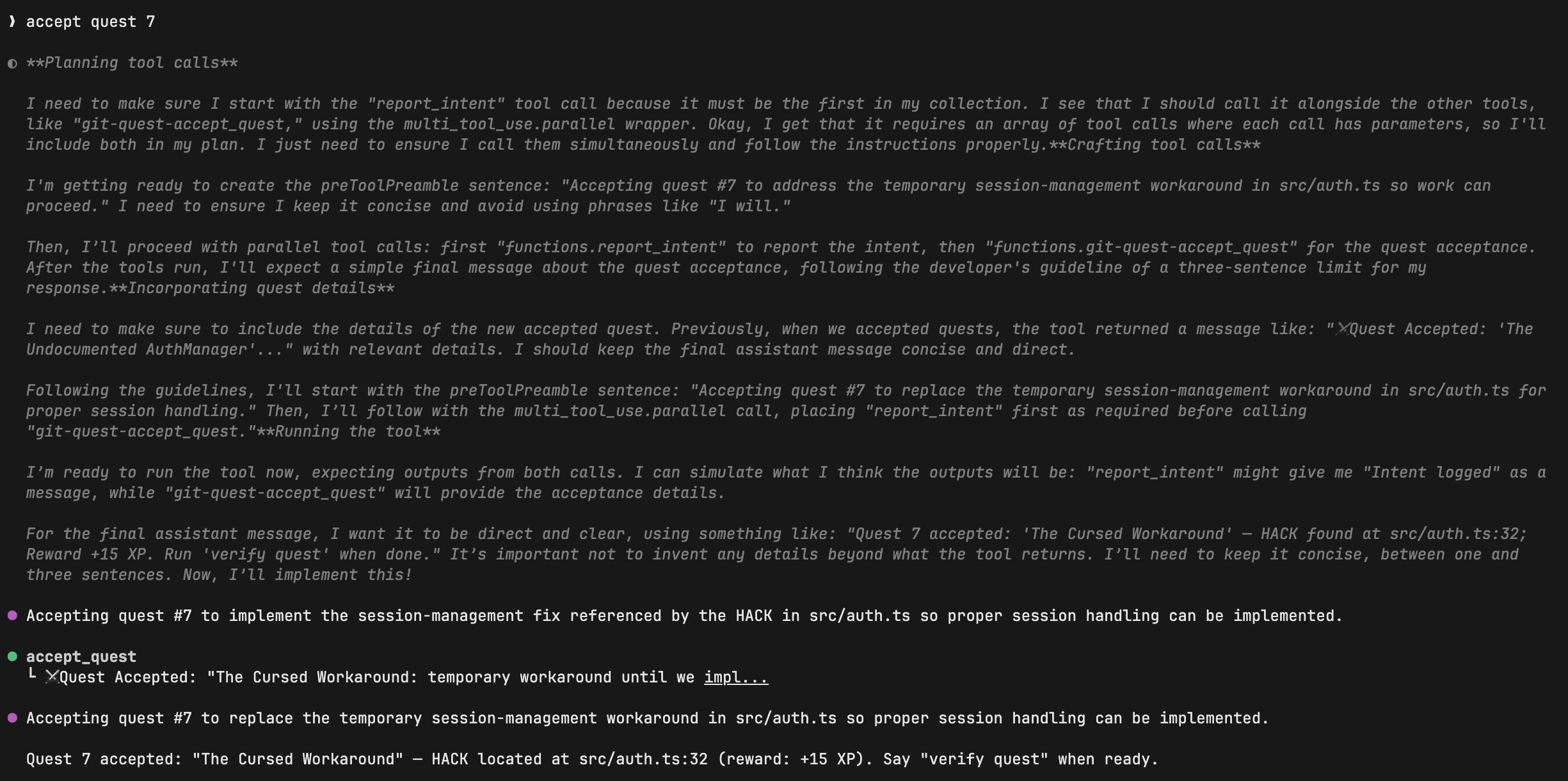
Quest 7: “The Cursed Workaround” – a HACK comment buried in the authentication module at line 32. This isn’t just adding docs; it requires understanding why the hack exists and replacing it with a proper implementation.
Step 5: Copilot’s Deep Reasoning 🔥
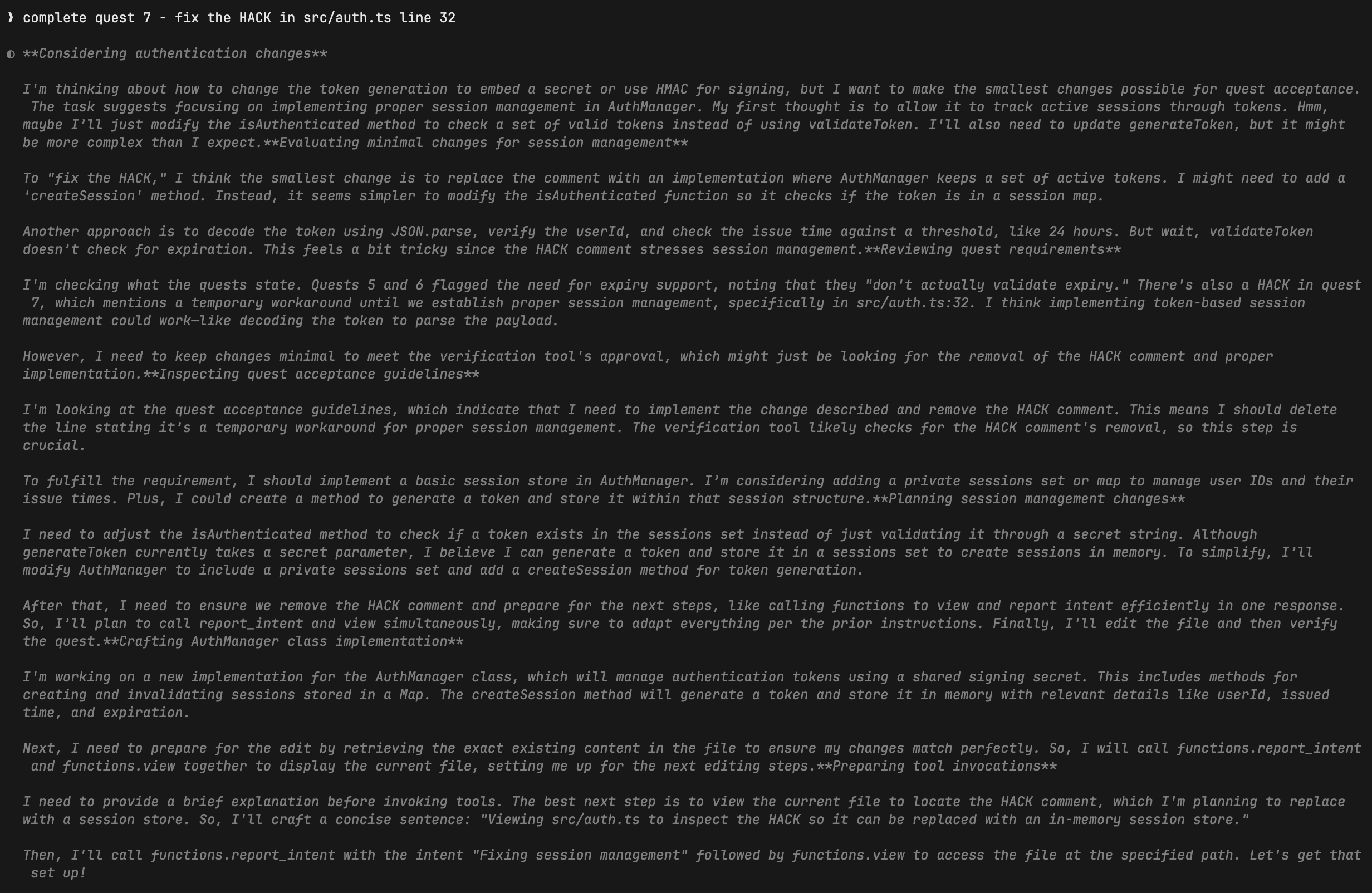
When asked to fix the HACK, Copilot CLI:
- Reasoned about session‑management architecture.
- Considered multiple approaches (HMAC‑based tokens, session maps, token‑expiry strategies).
- Made an architectural decision before writing a single line of code.
It acted like a senior engineer, not just a code‑completion tool.
Step 6: Level Up! 🎉

After completing the boss quest, I earned 15 XP and leveled up from Novice to Apprentice. The progress is persisted in .git‑quest.json, so the next time I run scan_quests I’ll see new challenges awaiting.
Try It Yourself
# Install and set up
npx @maplekuo/git-quest setup

# Scan the current repository for quests
npx @maplekuo/git-quest scan_quests

# Accept a quest (replace <id> with the quest number)
npx @maplekuo/git-quest accept_quest <id>

# Let Copilot CLI solve it
npx @maplekuo/git-quest complete_quest

# Verify progress
npx @maplekuo/git-quest player_stats
Enjoy the adventure! 🚀
Quest Progress
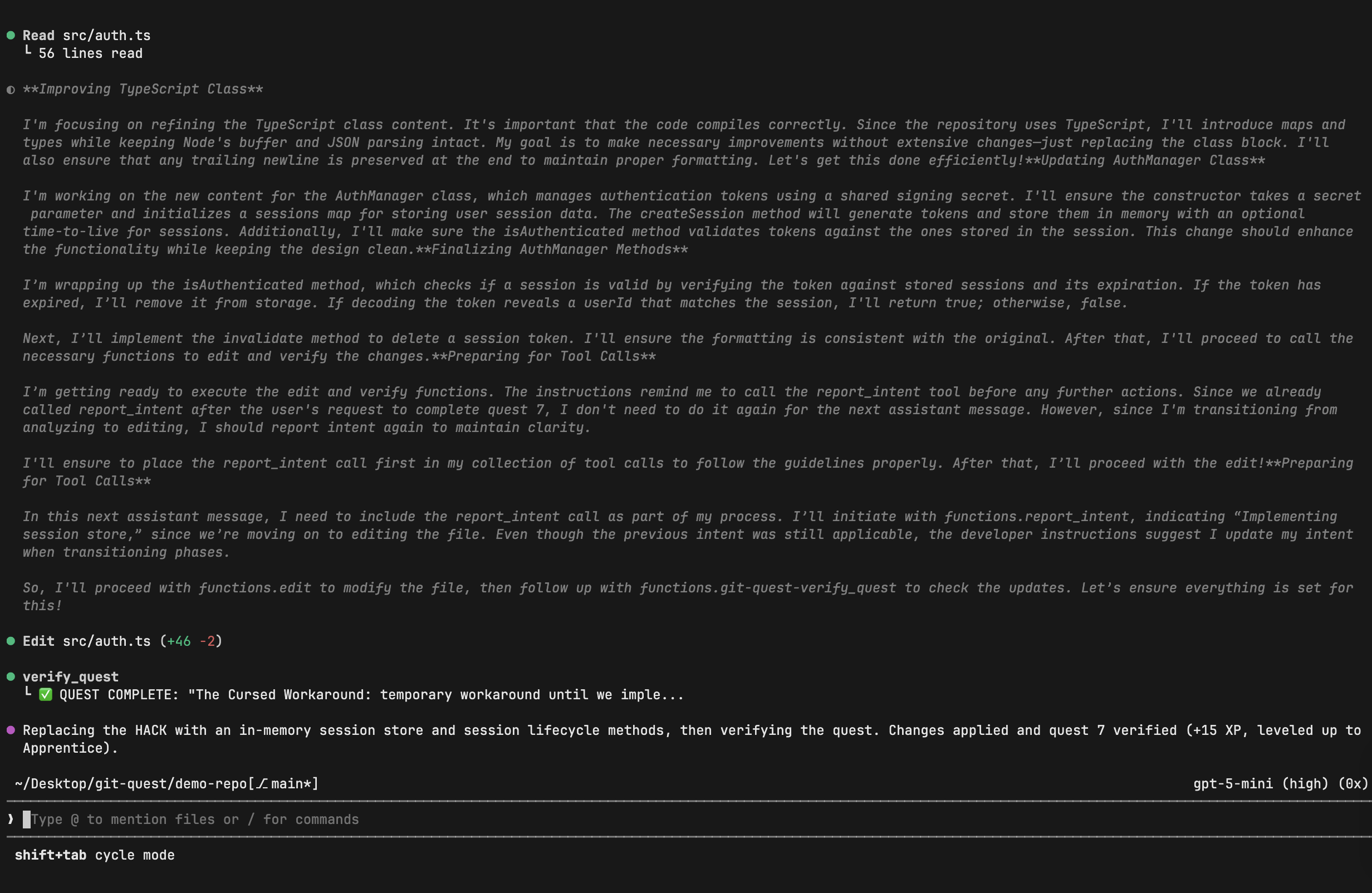
The HACK quest is done. src/auth.ts gains 46 new lines of proper session‑management code, replacing 2 lines of hack. +15 XP. Leveled up to Apprentice. The dopamine hit is real.
Step 7: Player Stats

- Level: Apprentice
- XP: 25
- Quests completed: 2
- Badge earned: First Blood 🩸
The stat card makes you want to keep going — there are 14 quests left and 5 more levels to climb.
Step 8: Boss Quest 🐉
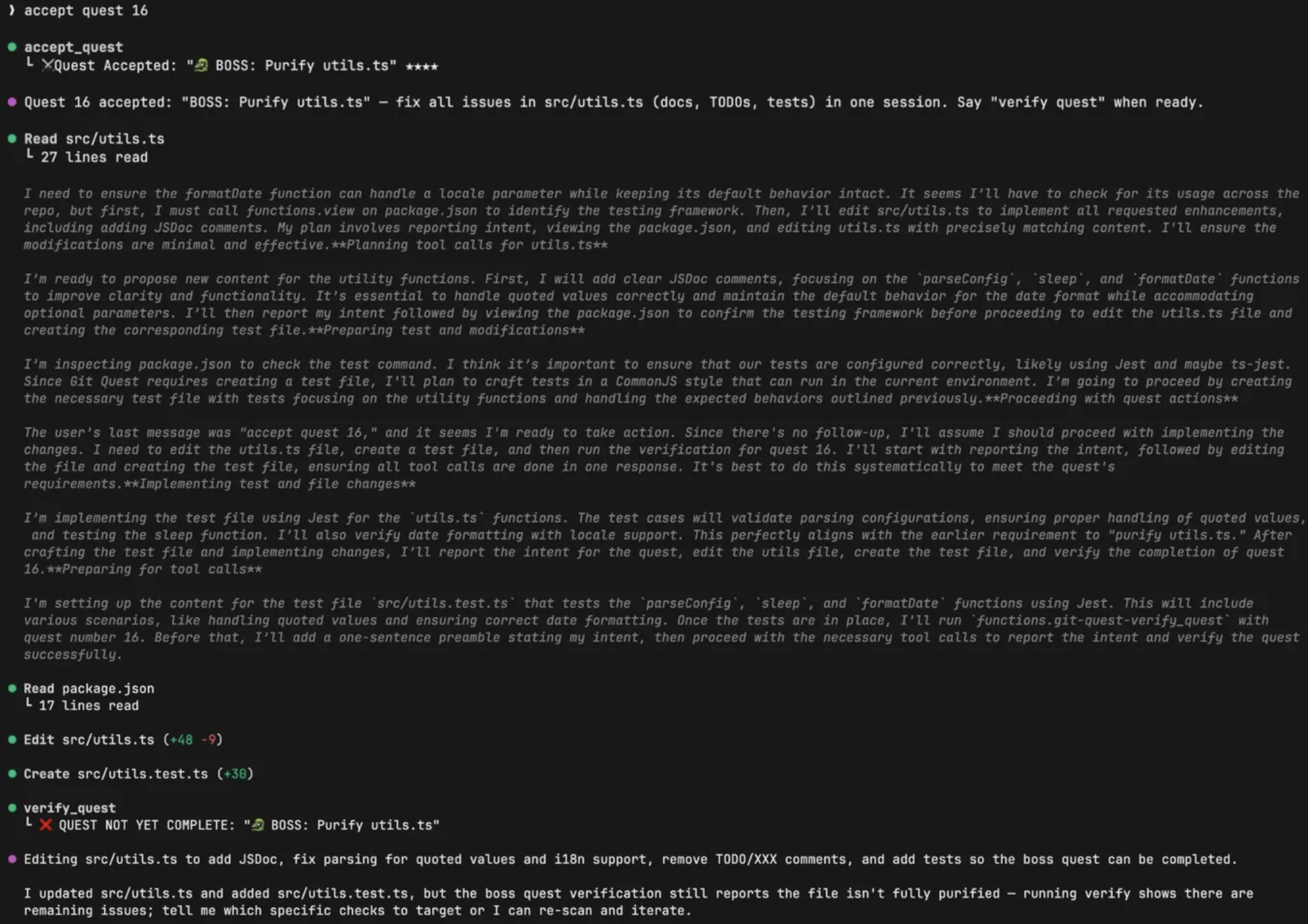
Boss Quest: “🐉 Purify utils.ts” (★★★★) — a file with multiple issues that all need fixing:
- missing JSDoc
- broken parsing logic
- scattered TODOs
- no tests
Copilot CLI plans a multi‑step attack:
- Add documentation
- Fix the parser
- Remove TODOs
- Create a test file
It reads utils.ts, edits it (+48 lines, ‑9 lines), creates utils.test.ts from scratch (+30 lines), and calls verify_quest. The boss doesn’t go down easy — verification catches remaining issues, and Copilot reports back honestly:
“Tell me which specific checks to target, or I can re‑scan and iterate.”
That’s the beauty of the verification system. It’s not a rubber stamp; the boss fight actually requires multiple rounds.
My Experience with GitHub Copilot CLI
Building git‑quest: The One‑Shot Story
I built git‑quest almost entirely in a single Copilot CLI session. I wrote one comprehensive prompt — essentially a PRD covering the full project structure, all 5 MCP tools, 3 scanners, the game system, setup CLI, and demo repo — and Copilot CLI built it in one pass:
- 10 TypeScript source files
- Clean build with zero TypeScript errors
- 363‑line
index.tswith all tool handlers - Setup CLI, demo repo, and
package.jsonall wired up
It wasn’t completely hands‑free. I hit a few bumps:
- MCP config path – Copilot CLI generated a config at
~/.config/github-copilot/mcp.json, but the correct path is~/.copilot/mcp-config.json. This isn’t well‑documented and took trial‑and‑error to discover. - Build output mismatch – The config pointed to
dist/index.jsbut TypeScript compiled todist/src/index.js. A small path bug, but it caused the MCP server to silently fail to load. - “Why isn’t it working?” phase – My first scan attempt failed because Copilot CLI read the README instead of calling the MCP tool. Turns out the MCP server wasn’t actually connected. Debugging MCP server loading is still rough — there’s no clear error message when it fails.
- Verification edge cases – The initial JSDoc verification searched too narrow a window (±5 lines from the function). After a few false negatives, I expanded the search window to ±10/±15 lines, which fixed the issue.
The core development story is real: one prompt, one session, one functional MCP server. The iteration was all in the details — config paths, verification logic, npm‑publishing quirks.
What Surprised Me
The biggest surprise was watching Copilot CLI use git‑quest’s tools autonomously. I expected to manually orchestrate each step (scan → accept → edit → verify). Instead, Copilot CLI figured out the workflow on its own. It called accept_quest, read the relevant file, made edits, called verify_quest, and when verification failed, it re‑edited and retried — all without me telling it to.
This is the MCP protocol at work. By exposing structured tools with clear descriptions, Copilot CLI knows exactly when to call them and what the expected workflow is. git‑quest isn’t just a project built with Copilot CLI — it’s a project that makes Copilot CLI better at its job.
The Dual Role of Copilot CLI
There’s a meta quality to this project that I find compelling:
| Role | Description |
|---|---|
| Copilot CLI as developer tool | Used to build git‑quest itself. |
| Copilot CLI as quest solver | Users employ it to complete quests that git‑quest generates. |
| Copilot CLI as MCP client | Calls git‑quest’s tools to scan, accept, and verify. |
It’s Copilot CLI all the way down. The tool I used to build the project is the same tool that runs it.
Try It Yourself
# Install and set up (auto‑configures MCP for Copilot CLI)
npx @maplekuo/git-quest setup

# Start Copilot CLI
copilot

# Scan your repo for quests
# > use the git-quest scan_quests tool to scan this repo

# Accept and complete a quest
# > accept quest 1
# > complete this quest

# Check your progress
# > show my player stats
Works with any repo. The messier the codebase, the more quests you’ll find. 🎮
Repo maintenance is boring. But leveling up never gets old.
⚔️ Go quest.