
Password guessing without AI: How attackers build targeted wordlists
Source: Bleeping Computer
[Image: Specops Wordlist]
Why Attackers Target Context‑Specific Words
Attackers have long recognized this behavioral pattern and exploit it by:
- Harvesting contextual language – pulling words and phrases that are unique to the target organization.
- Converting the harvested data into targeted password guesses – a far simpler approach than using AI‑driven or massive generic wordlists.
“Rather than relying on artificial intelligence or sophisticated guessing algorithms, many credential attacks begin with something far simpler: harvesting contextual language and converting it into highly targeted password guesses.” – SpecOps Blog
Tools that Enable the Attack
- Custom Word List generators (e.g., CeWL) – automate the collection of organization‑specific terms, making the process repeatable without adding technical complexity.
- These tools boost success rates while keeping noise and detection risk low.
Guidance from NIST
NIST SP 800‑63B explicitly advises against using context‑specific words in passwords, such as:
- Service names
- Usernames
- Derivatives of the above
Enforcing this guidance requires understanding how attackers assemble and operationalize these wordlists in real‑world attacks.
The Defensive Gap
Many defensive strategies still assume password guessing relies on broad, generic datasets, overlooking the threat posed by targeted, context‑specific wordlists.
Takeaway:
To improve password security, organizations must move beyond generic complexity rules and actively guard against the creation and reuse of internal language in credentials.
Where Targeted Wordlists Really Come From
CeWL is an open‑source web crawler that extracts words from websites and compiles them into structured lists. It ships by default with popular penetration‑testing distributions such as Kali Linux and Parrot OS, lowering the barrier to entry for both attackers and defenders.
How attackers use CeWL
- Crawl the public‑facing digital presence of a target organization.
- Collect terminology that reflects how the organization communicates externally—
- service descriptions,
- internal phrasing found in documentation, and
- industry‑specific language that rarely appears in generic password dictionaries.
“The effectiveness of this approach lies not in novelty, but in relevance.”
The resulting wordlists mirror the vocabulary users encounter daily, making them far more likely to influence password creation.
Password dictionaries – what they are and why they matter (external reference).
From Public‑Facing Content to Password Guesses
CeWL can be configured to control crawl depth and minimum word length, allowing attackers to exclude low‑value results. When harvested this way, the output forms realistic password candidates through predictable transformations1.
How attackers build the candidate set
-
Target selection – For a healthcare organization (e.g., a hospital), public‑facing content often reveals:
- The organization’s name
- Its location
- Services or treatments offered
-
Wordlist creation – These terms are rarely used as passwords in isolation, but they provide a solid base that attackers systematically mutate using common patterns2 such as:
- Numeric suffixes (e.g.,
Hospital2023) - Capitalization changes (e.g.,
HealthCare) - Appended symbols (e.g.,
Clinic!)
- Numeric suffixes (e.g.,
From hashes to cracked passwords
- Hash acquisition – Attackers obtain password hashes via third‑party breaches or infostealer infections.
- Mass mutation – Tools like Hashcat3 apply mutation rules at scale, generating millions of targeted candidates.
- Cracking – The mutated wordlist is tested efficiently against the compromised hashes.
Live‑service attacks
The same wordlists can be leveraged against live authentication services. Attackers may employ:
- Throttling or timing attacks
- Low‑and‑slow guessing techniques
These methods reduce the chance of detection or account lockout while still exploiting the predictable password candidates derived from public content.
Why Password‑Complexity Rules Still Fail
A key challenge is that many passwords generated to meet standard complexity requirements still lack true security.
- SpecOps analysis of more than six billion compromised passwords shows that organizations continue to struggle with this distinction, even when awareness and training programs are in place.
- When passwords are constructed from familiar organizational language, added length or character variety does little to offset the reduced uncertainty introduced by highly contextual base terms.
Example
HospitalName123!
- Meets default Active Directory complexity requirements.
- Remains a weak choice within a healthcare environment because the base term (“HospitalName”) is highly predictable.
Why Attackers Succeed
- Tools like CeWL can harvest organization names and abbreviations from public‑facing content.
- Attackers then generate plausible password variants through minimal, systematic modifications.
Takeaway: Relying solely on complexity rules without considering the predictability of the underlying words leaves passwords vulnerable.
Defending Against Targeted Wordlist Attacks
Reducing exposure to wordlist‑based attacks requires controls that address password construction, not just complexity.
Block Context‑Derived and Known‑Compromised Passwords
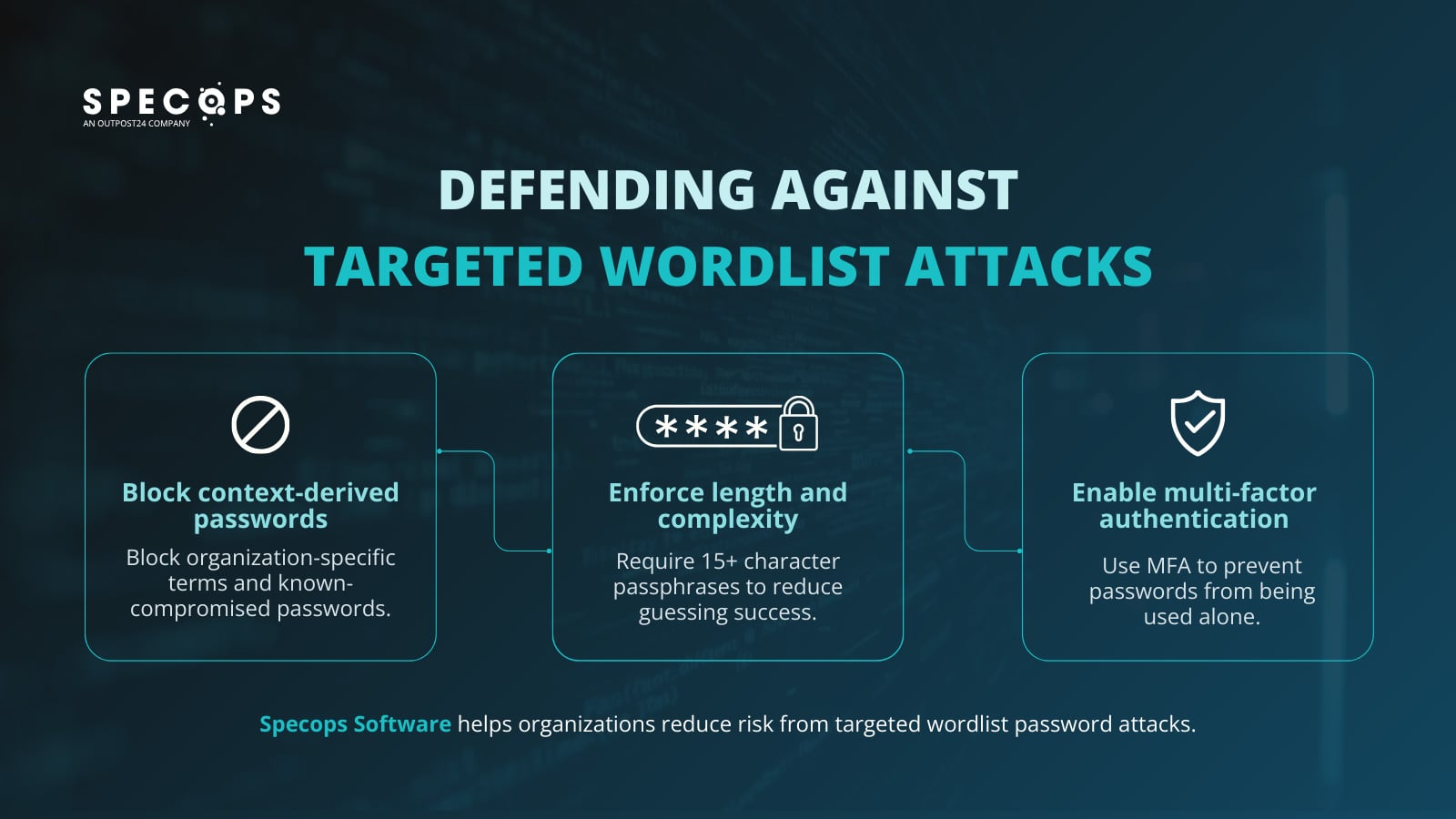
Prevent users from creating passwords that contain organization‑specific language (company or product names, internal project terms, industry vocabulary, common attacker substitutions) and block credentials that have already appeared in data breaches.
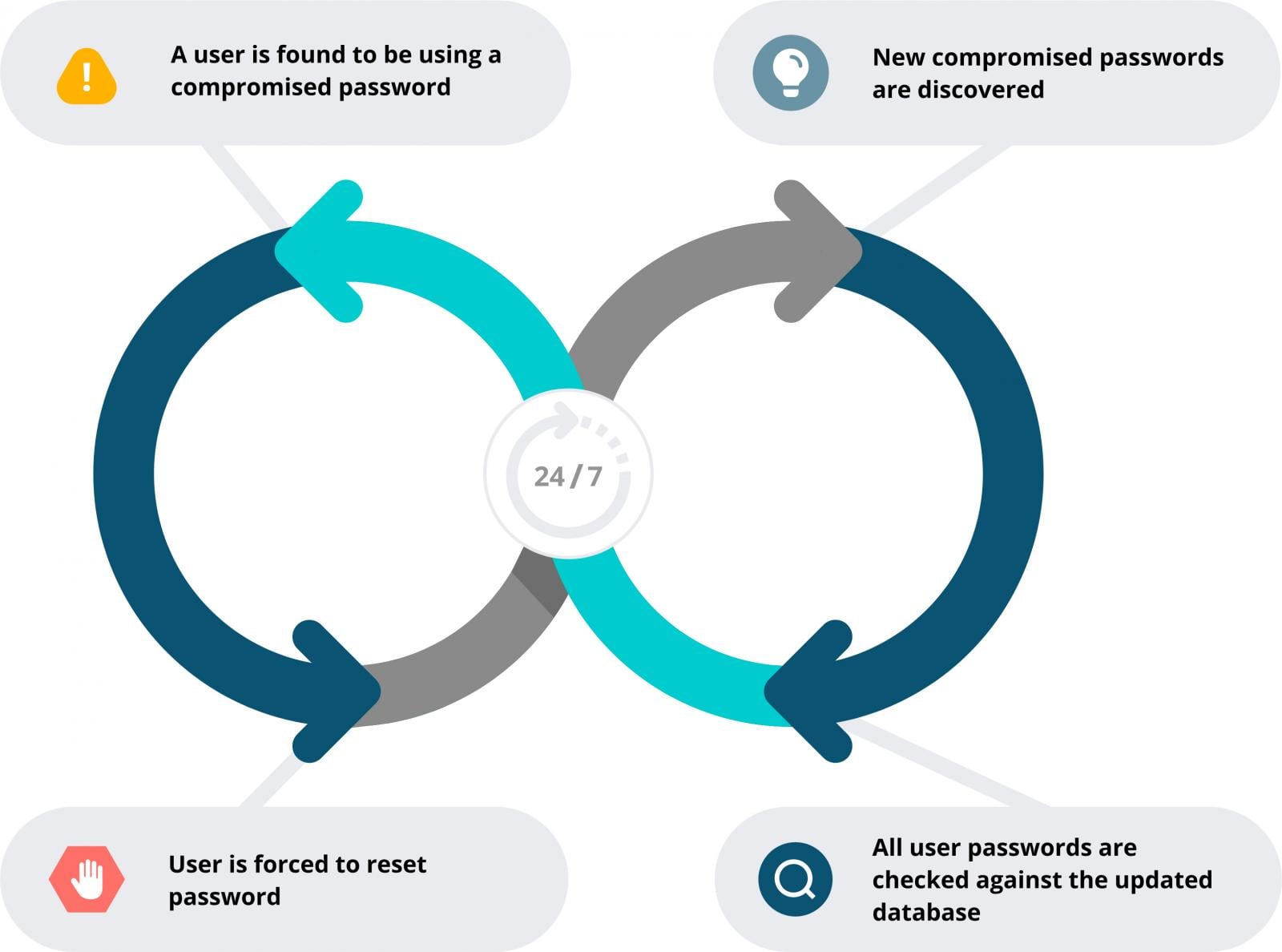
- Specops Password Policy can enforce custom exclusion dictionaries and continuously scans Active Directory against more than 5.4 billion known‑compromised passwords. This disrupts CeWL‑style wordlist attacks and reduces reuse of exposed credentials.
Enforce Minimum Length and Complexity
Require at least 15‑character passphrases. As explained in the length‑and‑unpredictability guide, longer passphrases provide the best protection against brute‑force techniques. Passphrases encourage users to create strong, memorable passwords.
Enable Multi‑Factor Authentication (MFA)
If you haven’t already, start with a simple, effective MFA solution such as Specops Secure Access. It can protect Windows logon, VPNs, and RDP connections.
While MFA does not prevent password compromise, it significantly limits the impact of credential exposure by preventing passwords from being used as a standalone authentication factor.
Align password policy with real‑world attacks
Treat passwords as an active security control rather than a static compliance requirement. Enforcing policies that prevent context‑derived, previously exposed, or easily inferred passwords reduces the value attackers gain from targeted wordlists, while MFA provides a necessary second line of defense when credentials are compromised.
Together, these controls form a more resilient authentication strategy that reflects how password attacks actually occur.
Speak with one of our experts to learn how Specops can support stronger, more resilient password security without adding unnecessary complexity for users.
Sponsored and written by Specops Software.