
Nothing promised AirDrop support, but gave us Nothing Warp instead
Source: Android Authority
TL;DR
- Nothing Warp is a new Android app and Chrome extension combo that transfers files, links, and clipboard text between Android devices and Mac, Windows, or Linux desktops.
- The service uses your Google Drive as a temporary bridge; files are automatically deleted from the cloud once the transfer is complete.
- The tool works on all Android phones—not just Nothing devices—but requires extensive browser permissions and a shared Google account.
What is Nothing Warp?
Nothing Warp started as an internal file‑transfer tool and has now been released to the public. It lets users seamlessly send files, links, copied text, and images between devices.
To use it you need:
- The Nothing Warp app on your Android phone or tablet – Google Play Store link
- The Nothing Warp browser extension for Google Chrome on macOS, Windows, or Linux – Chrome Web Store link
Both sides must be signed into the same Google account.
How It Works
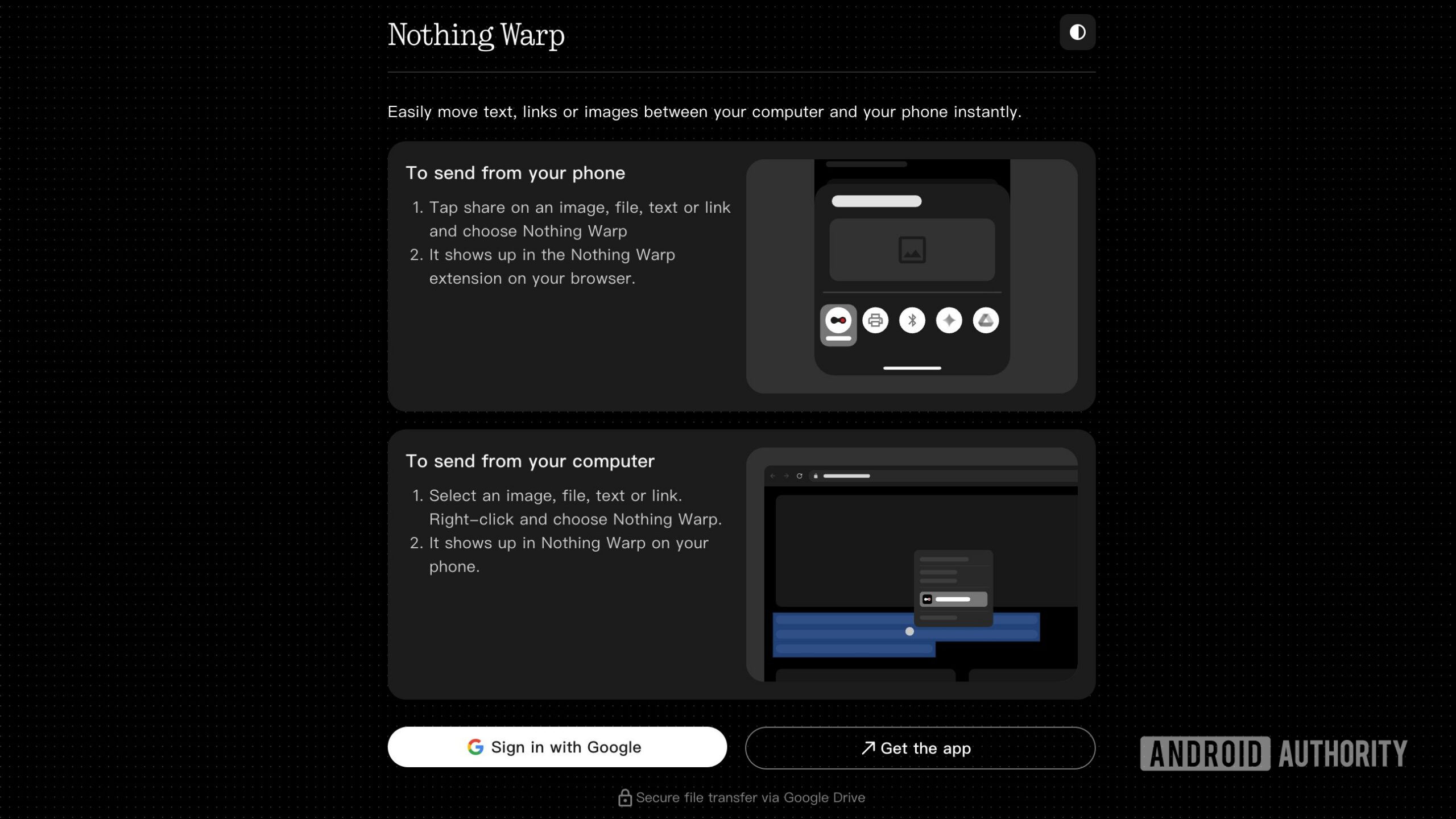
Once installed, the app integrates into the Android share menu. When you share a file to Nothing Warp, it uploads the file to Google Drive (using the account you’re signed into). The Chrome extension then retrieves the file, displaying it for download on your desktop. The reverse direction works the same way.
The app does not store or retain your data; it simply uses Drive as a temporary conduit and deletes the files automatically after the transfer finishes.
Our Experience
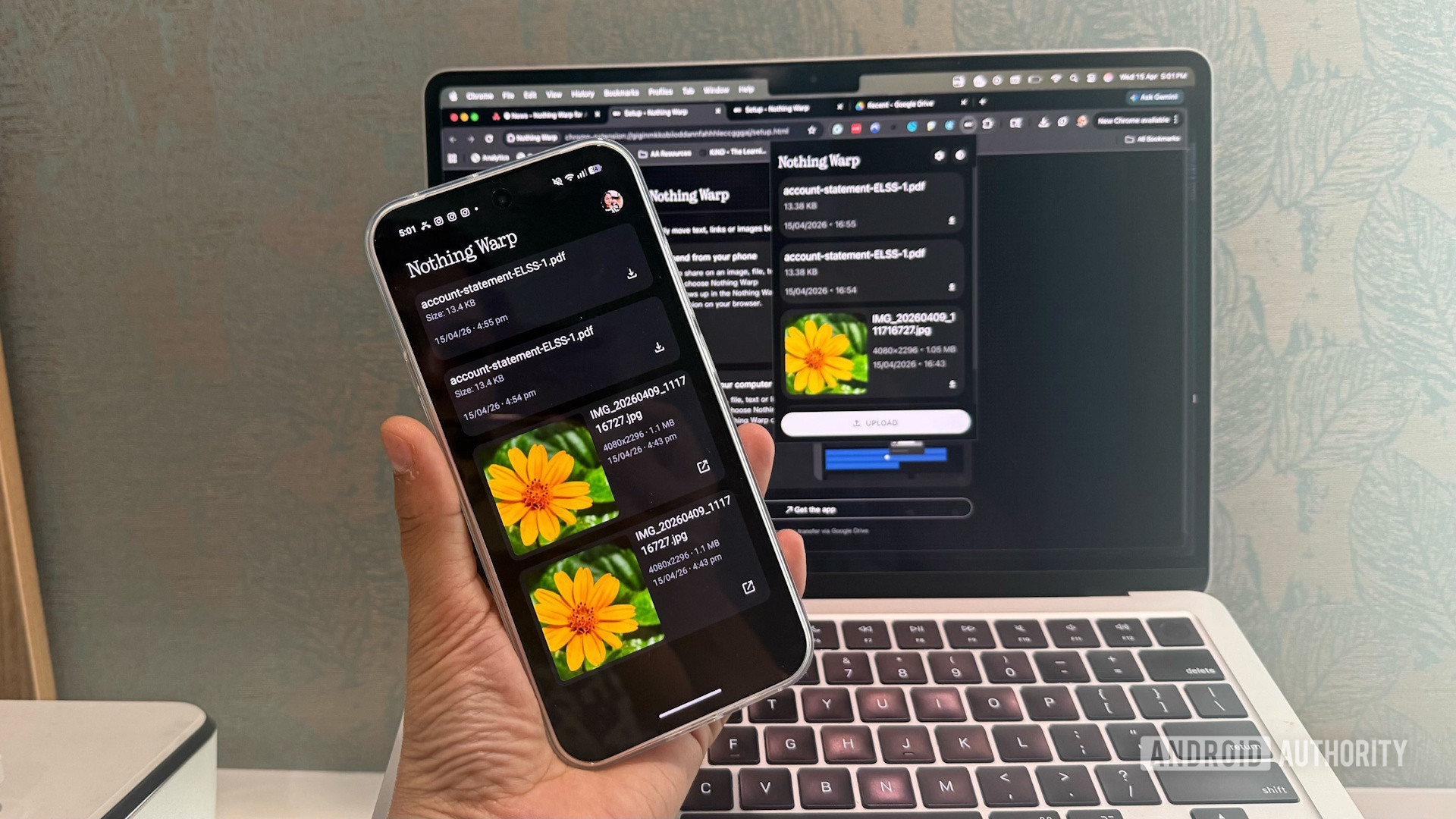
We tested transferring images and PDFs from a Nothing Phone 4a to a MacBook Air.
- Setup was straightforward: install the app, add the extension, and sign in with the same Google account on both devices.
- Transfer speed felt surprisingly quick, though it naturally depends on your internet connection and file size.
- The process is smooth: share the file → it appears in the extension → download on the desktop.
Edge Cases
- When multiple files are selected, Drive zips them for download. Nothing Warp currently does not support multi‑download of individual files, which can be inconvenient if you only need a few images.
- The browser extension requests extensive permissions. Users concerned about privacy may prefer alternative solutions.
Pros and Cons
| Pros | Cons |
|---|---|
| Works on any Android device, not just Nothing phones | Requires a shared Google account and extensive browser permissions |
| No permanent storage of transferred files on Drive | Multi‑file download handling is limited |
| Seamless integration with Android share menu | Dependent on internet connection and Google Drive availability |
| Automatic deletion of temporary files | Alternative native solutions (e.g., Google Quick Share) may be simpler for Android‑Windows transfers |
Comparison with Other Solutions
- Google Quick Share already offers Android‑to‑Windows transfers without extra apps.
- Nothing previously promised AirDrop‑compatible Quick Share support for its phones, but that feature has not materialized months after the announcement.
- While Nothing Warp fills a niche for Android‑to‑macOS transfers, other tools (e.g., Snapdrop, KDE Connect) may provide a more polished experience.
Conclusion
Nothing Warp delivers on its core promise: quick, temporary file transfers between Android and desktop platforms using Google Drive as a bridge. It works well for single‑file transfers and offers a convenient share‑menu integration. However, the need for extensive permissions, reliance on internet connectivity, and limited multi‑file handling mean it may not be the best fit for every user. If you already use Google Drive or need a simple cross‑platform solution, it’s worth a try; otherwise, consider native alternatives.