
NotebookLM may soon help you build interactive visuals from your sources
Source: Android Authority
TL;DR
- Google appears to be testing its Canvas feature inside NotebookLM.
- The same leak points to Connectors support coming to the app.
- Source labels and auto‑labeling may also be in the works.
Canvas integration in NotebookLM
Google is reportedly extending its Canvas feature to the NotebookLM app. According to a source cited by TestingCatalog, a Canvas option is being trialed inside NotebookLM’s Studio panel.
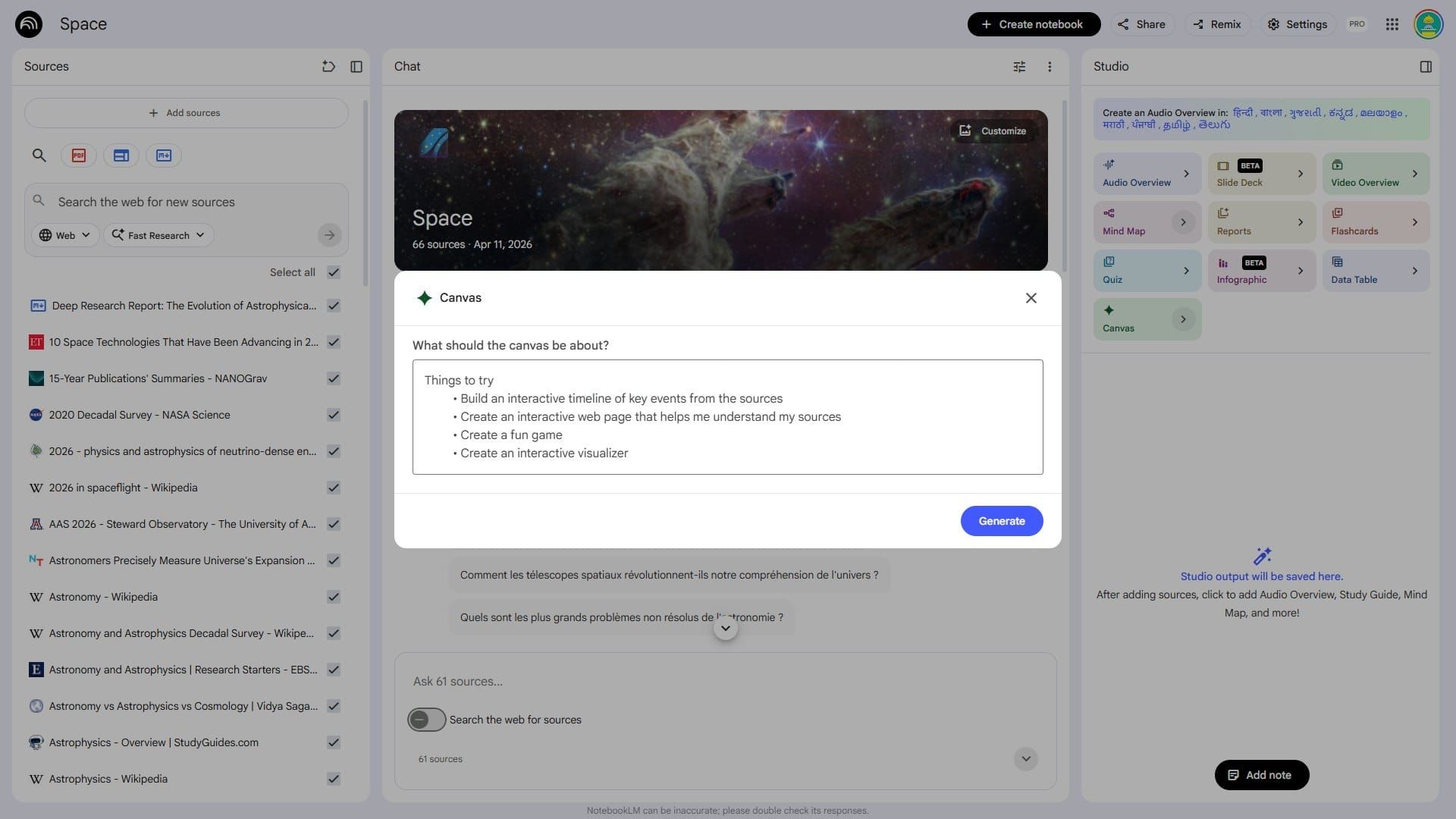
The screenshot suggests Canvas could let you transform notebook material into:
- Interactive timelines
- Web‑page‑style explanations of documents
- Lightweight games
- Visualizers
If implemented, this would give NotebookLM more flexibility in how it processes notes and research.
Canvas isn’t new to Google’s AI ecosystem—it first appeared in Gemini as a workspace for writing and coding, and later was integrated into AI Mode in Search. The NotebookLM version would be intentionally constrained to the sources within your notebook, turning that limitation into a feature.
Connectors support
Another screenshot shows a Connectors option in NotebookLM’s settings, indicating Google is working on a way to pull content from other services more directly.
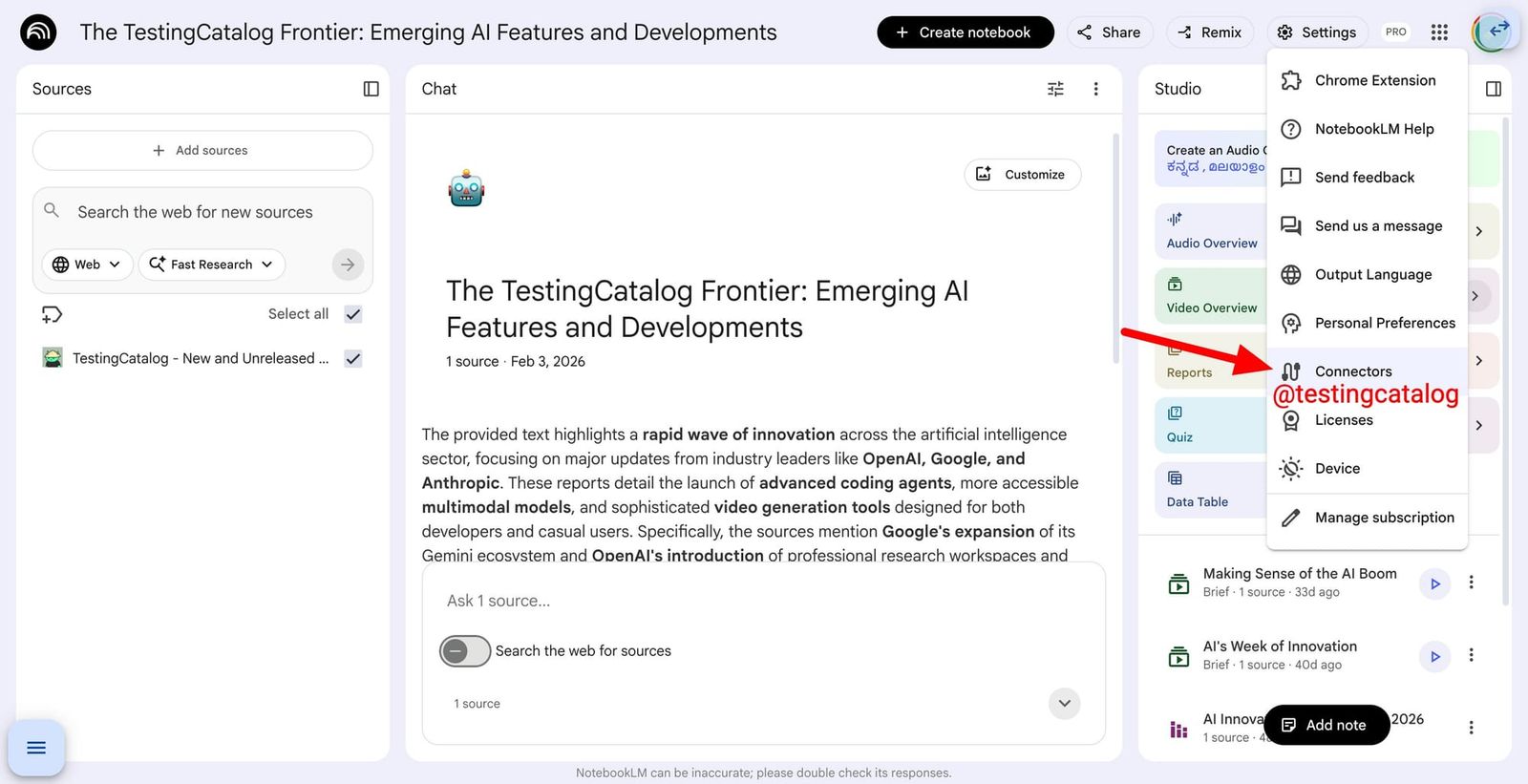
While Google hasn’t disclosed which services will be supported, it’s reasonable to expect initial integration with its own ecosystem.
Improved source organization
TestingCatalog also reports that Google is preparing better source‑organization tools, including:
- Labels for individual sources
- An Auto Label option that could let Gemini automatically sort sources for you
These enhancements may not be as headline‑grabbing as Canvas or Connectors, but they would likely be welcomed by heavy NotebookLM users.
The changes were reportedly spotted by a developer examining the app’s internals, so there’s no guarantee they will reach all users. However, given Google’s push for interconnected AI tools, it’s plausible these features could appear in a future release.