
Nanuq 2.0: Unified Management Platform for Kafka, Redis, RabbitMQ, AWS, and Azure
Source: Dev.to
Managing multiple messaging and caching systems across development environments is a common pain point. Each platform requires its own CLI tools, different authentication mechanisms, and unique management interfaces. After working with teams juggling Kafka topics, Redis caches, RabbitMQ exchanges, AWS SQS queues, and Azure Service Bus—often simultaneously—I built Nanuq to solve this problem.
Today, I’m excited to share Nanuq 2.0, a major milestone that brings cloud‑platform support, enterprise‑grade security, and production‑ready features to this open‑source project.
What is Nanuq?
Nanuq is a unified management interface that consolidates five critical messaging and caching platforms into a single, intuitive web UI:
- Apache Kafka – Topic management and monitoring
- Redis – 6 data types with full CRUD operations
- RabbitMQ – Exchange and queue management
- AWS (SQS/SNS) – Cloud message queuing and pub/sub
- Azure Service Bus – Enterprise messaging with queues, topics, and subscriptions
Instead of switching between kafka-console-consumer, redis-cli, rabbitmqctl, AWS Console, and Azure Portal, developers can manage everything from one place.
Kafka Topic Management

Kafka topic management with message counts and partition details
Unified Dashboard

Unified dashboard showing metrics across all five platforms
What’s New in Version 2.0
Cloud Platform Integration
The biggest addition in 2.0 is complete cloud‑platform support.
AWS (SQS/SNS)
- 15 AWS regions supported (us‑east‑1, eu‑west‑1, ap‑southeast‑1, etc.)
- Full SQS operations: create queues (standard/FIFO), send/receive messages, monitor queue attributes
- SNS topic management: publish messages, manage subscriptions (HTTP, Email, SMS, SQS, Lambda)
- Multi‑region deployment for distributed teams
Azure Service Bus
- 30+ Azure regions supported globally
- Queue management with configurable TTL, dead‑lettering, and duplicate detection
- Topics and subscriptions with filtering capabilities
- Complete message lifecycle: send, receive (peek‑lock mode), and dead‑letter‑queue access
AWS SQS Example

Managing AWS SQS queues with send/receive capabilities
Azure Service Bus Example

Azure Service Bus topic and subscription management
Enterprise Security
Security was a top priority for 2.0.
-
AES‑256 Encrypted Credential Storage
All stored credentials (passwords, access keys, connection strings) are encrypted at rest using AES‑256 with DPAPI‑derived keys. The encryption service handles automatic encryption when credentials are saved and decryption when they’re needed for API calls. Passwords are never exposed in API responses—only metadata returns to the frontend. -
Connection Testing
Before saving credentials, users can test connections to verify they work. This validates that access keys, passwords, and connection strings are correct before persisting them to the database, preventing configuration errors.
Unified Dashboard
The new dashboard provides real‑time visibility across all platforms:
- Server count, topic/queue count, and resource metrics per platform
- Environment breakdown (Development, Staging, Production) with color‑coded badges
- Recent activity feed with filtering by platform and operation type
- Quick actions to add new servers for each platform
Activity Tracking & Audit
Complete audit trail with 24+ activity types covering all operations across all platforms:
- Advanced filtering (by type, date range, search text)
- Export to CSV or JSON for compliance
- Visual timeline with Material Design icons
- Auto‑refresh for real‑time monitoring

Complete activity audit trail with filtering and export capabilities
Advanced Redis Support
Full CRUD operations for all 6 Redis data types:
- Strings – View, add, update, and delete cached keys with TTL support
- Lists – Push/pop elements, view all e
(Content continues as in the original source.)
Redis & RabbitMQ Management Overview
- Strings – Set/get values, manage list keys
- Hashes – Set/get fields, view all fields, manage hash keys
- Sets – Add/remove members, view set members
- Sorted Sets – Add members with scores, view sorted members
- Streams – Add entries with multiple fields, view stream entries
All operations support pagination for handling large datasets.
Images
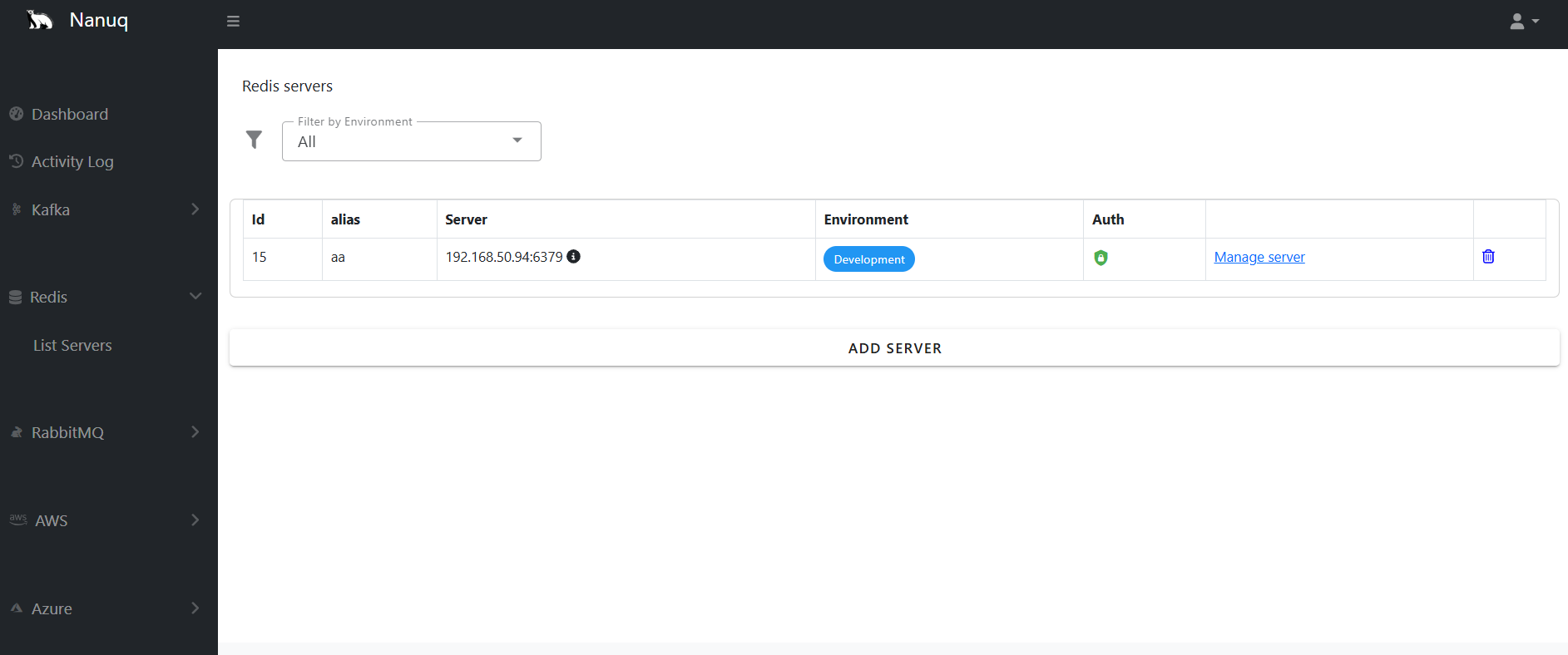
Managing Redis keys across different data types
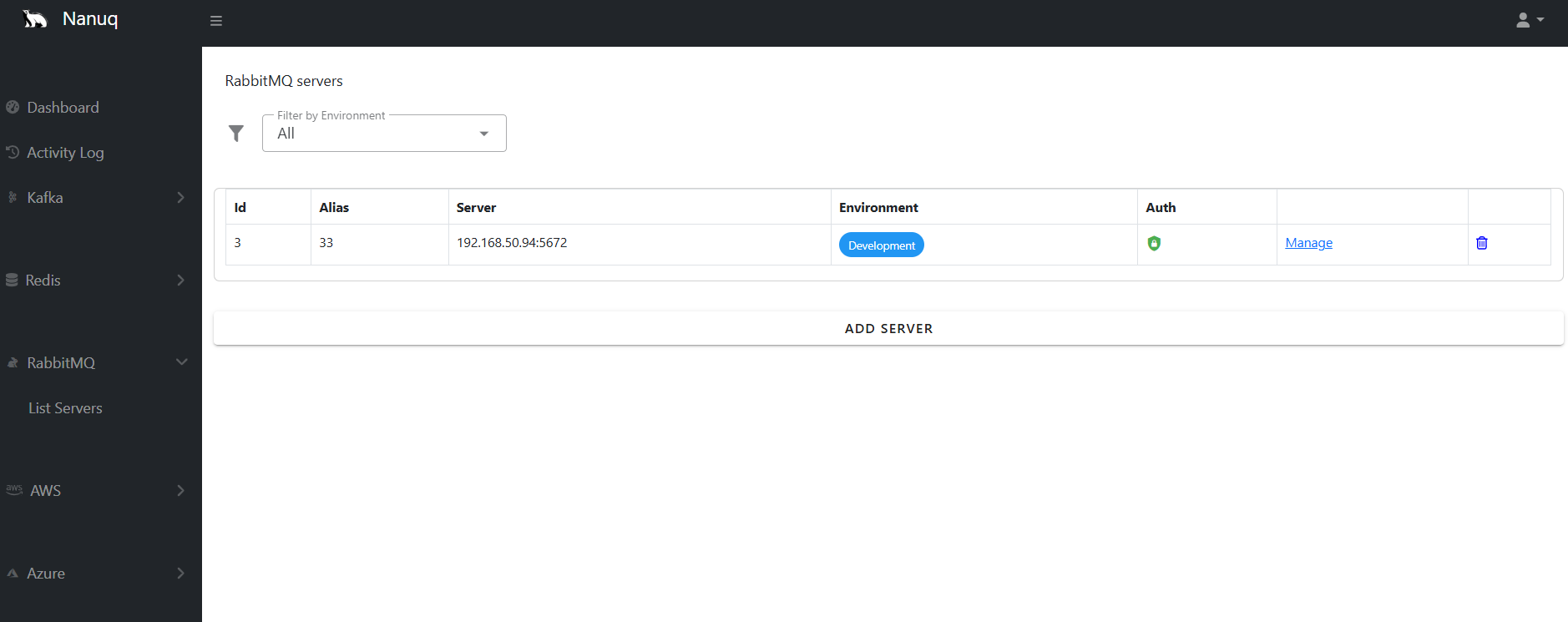
RabbitMQ exchange and queue management
Multi‑Environment Management
Tag servers by environment (Development, Staging, Production) with color‑coded badges in the UI. This makes it easy to avoid accidentally modifying production resources and helps teams manage multi‑environment workflows.
Technical Architecture
Backend: .NET 10.0 Modular Monolith
The backend uses a clean, modular architecture:
Nanuq.WebApi/          # FastEndpoints API
Nanuq.Kafka/           # Kafka integration
Nanuq.Redis/           # Redis integration
Nanuq.RabbitMQ/        # RabbitMQ integration
Nanuq.AWS/             # AWS SQS/SNS integration
Nanuq.Azure/           # Azure Service Bus integration
Nanuq.Security/        # AES‑256 encryption service
Nanuq.EF/              # Entity Framework Core context
Nanuq.Sqlite/          # SQLite repositories
Nanuq.Common/          # Shared records and interfaces
Key patterns
- FastEndpoints instead of traditional controllers for better performance
- Repository pattern for data‑access abstraction
- DbUp migrations for database schema management
- Dependency injection throughout
Frontend: Vue 3 + Vuetify
The frontend leverages Vue 3 with Vuetify’s Material Design components.
State management
- Separate Vuex modules for each platform (
kafka.js,redis.js,aws.js,azure.js) - Centralized error handling with a global notification system
- Optimistic UI updates with rollback on errors
Database: SQLite with EF Core
SQLite provides zero‑configuration persistence for all server configurations, credentials, and activity logs. DbUp migrations run automatically on startup, making schema updates seamless.
Getting Started
Docker (Recommended)
# Pull and run both backend and frontend
docker-compose -f Docker/docker-compose.yml up -d

# Access the app
open http://localhost:8080
Kubernetes
One‑command deployment:
kubectl apply -f https://raw.githubusercontent.com/waelouf/Nanuq/main/K8s/nanuq-all-in-one.yaml

# Check deployment
kubectl get pods
kubectl get service nanuq-frontend
Local Development
Backend
cd src/services/Nanuq/Nanuq.WebApi
dotnet run   # Runs on http://localhost:5000
Frontend
cd src/app/nanuq-app
npm install
npm run serve   # Runs on http://localhost:8080
Real‑World Use Cases
- Microservices Development – Inspect Kafka topics, Redis caches, and RabbitMQ queues from a single UI.
- Multi‑Cloud Deployments – Manage AWS SQS and Azure Service Bus side‑by‑side, reducing context switching.
- Environment Promotion – Tag servers as Dev/Staging/Prod and compare configurations before promoting changes.
- Debugging Production Issues – Quickly check message counts, peek at queue contents, and identify bottlenecks without installing CLI tools.
Performance Considerations
Pagination
All list operations support pagination (cursor‑ or token‑based) to handle large datasets efficiently.
Caching Strategy
- Server lists cached until an explicit refresh.
- Queue/topic details cached with a 5‑minute TTL.
- Message lists are never cached (always fresh).
Connection Pooling
AWS and Azure SDK clients use connection pooling to minimize overhead and improve response times for consecutive operations.
Security Best Practices
What Nanuq does
- Encrypts all credentials at rest (AES‑256).
- Never logs sensitive data (passwords, keys, tokens).
- Uses HTTPS for all frontend‑backend communication.
- Validates all user input on both frontend and backend.
What you should do
- Use environment‑specific credentials (don’t share prod creds in dev).
- Enable MFA on cloud accounts.
- Rotate credentials regularly.
- Review activity logs for unauthorized access.
- Deploy behind a VPN or restrict network access.
Limitations & Future Roadmap
Current Limitations
- No built‑in … (continue the list as needed)
User Authentication (Single‑User Mode)
- No role‑based access control (RBAC)
- Limited to Windows for DPAPI‑based encryption (cross‑platform encryption planned)
Roadmap (contributions welcome!)
- Metrics and alerting (Prometheus integration)
- Schema registry support for Kafka
- More cloud platforms (Google Cloud Pub/Sub)
- Dark‑mode UI theme
Contributing
Nanuq is open source and welcomes contributions.
Areas We’d Love Help With
- Cross‑platform encryption (replace Windows DPAPI)
- Unit and integration test coverage
- Documentation improvements
- Bug reports and feature requests
Check out the GitHub repository to get started.
Conclusion
Nanuq 2.0 represents a significant step forward in simplifying messaging and caching platform management. By consolidating five platforms into one interface with enterprise‑grade security, we’re reducing cognitive load for developers and making multi‑platform workflows more efficient.
The project is built with modern .NET and Vue.js, follows clean‑architecture principles, and is designed to be easily extensible for additional platforms.
Try it out, and let me know what you think in the comments!
Links
- GitHub:
- Issues:
What messaging platforms are you managing in your projects? Would a unified interface like this help your workflow? Share your thoughts below!