
Microsoft Defender can now automatically isolate hacked endpoints
Source: Bleeping Computer

Automatic isolation preview
Microsoft is testing a new Defender for Endpoint capability that automatically isolates compromised endpoints to thwart attackers’ lateral movement.
The feature is available in preview as part of automatic attack disruption, which aims to contain attacks, limit their impact, and give security teams more remediation time.
When a device is suspected to be compromised, Defender for Endpoint can automatically isolate it while still maintaining connectivity to the Defender service for continued monitoring.
“Automatic isolation helps reduce the risk of further impact on the organization, limit attacker lateral movement, and prevent impacts such as data exfiltration and ransomware propagation.” – Microsoft
The automatic isolation works only on onboarded end‑user workstations managed by Microsoft Defender for Endpoint.
Releasing a device from isolation
- Open Device inventory in the Defender portal.
- Select the isolated device (or open its device page).
- Choose Release from isolation from the action menu.
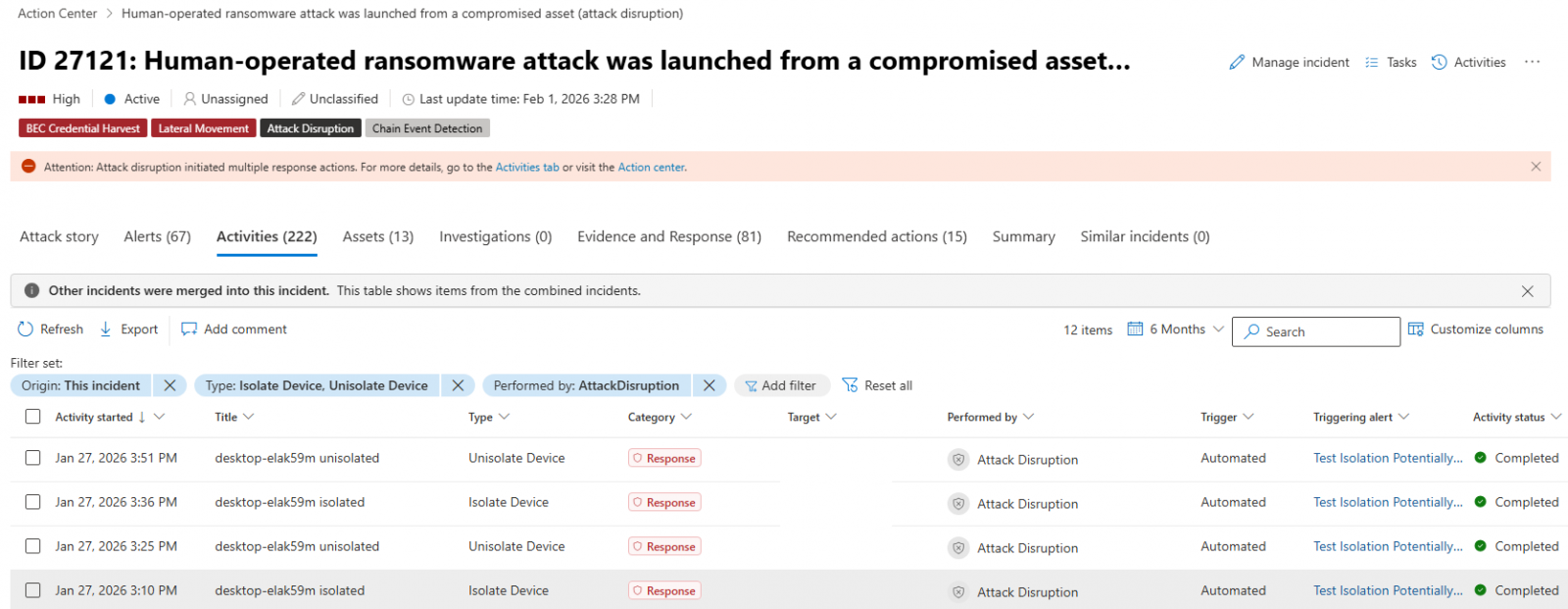 Defender for Endpoint automatic device isolation (Microsoft)
Background and previous capabilities
-
June 2022 – Microsoft announced that admins could manually contain compromised, unmanaged Windows devices by cutting off incoming and outgoing communication with onboarded Defender for Endpoint endpoints.
Source -
January 2023 – Testing began for device isolation on onboarded Linux devices. The capability reached general availability in October 2023.
Source -
May 2023 – Defender for Endpoint added the ability to isolate compromised user accounts as part of automatic attack disruption, blocking lateral movement in ransomware attacks.
Source -
2023 – A new feature began testing that automatically blocks traffic to and from undiscovered Windows endpoints, preventing attackers from breaching non‑compromised devices on the network.
Source -
Early 2024 – A preview feature allows admins to schedule antivirus scans on onboarded Linux systems via the Microsoft Defender portal,
mdatpmanaged JSON configuration, or themdatpCLI.
Supported scan types: daily quick scans, interval‑based quick scans, and weekly full scans, with options for low‑priority execution, idle‑time scheduling, and randomized start times.
Source
Getting started
- Ensure the endpoint is onboarded to Microsoft Defender for Endpoint.
- Enable automatic attack disruption in the Defender settings.
- Monitor isolated devices through the Device inventory page and release them once investigations are complete.