
MCP server templated reports with claude
Source: Dev.to
Intro
I have been fooling around a lot with AI recently, and one of the things I’ve found myself doing is integrating with MCP servers and then using the Projects feature in Claude to generate custom reports.
What is this?
I have set up a remote MCP server that pulls data from the Star Wars API (SWAPI). This server is hosted on one of my domains. To keep this post short and on‑topic, I will focus on the Claude components and not discuss the specifics of the MCP server itself. It’s up and running, and I can connect to it.
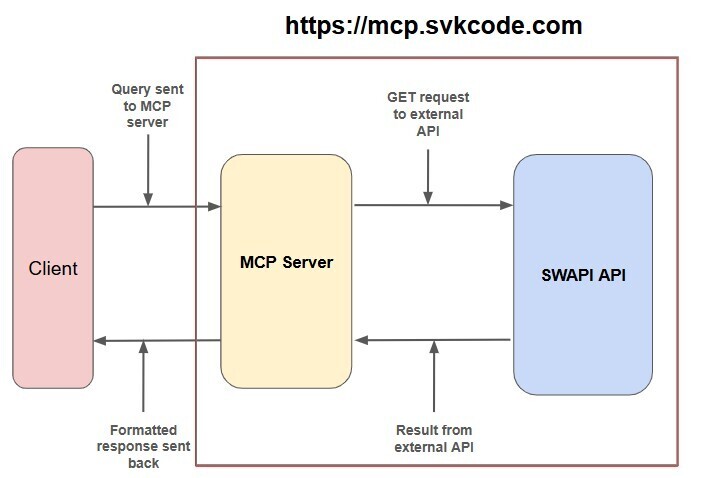
The MCP Server
The MCP server provides two tools:
get_swapi_character– Get character information from SWAPI by ID.get_all_swapi_people– Get all people from SWAPI.
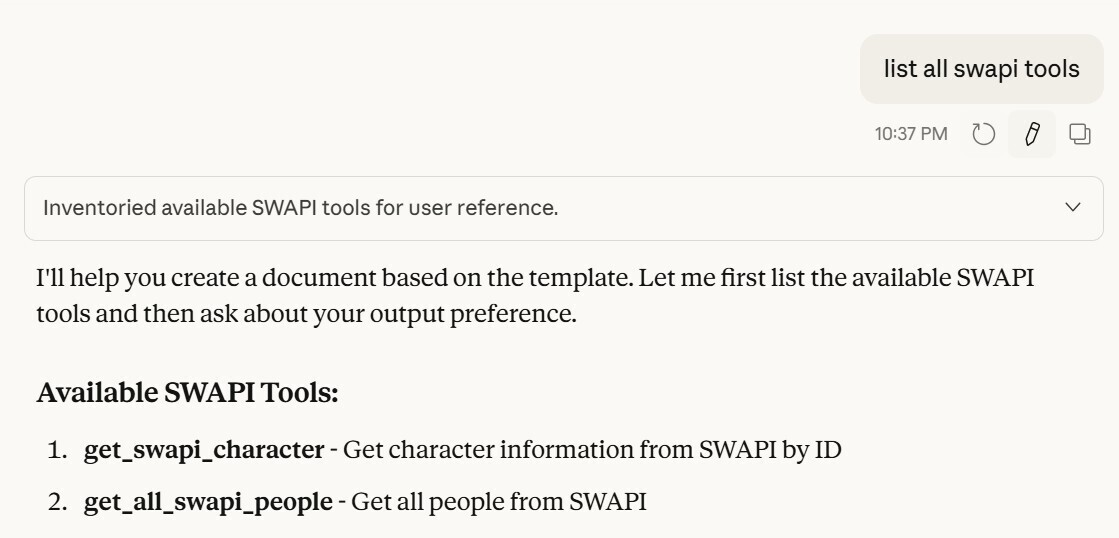
While this is a very simple implementation of tools within an MCP server, it serves the purpose of generating a report using an MCP and the available tools.
Claude Project
I am using a Claude project to keep context and instructions self‑contained, which makes it easier to ensure that all templates and history stay together.
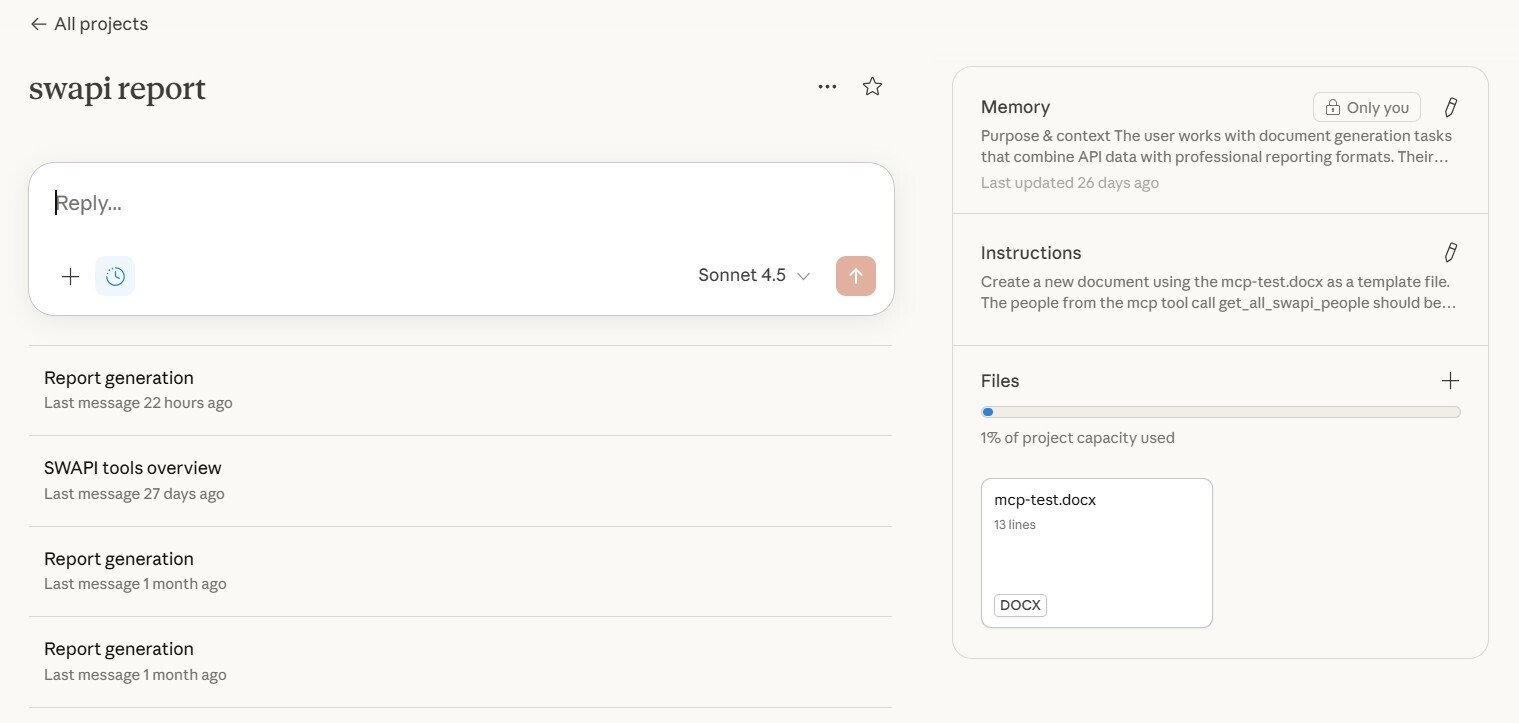
You can read about Claude Projects here:
Part of creating a project in Claude is writing instructions. The instructions tell Claude what to do whenever the project is used.
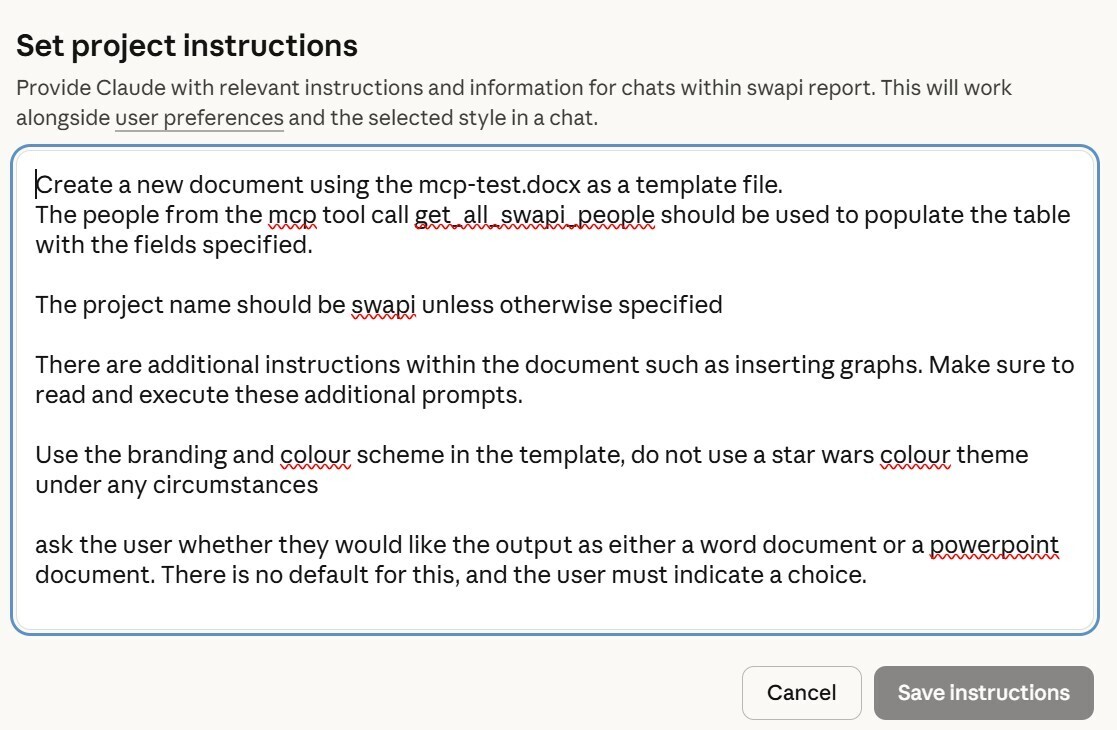
The project instructions specify that we should:
- Create a document using our template file.
- Give the project a default name.
- Read the additional instructions within the template.
- Do not use the default Star Wars brand style (the black‑and‑yellow theme makes the graphs unreadable).
- Ask the user whether they want the output as a PowerPoint (
.ppt) or a Word document (.doc).
All of these instructions are executed when the project is used. The two most important ones are to read the instructions inside the template file and to avoid the Star Wars branding.
Template File
The template file is a standard Word document that contains additional instructions embedded within it. It also uses a variable to set the project name.
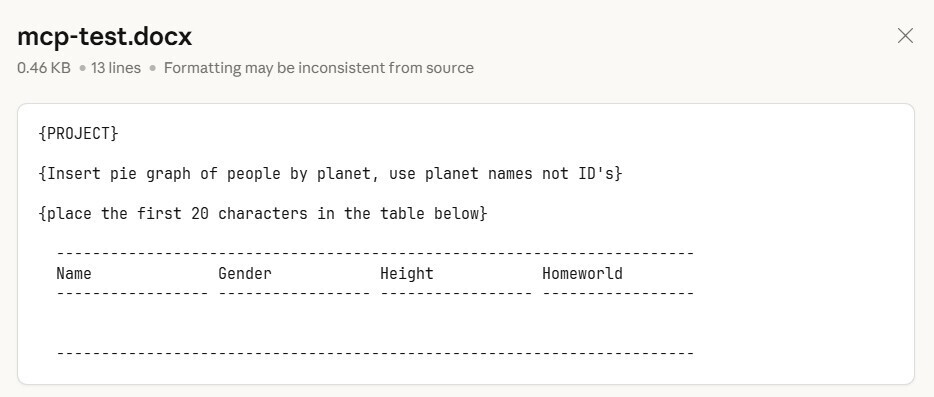
I have kept the prompts in the template relatively simple and straightforward, but you can certainly add more complex prompts to achieve different functionality.
One thing I have not tried is placing explicit tool calls directly inside the template. Note that there is an explicit tool call in the project instructions, though.
Report Generation
To generate a report, I simply open Claude, navigate to the project, and say “generate report.”
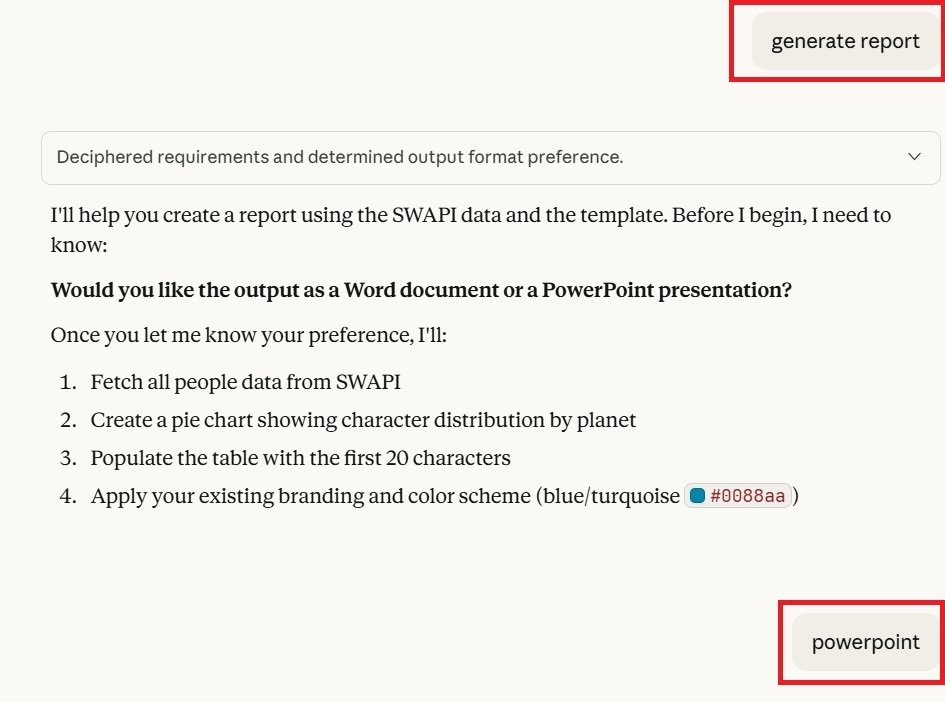
The interesting part is that, even though the instruction to ask the user for a preferred output format is the last instruction in the project, Claude executes it first. Claude knows it cannot proceed without that information, so it prompts the user immediately.
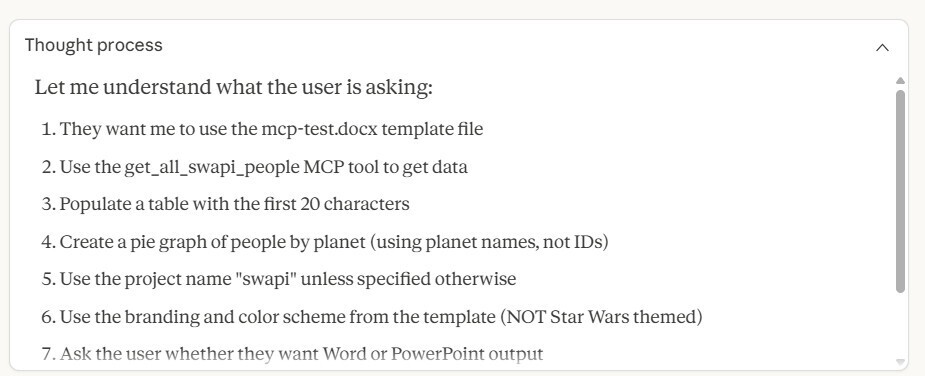
During the thought process, Claude reads the template, synthesises the instructions, and determines which tool to call. When multiple MCP servers are connected, it can be faster and more reliable to specify either the connection by name or the tool directly.
Next Step
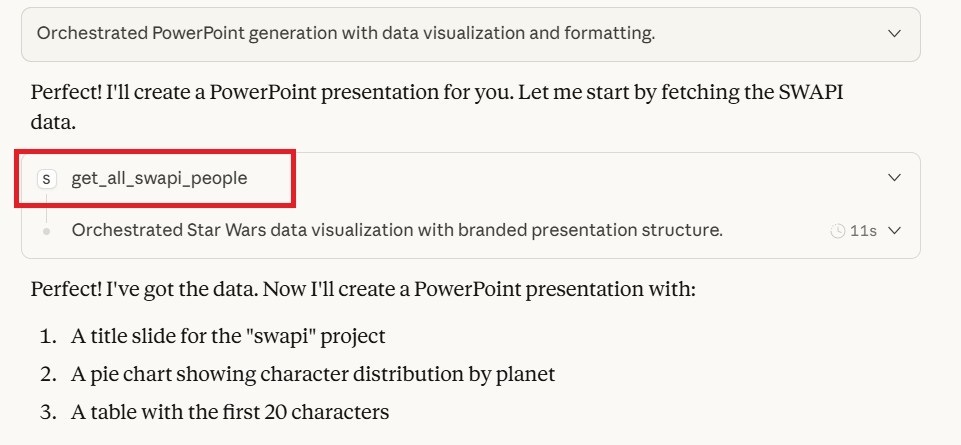
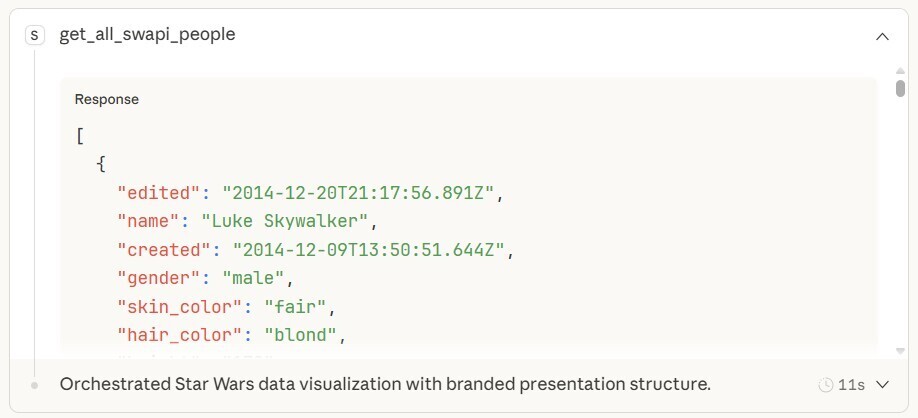
We can see that the correct tool call is used and the data is returned. This is where the client (Claude) makes the tool call and receives an API response from the backend API.
Re‑keying the Planet Data
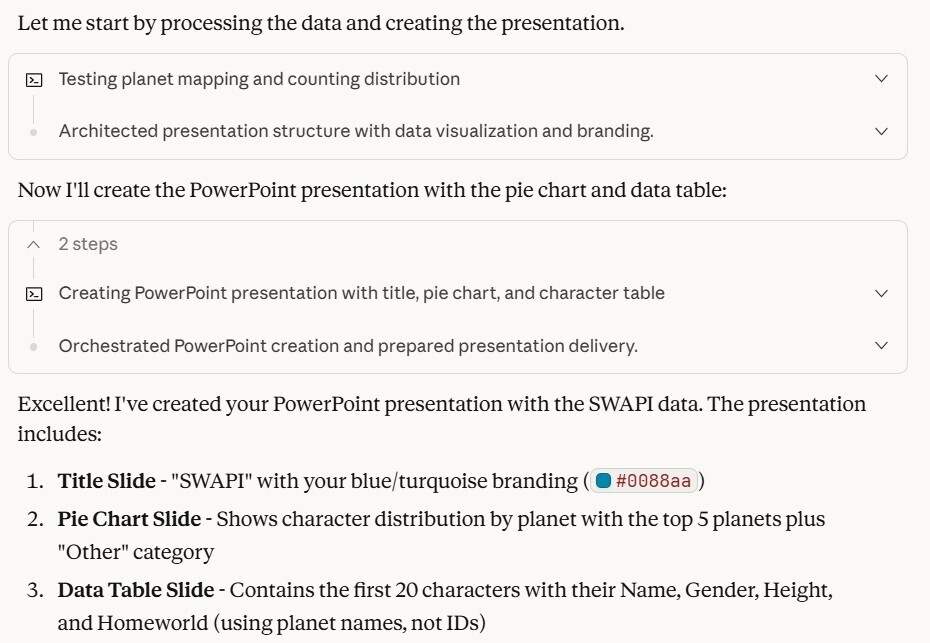
The next two steps are interesting. The first step pulls the planet data out of the existing dataset that Claude queried. Essentially it rearranges or re‑keys the existing data because the planet data is embedded in the person data.
Exporting a PPTX
The last piece of the puzzle: Claude uses its built‑in skill to export a .pptx file for me to check.

Output Overview
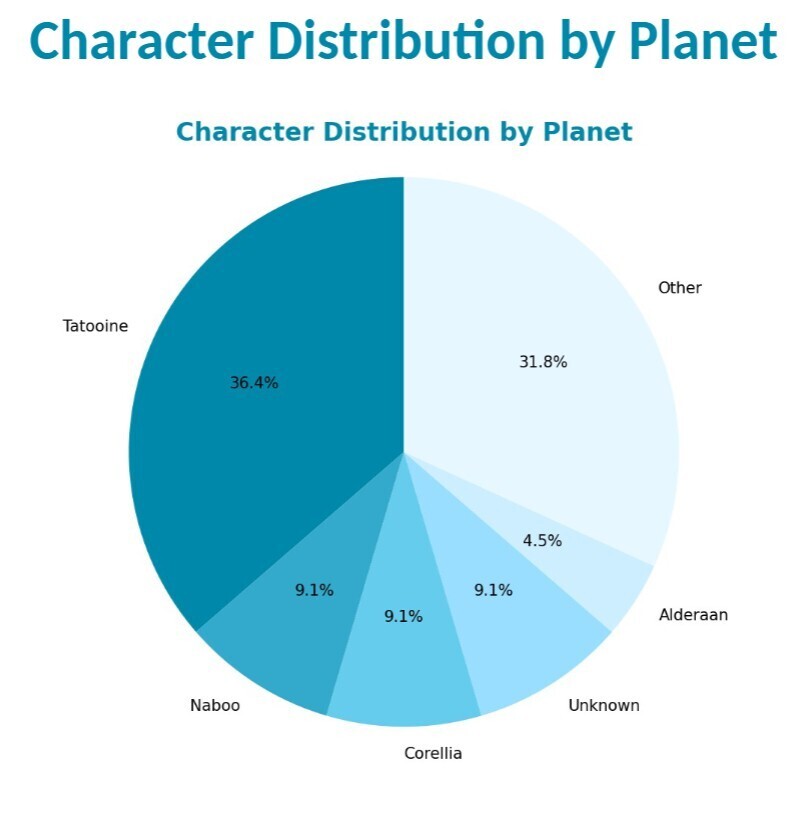
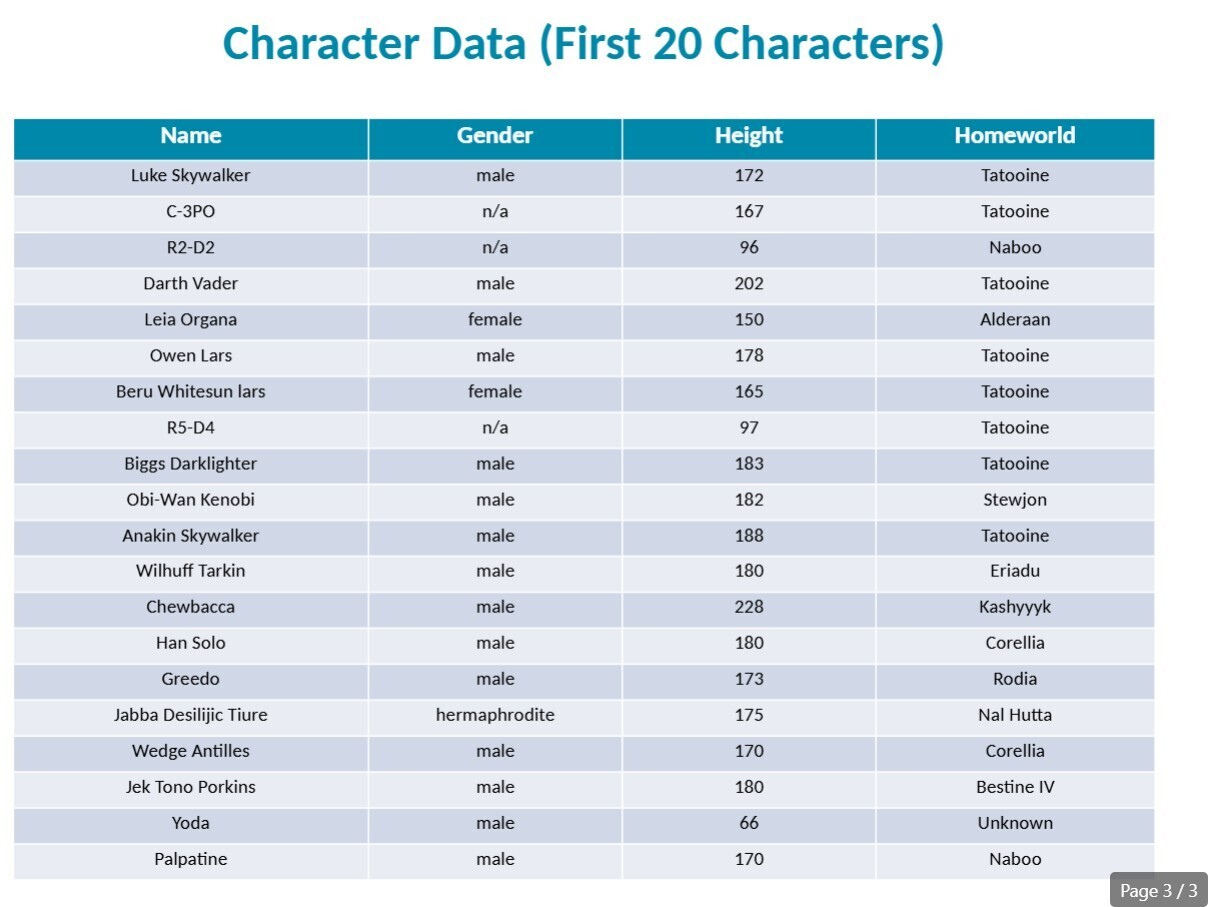
The outputs are simple:
- A graph of the planet data.
- A table of the people with the fields I requested in the template.
Most amazingly, the branding is not the traditional black‑and‑yellow.
MCP Logs
On the server side we can see that the client (Claude) first listed the tools and then called the get_all_swapi_people tool. I’ll dive deeper into this in another post.
2026-01-16 03:09:20 - mcp.server.lowlevel.server - INFO - Processing request of type ListToolsRequest
2026-01-16 03:10:39 - mcp.server.lowlevel.server - INFO - Processing request of type CallToolRequest
2026-01-16 03:10:39 - root - INFO - Tool called: get_all_swapi_people with arguments: {}
2026-01-16 03:10:39 - root - INFO - Fetching all people from SWAPI
2026-01-16 03:10:39 - root - INFO - Making request to: http://localhost:3000/people/
2026-01-16 03:10:39 - httpx - INFO - HTTP Request: GET http://localhost:3000/people/ "HTTP/1.1 200 OK"
2026-01-16 03:10:39 - root - INFO - Successfully fetched data from: http://localhost:3000/people/
2026-01-16 03:10:39 - root - INFO - Successfully fetched 83 people
Summary
If you’re not using Claude and MCP for automatic report generation (and more), you’re missing out. The effort to set everything up was minimal:
- The template took roughly 5 minutes to create.
- Project instructions were straightforward; a few small iterations were all that was needed.
Use cases are plentiful—generating regulator reports, periodic business dashboards, or any recurring document.
I highly recommend using MCP and Claude projects for your report‑generation needs. They’re easy to adopt and amazingly flexible!