
Making Firefox's right-click not suck with about:config
Source: Hacker News
Removing unwanted context‑menu items
browser.translations.select.enable– removes Translate Selection.screenshots.browser.component.enabled– disables the built‑in screenshot tool and removes Take Screenshot.dom.text_fragments.enabled– disables Text Fragments support, removing Copy Link to Highlight (and the auto‑focus on#:~:text=…URLs).privacy.query_stripping.strip_on_share.enabled– removes Copy Clean Link / Copy Link Without Site Tracking.devtools.accessibility.enabled– disables the DevTools Accessibility Inspector, removing Inspect Accessibility Properties.browser.ml.chat.menu– removes Ask an AI Chatbot.browser.ml.linkPreview.enabled– disables link previews (and AI‑generated key points), removing Preview Link.dom.text-recognition.enabled– disables OCR on images, removing Copy Text From Image.browser.search.visualSearch.featureGate– disables Visual Search (Google Lens integration), removing Search Image with Google Lens.extensions.formautofill.addresses.enabled– disables address autofill and its menu entry.extensions.formautofill.creditCards.enabled– disables credit‑card autofill and its menu entry.widget.macos.native-context-menus– turns off native macOS context menus, removing the Services submenu.print.enabled– disables Firefox’s printing UI, removing Print and Print Selection….
Before: massive context menu
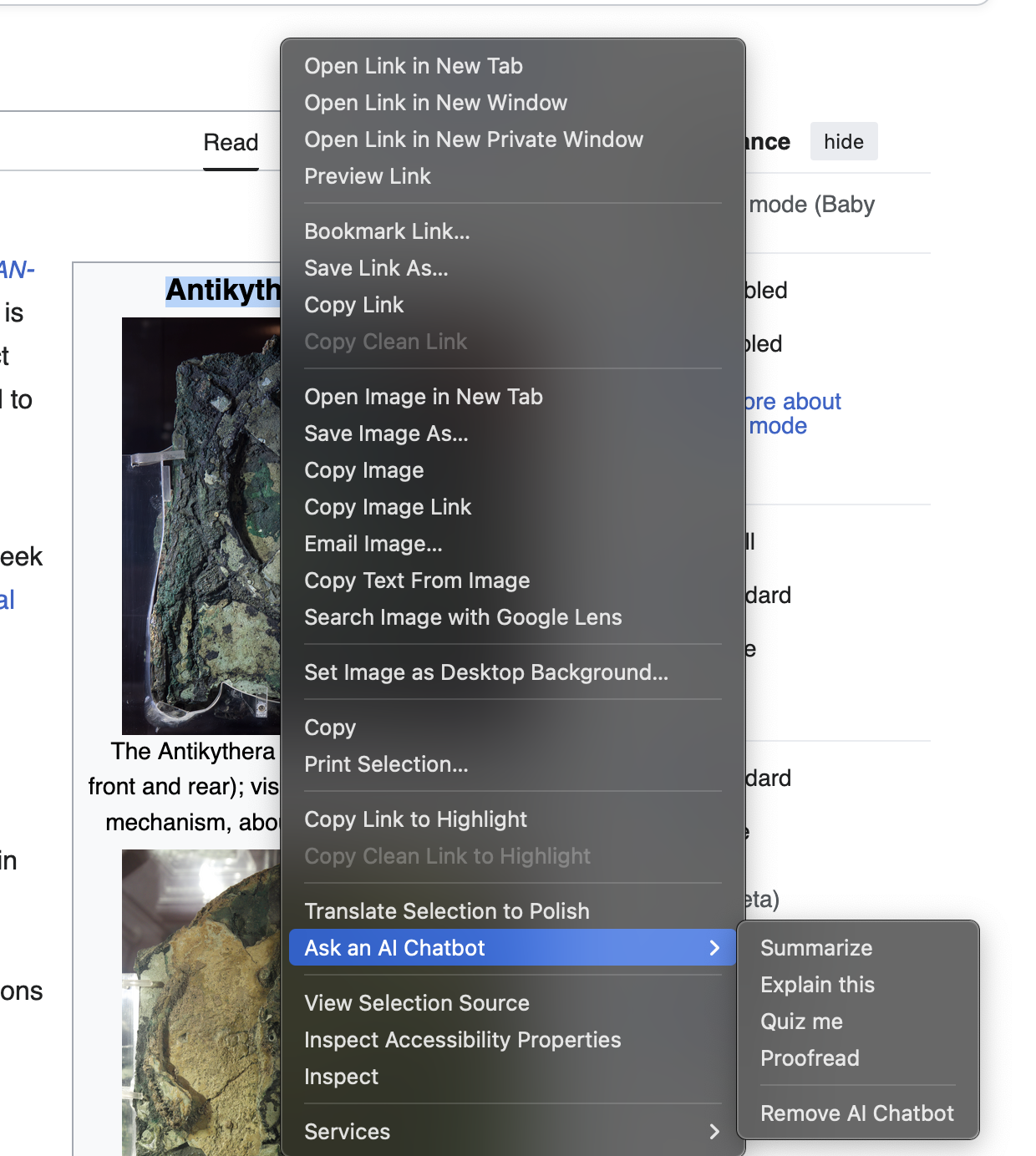
Freshly installed Firefox, right‑clicking
Resulting context menu
After applying the above settings, the context menu is much slimmer:
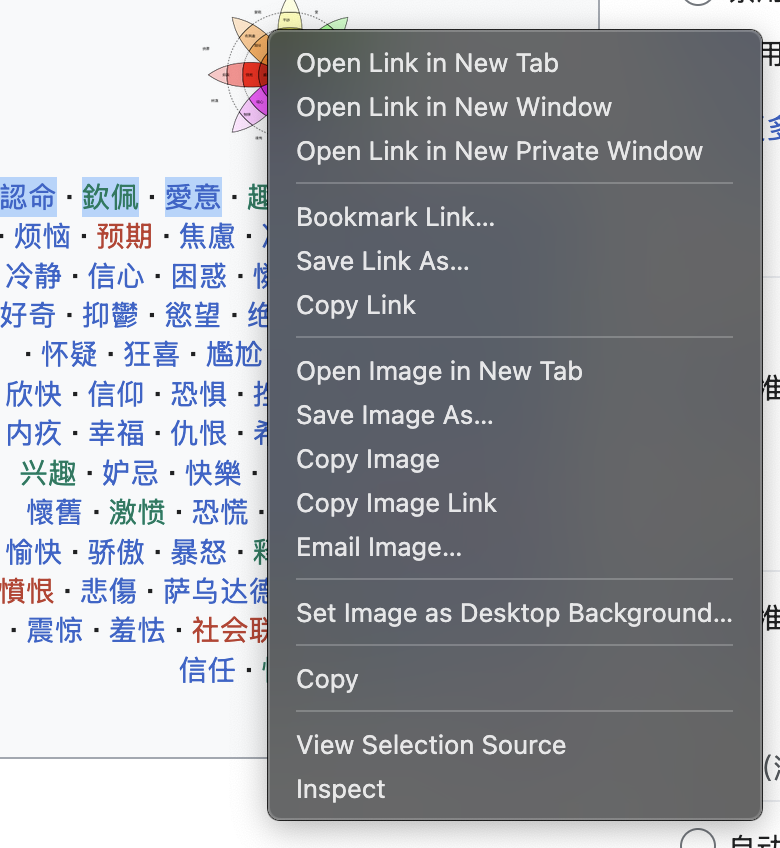
Firefox right‑clicking, after disabling everything above
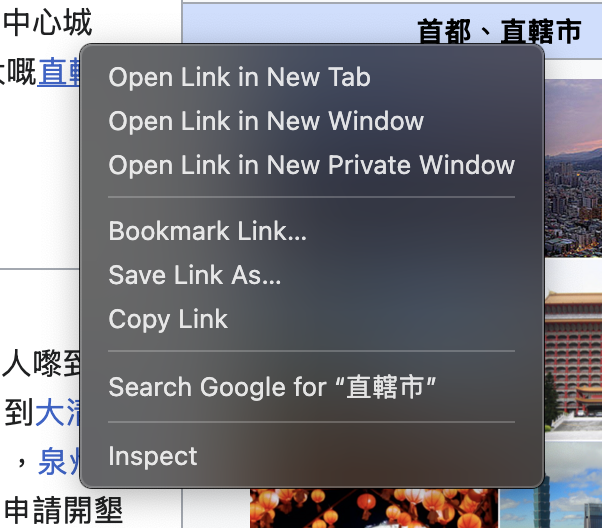
Only 15 items remain. Below are screenshots of the menu when right‑clicking on a page versus a link:
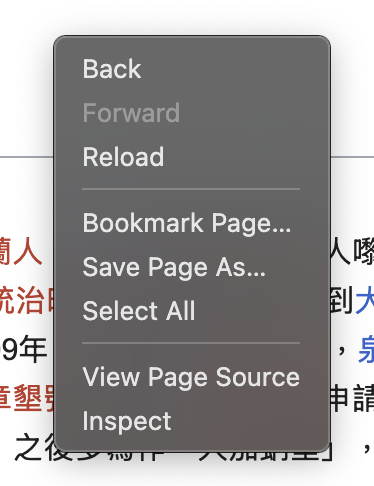
Right‑clicking on a page
Right‑clicking on a link
Remaining items
The following entries are still present and cannot be removed via about:config:
- Bookmark Link…
- Save Link As…
- Email Image…
- Set Image as Desktop Background…
- Bookmark Page…
All of these include an ellipsis (…), and there is currently no preference to hide them.
Form context menu
When right‑clicking inside a form, additional options appear:
- Check Spelling (right‑clicking in a form)
- Languages
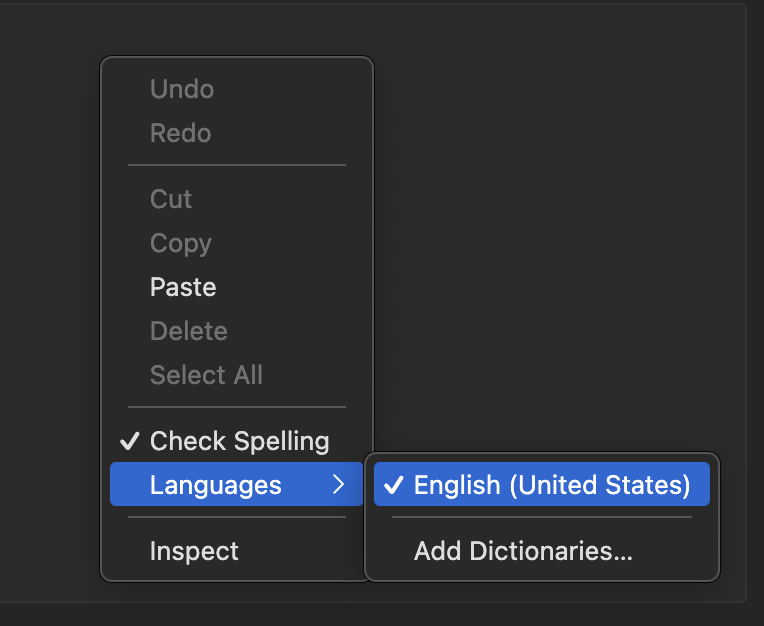
Right‑clicking in a form
The Languages submenu cannot be removed, and disabling Check Spelling would require turning off spellcheck entirely, which may not be desirable.
Further customization
The remaining unwanted items can only be eliminated by creating a custom userChrome.css file. Details on how to do that will be covered in a future post.