M5 Pro and M5 Max are surprisingly big departures from older Apple Silicon
Source: Ars Technica
Apple’s New M5 Family: More Chiplets, Three CPU Core Types
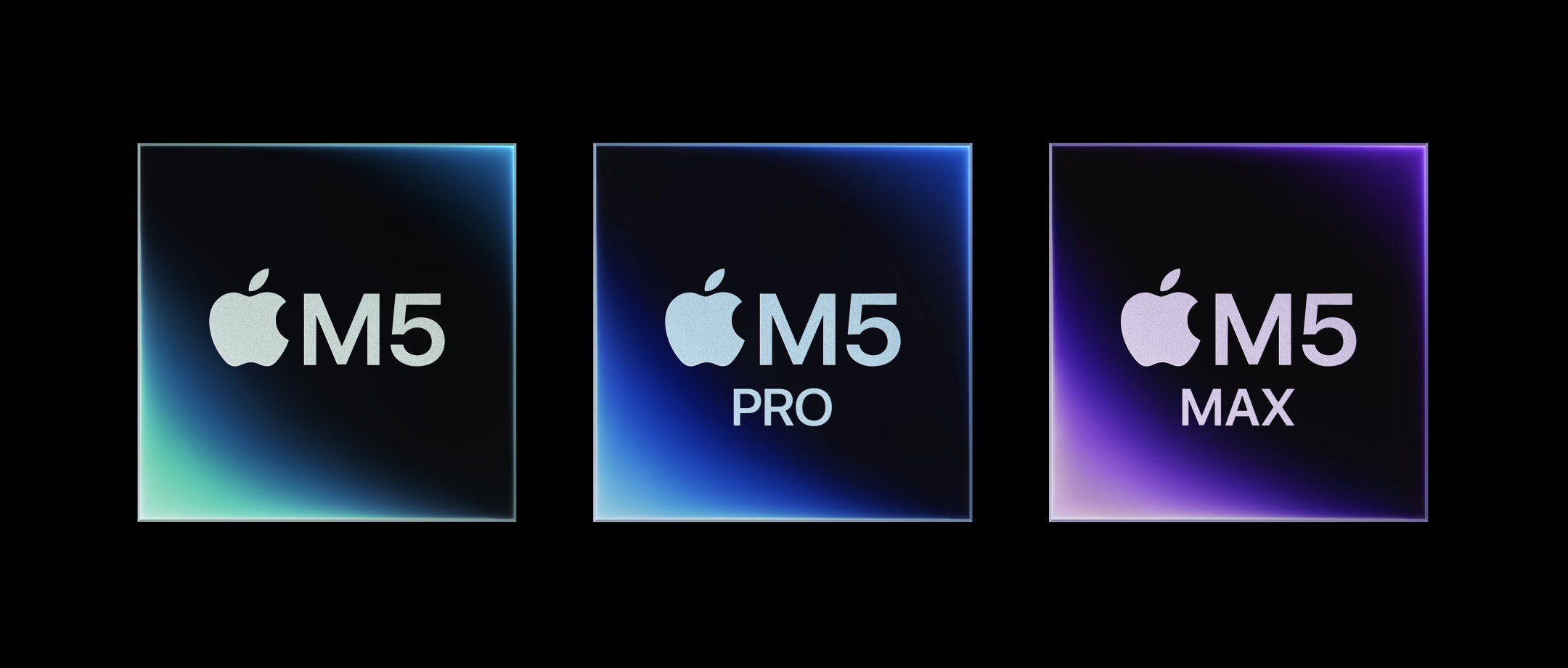
Apple is using more chiplets and three types of CPU cores to make the M5 family.
Credit: Apple
Overview
As part of today’s MacBook Pro update, Apple unveiled the M5 Pro and M5 Max, the newest members of the M5 chip family.
- Historically, the Pro and Max variants are built from the same basic blocks as the base chip, simply scaling up the number of CPU cores, GPU cores, and memory bandwidth.
- The M5 chips, however, represent a significant departure from previous generations: they introduce multiple CPU architectures and a new chiplet‑based packaging approach.
What’s Different?
| Aspect | Previous generations | M5 family |
|---|---|---|
| CPU core types | One or two core designs (high‑performance & high‑efficiency) | Three distinct core types |
| Packaging | Monolithic SoC | Chiplet‑based design, allowing more flexible scaling |
| Scalability | Linear scaling of cores & GPU | Non‑linear scaling due to mixed‑core architecture and chiplet integration |
What to Expect
- Performance impact: Still unknown until real‑world testing is possible.
- Technical details: The information above summarizes everything Apple has disclosed so far about the M5 updates and how they compare to earlier Apple Silicon generations.
Stay tuned for benchmarks and deeper analysis once the hardware is in hand.
New Fusion Architecture and a Third Type of CPU Core
Apple says the M5 Pro and M5 Max use an “all‑new Fusion Architecture” that welds two silicon chiplets into a single processor. Apple has used chiplet‑based designs before, but only to combine two Max chips into an Ultra.
How the Fusion Architecture Works
| Chiplet | Function | Shared Across M5 Pro & M5 Max |
|---|---|---|
| Die 1 | • 18‑core CPU | |
| • 16‑core Neural Engine | ||
| • SSD, Thunderbolt, and display controllers | Identical in both variants | |
| Die 2 | • GPU cores | |
| • Media encode/decode engines | ||
| • Memory controller (bandwidth) | Differs between Pro and Max |
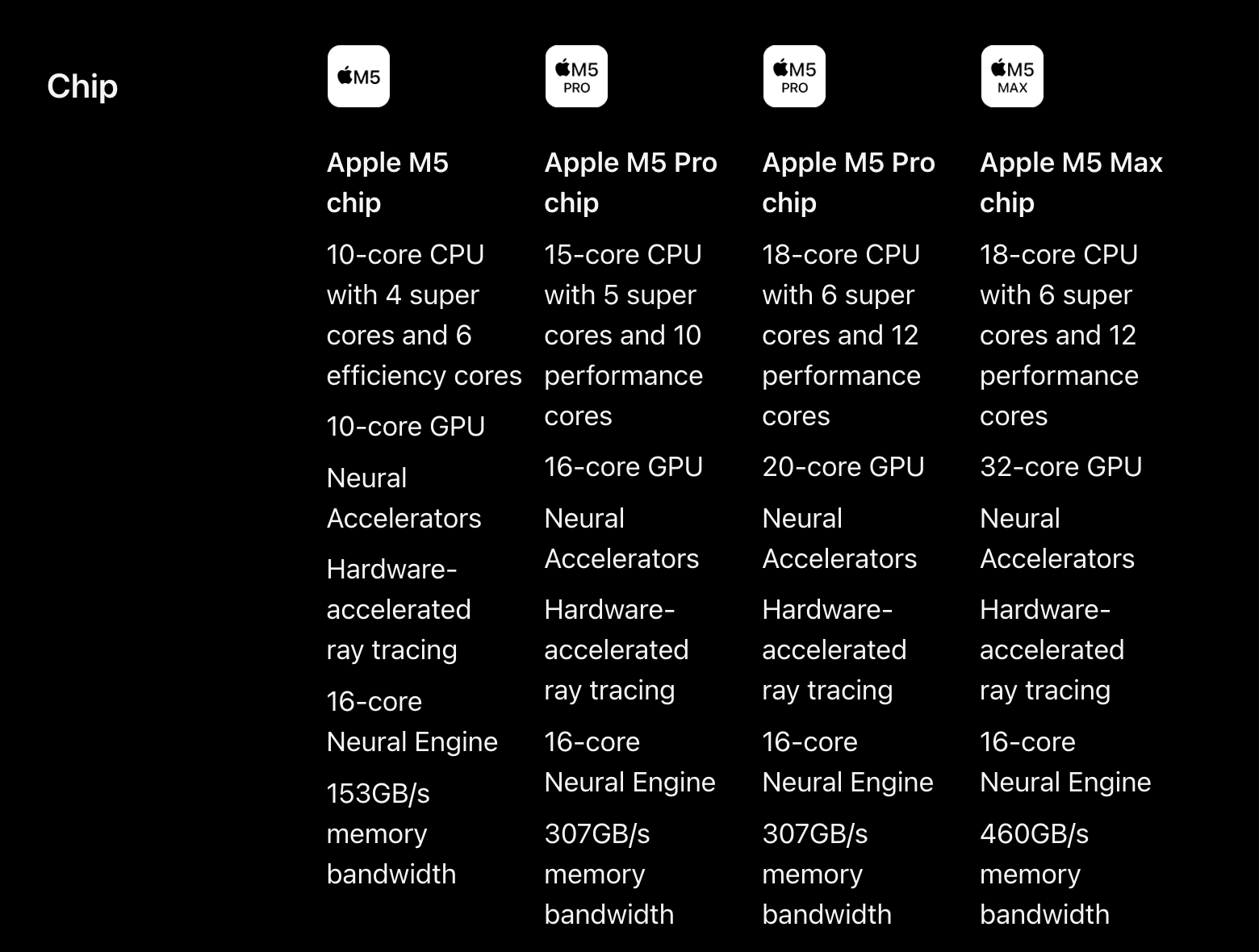
- M5 Pro – up to 20 GPU cores, a single media engine, and a memory controller delivering up to 307 GB/s bandwidth.
- M5 Max – up to 40 GPU cores, two media engines, and a memory controller delivering up to 614 GB/s bandwidth.
Note: Everything on the GPU die appears to be doubled for the Max, suggesting Apple essentially pairs two M5 Pro GPU dies to create the M5 Max GPU.
Credit: Apple
Three Distinct CPU‑Core Types
Apple’s spec sheets now list three categories of CPU cores:
| Core Type | Branding (M5 era) | Role |
|---|---|---|
| Super cores | “Super” (formerly “Performance”) | Highest single‑core performance |
| Performance cores | “Performance” (new middle tier) | Optimized for multi‑threaded workloads |
| Efficiency cores | “Efficiency” | Low‑power, low‑heat operation (e.g., fanless devices) |
What changed?
- Super cores – The “big” cores that were previously called performance cores are now re‑branded as super cores across the entire M5 lineup (including the regular M5). The change is retroactive; older spec pages that listed “performance cores” now show “super cores.”
- Efficiency cores – Remain unchanged (six per chip) and continue to prioritize power efficiency and thermal constraints.
- Performance cores – A brand‑new tier that sits between super and efficiency cores. They share a similar micro‑architecture to the super cores but are tuned for higher multi‑threaded throughput rather than peak single‑core speed.
The concept is comparable to AMD’s recent laptop CPUs, which pair larger, high‑clock “Zen 4/5” cores with smaller, more area‑efficient “Zen 4c/5c” cores.
What We Don’t Yet Know
- Relative performance – The previous‑generation M4 Pro and M4 Max had more “big” cores (up to 10 and 12, respectively). The M5 Pro/Max have fewer super cores (6) but add the new performance cores (up to 12). The higher single‑core speed of the super cores combined with strong multi‑core scaling from the performance cores should keep the M5 line faster overall, but real‑world benchmarks are still pending.
Sources: Apple spec sheets, ARS Technica image, archived Apple product pages.
How All the Chips Compare
For Mac buyers choosing between the three M5‑generation processors, we’ve updated the spec tables we’ve put together in the past — see the original article here. The tables compare the M5 chips to one another and to their counterparts in the M2, M3, and M4 generations.
M5‑Generation Chips
| Chip | CPU (S/P/E‑cores) | GPU cores | RAM options | Display support* | Memory bandwidth | Video decode/encode engines |
|---|---|---|---|---|---|---|
| Apple M5 (low) | 4 S / 6 E | 8 | 16 GB | Up to 3 | 153 GB/s | 1 |
| Apple M5 (high) | 4 S / 6 E | 10 | 16 / 24 / 32 GB | Up to 3 | 153 GB/s | 1 |
| Apple M5 Pro (low) | 5 S / 10 P | 16 | 24 GB | Up to 4 | 307 GB/s | 1 |
| Apple M5 Pro (high) | 6 S / 12 P | 20 | 24 / 48 / 64 GB | Up to 4 | 307 GB/s | 1 |
| Apple M5 Max (low) | 6 S / 12 P | 32 | 36 GB | Up to 5 | 460 GB/s | 2 |
| Apple M5 Max (high) | 6 S / 12 P | 40 | 48 / 64 / 128 GB | Up to 5 | 614 GB/s | 2 |
*Display support includes external monitors and the internal display.
Takeaway: The hierarchy remains the same as in past generations. The Pro tier adds a noticeable CPU bump and doubles the GPU cores compared with the base M5, while the Max tier focuses on graphics performance, higher memory capacities, and additional display support.
Comparison to M2, M3, and M4
| Chip (high) | CPU (S/P/E‑cores) | GPU cores | RAM options | Display support* | Memory bandwidth |
|---|---|---|---|---|---|
| Apple M5 (high) | 4 S / 6 E | 8 | 16 / 24 / 32 GB | Up to 3 | 153 GB/s |
| Apple M4 (high) | 4 P / 6 E | 10 | 16 / 24 / 32 GB | Up to 3 | 120 GB/s |
| Apple M3 (high) | 4 P / 4 E | 10 | 8 / 16 / 24 GB | Up to 2 | 102.4 GB/s |
| Apple M2 (high) | 4 P / 4 E | 10 | 8 / 16 / 24 GB | Up to 2 | 102.4 GB/s |
Observation: The M5 is an incremental upgrade—CPU and GPU core counts stay similar, but architectural refinements and a jump in memory bandwidth (up to +27 %) deliver the expected generational speed boost.
Pro‑Tier Comparison
| Chip (high) | CPU (S/P/E‑cores) | GPU cores | RAM options | Display support* | Memory bandwidth |
|---|---|---|---|---|---|
| Apple M5 Pro (high) | 6 S / 12 P | 20 | 24 / 48 / 64 GB | Up to 4 | 307 GB/s |
| Apple M4 Pro (high) | 10 P / 4 E | 20 | 24 / 48 / 64 GB | Up to 3 | 273 GB/s |
| Apple M3 Pro (high) | 6 P / 6 E | 18 | 18 / 36 GB | Up to 3 | 153.6 GB/s |
| Apple M2 Pro (high) | 8 P / 4 E | 19 | 16 / 32 GB | Up to 3 | 204.8 GB/s |
Note: The Pro chips have varied across generations. The M3 Pro was an outlier, performing roughly on par with the M2 Pro. The M4 Pro offered a clearer upgrade, and the M5 Pro should feel noticeably faster despite the underlying architectural changes.
Max‑Tier Comparison
| Chip (high) | CPU (S/P/E‑cores) | GPU cores | RAM options | Display support* | Memory bandwidth |
|---|---|---|---|---|---|
| Apple M5 Max (high) | 6 S / 12 P | 40 | 48 / 64 / 128 GB | Up to 5 | 614 GB/s |
| Apple M4 Max (high) | 12 P / 4 E | 40 | 48 / 64 / 128 GB | Up to 5 | 546 GB/s |
| Apple M3 Max (high) | 12 P / 4 E | 40 | 48 / 64 / 128 GB | Up to 5 | 409.6 GB/s |
| Apple M2 Max (high) | 8 P / 4 E | 38 | 64 / 96 GB | Up to 5 | 409.6 GB/s |
Insight: The M5 Max tests Apple’s new performance cores. Benchmarks show the M5 super‑cores are ~12‑15 % faster than the M4’s, but the M5 Max only has six of them versus the M4 Max’s twelve. This places a larger burden on the new non‑super P‑cores to close the gap.
Looking Ahead: The Ultra Question
Apple’s Ultra chips have historically been built by fusing two Max chips. With the M5 generation, it’s unclear whether Apple will continue this “double‑Max” approach or move to a chiplet‑based design specific to the Ultra line. Until Apple releases an M5 Ultra (or confirms it won’t), we can’t rely on past patterns to predict the architecture.
About the Author

Andrew Cunningham is a Senior Technology Reporter at Ars Technica, covering consumer hardware and operating‑system reviews. He lives in Philadelphia and co‑hosts the weekly book podcast Overdue.
84 Comments
Image credit: “Listing image for first story in Most Read: LLMs can unmask pseudonymous users at scale with surprising accuracy” (https://cdn.arstechnica.net/wp-content/uploads/2026/03/unmask-deanymize-privacy-768x432.jpg)