
Laptops Without Power Adapters From 2026
Source: Dev.to
What Will Change?
What Genese Customers Should Consider? (Hardware Focus)
Laptops Without Chargers From 2026?
What Will Change in the EU and What Matters for Genese Customers?
From 28 April 2026, new EU regulations will noticeably change the notebook market: laptops must be chargeable via USB‑C. The goal is to let users reuse existing power adapters instead of buying a new one with every device. This is the core of the EU Common Charger regulation, which will apply to laptops from that date onward.
At the same time, the scope of delivery will change. Manufacturers must offer devices without power adapters and will increasingly ship notebooks without one by default. The background is the same sustainability and interoperability approach: less electronic waste, fewer duplicate chargers, and more standardisation.
For Genese customers, this is primarily a purchasing and equipment issue. A notebook will no longer be automatically “complete” just because it comes out of the box. What matters is:
- which power adapter you already own, and
- whether the USB‑C cable you have is compatible with the new device.
1) What Does “Charging via USB‑C” Actually Mean for Laptops?
“USB‑C” initially refers only to the connector shape. For charging, the relevant standard is USB Power Delivery (USB‑PD). A notebook may have a USB‑C port, but charging capability, speed, and compatibility depend on which USB‑PD profiles are supported.

What matters in practice
| Aspect | Details |
|---|---|
| Power requirements of the notebook | • Business ultrabooks usually charge reliably at 65 W. • Mobile workstations or large 16–17 in notebooks often need 90–140 W. • Gaming notebooks may need even more; USB‑C may only support maintenance charging. |
| USB‑PD generation | Higher power levels require USB‑PD 3.1 (Extended Power Range, up to 240 W). Not every notebook needs this today, but it is becoming increasingly relevant. |
| Cable quality | Not all USB‑C cables are equal. One cable may support 60 W, another 240 W. High‑power charging requires a suitable E‑marked cable; otherwise charging will be throttled or may not work at all. |
Consequence from 2026 onward: You are no longer just buying a notebook—you are buying a charging ecosystem consisting of a power adapter, a cable, and possibly a dock or monitor.
2) Buying Advice: New Questions to Ask Before Purchasing a Notebook
A. Do We Have a Suitable USB‑C Power Adapter – and Is It Powerful Enough?
If USB‑C power adapters are already used in your office (e.g., for current Dell, HP, or Lenovo business devices), this may work well. It becomes critical when:
- existing adapters only deliver 45 W, but the new notebook expects 90–140 W, or
- multiple devices are charged via a multi‑port adapter, splitting the available power.
Recommendation: Plan per workstation either
- a dedicated power adapter with sufficient wattage, or
- a high‑quality multi‑port GaN adapter with clearly defined power distribution.

B. Do We Have the Right Cable?
This is the most common real‑world issue: the power adapter could deliver enough power, but the cable cannot.
Practical rule of thumb
| Notebook class | Minimum cable rating |
|---|---|
| Standard business notebooks | 100 W‑capable USB‑C cable |
| More powerful notebooks or future‑proofing | 240 W‑capable USB‑C cable |
C. Charging via Dock or Monitor – Yes, but Properly Dimensioned
USB‑C monitors with Power Delivery are attractive in office environments: one cable for display, data, and charging. However:
- Many monitors deliver 65 W, some 90 W, very few more.
- Under load (e.g., builds, local AI tools, large databases), 65 W can be insufficient.
Recommendation: If you plan to charge via a monitor or dock, choose notebook classes that reliably operate at the provided wattage or deliberately plan for a 90–140 W charging path.
3) What Does This Mean for Corporate Hardware Standards?
Procurement Becomes More Modular and Predictable
From 2026 onward, notebook rollouts should be planned more systematically:
- Define device classes (ultrabook, standard business, mobile workstation).
- Define charging power per class (e.g., 65 W, 100 W, 140 W).
- Define standard power adapters and standard cables as separate, stockable accessories.
- Optionally, define docking or monitor standards with defined Power Delivery output.
This reduces complexity: fewer special chargers, fewer compatibility issues, and simpler support.
Sustainability Is the Driver – but Cost and Support Benefit Too
The EU primarily argues for waste reduction and fewer forced purchases. For companies, the practical benefits also include:
- Fewer different power adapters in circulation.
- Reduced spare‑parts complexity.
- Simpler workstation setups with USB‑C docks and monitors.
4) Genese Practice: An Important Note on ARM Processors
A key point for Genese customers: ARM‑based notebooks (e.g., Windows on ARM or Snapdragon platforms) are currently not suitable for productive use with Genese.
Note: Keep an eye on future updates, as ARM support may evolve.
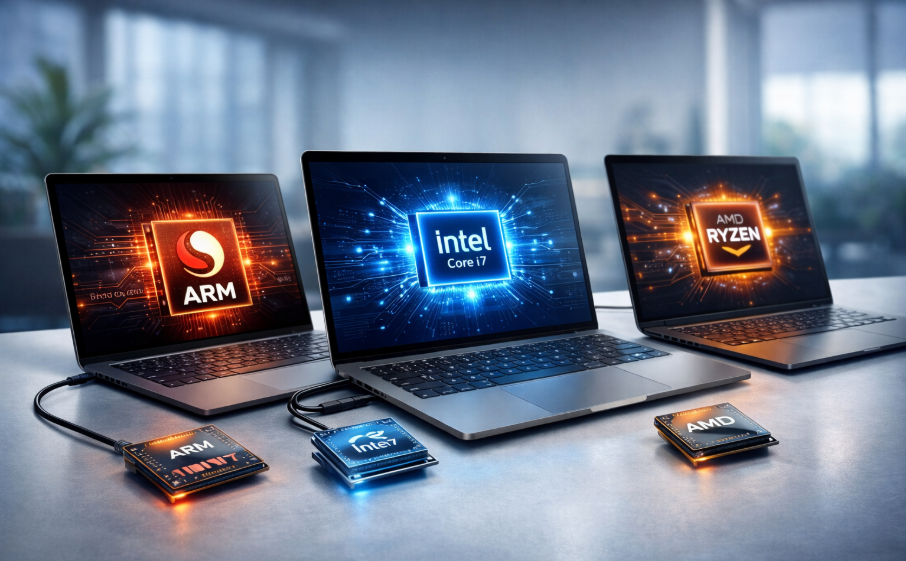
The issue is less about performance and more about compatibility. In many enterprise environments, Genese workflows depend on components, drivers, add‑ins, or integrations that do not run reliably on ARM systems because of emulation, driver limitations, or third‑party software.
For productive legal and IP operations we therefore continue to recommend:
x86‑64 platforms (Intel Core, Intel vPro, AMD Ryzen PRO)
- Windows business configurations that can be cleanly standardized in IT operations and security.
Once this situation changes we will communicate it proactively. Until then, ARM should be avoided when Genese is used productively.
5) Concrete Notebook Purchase Checklist for 2026 (Hardware Perspective)
Mandatory Criteria for Business Use
| Component | Minimum Spec | Recommended |
|---|---|---|
| CPU | Intel or AMD x86‑64, ideally business lines (vPro / Ryzen PRO) | – |
| RAM | 16 GB | 32 GB for power users |
| SSD | 512 GB NVMe | 1 TB |
| Ports | ≥ 2 × USB‑C (≥ 1 with USB‑PD) HDMI or USB‑A depending on peripherals | – |
| Wi‑Fi | Current standard for stable office networks and meeting rooms | – |
| Security | TPM, biometrics (fingerprint or IR), business BIOS features | – |
New From 2026: Charging Criteria
- Required wattage of the device (65 W / 90 W / 100 W / 140 W)
- Clean USB‑PD support, ideally well‑documented
- Planned dock or monitor Power Delivery output
- Availability of 100 W or 240 W cables as standard
Procurement recommendation:
From now on, calculate a separate charging line item (adapter, cable, dock) when pricing notebooks if the scope of delivery is unclear or if you want consistent standardisation.
6) Looking Ahead: Charging Accessories Will Be Further Regulated by 2028
In addition to mandatory USB‑C charging for laptops from 2026, the EU has introduced further steps toward efficient and interoperable charging hardware. A new ecodesign regulation for external power supplies aims to improve efficiency and interchangeability.
For companies, this means: standardisation around USB‑C and USB‑PD is not optional. The market and supply chains will continue to consolidate in this direction.
Conclusion
The shift toward “laptops without power adapters” is not a cosmetic trend. It is the logical consequence of EU regulation. USB‑C charging becomes mandatory for laptops from 28 April 2026, and delivery contents will change accordingly.
For Genese customers, the key lies in making clean purchasing decisions:
- x86‑64 instead of ARM – ARM is currently unsuitable for productive Genese use.
- Treat charging power, cable quality, and docking output as real procurement criteria.
- Standardisation instead of ad‑hoc purchases saves support time and prevents downtime.
Bremen, 15 January 2026 – @Genese