
iOS 26.4 beta 1: Here’s everything new
Source: 9to5Mac
## iOS 26.4 Beta 1 Now Available
[iOS 26.4 beta 1 is now available](https://9to5mac.com/2026/02/16/apple-releases-ios-26-4-beta-1-for-iphone/) in beta for developers.
The update brings a host of new features and changes for iPhone users, including updates to the Music app, Messages, Apple Podcasts, and more.
Read on for a full roundup of all the new features in iOS 26.4 beta 1. Table of Contents
- iOS 26.4 Beta Details
- What’s New in iOS 26.4 Beta 1?
- Messages
- Apple Podcasts
- Apple Music
- Playlist Playground
- Wallpaper Gallery
- Reminders
- New Home‑Screen Widget
- Stolen Device Protection
- App Store
- More Changes
- Wrap‑Up
iOS 26.4 Beta Details
- Version: iOS 26.4
- Build number:
23E5207q - Availability: Currently available for developer beta testers.
How to install the beta
- Open Settings.
- Tap General.
- Select Software Update.
- Follow the on‑screen prompts to download and install the update.
What’s next?
A public beta is expected to be released within the next several weeks. Stay tuned for further announcements.
What’s New in iOS 26.4 Beta 1
Messages
Apple added support for testing end‑to‑end encrypted RCS messaging in iOS 26.4 beta 1.
Currently this works only for iPhone‑to‑iPhone communication and is intended for RCS testing.
Read more:
iOS 26.4 beta adds support for testing end‑to‑end encrypted RCS messaging
Apple Podcasts
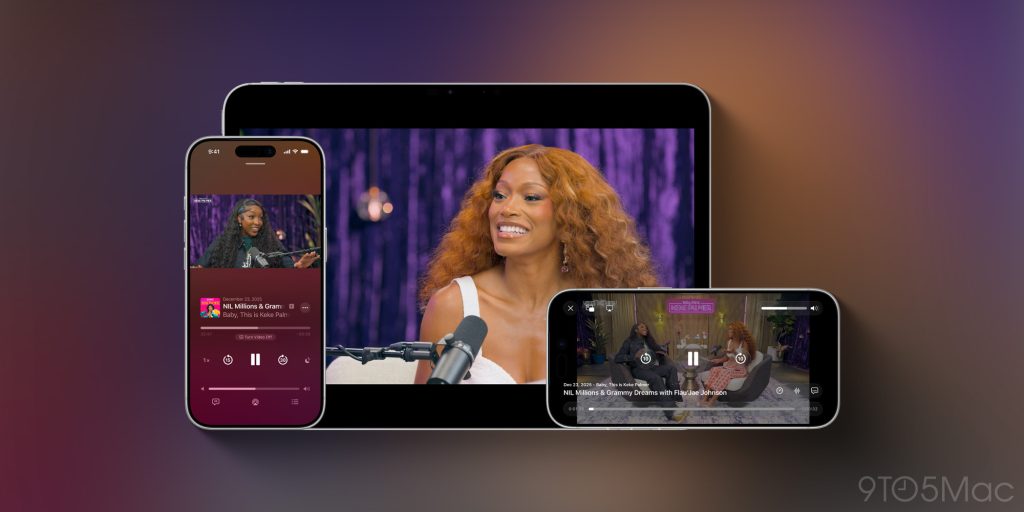
Advanced video‑podcast capabilities
- A new UI makes it easier to switch between video and audio podcasts.
- Powered by Apple’s HLS technology, it automatically adjusts quality based on network conditions.
- Dynamic video ads are now supported.
Read more:
Apple Podcasts app gaining ‘enhanced video podcast experience’ in iOS 26.4
Apple Music
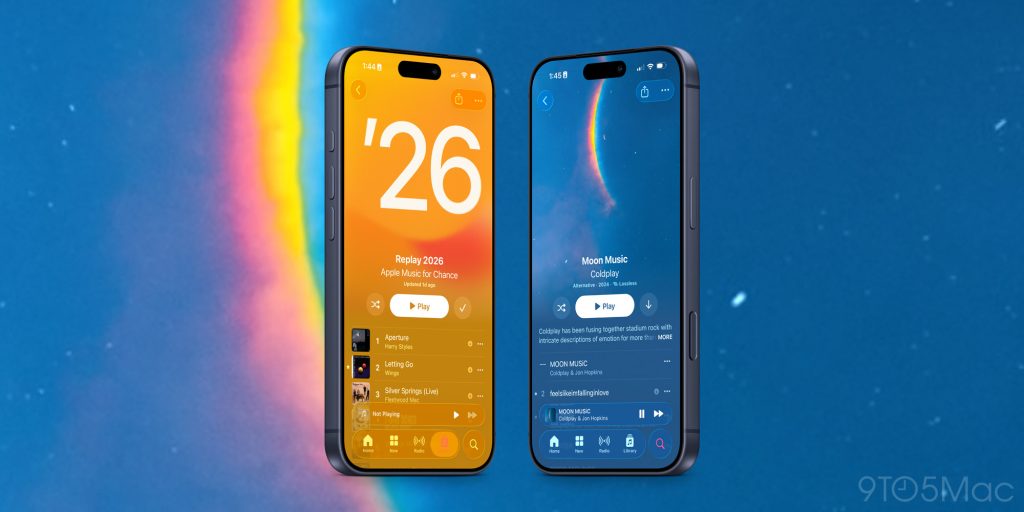
- Full‑screen artwork for select albums and playlists, “bringing your music to life.”
- New Concerts section shows nearby shows and tour dates for artists in your library.
- Redesigned Profile tab (also reflected in the App Store, Apple Podcasts, and Apple TV) for quicker access to common tasks.
Read more:
Apple Music in iOS 26.4 has new design for albums, playlists, and more
Playlist Playground (Apple Intelligence)
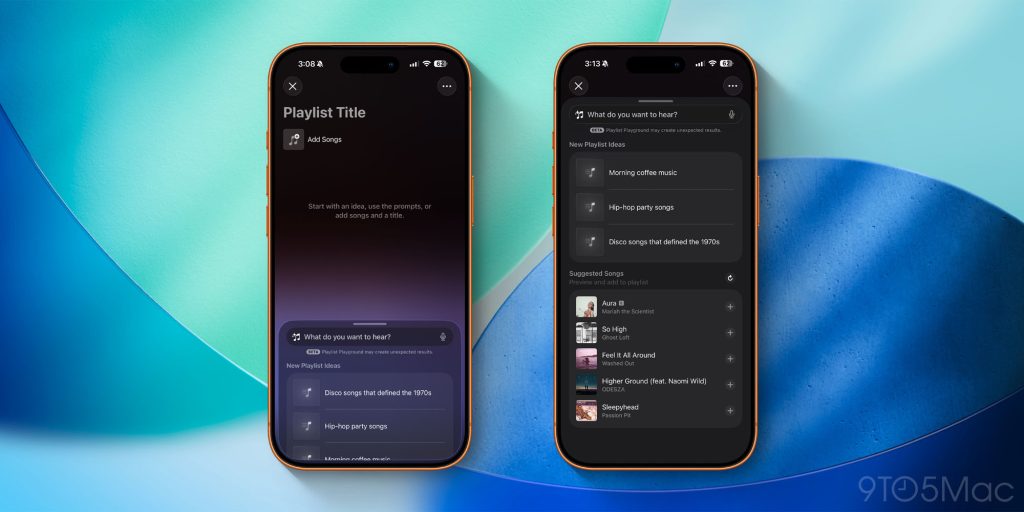
A new AI‑driven feature that lets you generate playlists from text prompts or predefined descriptions.
Read more:
iOS 26.4 beta adds new ‘Playlist Playground’ AI feature for Apple Music
Wallpaper Gallery
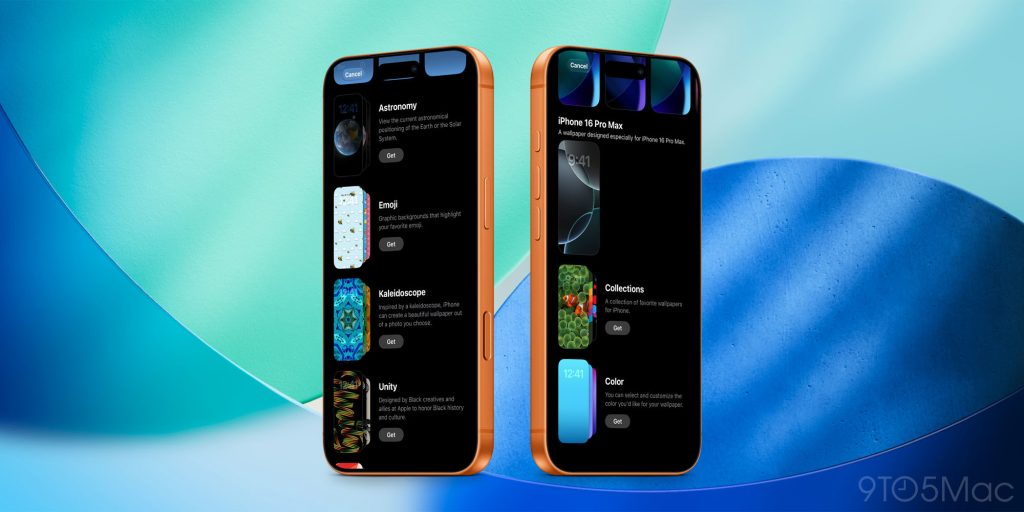
- Redesigned layout separates categories more clearly.
- Faster, cleaner UI—mirroring the recent Apple Watch face gallery redesign.
Read more:
iOS 26.4 redesigns Wallpaper Gallery
Reminders
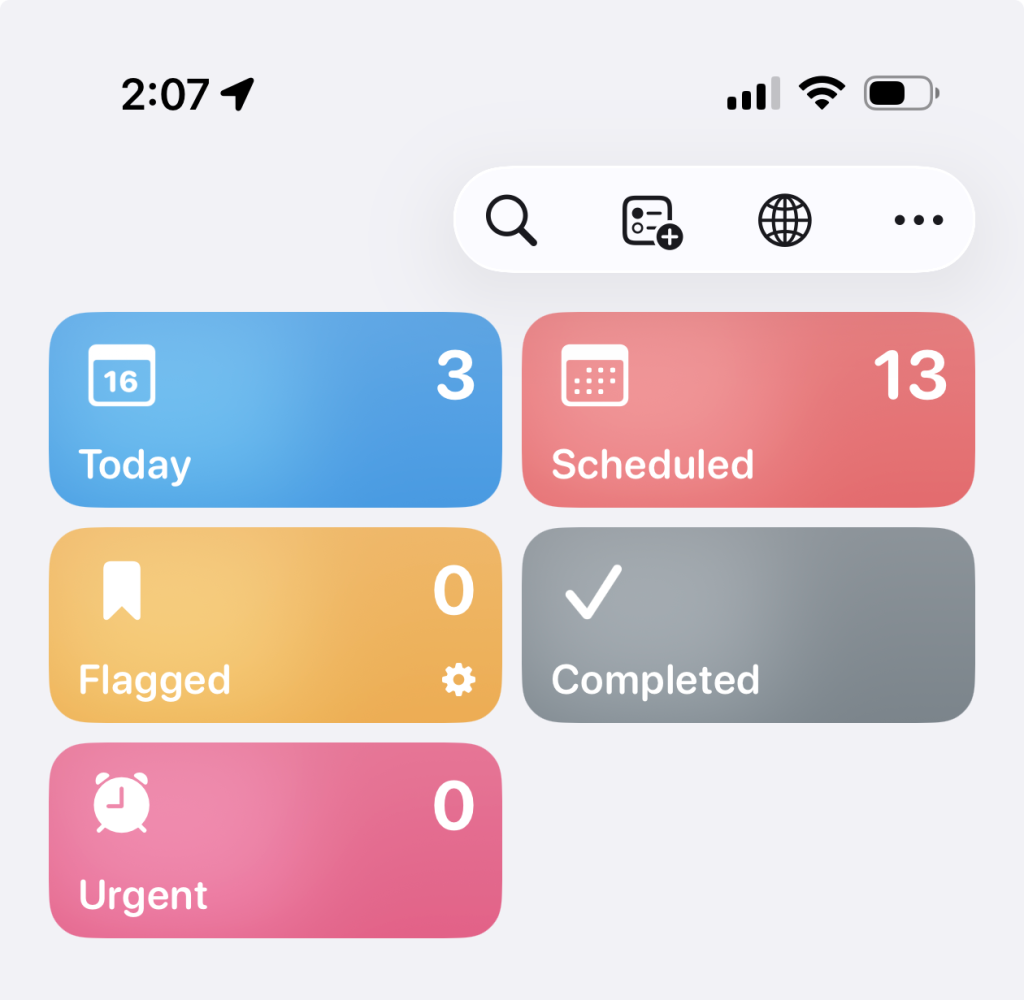
- New Smart List automatically gathers tasks marked as Urgent.
- Builds on the Urgent setting introduced in iOS 26.2, which adds an alarm for urgent tasks.
New Home‑Screen Widget
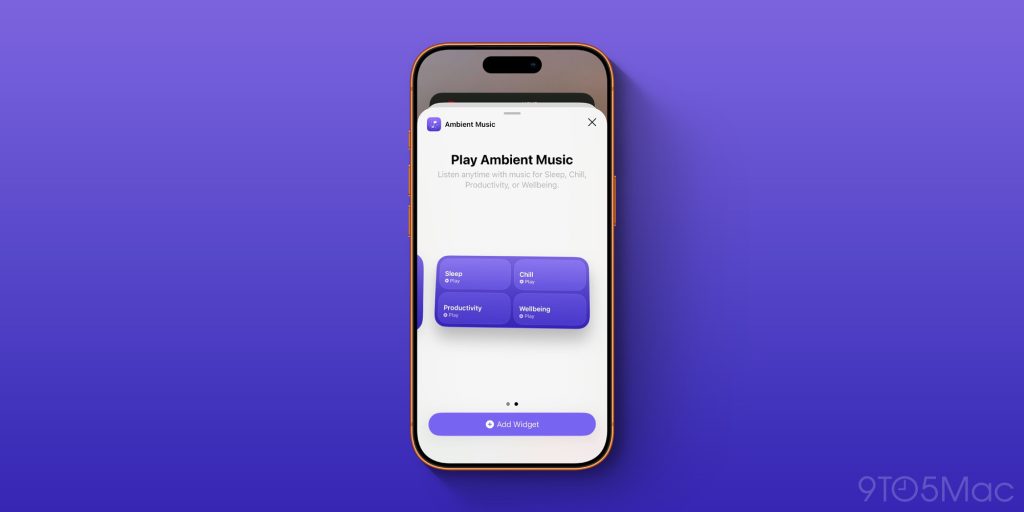
A widget that provides quick access to your ambient‑music playlists in Apple Music.
Stolen Device Protection
- Enabled by default in iOS 26.4.
- Requires biometric authentication when the device is away from trusted locations (home, work).
- Adds a timed delay for a second biometric check on certain sensitive actions.
Sources:
App Store
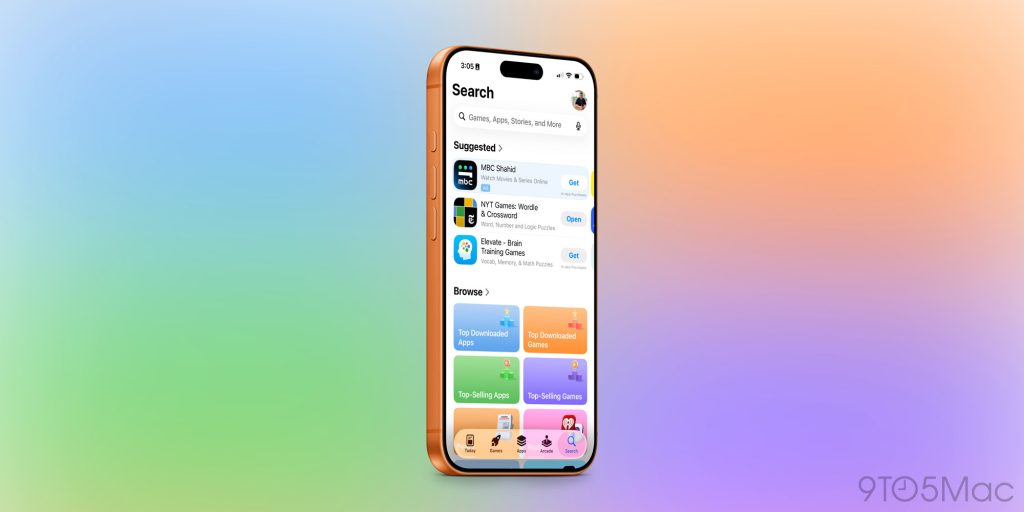
- The Search bar returns to the top of the Search tab.
- The Search tab is now integrated into the bottom navigation bar, removing the floating circle UI.
More changes
- Shortcuts: New action for setting your iPhone’s charge‑limit, plus actions to remove or add locations in Weather.
- iPadOS 26.4: Restores the compact tab bar in Safari.
Read more - Freeform: Updated app icon and a new splash screen for Apple Creator Studio.
Wrap Up
We’ll continue updating this story as we uncover more new features in iOS 26.4. If you spot anything new, let us know down in the comments.
My favorite iPhone accessories
- Anker Power Bank with built‑in USB‑C Cable
- Charge your iPhone, Apple Watch, and AirPods at the same time
- Bring wireless CarPlay to any car
- USB‑C cable with built‑in screen
- The best earbuds for Apple users
Follow Chance


FTC: We use income‑earning auto‑affiliate links. More…
