
I Made AI Code for Me from My Phone (Slack Codex CLI)
Source: Dev.to
Introduction
Have you ever wished you could work while lying in bed?
Well, you can.
I built a system where you just send a mention in Slack, and AI writes the code and even creates a PR (Pull Request) for you. You can request coding from your phone, on the train, or even from your bed.
In this article, I’ll show you how this system works and demonstrate it in action.
How It Works
The architecture is simple.
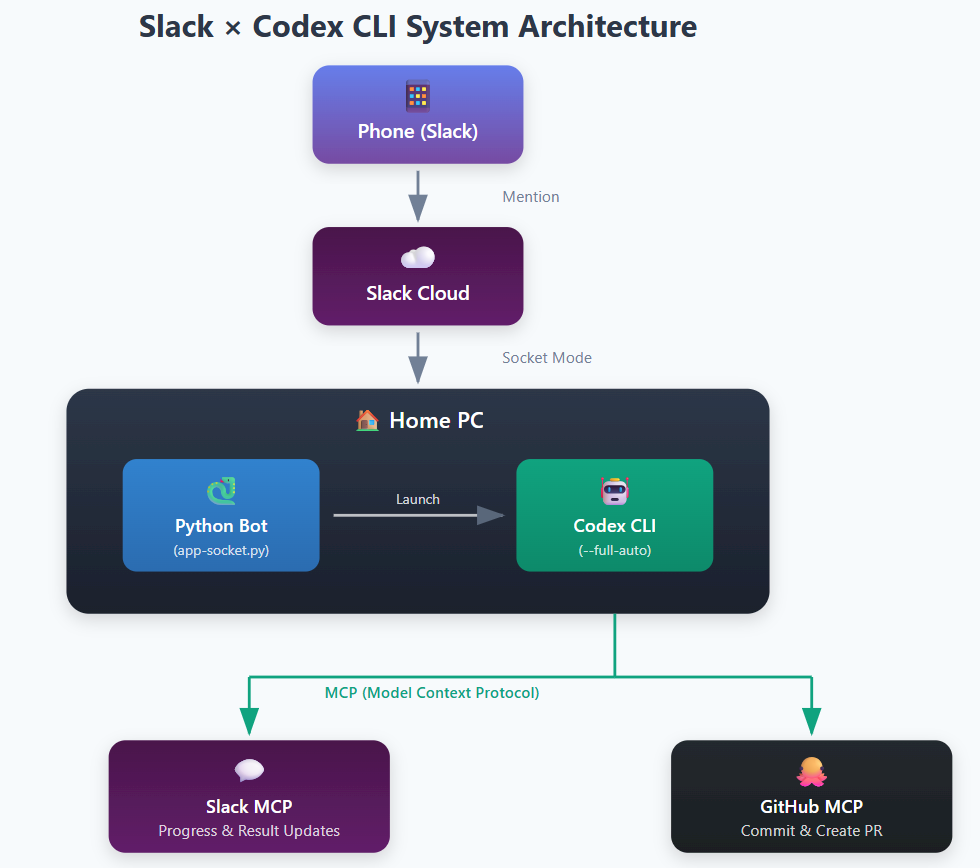
- Mention from your phone via Slack → Message goes to Slack Cloud
- Bot on your home PC detects it → Python bot connected via Socket Mode receives the message
- Launches Codex CLI → Automatically performs the requested task
- Reports progress to Slack → Sends progress and results via Slack MCP (Model Context Protocol)
- Creates Pull Request on GitHub → Commits and creates a PR via GitHub MCP
Since all processing happens on your home PC, you can use a GPU and run heavy tasks with Docker.
See It in Action
1. Send a Mention in Slack
Just mention the bot in Slack to start the work.
@codex-bot create simple todo app in new folder and run with host 0.0.0.0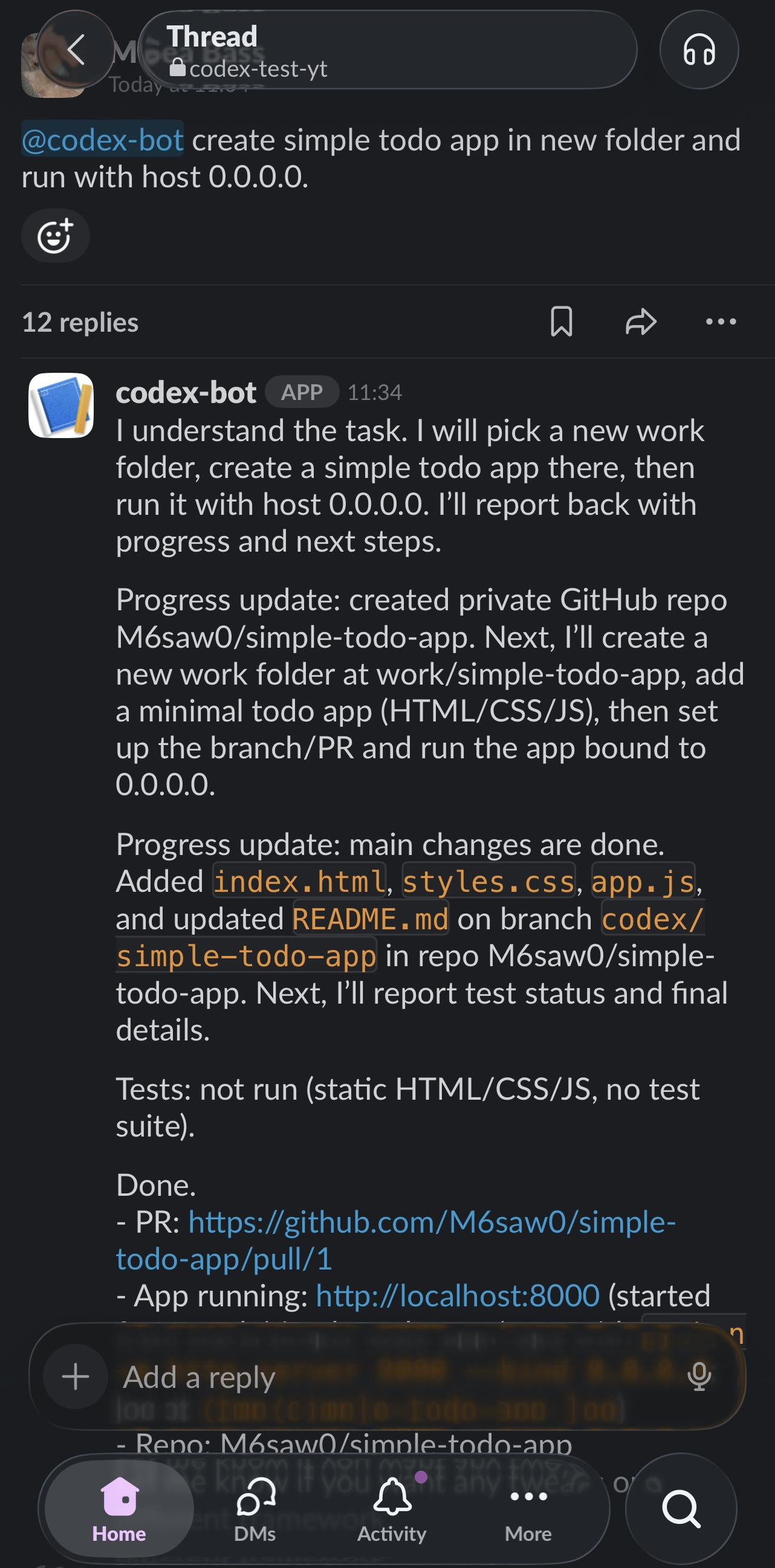
Once the bot starts working, progress updates are posted to the thread. When complete, the app URL and PR link are shared.
2. Check the App
Access the created app from your phone to verify it works.
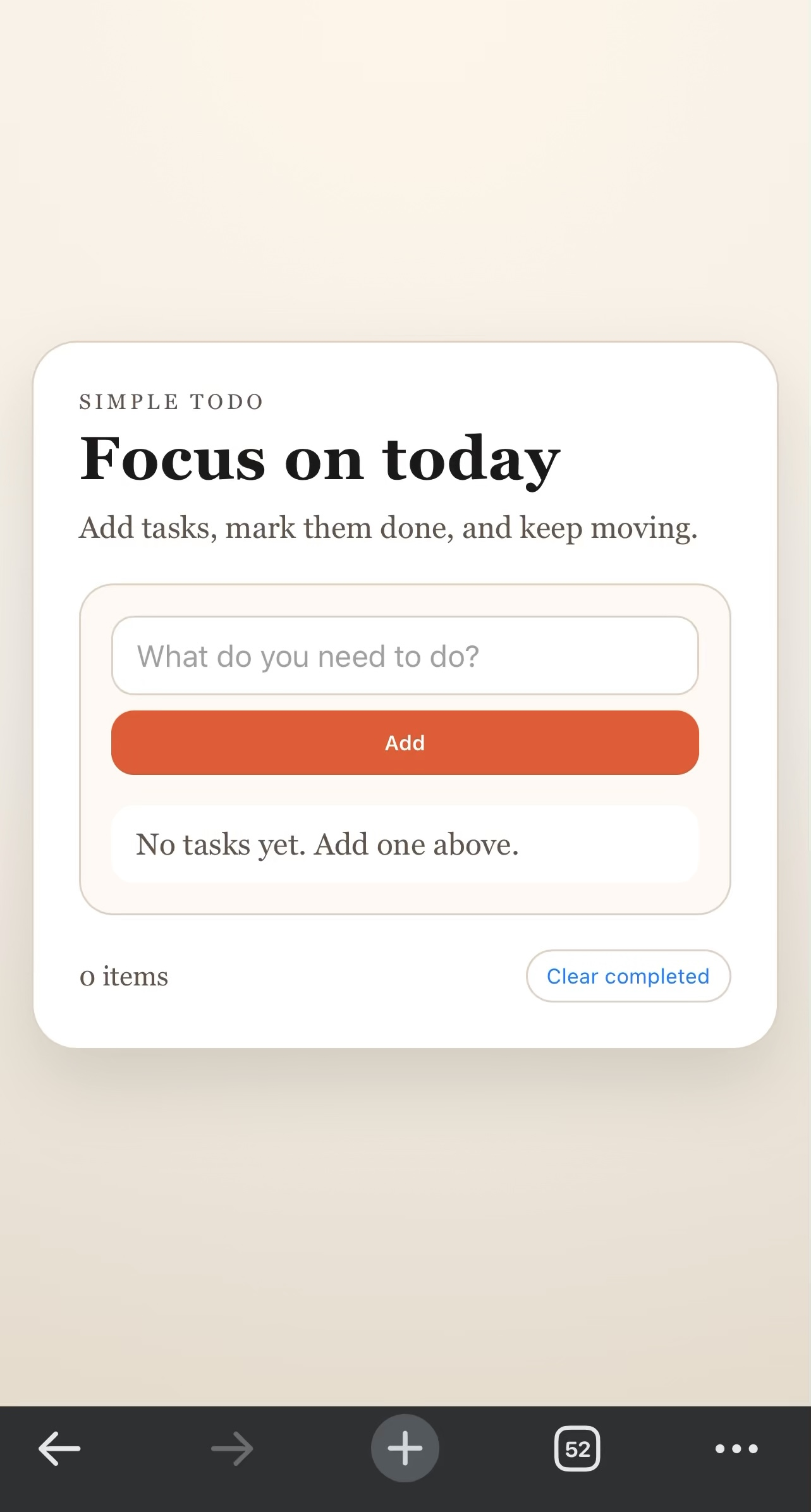
If you’re on the same Wi‑Fi network, you can directly access the development server. Checking the design and giving feedback is easy from your phone.
3. Review and Merge the PR
Review the PR on GitHub and merge it if everything looks good.
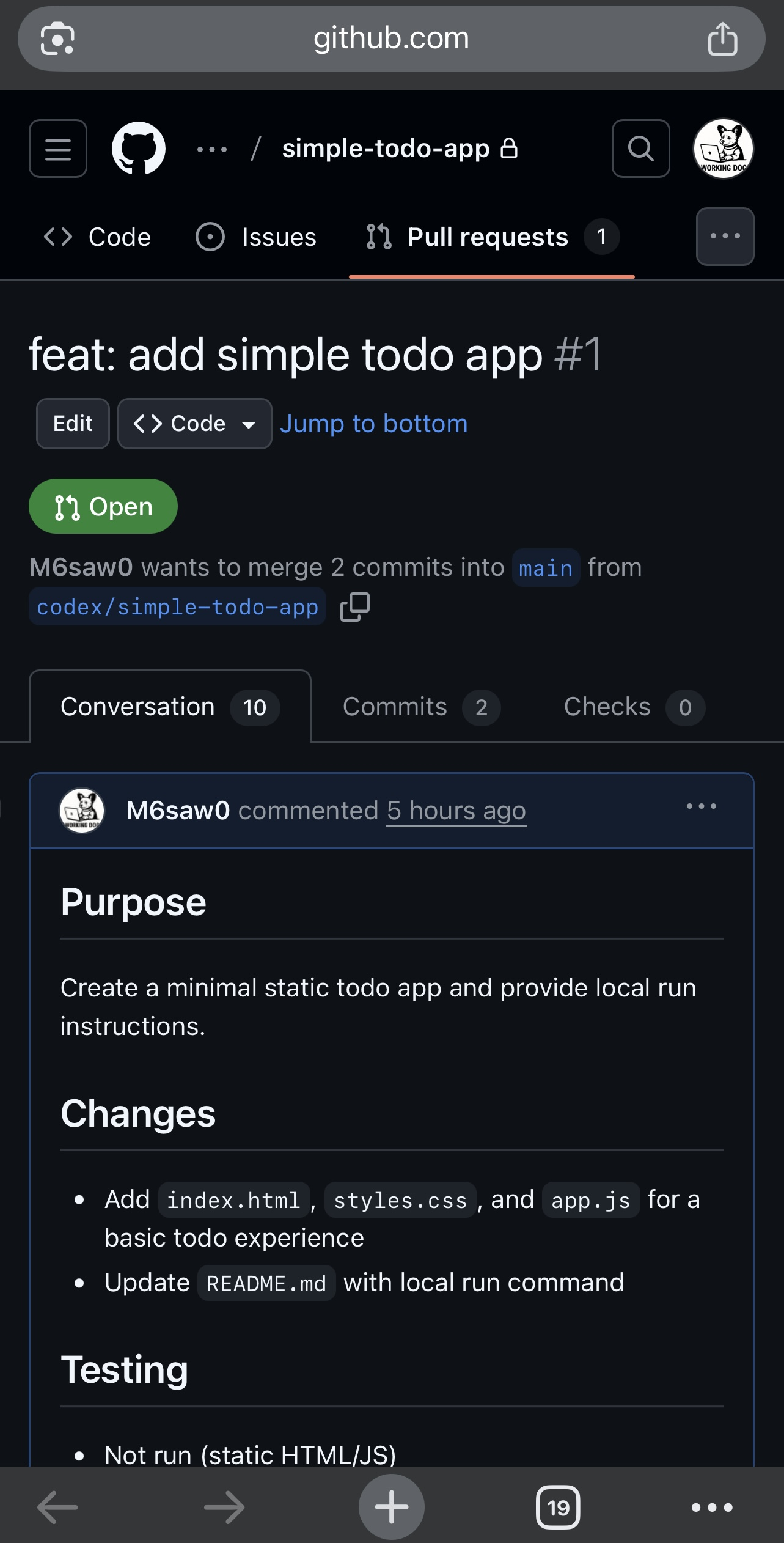
Check the code diff, add comments if needed, and merge. Done!
What You Can Do
- Coding: Implement new features, fix bugs, refactor code.
- App Development: Create web‑app scaffolding, adjust UI.
- Docker Tasks: Run ML training, batch processing (completion detection via health checks).
- Automated Testing: Simple E2E tests with Playwright MCP.
The workflow of “checking app design on your phone while giving feedback via Slack” feels like pair programming with a designer.
Setup
The code is available on GitHub. Setup instructions are in the README.
🔗 Repository:
Requirements
- Slack App (Socket Mode)
- ChatGPT account (for Codex CLI)
- GitHub token (for PR creation)
See the repository README for detailed setup instructions.
Conclusion
Once you experience having AI code for you from your phone, you’ll be hooked.
- Request bug fixes while lounging in bed
- Implement new app features on the train
- Give design feedback while relaxing on the couch
Make the most of your commute and spare time—build your own AI pair programmer.
Related Links
- Repository:
- Codex CLI:
- MCP (Model Context Protocol):