
I haven't used a mouse for 14 years
Source: Hacker News
13 Mar 2026
I have been using a Mac since 2012, and I have never needed an external mouse. I do own an external trackpad and an iMac with a built‑in trackpad, but the built‑in Mac trackpad is more than sufficient for my web‑design and graphic‑design work.
The precision of the Mac trackpad feels magical. Most design tasks involve dragging objects, which traditionally requires clicking the trackpad and applying force with the finger. After a while that can become uncomfortable. macOS offers a Three‑Finger Drag gesture that lets you drag objects by placing three fingers on the trackpad and moving them together, eliminating the need for repeated clicking. When combined with Tap‑to‑Click, you can perform clicks with a light tap instead of a press.
Enabling Three‑Finger Drag
The option is now hidden under Accessibility:
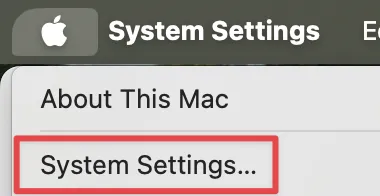
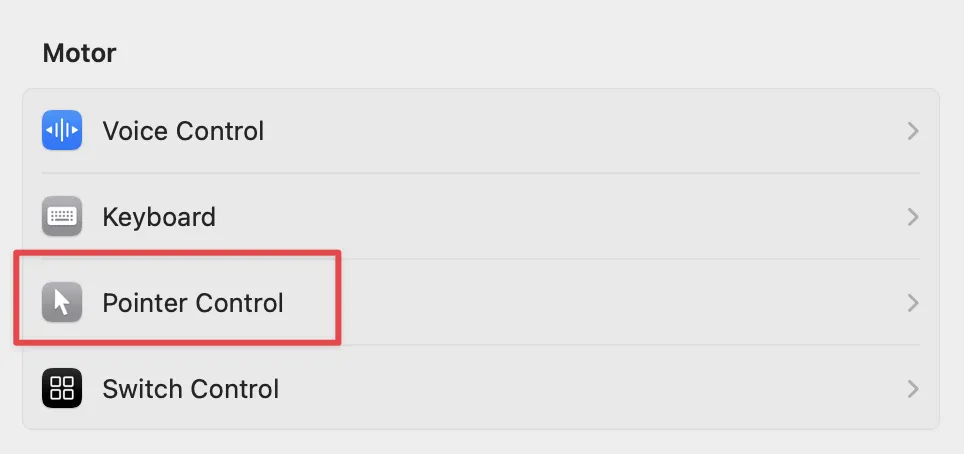
- Open System Settings → Accessibility → Pointer Control.
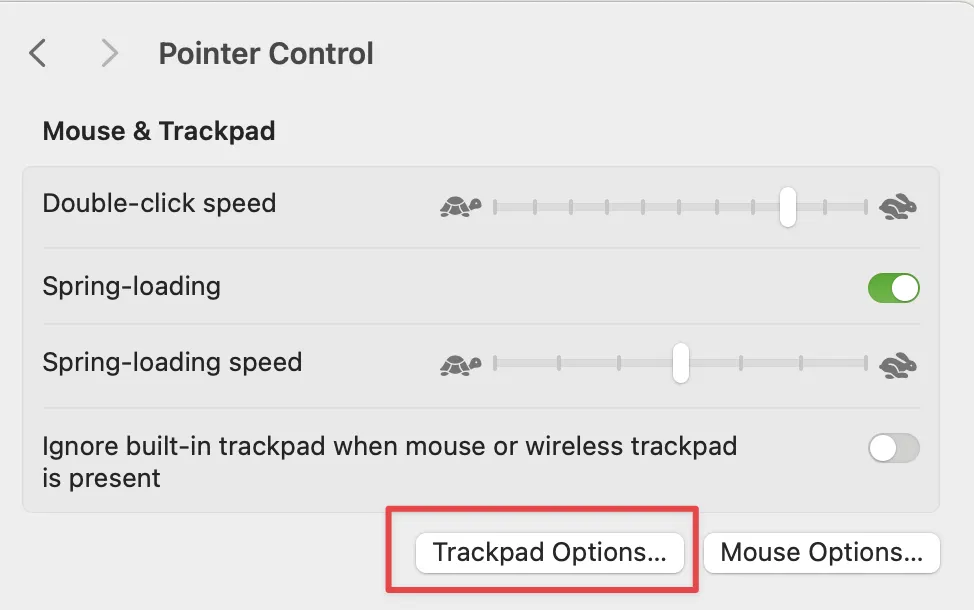
- Click Trackpad Options → Dragging style.
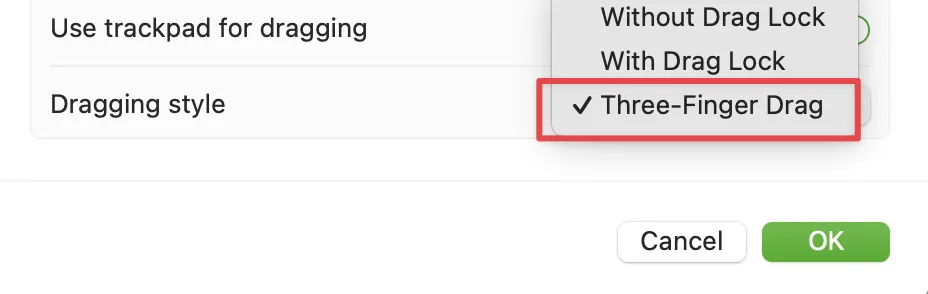
- Choose Three Fingers Drag.
Screenshots

I remain amazed by the quality of the Mac trackpad. In contrast, many Windows laptops have touchpads that feel so inadequate that retailers often bundle a free external mouse with the purchase, as the laptop is nearly unusable without one.