
I Got Tired of Being a One-Man Dev Team (So I Built This Thing)
Source: Dev.to
aka how I finally stopped mass‑complaining about linter errors at 2 am… mostly
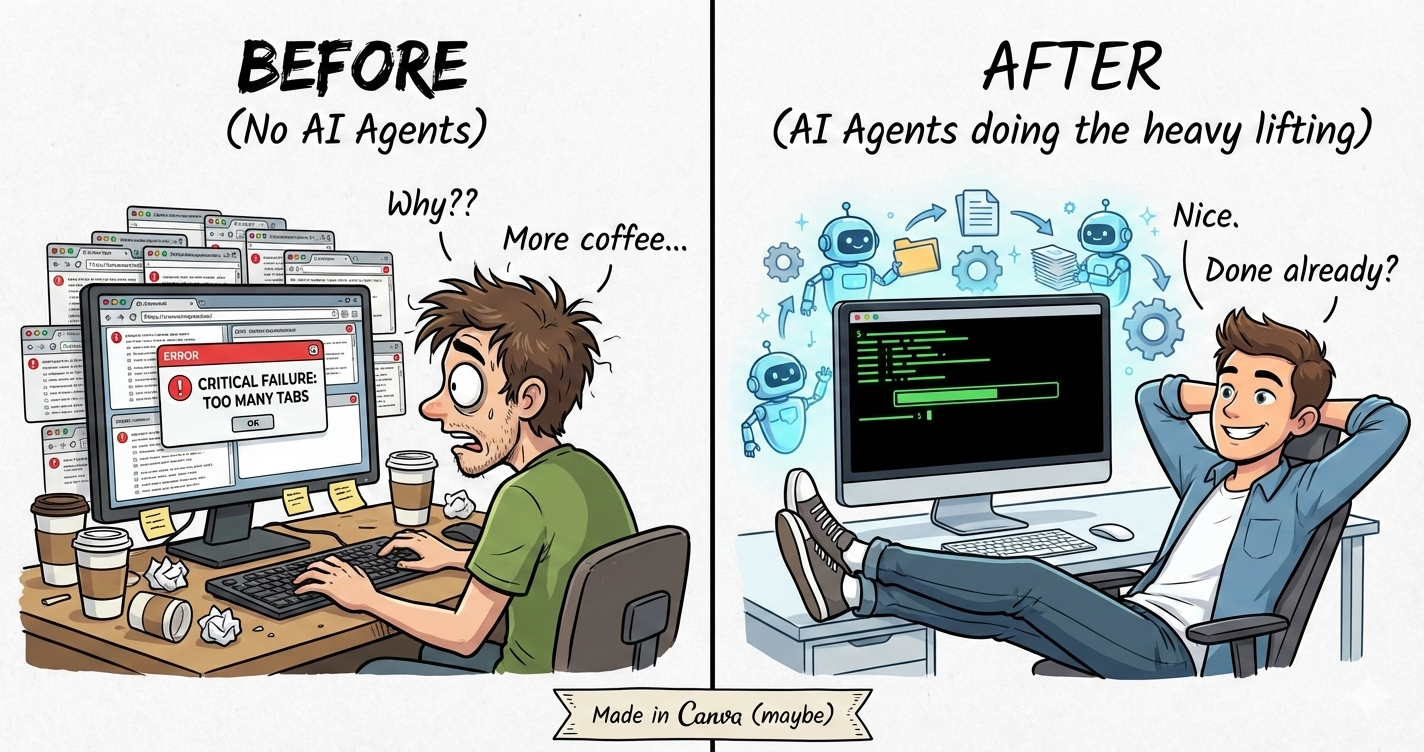
Ok, So Here’s the Thing
It’s 3 am. I’m exhausted, probably on my fifth (maybe sixth) coffee. My eyes are burning from staring at the screen, and I’ve been fighting the same RuboCop error for about an hour.
You know the cycle, right?
- Run RuboCop → 3 errors.
- Fix them. Run again → 2 different errors.
- Fix those. Run again → 5 errors.
How? I just fixed things and now there’s more???
(I once spent 4 hours debugging a typo in a variable name. Four. Hours. I don’t want to talk about it.)
So I’m sitting there at 3 am, questioning my life choices, and I think: Didn’t I become a developer to build cool stuff, not to fight with semicolons and copy‑paste Stack Overflow answers about “unexpected end of input”?
That’s basically why I made Buildmate. I got tired of doing everything myself.
What Is This Exactly?
In a real company you have different people doing different things:
- Developer – writes code (and Googles constantly)
- Tester – breaks everything (on purpose… hopefully)
- Code reviewer – points out missing null checks again
- PM – keeps everyone from losing their minds
- Security person – tells you everything is wrong
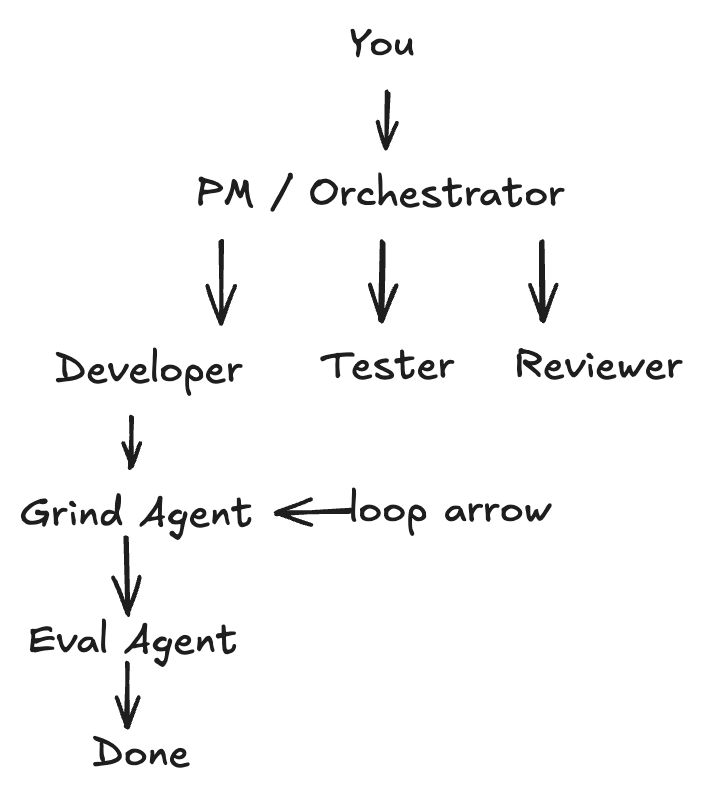
Buildmate gives you all of these roles as AI agents that actually talk to each other while you go get lunch (or coffee).
Me: "/pm Build user authentication with OAuth"
Buildmate: "Got it"

→ spawns a backend dev (writes the Rails code)
→ spawns a frontend dev (does the React stuff)
→ spawns testers (writes tests, runs them)
→ runs linting in a loop until everything passes
→ actually RUNS the code to verify it works
→ fixes its own mistakes automatically
→ spawns reviewers (finds my mistakes)

Me (drinking coffee): "Nice"
I know it sounds wild. When I first got this working I didn’t believe it either.
The Linter Loop From Hell (And How I Fixed It)
We’ve ALL been here:
$ rubocop
3 offenses detected
*fixes them carefully*

$ rubocop
2 offenses detected (different ones??)
*fixes those too*

$ rubocop
5 offenses detected
*stares at screen*
*questions existence*
I swear I’ve lost years of my life to this.
The Fix
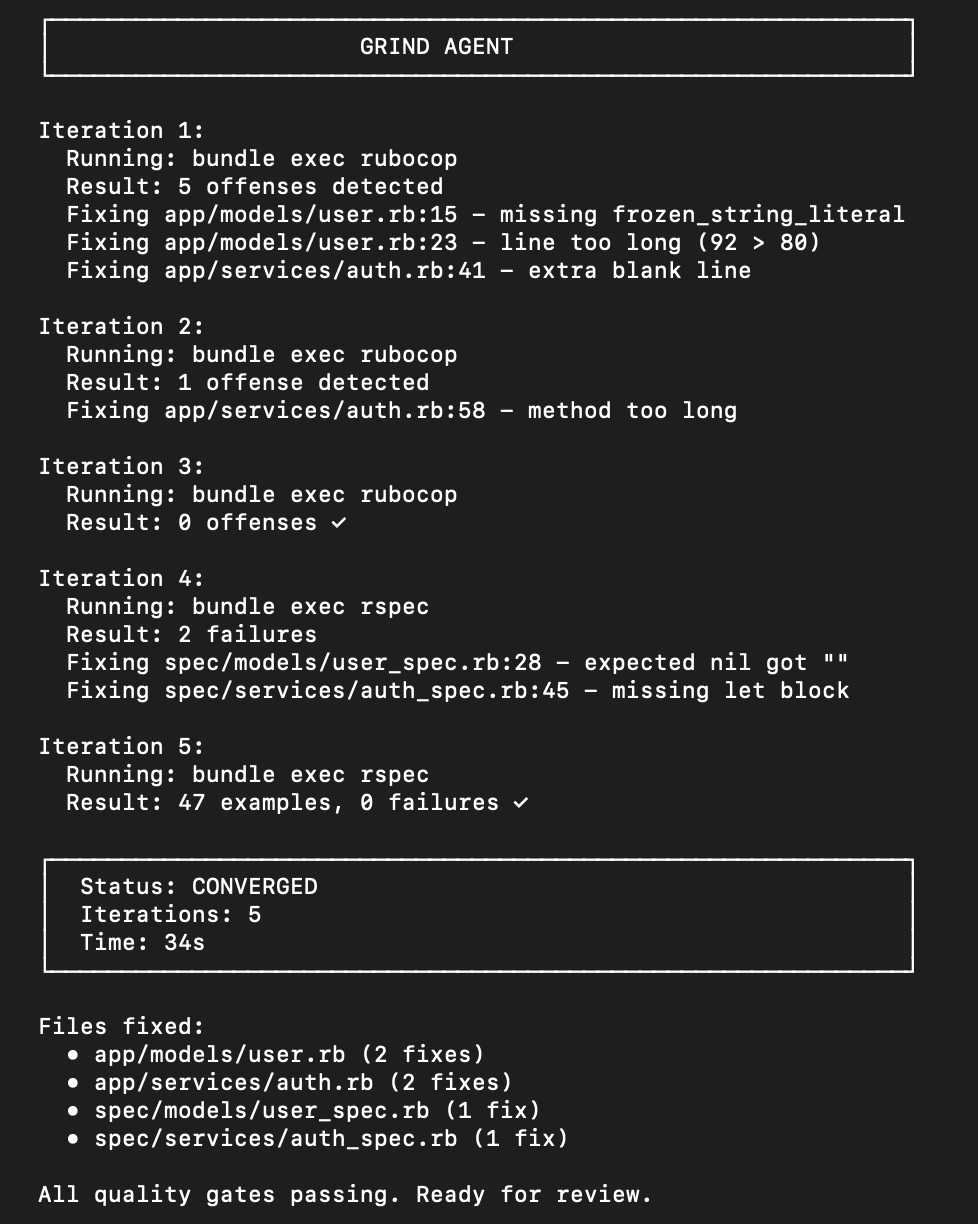
Enter the Grind Agent. It runs your linters in a loop and fixes stuff automatically—until everything’s green or it gives up after 10 tries.
Grind Agent:
  Iteration 1: rubocop → 3 errors → fixing...
  Iteration 2: rubocop → 0 errors, nice
  Iteration 3: rspec   → 2 failures → fixing...
  Iteration 4: rspec   → all green

  Status: CONVERGED

  Fixed:
  - app/models/user.rb:15 – frozen_string_literal
  - spec/models/user_spec.rb:28 – nil vs empty string
You didn’t do anything. It handled it.
“LGTM” Isn’t Really a Code Review
Be real: when you’re tired and a PR has 47 files, “Looks Good To Me” really means “I looked at maybe three files and gave up.” We all do it; it’s human nature.
The Fix
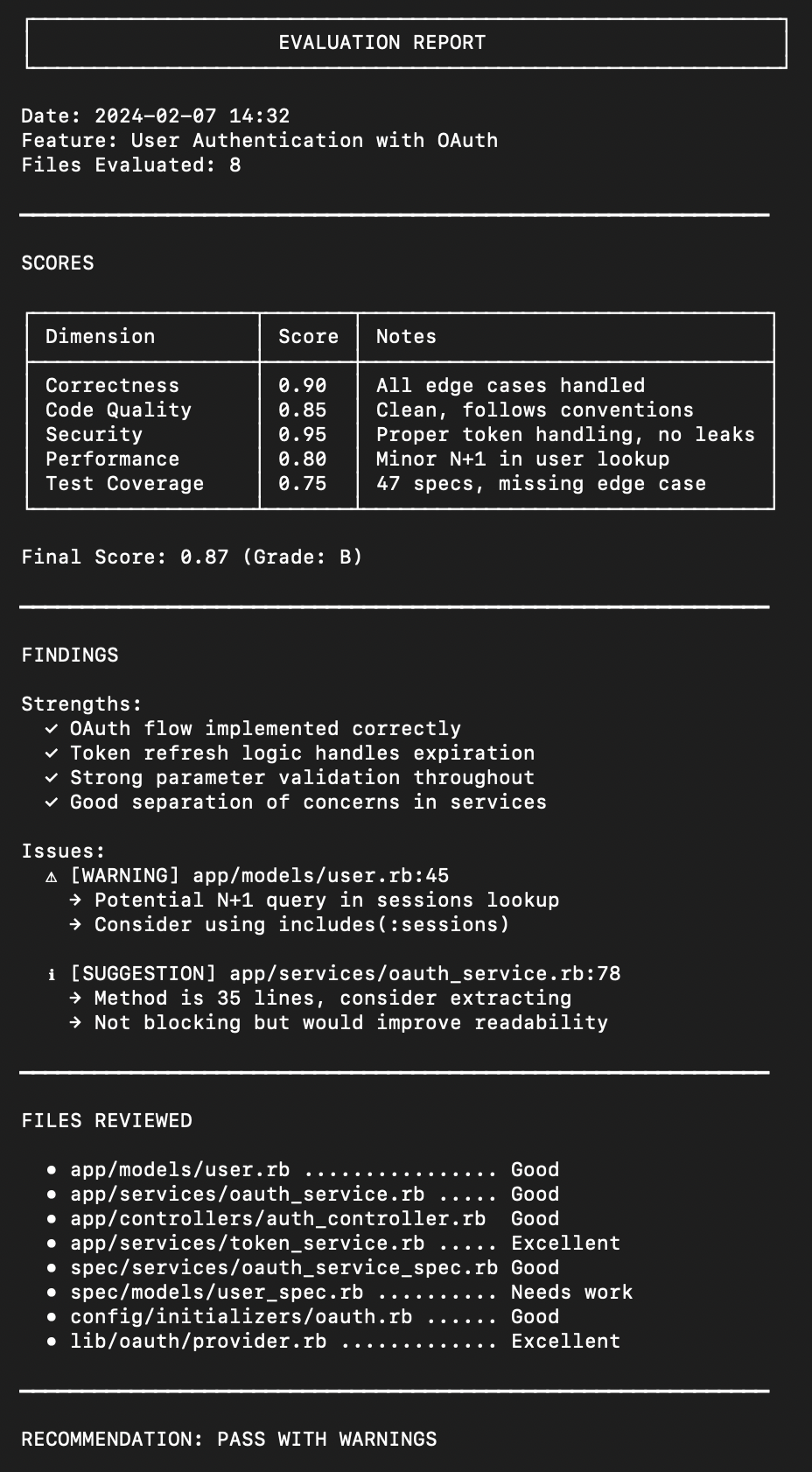
Enter the Eval Agent, which scores your code with actual grades.
| Thing | Weight | Score |
|---|---|---|
| Correctness | 30 % | 0.85 |
| Code Quality | 25 % | 0.90 |
| Security | 20 % | 0.95 |
| Performance | 15 % | 0.80 |
| Test Coverage | 10 % | 0.75 |
Final: 0.87 (B)
Actual numbers, no more arguing about tabs vs. spaces. It tells you things like “line 47 might have an N+1 query” or “this method does five things—split it up.”
It Actually Tests Itself (This Is the Cool Part)
Most AI coding tools just write code and hope it works. You run it, it crashes, you spend 30 minutes debugging.
I got tired of that too.
So there’s a /verify command. It actually RUNS your code:
- Backend: Starts a dev server, makes real HTTP requests, validates responses.
- Frontend: Opens a browser, navigates to your page, takes screenshots, checks component rendering, looks for console errors.
Best part: If something fails, it fixes itself.
[Verification] Creating HeroSection...

[Testing]
- Starting dev server... ✓
- Looking for .hero-section... ✓
- Rendering component... ✓
- No console errors... ✓
- All checks passed! 🎉
That’s how I finally stopped mass‑complaining about linter errors at 2 am.
OT FOUND ✗
Analyzing
- Component exists but not exported
- Adding export…
Retry 1/3
- Component found ✓
- No console errors ✓
Verification passed after 1 fix.
Enter fullscreen mode

Exit fullscreen mode
It built the component, tested it, found it wasn’t exported, FIXED it, and tested again. All by itself.
Backend Too
[Verification] POST /api/users

- Making request...
- Status: 500 ✗
Analyzing
- Missing
user_paramsmethod - Adding to controller…
Retry 1/3
- Status: 201 Created ✓
Verification passed after 1 fix.
Enter fullscreen mode

Exit fullscreen mode
The stupid mistakes that take 20 minutes to debug? Gone.
Screenshot

Security (Actually Important)
There’s a Security Auditor agent that checks OWASP concerns— injection attacks, authentication problems, XSS, CSRF, etc.
# Security audit logs would appear hereSecurity Report
Found: 2 issues
| Severity | Issue | File | Recommendation |
|---|---|---|---|
| MEDIUM | Possible SQL injection | app/models/search.rb:45 | Use a parameterized query |
| LOW | No rate limiting on login | – | Add rack-attack |
Verdict: PASS WITH WARNINGS
How to Get Started
git clone https://github.com/vadim7j7/buildmate.git
cd buildmate
python3 -m venv .venv && .venv/bin/pip install -e .
Bootstrap Your Project
# Rails only
buildmate rails /path/to/my-app

# Next.js with Tailwind UI
buildmate nextjs /path/to/app --ui=tailwind

# Full‑stack (Rails + Next.js)
buildmate rails+nextjs /path/to/app

# Use a preset profile (e.g., SaaS)
buildmate --profile saas /path/to/app
Run a Command
/pm "Build user authentication"Watch it work!

Commands Cheat Sheet
| Command | What it does |
|---|---|
/pm "thing" | Full workflow – plan, build, test, review |
/verify | Runs your code to test it |
/verify --component Hero | Test a specific component |
/verify --endpoint /api/users | Test a specific endpoint |
/parallel "a" "b" | Execute multiple tasks concurrently |
/new-model Name | Create model, migration, spec, and factory |
/new-component Name | Create component and its test |
/security | Run a security audit |
/eval | Score the generated code |
The
/verifycommand is new and, honestly, my favorite.
FAQ
What if the AI makes mistakes?
- The verify agent runs your code and catches runtime errors.
- If something breaks, it attempts automatic fixes (up to three times).
- The grind agent catches lint and type errors.
- The eval agent scores the result so you know its quality.
Will it work with my project?
Yes. Buildmate creates a .claude/ folder and doesn’t touch your existing code unless you ask it to.
What frameworks are supported?
Rails, Next.js, FastAPI, React Native – more are on the way.
Coming Soon: Website Cloning
/analyze-site https://some-cool-website.com
/clone-page https://some-cool-website.com/pricing
The tool will analyze any site, extract its design, and generate your code using your UI library. Want to replicate a landing page you like? Soon you’ll be able to do it with a single command. Stay tuned!
Try It
git clone https://github.com/vadim7j7/buildmate.git
cd buildmate
python3 -m venv .venv && .venv/bin/pip install -e .

buildmate rails /path/to/your-app
/pm "Build something cool"
The whole process takes about 2 minutes.
Support This Project
If Buildmate saved you from a 3 am debugging session, consider buying me a coffee:
Links
- GitHub: https://github.com/vadim7j7/buildmate
- Buy Me A Coffee: https://buymeacoffee.com/vadim7j7
Star the repo if you like it, and feel free to open issues—I actually read them.
Built late at night with way too much coffee
— Vadim