
I Built an AI Research Agent to Cure My 'Doomscrolling' Addiction
Source: Dev.to
The Problem: AI News is Noise
Every morning I faced the same issue: dozens of new AI tools, fresh models on HuggingFace, and endless hype on X/Twitter. I was wasting hours “doomscrolling” just to find the 2‑3 updates that actually mattered to my work. I didn’t need more news—I needed a Chief of Staff to read everything, filter out the garbage, and show only the signal. So I built one.
The Solution: An Autonomous “News Editor”
In this tutorial I’ll show how I built a Personal AI News Agent using n8n, OpenAI, and Tavily. It runs while I sleep and delivers a curated morning briefing to my email.
The Stack
- Orchestrator: n8n (local or cloud)
- The Brain (Filter): OpenAI
gpt-4o-mini(cheap and fast) - The Researcher: Tavily AI (fetches live context)
- Source: RSS feeds (e.g., TechCrunch, The Verge)
Step 1: The “Firehose” (RSS Ingestion)
The workflow starts with a Schedule Trigger set for 8:00 AM. It pulls the latest articles using the RSS Read Node. At this stage we have everything—rumors, minor updates, and noise.
Step 2: The “Senior Editor” (OpenAI Filtering)
Each headline is processed individually with a Loop Node. The system prompt given to OpenAI defines a strict editorial persona:
System Prompt:
Analyze this news item:

Title: {{ $json.title }}
Summary: {{ $json.contentSnippet || $json.content }}

YOUR ROLE:
You are a Senior Tech Editor curating a daily briefing. Your goal is to identify useful, relevant news for AI Engineers.

SCORING GUIDELINES (0-10):
- 0‑3: Irrelevant, gossip, or low‑quality clickbait.
- 4‑5: Average news. Minor updates or generic articles.
- 6‑7 (PASSING): Solid, useful news. Good tutorials, interesting tool releases, or standard industry updates.
- 8‑10 (EXCELLENT): Major breakthroughs, acquisitions, critical security alerts, or high‑impact releases (e.g., GPT‑5, new SOTA model).

INSTRUCTIONS:
- Rate strictly but fairly.
- If it is useful to a professional, give it at least a 6.
- Return ONLY a JSON object.

OUTPUT FORMAT:
{
  "score": ,
  "title": ,
  "reason": ""
}
Step 3: The Gatekeeper (If Node)
An If Node acts as a gate:
- Score < 7 → Discard immediately.
- Score ≥ 7 → Proceed to research.
This logic reduced the reading list from ~50 articles to the top 5.
Step 4: The Deep Dive (Tavily AI)
For the winning articles, Tavily AI is used to fetch the full context. The include_answer parameter is set to Advanced, generating a high‑quality, synthesized summary from multiple sources rather than just the original RSS blurb.
Step 5: The Briefing (Email)
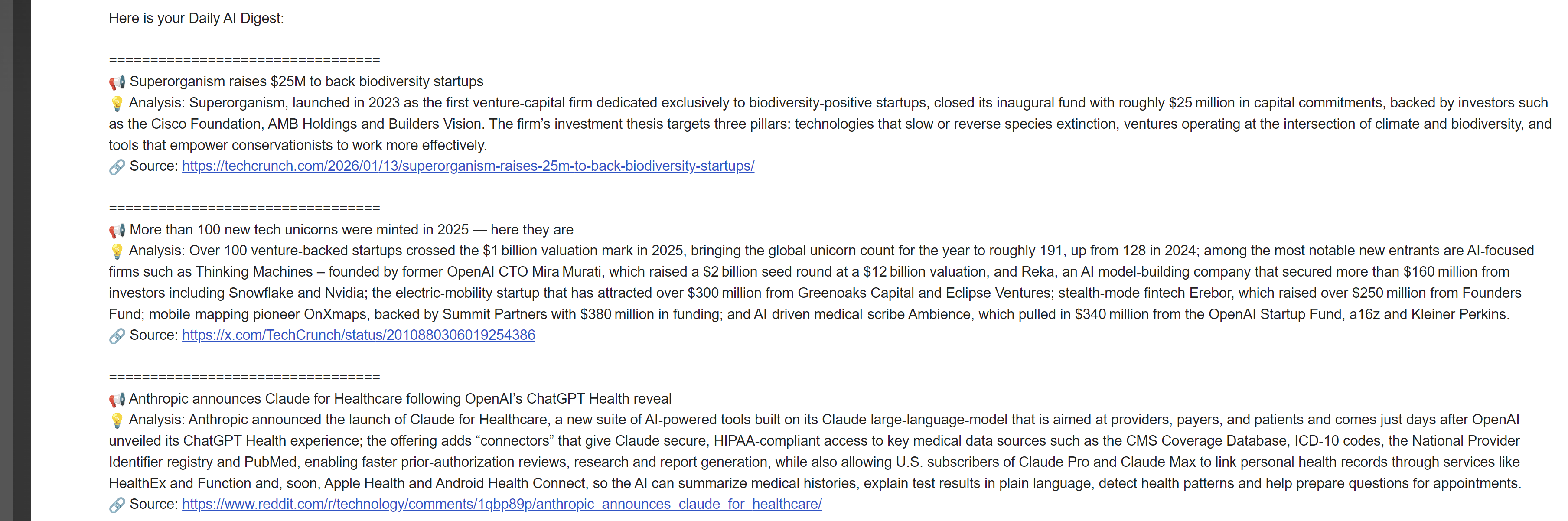
An Aggregate Node collects all “Winners” and formats them into a clean HTML email, which is sent via Gmail.
Why This Matters
By building this agent I saved ~5 hours a week of mindless scrolling. The agent handles the boring work of filtering; I only read the high‑signal results.
Next Steps
In my next post I’ll share how I used Google NotebookLM to “stress test” this agent.
Let me know in the comments: How are you handling information overload right now?