How to sharing TypeScript codes Across Frontend and Backend in a Monorepo
Source: Dev.to
Background
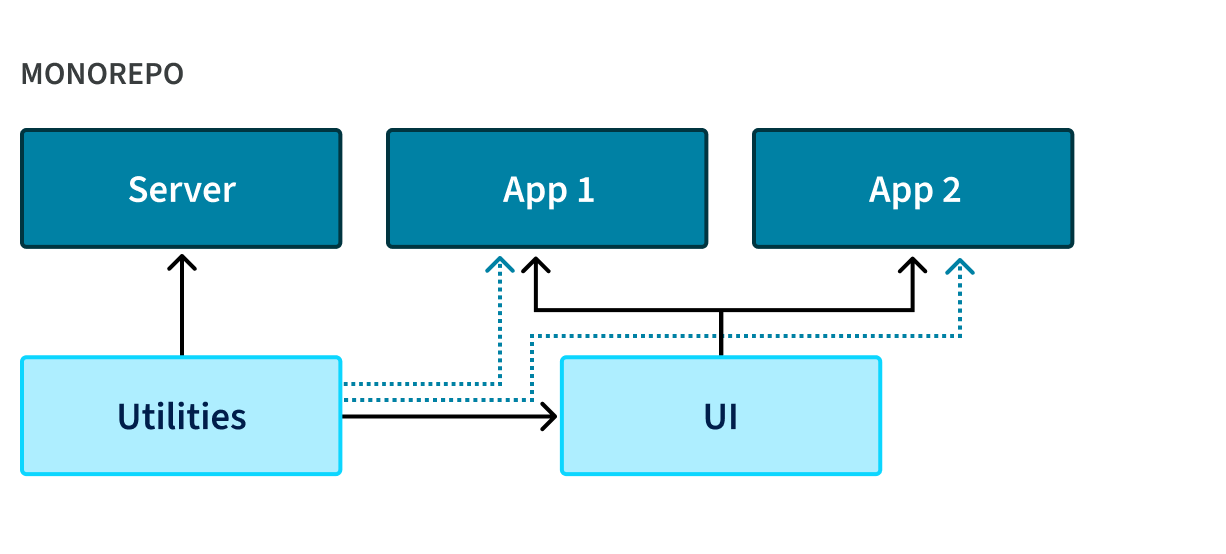
In my monorepo project pawHaven, the frontend and backend are not completely isolated.
They naturally share a portion of code, including:
- Constants
- Configuration schemas
- Enums and dictionaries
- Pure utility functions
Extracting these common pieces into a shared package and using it across both frontend and backend felt natural. With TypeScript, pnpm workspaces, and a monorepo already in place, everything seemed aligned.
When the Problems Started
The real issues appeared when running the applications after building the frontend and backend separately:
- Node reported
Unexpected token 'export' - Frontend builds succeeded but failed at runtime
- Some modules were reported as missing
- CommonJS could not handle ESM syntax
Although the errors seemed random, the underlying issue was clear: frontend and backend expect completely different module systems.
My Initial Wrong Assumption
I initially assumed it would be possible to produce a single build output compatible with both CommonJS and ESM. I spent days experimenting with:
module: ESNextmodule: CommonJS"type": "module"- Different
moduleResolutionstrategies - Various
tsconfigcombinations
After nearly three days of trial and error, it became clear that a single build output cannot satisfy both CommonJS and ESM. These two targets are fundamentally incompatible.
The Key Shift in Thinking
The breakthrough came from a simple question: Why must a shared package produce only one output?
Frontend and backend environments are inherently different:
| Environment | Module Expectation |
|---|---|
| Frontend (Vite/Webpack) | ESM |
| Node backend (Nest/require) | CommonJS |
Thus, the correct approach is to produce separate builds for each environment rather than compromise with a single artifact.
1. One Source of Truth
The shared package maintains a single source code base written in TypeScript using ESM syntax. All code resides in a single src directory and uses standard export statements.
2. Two TypeScript Configurations, Two Targets
The package uses two separate TypeScript configurations:
packages/shared/
├─ tsconfig.esm.json
├─ tsconfig.cjs.json- One configuration for ESM output targeting the frontend and bundlers.
- One configuration for CommonJS output targeting the Node.js backend.
tsconfig.cjs.json
{
  "extends": "@pawhaven/tsconfig/base",
  "compilerOptions": {
    "outDir": "dist/cjs",
    "module": "CommonJS",
    "moduleResolution": "node"
  },
  "exclude": ["node_modules", "dist"]
}
tsconfig.esm.json
{
  "extends": "@pawhaven/tsconfig/base",
  "compilerOptions": {
    "outDir": "dist/esm",
    "module": "ESNext",
    "moduleResolution": "bundler"
  },
  "exclude": ["node_modules", "dist"]
}
This setup produces:
- An ESM build for the frontend and bundlers.
- A CommonJS build for the Node.js backend.
3. Precise Entry Resolution via package.json
{
  "name": "@pawhaven/shared",
  "main": "./dist/cjs/index.js",
  "module": "./dist/esm/index.js",
  "types": "./dist/index.d.ts",
  "exports": {
    ".": {
      "types": "./dist/index.d.ts",
      "import": "./dist/esm/index.js",
      "require": "./dist/cjs/index.js"
    }
  }
}
The package.json defines which build is loaded for different consumers:
main→ CommonJS build for Node.js (require).module→ ESM build for bundlers (import).types→ TypeScript declaration files for type checking.
The exports field ensures precise resolution:
| Usage | Field | Output |
|---|---|---|
import | exports.import | ESM build |
require | exports.require | CommonJS build |
| TypeScript | exports.types | Declaration files |
This guarantees both frontend and backend receive the correct implementation without runtime checks or environment variables.
Understanding main, module, and types
main: Used by Node.js in CommonJS mode; loaded when callingrequire().module: Used by bundlers to indicate an ESM entry point and enable tree‑shaking; ignored by the Node.js runtime.types: Used by TypeScript at compile time; provides type declarations for both frontend and backend; independent of runtime.
Why This Approach Is Stable
Module selection happens at module resolution time, not at runtime.
Benefits
- No conditional logic in application code.
- No environment‑dependent hacks.
- Fully deterministic builds across local and CI environments.
Final Thoughts
These three days of trial and error taught me a crucial lesson: the challenge of shared packages in a monorepo is not code reuse, but defining clear module boundaries.
A robust shared package should provide:
- A single source of truth.
- Multiple explicit build outputs.
- Consumption strictly controlled via
exports.
Trying to fit all environments into a single artifact leads to conflicts. The dual‑build strategy is one of the most reliable and maintainable patterns for shared modules in large‑scale monorepos.
If you want to see this in practice, check out the real‑world monorepo project for stray animal rescue: pawhaven‑shared