
How I Use Obsidian for Everything (Almost)
Source: Dev.to
One App to Rule them all
It’s been almost two years since I moved everything into a single little application called Obsidian. The initial migration was just to move all of my wiki entries on tech stuff I’m currently learning or using—Kubernetes, Docker, Linux—as well as concepts like Event‑Driven Design, TDD, and programming languages such as Go, TypeScript, Lua, and Rust.
After migrating about 50 notes, everything was ready to use within Obsidian. Then the Neovim itch started, and I soon discovered an amazing plugin that lets you perform many actions from within our beloved editor—with one big caveat: to sync the data (I pay for Sync to support the developers) you still need to open the Obsidian application, which kind of defeats the purpose of running your vault from a text editor.
“Repeat after me. Not everything has to be done from Neovim.” — Miguel Valdes, January 14 2026
That realization eventually led me to organize my vault within the application. It’s easy to fall down the rabbit hole of spending more time organizing the vault than actually using it. After a week or two of tweaking, the system finally clicked thanks to community plugins and the core editor features.
Bases are amazing
Before using Bases, navigating and finding documents was painful. My structure had cycled through several productivity frameworks—pure GTD, PARA, and even a quirky one called Johnny Decimal. Now I have a hybrid system that combines the best of these approaches, and Bases let me visualize everything on a vault dashboard.
Standardized properties across different note types make vault management straightforward. Below are some examples of my Bases for large projects:
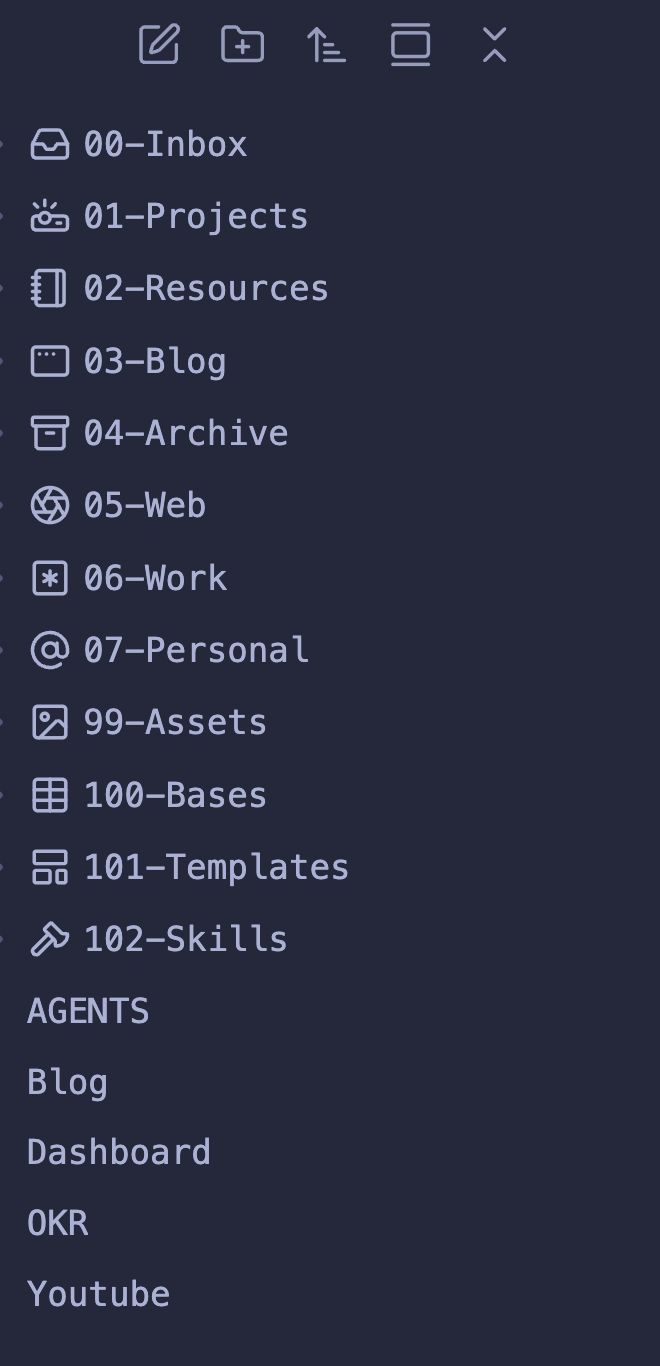
Vault organization that mixes PARA, GTD, and a bit of Johnny‑Decimal.
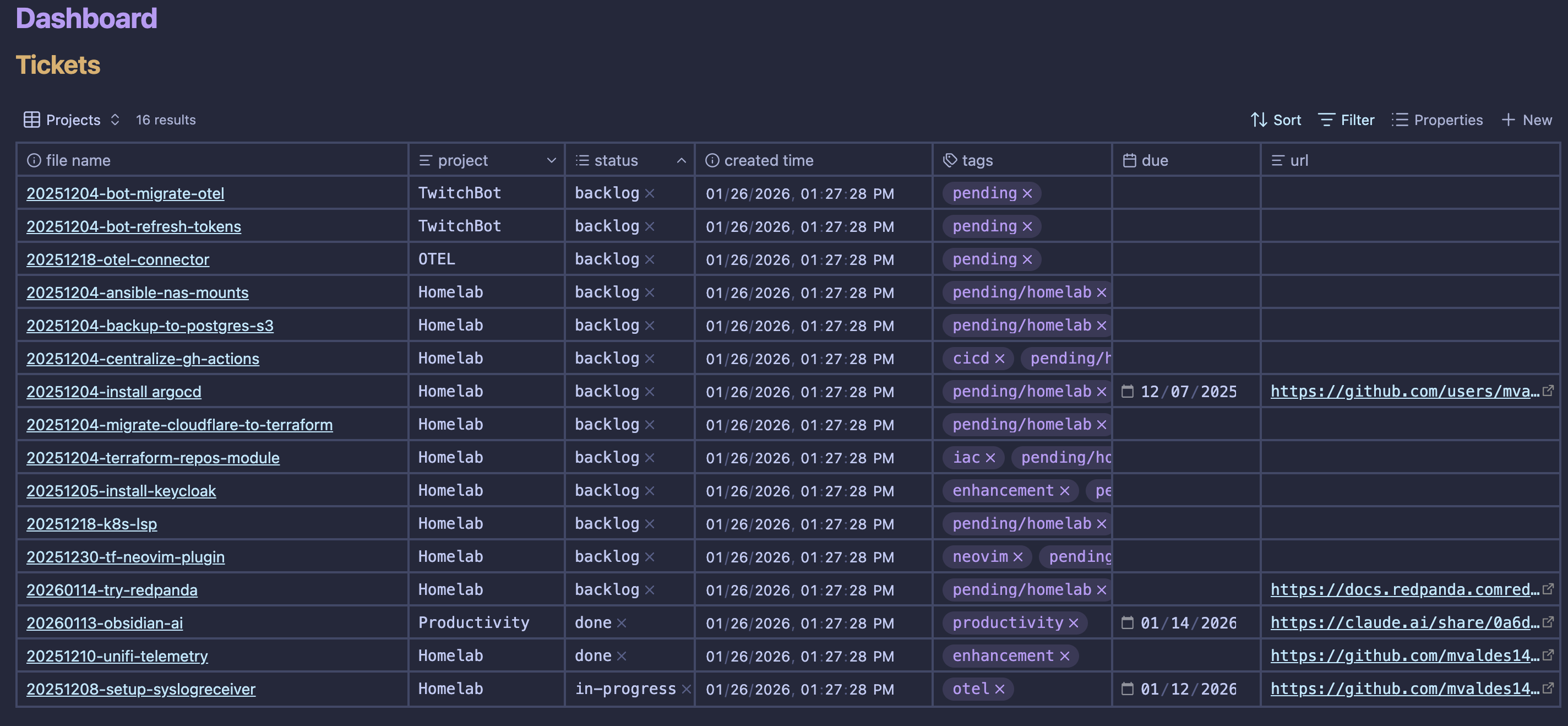
Dashboard using Bases to see all of my tickets/tasks.
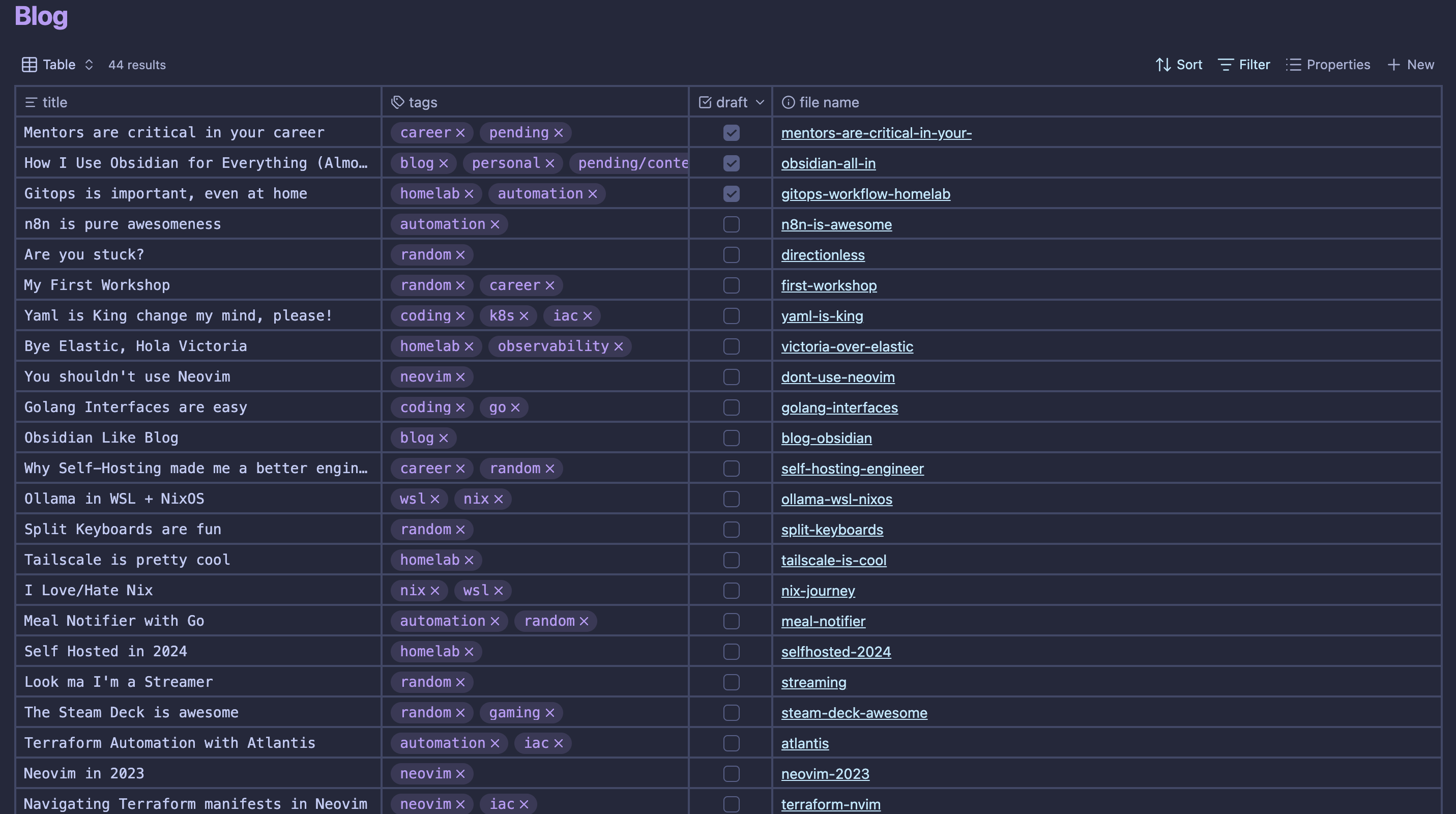
How this blog is written and organized.
Task management is still disappointing
Organizing my tasks in Obsidian was a major undertaking. While Bases help, the experience still falls short of dedicated task‑management tools. The plugins I’ve tried lack several essential features:
- Notifications
- Repetitive tasks
- Sub‑tasks
- Calendar synchronization
For years I used (and paid for) Todoist, but recent shifts toward AI features and price hikes have made me look elsewhere. I’m now experimenting with a mix of Apple Reminders and Obsidian.
Use of AI
AI is an increasingly common topic in vault workflows. A number of plugins exist, and many users rely on tools like opencode or claude code to organize, update, or review vault contents. I’ve incorporated AI into my notes to standardize several aspects:
- Reduced tag redundancy (from 70 tags to 43)
- Filled missing properties in documents
- Introduced aliases for easier topic references
My vault is backed up as a Git repository, allowing me to run cron jobs via GitHub Actions combined with AI to generate weekly task reviews and automatically organize the inbox while preserving properties, tags, and overall structure.
I’m aware that handing over your entire life to AI isn’t ideal, but at least it’s not reading my emails, calendar, or chat history… looking at you, ClawDBot users.
In the end, it doesn’t even matter
My Obsidian vault will continue to evolve, but a few principles are here to stay:
- Use AI to maintain consistency, preferably running locally so providers don’t have full access to the vault.
- Use Obsidian directly rather than patching everything through Neovim.
- Keep searching for the perfect balance in task management while reducing reliance on multiple apps.
Hope you enjoyed it.
Adios 👋