
How I manage skills and MCP servers across AI coding agents
Source: Dev.to
Keeping AI Coding Agents in Sync
Working with AI coding agents recently has meant switching between them more often than I expected.
- Sometimes a model hits token limits.
- Sometimes rate limits kick in.
- Sometimes a different model simply performs better for a task.
So during the same project I often move between tools like Codex, Cursor, Gemini, Claude Code, or Copilot.
Most coding agents now support roughly the same concepts:
- skills
- MCP servers
- local tools and config
- filesystem discovery
But they do not share state, which leads to practical problems:
- If I install a new MCP in one agent, I have to install it again in the other agents.
- If I update a skill, I have to make sure every agent is using the updated version.
- If I try a new agent, the entire setup has to be recreated again.
Over time the setups drift apart.
The Idea
I wanted one workspace to define the environment, with agents acting as consumers of that definition.
That became skills-sync.
skills-sync is a CLI for keeping skills and MCP configuration in one workspace and syncing that state into supported agents. Instead of treating every agent as a separate manual setup, it gives you a single source of truth.
How It Works
With skills-sync, your environment lives in a local workspace. It uses symlinks so agents point to the same underlying files instead of keeping duplicated copies around. This means:
- skills live in one place
- MCP configuration lives in one place
- updates propagate cleanly
- new agents can reuse the same setup
- switching tools no longer means rebuilding everything
Today the project supports Codex, Cursor, Gemini, Copilot, and Claude Code.
Basic Workflow
A realistic first run looks like this:
# initialize the local workspace with starter content
skills-sync init --seed

# use the default profile
skills-sync use personal

# materialize runtime output for supported agents
skills-sync sync
Adding Skills from an Upstream
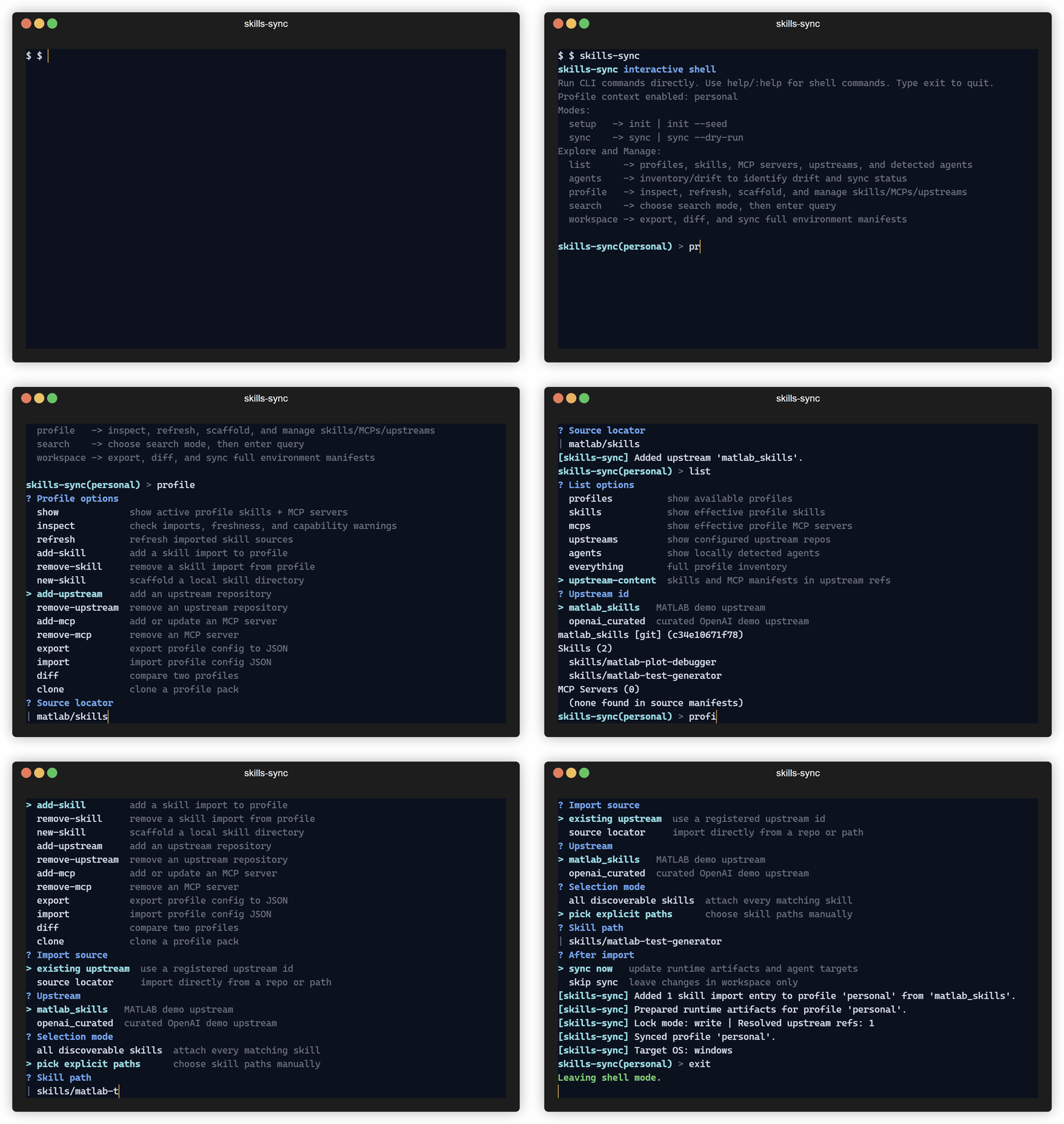
skills-sync profile add-upstream --source matlab/skills
skills-sync list upstream-content --upstream matlab_skills
skills-sync profile add-skill --upstream matlab_skills --path skills/matlab-test-generator
Checking for Drift
skills-sync agents inventory
skills-sync agents drift --dry-run
Exporting / Importing a Profile
If you want to move the same setup between machines, you can export and import a profile instead of rebuilding it from memory.
Conclusion
skills-sync is still early, but the core workflow is already working well for me. If you are juggling multiple coding agents and are tired of their environments drifting apart, take a look:
Feedback or ideas are welcome.
Thanks for reading.