
How DNS Resolution Works
Source: Dev.to
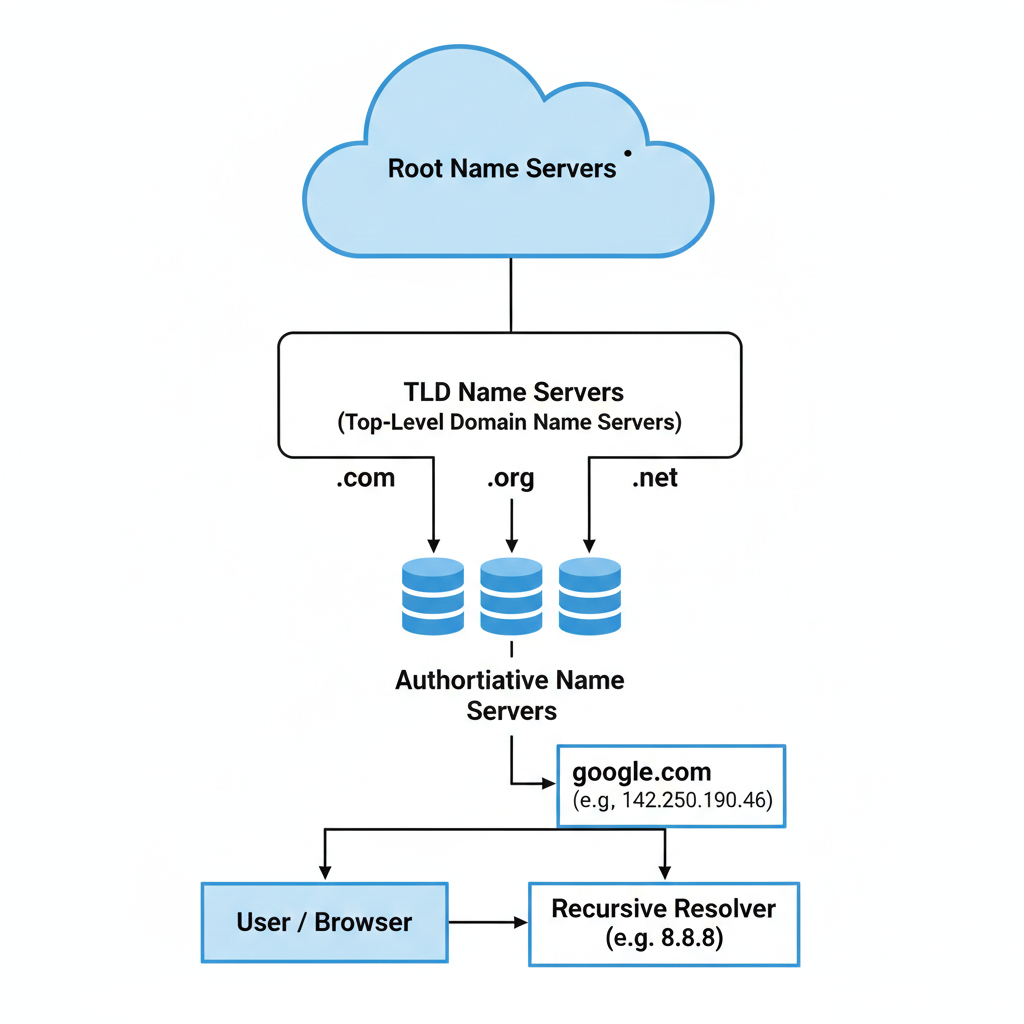
What is DNS and why name resolution exists
Computers communicate using IP addresses (e.g., 142.250.190.46). Every website lives on a server with a unique numerical ID, but expecting a person to remember a string of numbers instead of a name like google.com is impossible.
Name resolution is the process of mapping a human‑friendly domain name to a machine‑friendly IP address. DNS acts as the “Phonebook of the Internet.” When you type a URL, your system initiates a resolution to find the target IP. Without DNS the internet would be unusable for regular people.
What is the dig command and when it is used
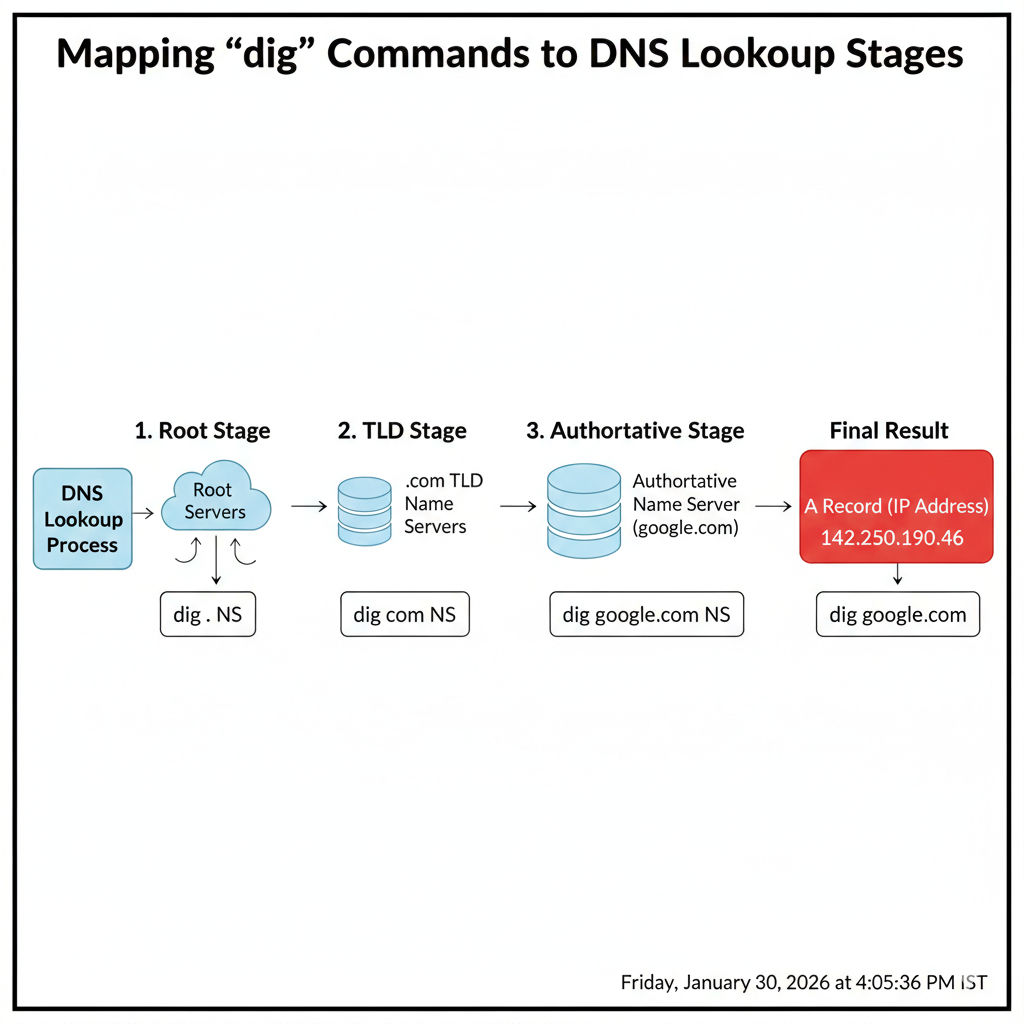
If DNS is a phonebook, dig (Domain Information Groper) is the tool you use to look inside it. It is a powerful command‑line utility that lets engineers:
- Troubleshoot why a site won’t load.
- Verify that recent DNS changes have propagated.
- Inspect the raw DNS packets exchanged between client and server.
While a browser only shows you the final webpage, dig reveals every step of the lookup process.
Understanding dig . NS and root name servers
The DNS system is organized like an upside‑down tree. At the very top is the Root, represented by a single dot (.).
Running:
dig . NSasks for the NS (Name Server) records of the root zone. There are 13 primary root server clusters worldwide. They don’t know the IP address of google.com, but they know which servers are authoritative for each top‑level domain (TLD) such as .com, .org, .in, etc.
Understanding dig com NS and TLD name servers
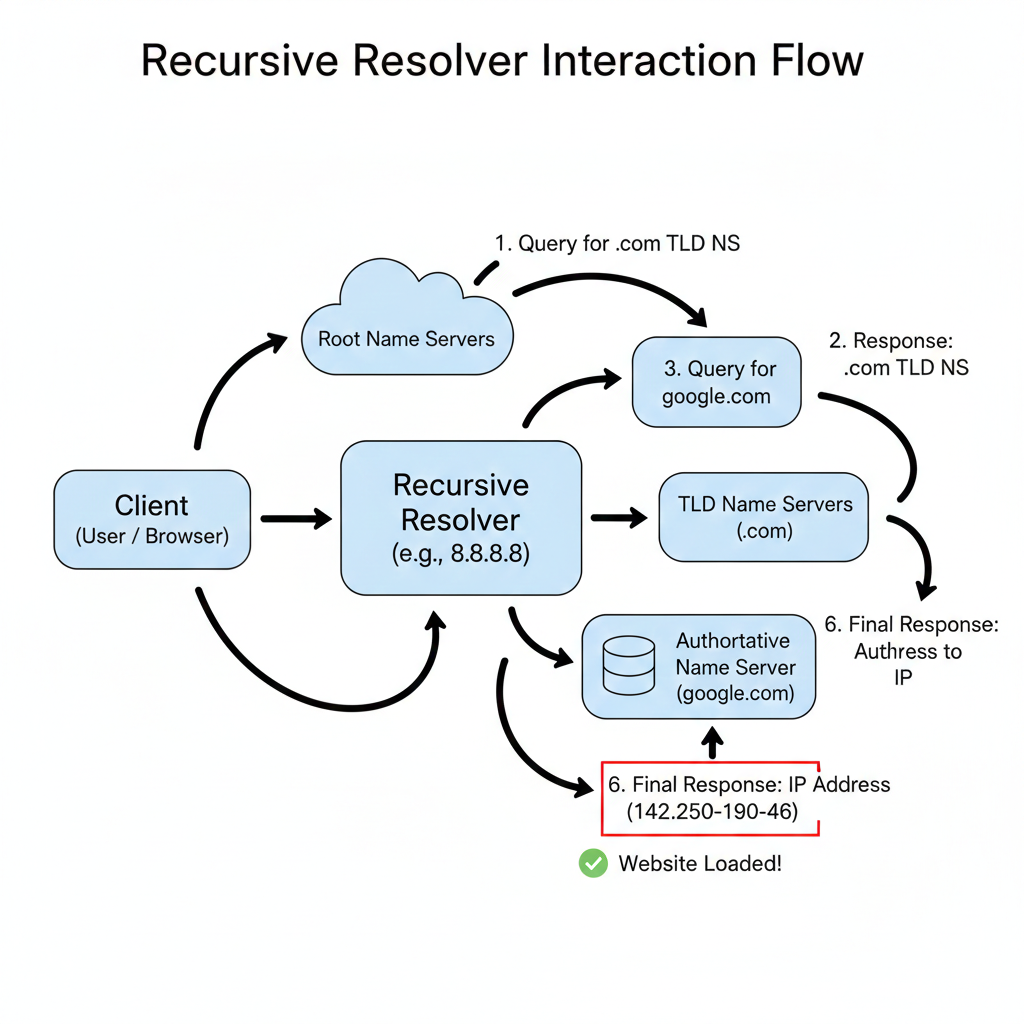
After the root server points you to the .com TLD, you query the TLD’s name servers:
dig com NSThis returns the NS records for the .com registry. These servers manage the entire .com namespace and know the authoritative name servers for every registered .com domain, though they still don’t have the final IP address for a specific host.
Understanding dig google.com NS and authoritative name servers
Now we reach the authoritative level for a particular domain.
dig google.com NSasks the .com TLD servers for the name servers that Google controls. The response lists the authoritative name servers (e.g., ns1.google.com, ns2.google.com). These servers hold the source‑of‑truth DNS records for google.com.
Understanding dig google.com and the full DNS resolution flow
A simple query:
dig google.comshows the final answer after the whole resolution process has completed. In practice, your browser does not perform each step; a recursive resolver (provided by your ISP, Google Public DNS 8.8.8.8, Cloudflare 1.1.1.1, etc.) does the heavy lifting.
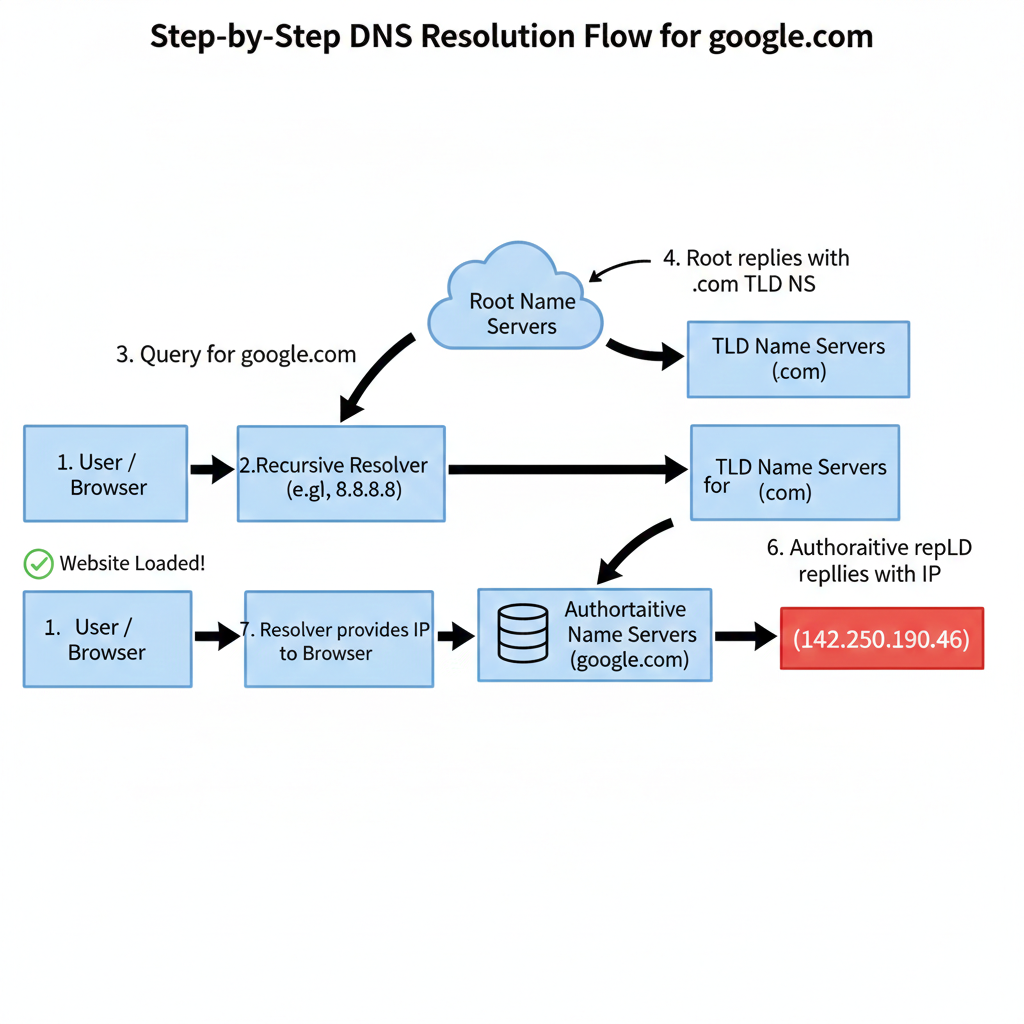
Full Resolution Flow
- Request – Your browser asks the resolver, “Where is
google.com?” - Root – Resolver queries the root (
.). The root replies, “Ask the.comTLD.” - TLD – Resolver queries the
.comTLD servers. They reply, “Ask Google’s authoritative servers.” - Authoritative – Resolver queries one of Google’s authoritative servers, which returns the IP address (e.g.,
142.250.190.46). - Result – Resolver returns the IP to your browser, and the page loads.
This layered architecture keeps the internet fast, scalable, and resilient. By using dig at each step you can pinpoint where a lookup is failing—root, TLD, or authoritative.
Resources
- Cloudflare – What is DNS?
- Linux
digmanual page - dig man page
- IANA Root Servers
- How DNS Works (web.dev)