
Hands-on: Nothing ‘Essential Apps’ hit beta so you can vibe code your homescreen [Gallery]
Published: (February 10, 2026 at 03:00 PM EST)
5 min read
Source: 9to5Google
Source: 9to5Google
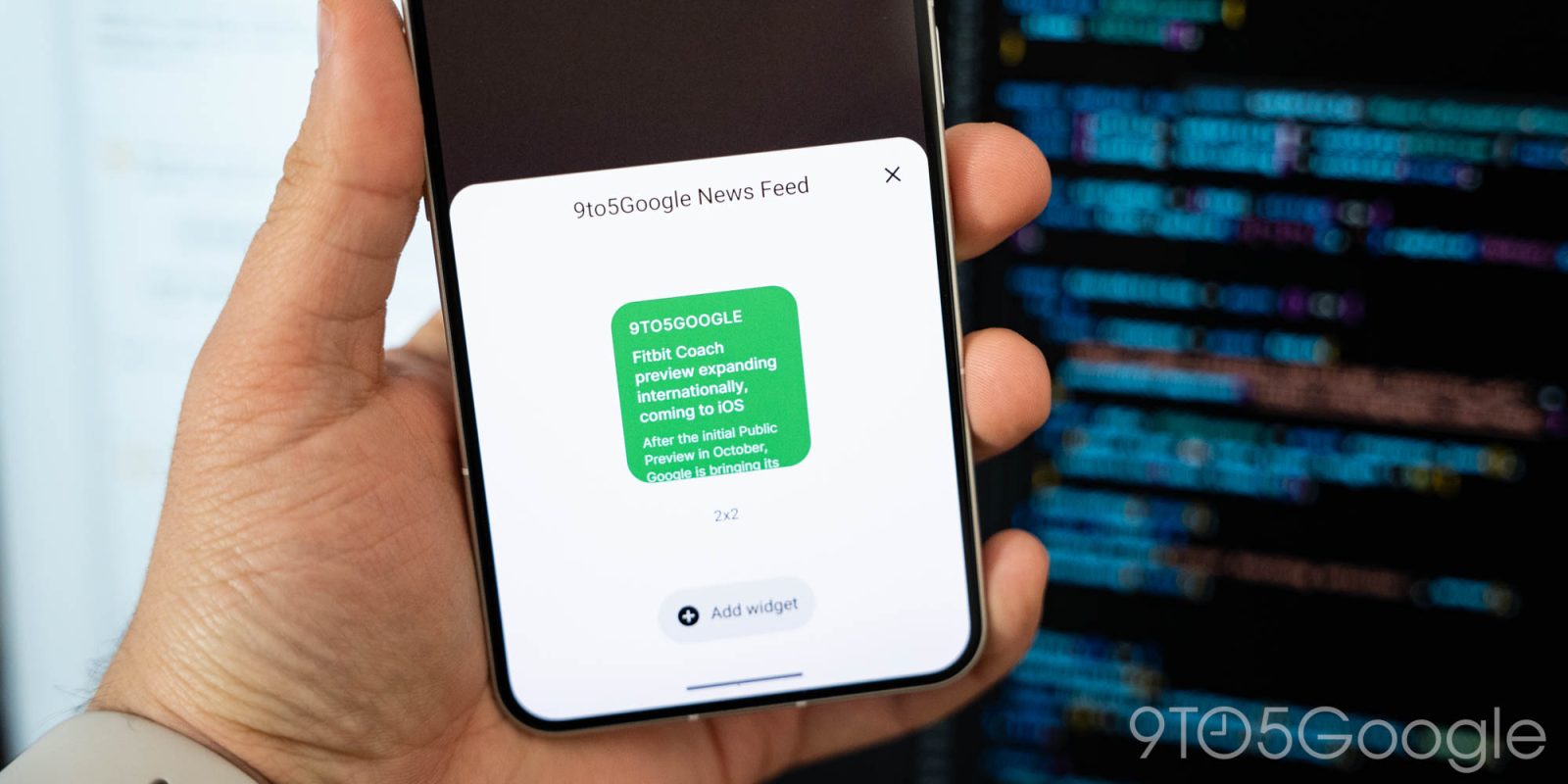
One of the places AI has really made an impact is on app coding, opening new doors both for professionals and the casual user. “Vibe coding,” as it’s come to be known, is exactly what you can do with Nothing’s new **Essential Apps**, which lets you create homescreen widgets—“apps”—using text prompts and the help of AI. I’m not fully sold just yet.
[First previewed back in September](https://9to5google.com/2025/09/30/nothing-essential-ai-app-generator-promises/), **Essential Apps** are the first step towards Nothing’s “Essential OS” goal, which it views as the future of the smartphone.
- [Nothing launches ‘Essential’ which generates ‘apps’ with AI and, one day, will be an OS [Video]](https://9to5google.com/2025/09/30/nothing-essential-ai-app-generator-promises/)
As of today, that first step is hitting beta. Nothing has launched **Essential Apps** in beta with access “expanding gradually through a waitlist” that will land in batches. A full release will apparently come sometime later this year.
> “Apps” is a bit of a misnomer, though, as Nothing is letting users create homescreen widgets rather than any proper apps. All functionality is limited to the widget itself, with no ability to launch into a full app as you’d get with most widgets. That’s not to say you can’t do some neat things, though.
---
### How it works
Nothing’s **Playground** is where you’ll use AI to develop ideas, with a prompt starting the process. You simply describe what functionality you want, and it goes from there.
Nothing’s example (via X) is a widget that looks at the weather and your calendar to help you find the best days & times to get in a run, with the prompt also taking the length of the run into consideration.
> “Create apps shaped exactly around your specific needs and context.
> That’s what Essential Apps are.
> You describe what you need. AI builds it. It appears on your phone’s home screen, ready to use.
> One billion apps for one billion people.”
Beta starts today on Nothing Playground.
— Essential (@essential) **February 10, 2026**
[https://twitter.com/essential/status/2021208879921611079](https://twitter.com/essential/status/2021208879921611079?ref_src=twsrc%5Etfw)
Nothing says users should think of Essential Apps as making your homescreen more purposeful. Instead of opening apps and navigating menus, small personal apps stay visible, update in place, and respond to your context. Your home screen becomes more purposeful. Your phone feels like it’s actually yours.
It’s a great idea in theory, but it’s still a bit rough around the edges.
---
### Real‑world testing
Given some recent snowfall in my area and my continued obsession with disc golf, I wanted a widget that could show how dry the ground might be—mud‑free runs are the best. I fed a prompt into Nothing Playground and got suggestions such as a “trend” in soil drying, then a widget that displayed a basic percentage and other glanceable data.
*Issues I ran into*
- The temperature defaulted to Celsius; I had to ask for Fahrenheit.
- Resizing the widget to fit a **2 × 2** grid never really worked properly.
- The UI never perfectly lined up between the web app (which works on desktop) and the homescreen widget.
The biggest problem is that I have no way to verify the data’s accuracy. Because it’s pulling information from the ether, it could be spot‑on or wildly off.
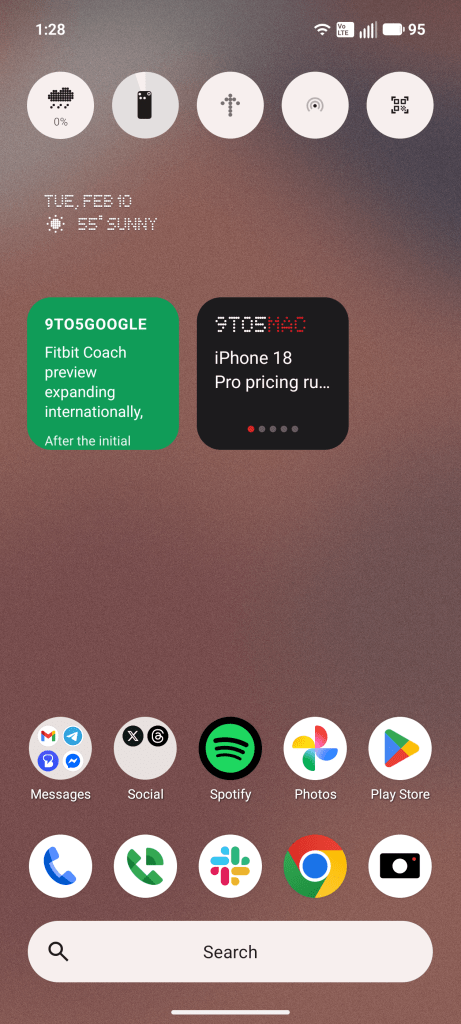
A simpler idea was pulling the latest stories from *9to5Google* and *9to5Mac* onto the same homescreen widget. The Playground refused to create a **4 × 2** widget, sticking with a **2 × 2** size that simply isn’t big enough. Some early builds from other users show **4 × 2** sizes, and Nothing says those sizes are possible, but the Playground wasn’t cooperating for me.
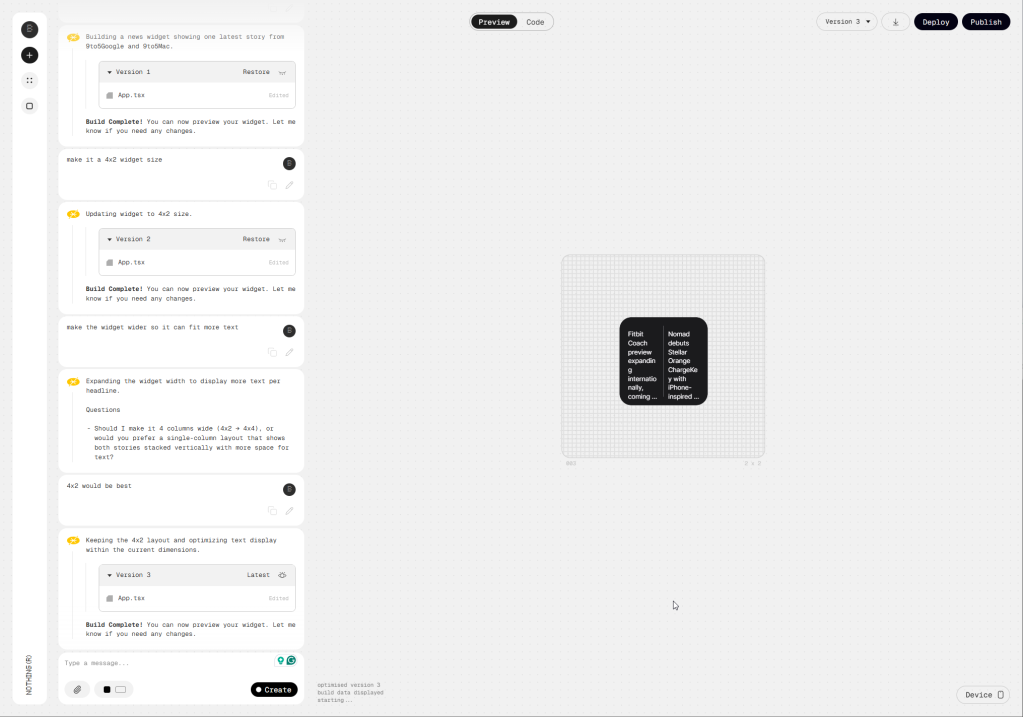
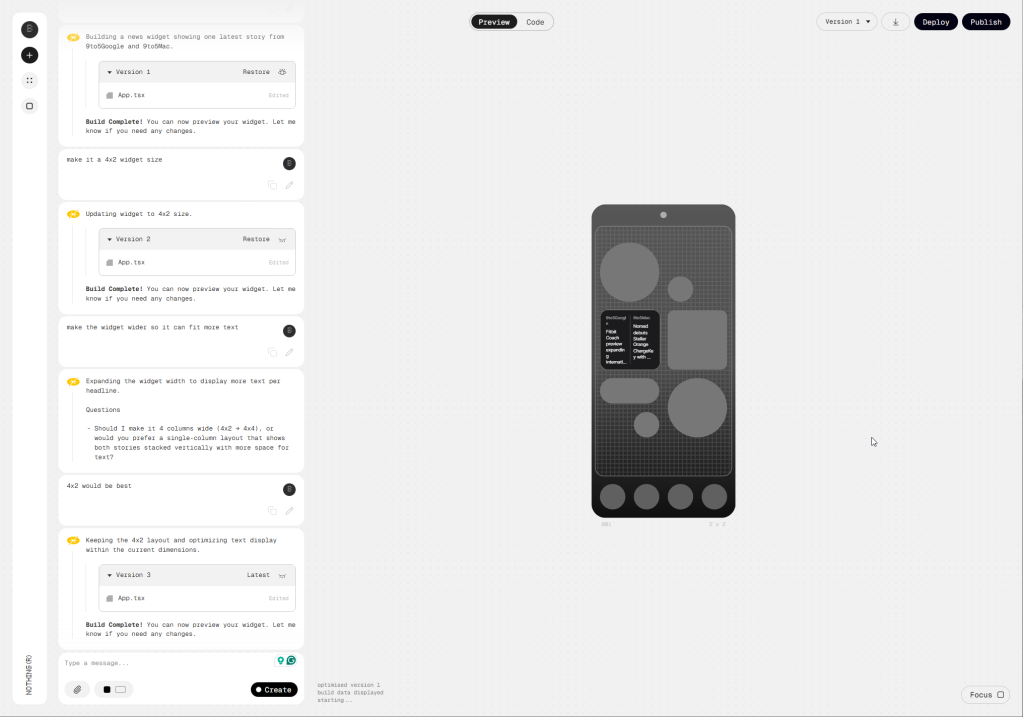
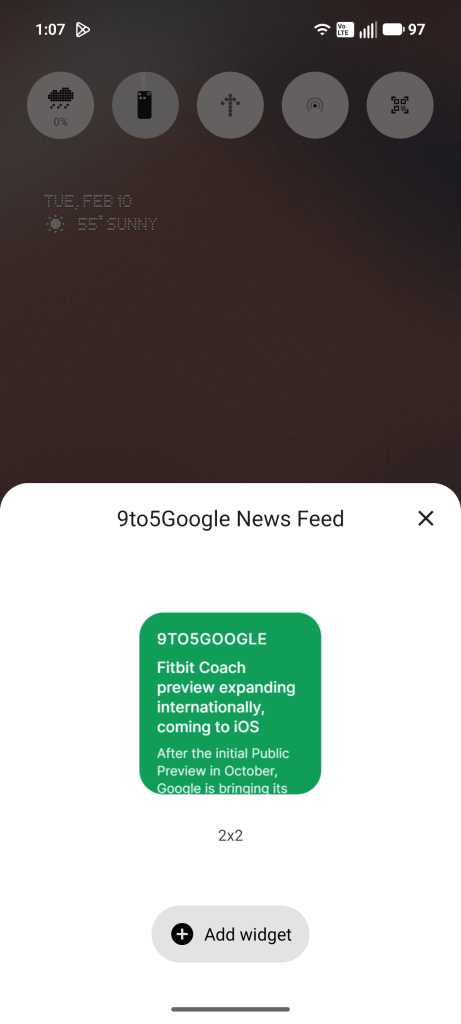
So I switched to a widget that only shows *9to5Google* articles. It worked better, but the size restrictions still made it hard to get “right.” The only viable solution was to display a single article with a brief snippet underneath. The Playground was smart enough to make it a clickable link without me asking.
I would have loved to make a few more of these for *9to5Mac* and our other sister sites, but it’s hard to make two of the same thing with Playground—like a snowflake, no two are the same.

Nothing rightfully admits that, in beta, a lot of apps may “feel unfinished,” and that’s the vibe I’m getting. There are some cool ideas out there—one with a surprising amount of polish is **[Counter (with themes)](https://playground.nothing.tech/detail/app/40gvkIRhSkeQyb2Y)**—but the fun really does come down to bringing your own ideas to life. While I don’t think Nothing has quite nailed it yet, this is a *really* good start. I kind of wish I…
*(Article continues…)*Could use this beyond the Nothing Phone, but it’s obvious why that’s not happening—at least for now.
What do you think?
If you have a Nothing Phone (3), you can sign up for Essential Apps through the Nothing Playground.
Other Nothing devices will follow – see the discussion here.
More on Nothing
- Nothing teases a colorful Phone (4a) launch
- Honor, Nothing, and Google Pixel were some of 2025’s fastest‑growing phone brands
- Nothing teases major Phone (4a) upgrade: better display, faster storage, new colors
Follow Ben:
Twitter/X • Threads • Bluesky • Instagram


FTC: We use income‑earning auto‑affiliate links. More…