
Hackers target Microsoft Entra accounts in device code vishing attacks
Source: Bleeping Computer
# New Device‑Code Phishing & Vishing Campaigns Targeting Microsoft Entra
Threat actors are targeting technology, manufacturing, and financial organizations with campaigns that combine **device‑code phishing** and **voice phishing (vishing)** to abuse the **OAuth 2.0 Device Authorization flow** and compromise Microsoft Entra accounts.
## How These Attacks Differ
- **Previous attacks** – Used malicious OAuth applications to steal credentials.
- **Current attacks** – Leverage **legitimate Microsoft OAuth client IDs** and the device‑authorization flow to trick victims into authenticating themselves.
The result is a **valid authentication token** that grants attackers access to the victim’s account without needing:
- Traditional phishing sites that harvest passwords, **or**
- Interception of multi‑factor authentication (MFA) codes.
## Visual Reference
[](https://www.wiz.io/lp/ai-security-board-report-template?utm_source=bleepingcomputer&utm_medium=display&utm_campaign=FY26Q4_INB_FORM_AI-Security-Board-Report-Template&sfcid=701Vh00000Wn7E1IAJ&utm_term=FY27-bleepingcomputer-article-970x250&utm_content=AI-Board-Report)
## Attribution & Background
- A source told *BleepingComputer* that the **ShinyHunters** extortion gang is behind the new device‑code vishing attacks. The threat actors later confirmed this claim.
- *BleepingComputer* has **not** been able to verify the attribution independently.
### Prior Activity
ShinyHunters was **recently linked to vishing attacks** used to **breach** Okta and Microsoft Entra SSO accounts for data‑theft operations:
- [ShinyHunters claim to be behind SSO account data‑theft attacks](https://www.bleepingcomputer.com/news/security/shinyhunters-claim-to-be-behind-sso-account-data-theft-attacks/)
### Microsoft’s Response
*BleepingComputer* contacted Microsoft for comment. Microsoft responded that it **has nothing to share at this time**.
---
*If you encounter suspicious authentication prompts or unexpected device‑code requests, verify the request through an official channel before proceeding.*Device‑Code Social Engineering Attacks
Source: BleepingComputer, KnowBe4 Threat Labs, Microsoft Threat Intelligence Center
What is a device‑code phishing attack?
A device‑code phishing attack abuses the legitimate OAuth 2.0 device authorization grant flow to obtain authentication tokens for a victim’s Microsoft Entra (Azure AD) account.
Once the attacker has a refresh token, they can request access tokens and impersonate the user across Microsoft 365 and any SaaS applications that rely on Azure AD single‑sign‑on (SSO) – e.g., Salesforce, Google Workspace, Dropbox, Adobe, SAP, Slack, Zendesk, Atlassian, etc.
The flow was originally designed for input‑constrained devices (IoT devices, printers, streaming boxes, TVs). The user is shown a short code on the device and asked to visit a URL on another device (phone, laptop) to authenticate. After the user signs in (including MFA), the device receives the tokens without ever handling the password directly.
“The Microsoft identity platform supports the device authorization grant (RFC 8628), which allows users to sign in to input‑constrained devices such as a smart TV, IoT device, or a printer.” – Microsoft Docs
How the attack works
- Obtain a client‑id – The attacker uses the
client_idof an existing OAuth app (their own or a legitimate Microsoft app). - Generate a device code – Using open‑source tools (e.g., ROADtools‑Token‑eXchange), the attacker creates a
device_codeand auser_code. - Deliver the user code – The attacker contacts the target (via email, phone, or a malicious web page) and asks them to enter the
user_codeathttps://microsoft.com/devicelogin. - Victim authenticates – The victim signs in with their credentials and completes MFA as usual. Microsoft then shows the name of the OAuth app that is being authorized.
- Attacker retrieves the refresh token – With the
device_code, the attacker polls the token endpoint, receives the refresh token, and exchanges it for access tokens. - Post‑compromise activity – The attacker can now access the user’s Microsoft services and any SSO‑connected SaaS apps without needing to trigger MFA again.
Visual overview
| Step | Screenshot | Description |
|---|---|---|
| 1️⃣ | 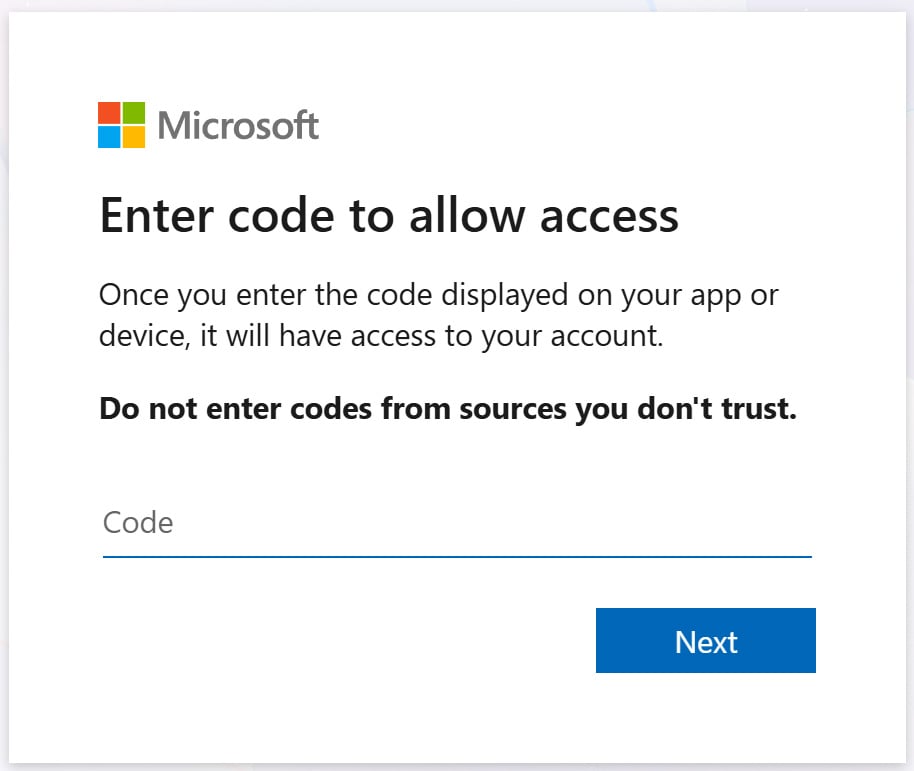 | The legitimate Microsoft device‑login page where the victim enters the user_code. |
| 2️⃣ | 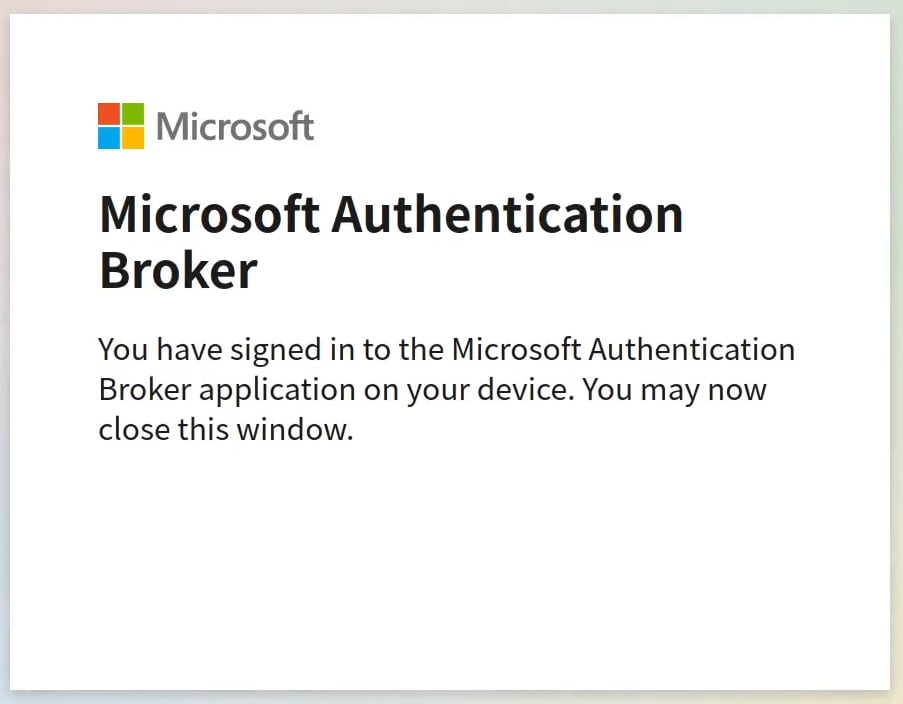 | After successful authentication, the OAuth app appears as “connected” in the user’s account. |
Recent campaigns
| Campaign | Timeframe | Key characteristics |
|---|---|---|
| KnowBe4 Threat Labs | Dec 2025 – Feb 2026 | • Traditional phishing emails with lures such as fake payment‑configuration prompts, document‑sharing alerts, bogus voicemail notifications. |
| • Delivered device‑code attacks via malicious landing pages. | ||
| Microsoft Threat Intelligence Center | Feb 2025 | • Russian‑linked actors targeting Microsoft 365 accounts with device‑code phishing. |
| ProofPoint | Dec 2025 | • Similar phishing kit to KnowBe4, used to compromise Microsoft accounts. |
Example of malicious lures
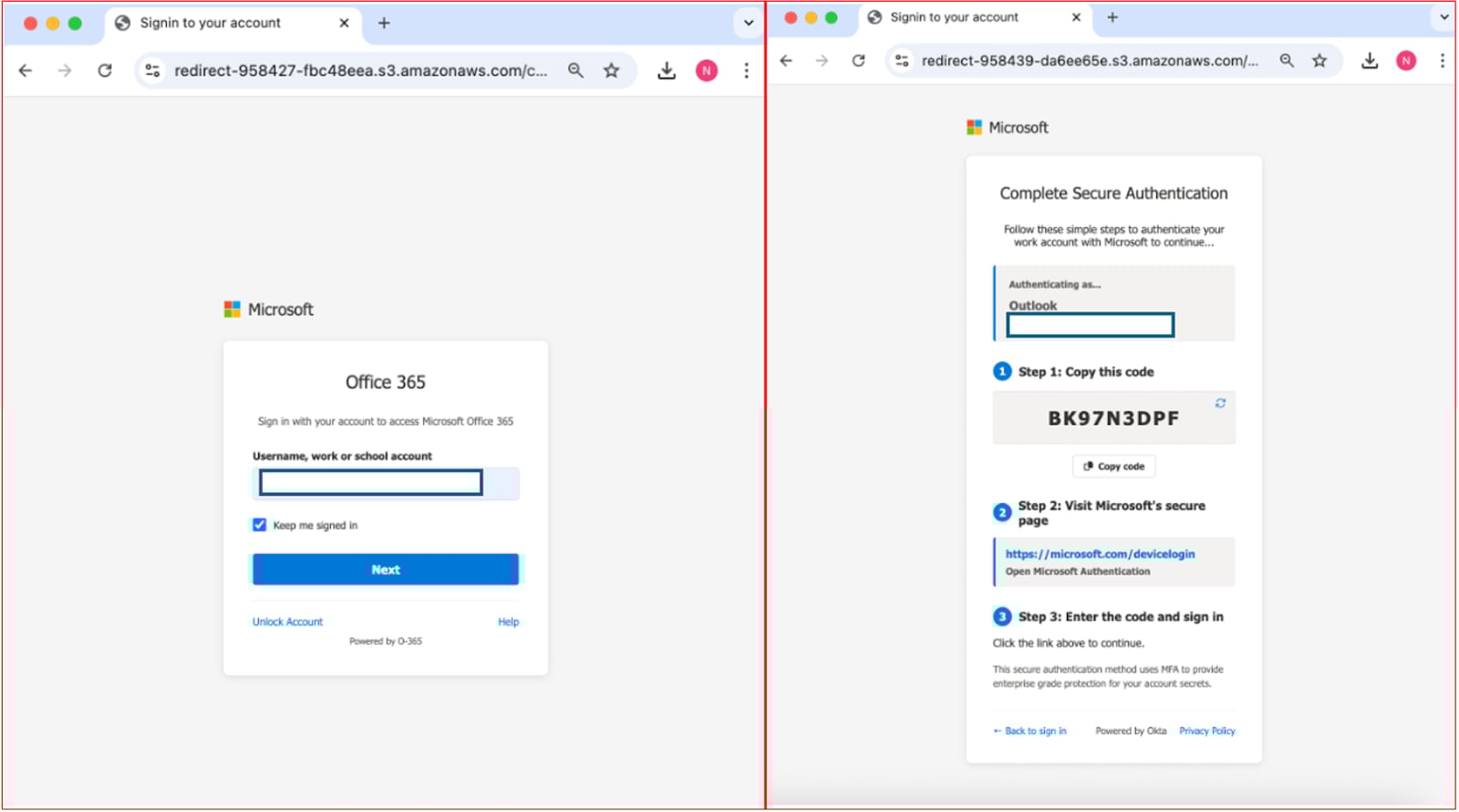
Source: KnowBe4
Mitigation & Recommendations
| Action | How to implement |
|---|---|
| Block malicious domains & sender addresses | Use Exchange Online protection, Defender for Office 365, or third‑party email security gateways. |
| Audit and revoke suspicious OAuth consents | In Azure AD → Enterprise applications → User consent, review and remove unknown app permissions. |
| Monitor sign‑in logs for device‑code events | Azure AD sign‑in logs → Filter Authentication Details → Device code. |
| Disable the device‑code flow when not needed | Create a Conditional Access policy that blocks the Device code authentication flow: |
Azure AD → Conditional Access → New policy → Grant → Block device code flow. | |
| Enforce Conditional Access policies | Require compliant devices, MFA, or risk‑based policies for all privileged accounts. |
| User education | Train users to recognize that legitimate device‑code flows are only used for known devices (e.g., smart TV) and never initiated via unsolicited emails or phone calls. |
References
- Microsoft Docs – Device authorization grant (RFC 8628)
- Microsoft Docs – v2 OAuth2 device code flow
- ROADtools Token eXchange –
- KnowBe4 Blog – Uncovering the sophisticated phishing campaign bypassing M365 MFA ()
- BleepingComputer – Microsoft hackers steal emails in device‑code phishing attacks ()
- BleepingComputer – Microsoft 365 accounts targeted in wave of OAuth phishing attacks ()
Prepared by: Security Research Team
The future of IT infrastructure is here
Modern IT infrastructure moves faster than manual workflows can handle.
In this new Tines guide, you’ll learn how to:
- Reduce hidden manual delays
- Improve reliability through automated response
- Build and scale intelligent workflows on top of the tools you already use.