
Google upgrades Circle to Search with Gemini 3 for multi-search, bottom chat UI
Source: 9to5Google
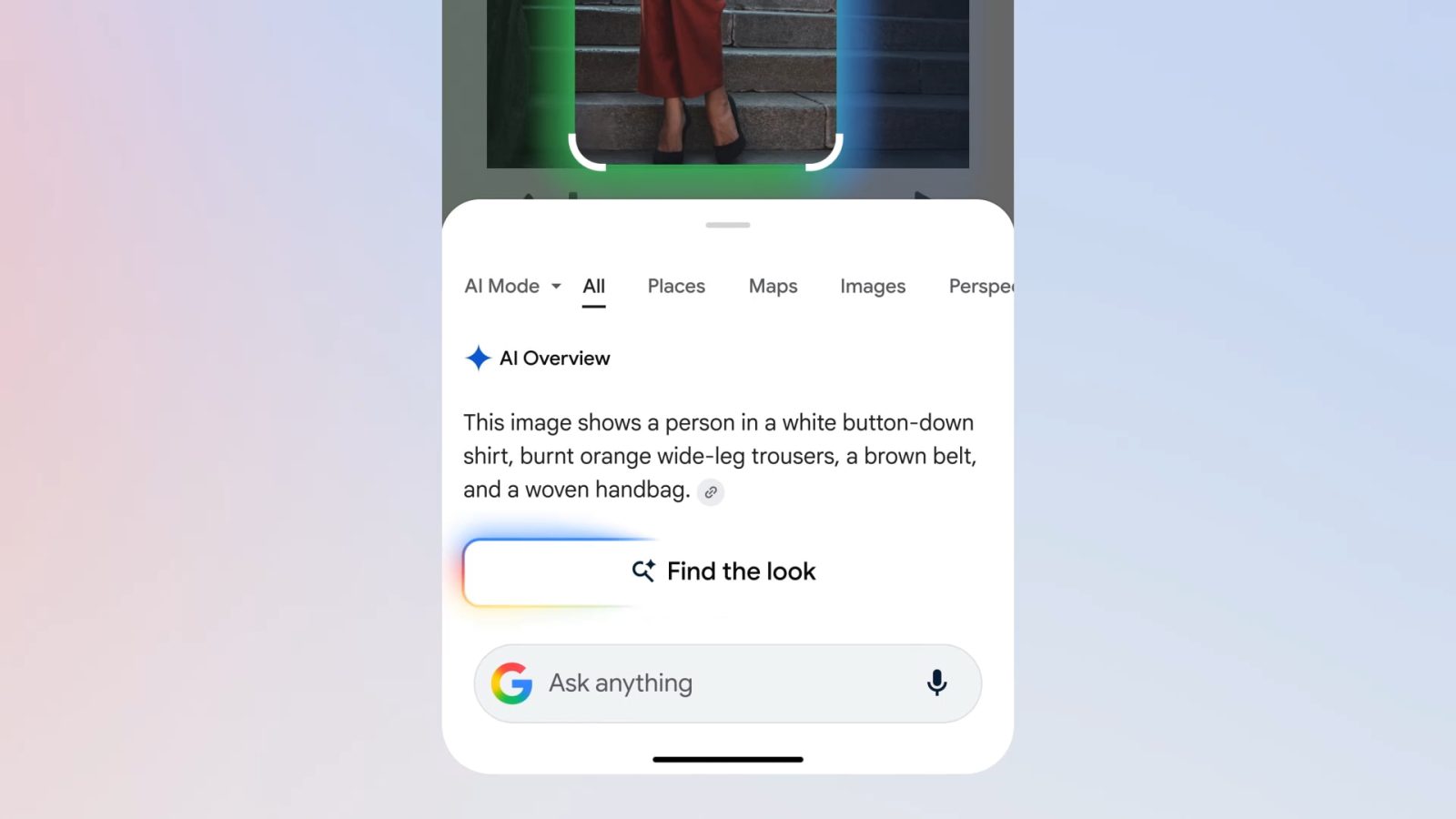
New Circle to Search Features
Google announced the latest Circle to Search updates for the Galaxy S26 and Pixel 10, expanding the visual search capability to “explore multiple objects in an image, all at once.” The feature is now available on over 580 million Android devices.
Multi‑object Visual Search
When you encounter an image with several items—e.g., a photo of colorful fish—you can circle all the objects and ask a single question such as:
“What are all these fish, and how do they coexist?”
Circle to Search will:
- Identify each unique species (e.g., Honeycomb Filefish, Moon Jellyfish).
- Provide brief descriptions and scientific context.
- Surface related images and links for deeper exploration.
The same approach works for shopping scenarios, letting you select multiple decor items or clothing pieces and receive consolidated results.
UI Changes
The text input field has moved from the top of the screen to the bottom, creating a chat‑like experience similar to AI Mode. A new “Ask anything” bar appears at the bottom, with a “Find the look” button for fashion‑related queries.
Integration with Virtual Try‑On
Google is also integrating virtual try‑on into Circle to Search, enabling users to visualize how clothing and accessories would look on them directly from the visual search results.
Behind the Scenes
Circle to Search now leverages Gemini 3’s agentic planning, reasoning, and tool‑calling capabilities. Rather than performing a single‑match search, Gemini 3:
- Identifies the most important parts of an image to crop.
- Runs several searches concurrently.
- Cross‑references findings to compile a final response that includes images and links for each selected item.
Rollout
These features are rolling out now to the Pixel 10 and Galaxy S26 series.
FTC: We use income‑earning auto‑affiliate links. More.