
GitPeek: Turning GitHub Data into Stories with Mux🔥🔥🎬
Source: Dev.to
Submission for the DEV Worldwide Show & Tell Challenge (Presented by Mux)
🚀 What I Built
I created GitPeek – a modern, expressive GitHub‑profile explorer that turns a developer’s GitHub data into a readable, story‑like profile.
Instead of just listing numbers, GitPeek focuses on clarity, context, and personality, helping users quickly understand:
- Who a developer is
- How they work
- What their GitHub activity says about them
The app fetches real‑time data from the GitHub API and displays it in a clean, animated interface that works for both developers and non‑technical viewers.
✨ Pitch Video
(No video embedded in the original post.)
🌍 Demo
Live Demo: GitPeek – Live Demo
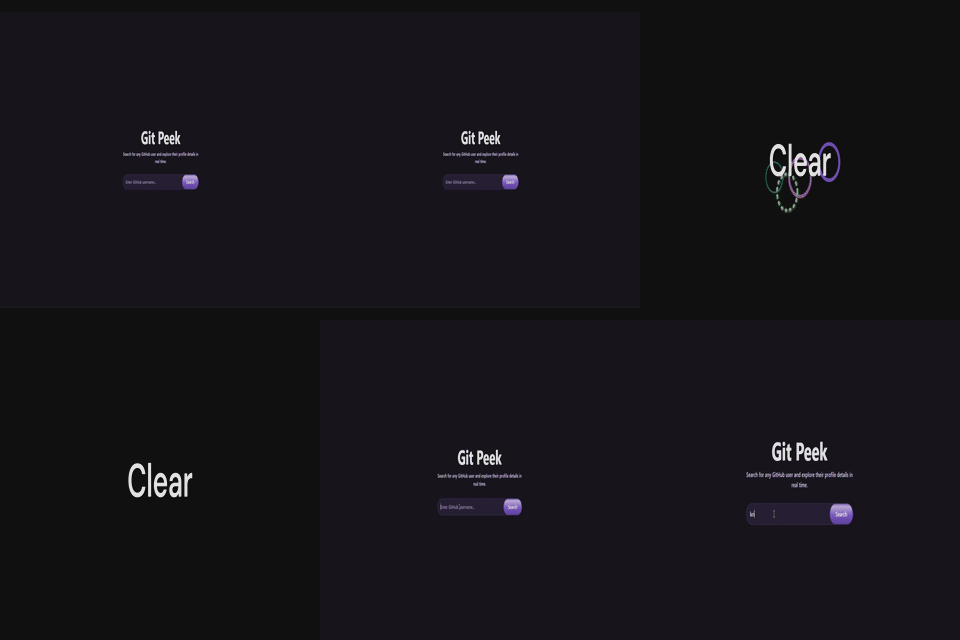
Screenshots
| Dark Mode | Light Mode |
|---|---|
 |  |
 |  |
📦 Source Code
🧭 GitPeek — Read Your GitHub Story




GitPeek is a web application that goes beyond searching GitHub profiles.
It interprets public GitHub data to help you understand how a developer works, not just what they’ve built.
- 🔗 Live Demo:
- 📦 Source Code:
📌 Why GitPeek Exists
GitHub profiles are powerful, but they can be noisy.
Recruiters, collaborators, and developers often struggle to quickly understand:
- What kind of developer is this?
- Are they consistent or experimental?
- Do they maintain projects or start many and abandon them?
GitPeek was built to answer those questions clearly and visually, using public GitHub data and a clean, focused interface.
✨ What GitPeek Does
GitPeek fetches public GitHub data and presents it in a way that is:
- Easy to scan
- Insight‑focused
- Human‑readable
Instead of dumping raw data, GitPeek emphasizes patterns, behavior, and trends.

GitPeek dashboard preview
🚀 Core Features
Instant GitHub User Search
Search any public GitHub profile and get an instant, story‑like summary—no sign‑in required.
✨ Key Features
- Holistic profile view – Summarizes a developer’s GitHub identity, not just their repositories.
- Plain‑language insights – Translates raw GitHub data into easy‑to‑read narratives.
- Work‑style focus – Highlights how a developer works rather than what they built.
- Visual storytelling – Presents information with a clean, visual layout.
- Real‑time data – Pulls live information from the GitHub REST API.
- Multi‑audience design – Useful for recruiters, founders, beginners, and engineers alike.
- Zero friction – No authentication or test credentials needed.
🎯 How to Test (no signup required)
- Open the app and type any GitHub username into the search bar.
- View the real‑time profile and repository data.
- Observe UI responsiveness, animations, and error handling (an error appears for invalid usernames).
📖 The Story Behind GitPeek
Problem
GitHub profiles are digital fingerprints—full of commit patterns, language choices, project bursts, and gaps. While experienced engineers can read these signals, most people see only a confusing list of repos.
- Recruiters skim.
- Founders glance.
- Beginners feel intimidated.
Important context gets lost.
Solution
GitPeek translates raw GitHub data into a human‑readable snapshot that answers questions like:
- Is the developer consistent or experimental?
- Do they ship often?
- Do they explore, abandon, then return?
Instead of replacing GitHub, GitPeek acts as a translator, turning commits and repositories into a coherent story about habits, growth, and mindset. The focus is on clarity, not complexity, using thoughtful layout, hierarchy, and subtle motion.
Code tells a story. Sometimes it just needs help being read.
✅ Technical Highlights
- Frontend: React (Vite) with a modular, component‑based architecture.
- Theme support: Light & dark modes that respect user preferences while maintaining contrast and readability.
- API integration: Real‑time data from the GitHub REST API.
- Styling: Tailwind CSS for a clean, consistent visual system.
- Motion: Framer Motion animations used intentionally to guide attention.
- Error handling: Graceful handling of invalid usernames, empty states, and GitHub API rate limits.
- Responsiveness: Optimized for both desktop and mobile devices.
The core challenge was deciding how to present the data clearly and meaningfully, not just fetching it.
🎥 Use of Mux (Additional Prize Category Participants Only)
Mux powers several media experiences in GitPeek:
-
Demo video hosting & playback – The pitch/demo video is uploaded as a Mux asset, processed for adaptive streaming, and embedded directly in the Dev.to post via the Mux playback URL, ensuring high‑quality delivery without self‑hosting.

-
Dynamic cover media creation – Mux generates the article’s cover video, providing an animated preview that captures readers’ attention.
-
GIF generation from video – The cover video is also converted into a GIF, embedded as an interactive visual element to enhance storytelling.
Thank you for reviewing GitPeek!
❗ By submitting this project, I confirm that my video adheres to Mux’s terms of service.