
Getting Started with FinOps on Google Cloud: From Cost Cutting to Value Creation
Source: Dev.to
FinOps on Google Cloud – Getting Started
In the era of on‑premise data centers, procurement was a gatekeeper. You bought a server, it depreciated over five years, and costs were predictable. The cloud changed everything. Now an engineer can spin up a Kubernetes cluster in seconds, incurring costs that finance might not see until the end of the month.
This shift requires a new operating model: FinOps.
Getting Started with FinOps on Google Cloud – It isn’t just about saving money; it’s about making money. FinOps is a cultural practice that brings financial accountability to the variable‑spend model of the cloud, enabling engineering and finance teams to make data‑driven trade‑offs between speed, cost, and quality.
If you are running workloads on Google Cloud Platform (GCP) and want to move beyond “bill shock” to strategic value, here is your guide to getting started.
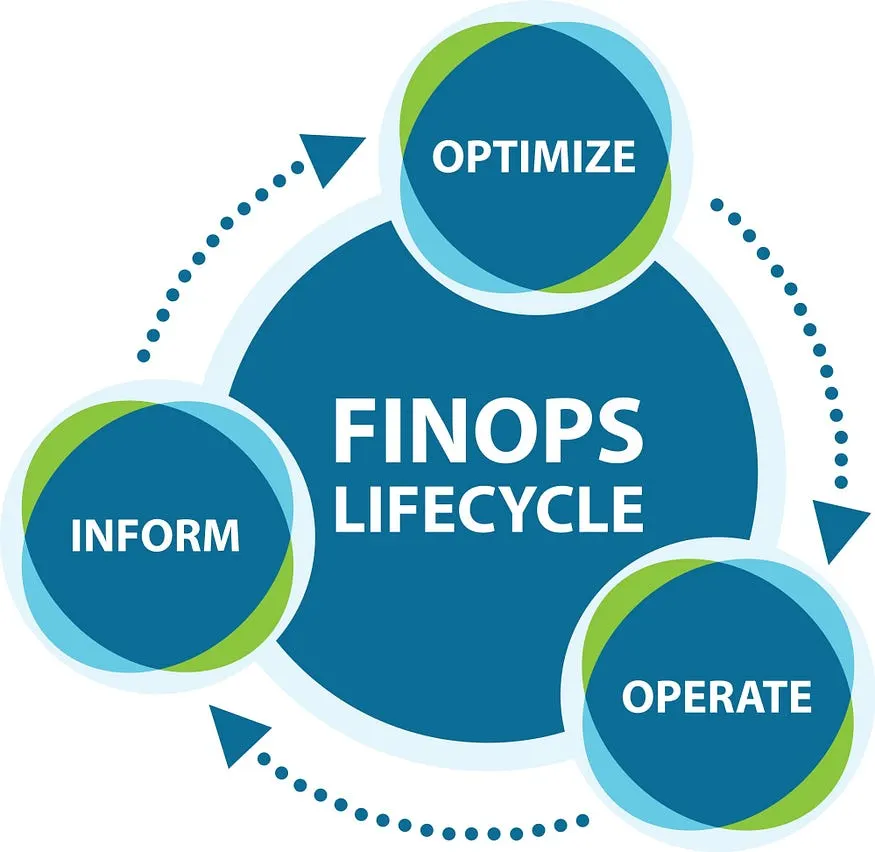
The FinOps Lifecycle: A Framework for Success
Before diving into tools, understand the three phases of the FinOps lifecycle. You will likely cycle through these continuously.
| Phase | Goal | Typical Activities |
|---|---|---|
| 1. Inform | Give visibility to teams. You cannot fix what you cannot measure. | Allocation, benchmarking, tagging, billing export. |
| 2. Optimize | Reduce waste. | Rightsizing, commitment‑based discounts, idle‑resource cleanup. |
| 3. Operate | Continuous improvement. | Governance, automation, aligning teams around business goals. |
Let’s explore how to execute these phases specifically within the Google Cloud ecosystem.
Phase 1 – Inform: Achieving Radical Visibility
Master Your Labels and Tags
On Google Cloud, labels are the foundation of FinOps. A label is a key‑value pair (e.g., environment:production or cost-center:marketing) attached to resources.
Action: Define a strict tagging strategy immediately. Require labels for Environment, Owner, and Service.
Google Cloud Tool: Use Tag Engine or Infrastructure‑as‑Code (e.g., Terraform) to enforce these tags automatically during deployment.
Enable Billing Export to BigQuery
The standard Billing console is great for high‑level trends, but deep analysis requires raw data.
Action: Enable Cloud Billing Export to BigQuery as early as possible. This streams detailed billing data (including label metadata) into BigQuery tables continuously.
Why? Once the data is in BigQuery you can run SQL queries such as:
SELECT
  SUM(cost) AS total_cost
FROM
  `project.billing_dataset.gcp_billing_export_v1_001`
WHERE
  service.description = 'Compute Engine'
  AND labels.service = 'checkout'
  AND EXTRACT(DATE FROM usage_start_time) = '2024-01-08';
Result: “How much did the ‘checkout’ microservice cost in the US‑Central region last Tuesday?”
Phase 2 – Optimize: Capturing the Low‑Hanging Fruit
Optimization in GCP falls into two buckets: Usage Reduction (using less) and Rate Optimization (paying less).
Rightsizing with Active Assist
Engineers often over‑provision “just to be safe.”
Action: Visit the FinOps Hub in the Google Cloud Console. The dashboard highlights rightsizing opportunities.
Tool: Active Assist (formerly Recommender) analyzes actual usage metrics and uses machine learning to suggest changes. Example recommendation:
“You are only using 10 % CPU on this
n2-standard-16instance; downgrade ton2-standard-4to save $200 / month.”
Rate Optimization with Committed Use Discounts (CUDs)
If you know you’ll need resources for at least a year, never pay the on‑demand price.
Action: Purchase Committed Use Discounts.
Strategy: Start with flexible CUDs (spend‑based). You commit to a dollar amount per hour (e.g., $50 / hour on Compute Engine) and receive a steep discount. Unlike AWS Reserved Instances, you don’t have to lock in specific instance types, giving you greater flexibility.
Phase 3 – Operate: Building a Culture of Accountability
The “Operate” phase turns FinOps from a project into a culture. It’s about automating guardrails so that “doing the right thing” is the default behavior.
Set Budgets & Alerts
Never discover a cost spike after the credit‑card is charged.
Action: Create Budgets & Alerts in the Cloud Console (project‑level or billing‑account level).
Pro Tip: Alert on forecasted spend as well as actual spend. Google’s AI can predict overspend mid‑month, giving you two weeks to intervene before the bill is due.
Gamify the Process
Engineers are competitive. Use data to build a leaderboard.
Action: Use Looker Studio (native BigQuery connector) to build a dashboard showing Efficiency Scores per team.
Metric: Measure Unit Economics rather than total cost. Example:
- Cost ↑ 10 %
- User base ↑ 20 %
→ Win. Highlighting this difference encourages engineers to build efficient systems, not just cheap ones.
Summary – The “Crawl, Walk, Run” Approach
| Stage | What to Do |
|---|---|
| Crawl | • Enable Billing Export to BigQuery. • Tag ~50 % of resources. • Set up basic budget alerts. |
| Walk | • Reach ~90 % resource tagging. • Purchase CUDs for steady‑state workloads. • Review Active Assist recommendations weekly. |
| Run | • Automate deletion of idle resources. • Track unit economics (e.g., “Cost per User”). • Continuously refine governance and automation. |
Remember: FinOps is a continuous loop—Inform → Optimize → Operate—that repeats as your workloads evolve. Start small, iterate fast, and let data drive every cloud‑spending decision.
Transaction: Integrate cost data into your CI/CD pipelines so developers see the cost impact of their code before they deploy.
FinOps on Google Cloud is a journey. By leveraging tools like BigQuery, Active Assist, and Committed Use Discounts (CUDs), you can transform your cloud bill from a monthly headache into a strategic asset that fuels your business growth.