
Gemini for Wear OS is getting a major weather card makeover
Source: Android Authority
TL;DR
- After rolling it out on Android smartphones, Google is bringing the refreshed Gemini weather card UI to Wear OS smartwatches.
- The update features an expressive grid layout for hourly temperatures, collapsible sections, and new icons.
- The rollout appears to be server‑side, showing up for some users on Gemini on Wear OS app version 1.28.1695.
Background
Google recently updated the weather card UI in Gemini on Android smartphones. The new UI introduced interactions such as easy switching between temperature, precipitation, and wind forecasts, as well as a quick way to change units.
Now the same refreshed weather card UI is being rolled out to Wear OS smartwatches.
As part of a potential server‑side rollout with Gemini on the Wear OS app v1.28.1695, the new weather card UI is appearing on some devices.
Current UI vs. New UI
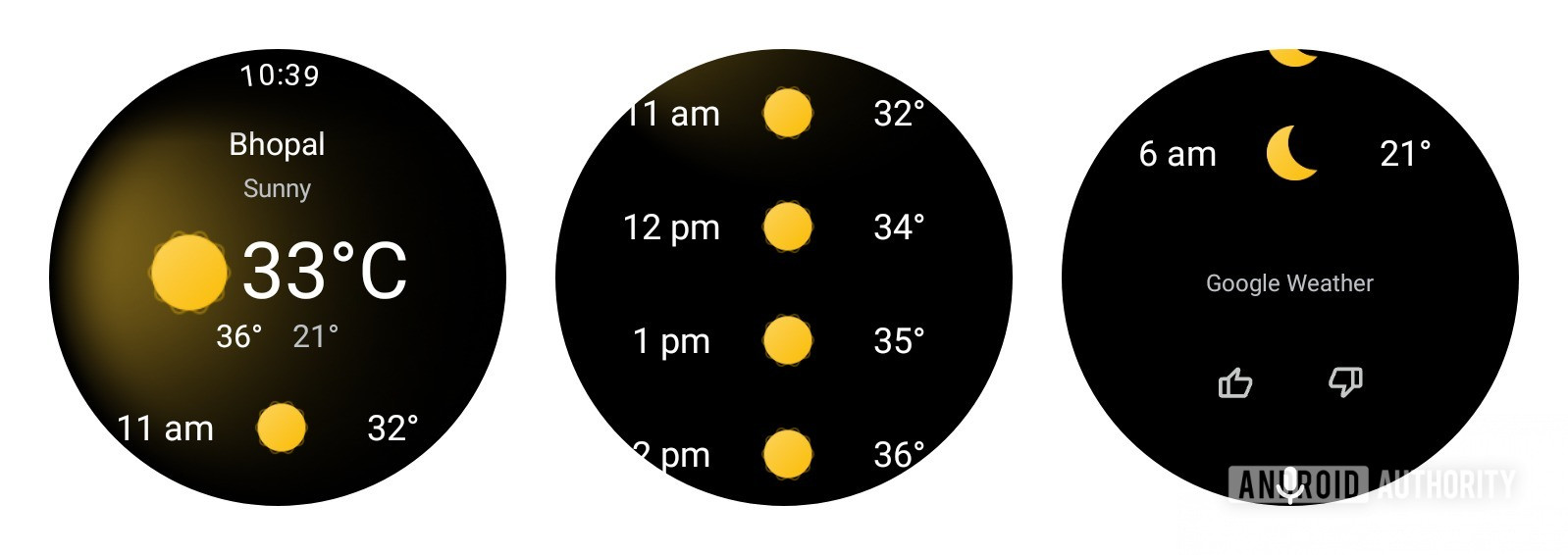
Current (old) UI
The screenshots below show the UI that appears when users ask Gemini about the weather via commands like “How’s the weather?”.
New UI
The new UI is more expressive:
- New icons throughout the card.
- A bottom toggle to quickly switch between °C and °F, which was missing before.
- Hourly temperature displayed in a grid layout, allowing more information at a glance and reducing the need for scrolling.
- The hourly temperature section is collapsible and now includes precipitation percentages.
Demo
Here’s a quick demo of Gemini’s new weather UI on Wear OS smartwatches:
(Demo video or GIF would be embedded here if available.)
Notes
- This appears to be a server‑side rollout, so the feature should gradually become available to more users as the Wear OS app updates.
- An APK teardown can hint at upcoming features, but predicted features may not always make it to the public release.