
From Zero to Agent (Part-I)
Source: Dev.to
Step 1: Your First Strands Agent on Cloud
In just a few lines of Python you can stand up an agent backed by Claude Sonnet 4 on Amazon Bedrock:
from strands import Agent

agent = Agent(
    system_prompt="You are a helpful assistant that provides concise responses."
)

agent("Tell me a joke.")
No infrastructure to provision. No API gateway to configure.
The default model provider is Amazon Bedrock, and the default model is Claude Sonnet 4 in your current AWS region. From there you can add tools – both built‑in ones from the strands‑agents‑tools package (e.g., calculator) and custom ones decorated with @tool. You can also invoke tools directly (agent.tool.calculator(...)), configure logging, and swap model providers or adjust inference parameters via BedrockModel.
Below is an example that builds a RecipeBot, a cooking assistant that uses DuckDuckGo web search as a tool, all wired up in under 50 lines of code.

import warnings
warnings.filterwarnings(action="ignore", message=r"datetime.datetime.utcnow")

from strands import Agent

# Initialise your agent
agent = Agent(
    model="us.anthropic.claude-sonnet-4-5-20250929-v1:0",  # optional: specify the model ID
    system_prompt="You are a helpful assistant that provides concise responses."
)

# Send a message to the agent
response = agent("Hello! Tell me a joke.")
Key Takeaway – The Strands Agent abstracts away the entire request‑response‑tool loop. You think in terms of what the agent should do, not how to wire API calls. Three lines are all Strands needs for a working agent on Bedrock.
Step 2: Personal Agent Assistant on a Local Machine
Not every use case should hit a cloud endpoint. This step shows how to swap Amazon Bedrock for Ollama, the local LLM runtime, using Strands’ OllamaModel provider. The agent runs entirely on your machine, keeping all data local.

from strands import Agent
from strands.models.ollama import OllamaModel

ollama_model = OllamaModel(
    model_id="llama3.2:3b",
    host="http://localhost:11434",
    temperature=0.7,
)

# Example tools (you would define these elsewhere)
tools = [file_read, file_write, list_directory]

agent = Agent(model=ollama_model, tools=tools)
The use case is a local file‑operations assistant: read files (including PDFs), write files, list directory contents. The agent can summarise a shareholder letter, scaffold a README, or create files on your behalf, all powered by a 3 B‑parameter model running locally.
Key Takeaway – The Strands model‑provider abstraction is genuinely portable. Switching from Claude on Bedrock to Llama on Ollama is a one‑line change, which matters for offline scenarios, privacy‑sensitive workloads, and cost‑optimised development.
Step 3: Connecting Agents to AWS Services
This is where things become practically useful. The example builds a Restaurant Assistant that connects to two AWS managed services:
- Amazon Bedrock Knowledge Base – RAG over restaurant menus.
- Amazon DynamoDB – Reservation management.
The step demonstrates three ways to define tools:
- Inline with
@tooldecorator – define the function next to your agent code. - Standalone file with
@tooldecorator – import it as a module. TOOL_SPECdictionary – Bedrock Converse‑API‑style schema, useful for fine‑grained control over parameters and return shapes.
from strands import Agent
from strands_tools import current_time, retrieve   # built‑in tools

# Custom tools (could be defined inline, imported, or via TOOL_SPEC)
# Example: get_booking_details, create_booking, delete_booking

agent = Agent(
    model=model,
    system_prompt=system_prompt,
    tools=[
        retrieve,
        current_time,
        get_booking_details,
        create_booking,
        delete_booking,
    ],
)
The built‑in retrieve tool reads from your Bedrock Knowledge Base automatically when the KNOWLEDGE_BASE_ID environment variable is set—no custom RAG plumbing required.
Key Takeaway – Strands agents can be connected to any AWS service through custom tools and boto3 calls. The retrieve built‑in tool gives you RAG in one line, and the TOOL_SPEC pattern lets you define sophisticated tool contracts when needed.
Step 4: MCP Tools and Multiple Servers
The Model Context Protocol (MCP) is the emerging standard for connecting AI agents to external tool servers. Here we show how Strands natively integrates with MCP servers, both via stdio for local CLI‑style servers and Streamable HTTP for networked, stateless servers.
from strands.tools.mcp import MCPClient
from mcp import StdioServerParameters, stdio_client

mcp_client = MCPClient(
    lambda: stdio_client(
        StdioServerParameters(
            command="uvx",
            args=["awslabs.aws-documentation-mcp-server@latest"]
        )
    )
)

with mcp_client:
    tools = mcp_client.list_tools_sync()
    agent = Agent(tools=tools)
    agent("What is Amazon Bedrock's pricing model?")
This step also covers:
- Creating your own MCP server with FastMCP
- Direct tool invocation via
call_tool_sync - Timeout configuration with
read_timeout_seconds - Connecting multiple MCP servers to a single agent simultaneously
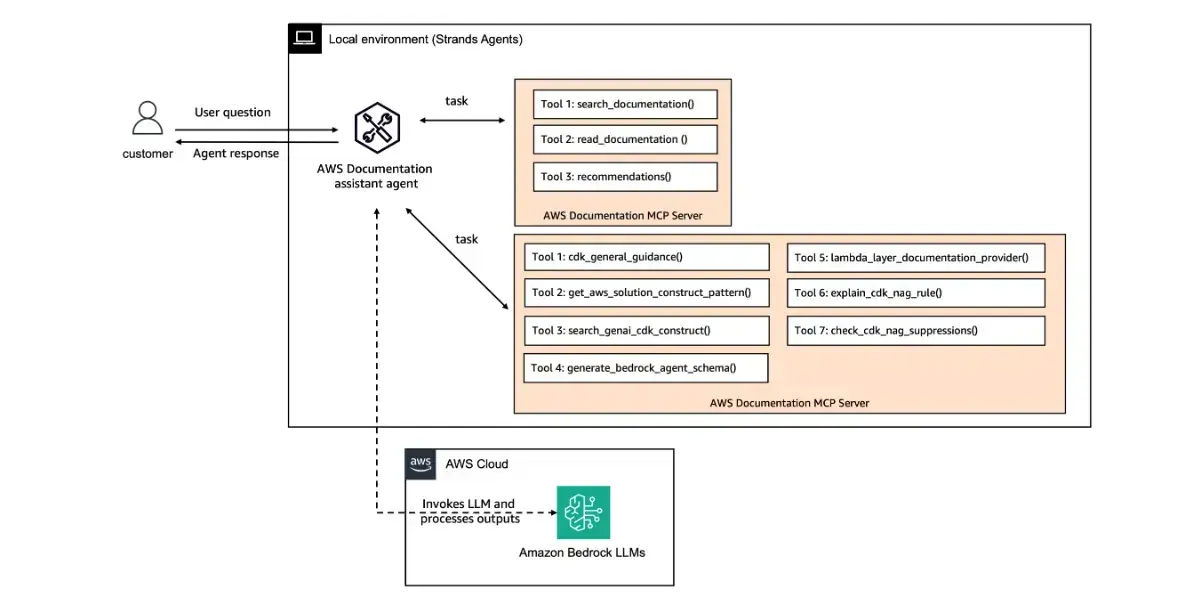
Key Takeaway – MCP turns the tool ecosystem into a plug‑and‑play marketplace. Any MCP‑compatible server—whether AWS documentation, CDK best practices, databases, or APIs—becomes a tool your agent can use without any glue code. You can combine multiple servers in a single agent call.
Step 5: Advanced Response Processing, Streaming and Callbacks
Real applications don’t just call an agent and wait. They stream tokens, render partial results, pipe events to dashboards, and serve responses over HTTP. This step demonstrates two patterns for achieving that.
Method 1 — Async Iterators (stream_async)
Ideal for async frameworks like FastAPI. Iterate over agent events as they arrive:
async for event in agent.stream_async("Calculate 2+2"):
    if "data" in event:
        print(event["data"])
    if "current_tool_use" in event:
        print(f"Tool: {event['current_tool_use']['name']}")
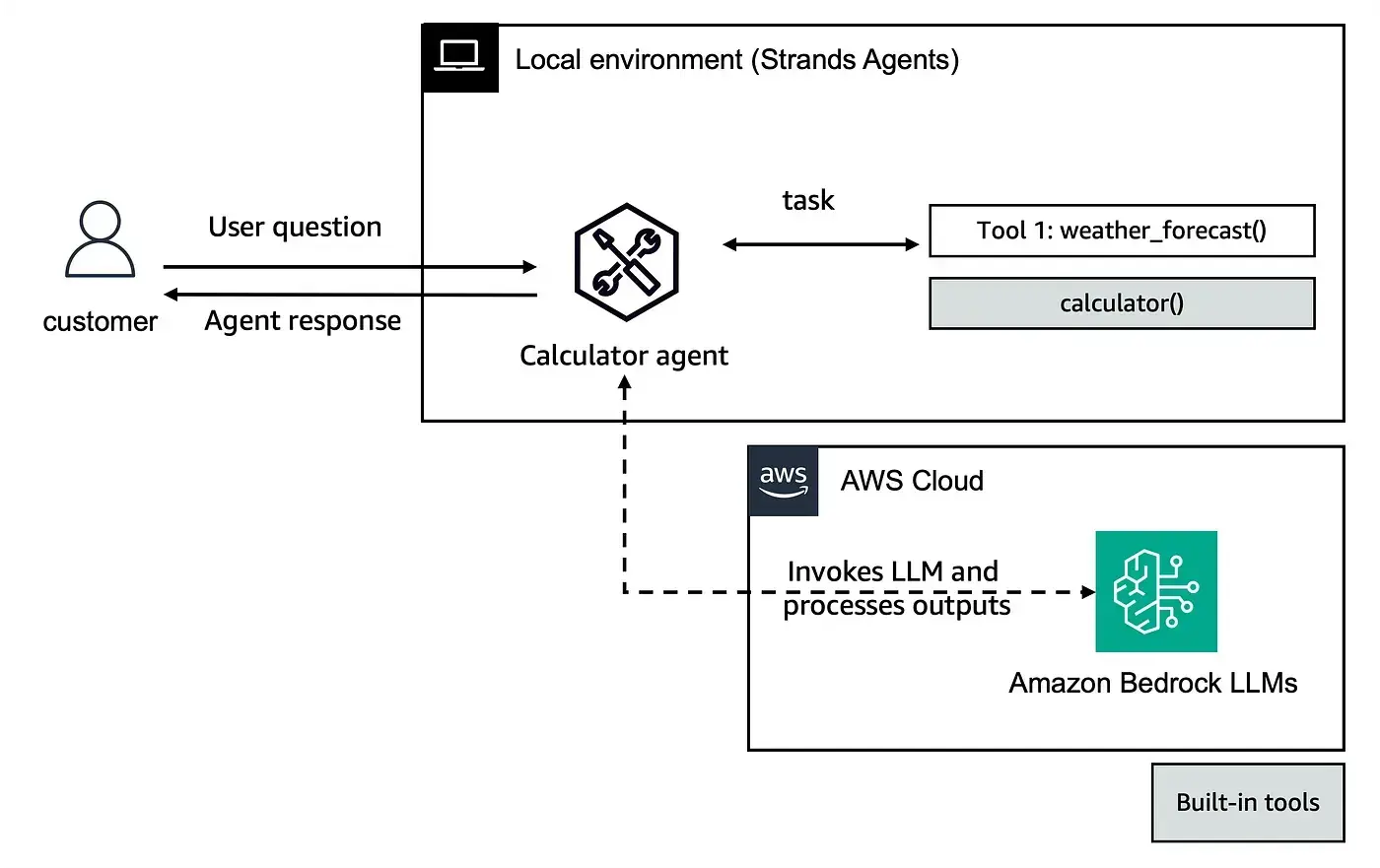
Events carry structured lifecycle signals: init_event_loop, start_event_loop, message, current_tool_use, data, force_stop, and result. This gives you fine‑grained control to build streaming UIs, progress indicators, or custom logging.
Method 2 — Callback Handlers
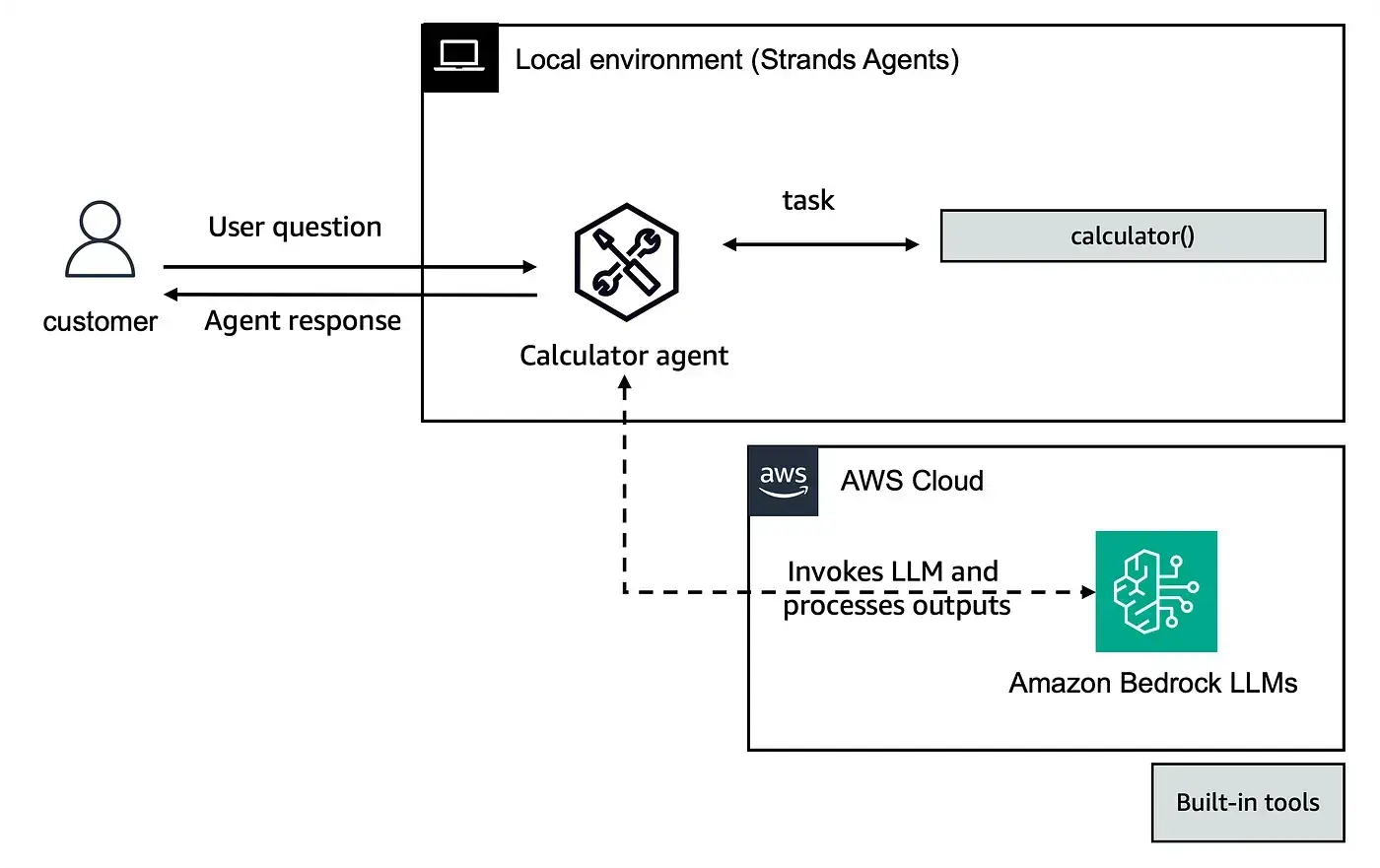
For synchronous contexts, pass a callback_handler function to the agent. It fires on every event, letting you intercept model output and tool calls in real time without restructuring your code around async.
Key Takeaway
stream_asyncpaired with FastAPI is the production pattern for streaming agent APIs.- Callback handlers are the lightweight alternative for scripts, CLIs, or any synchronous environment.
Both approaches give you visibility into every step of the agent’s reasoning and tool usage.
To be continued…