
Fitbit Coach preview expanding internationally, coming to iOS
Source: 9to5Google
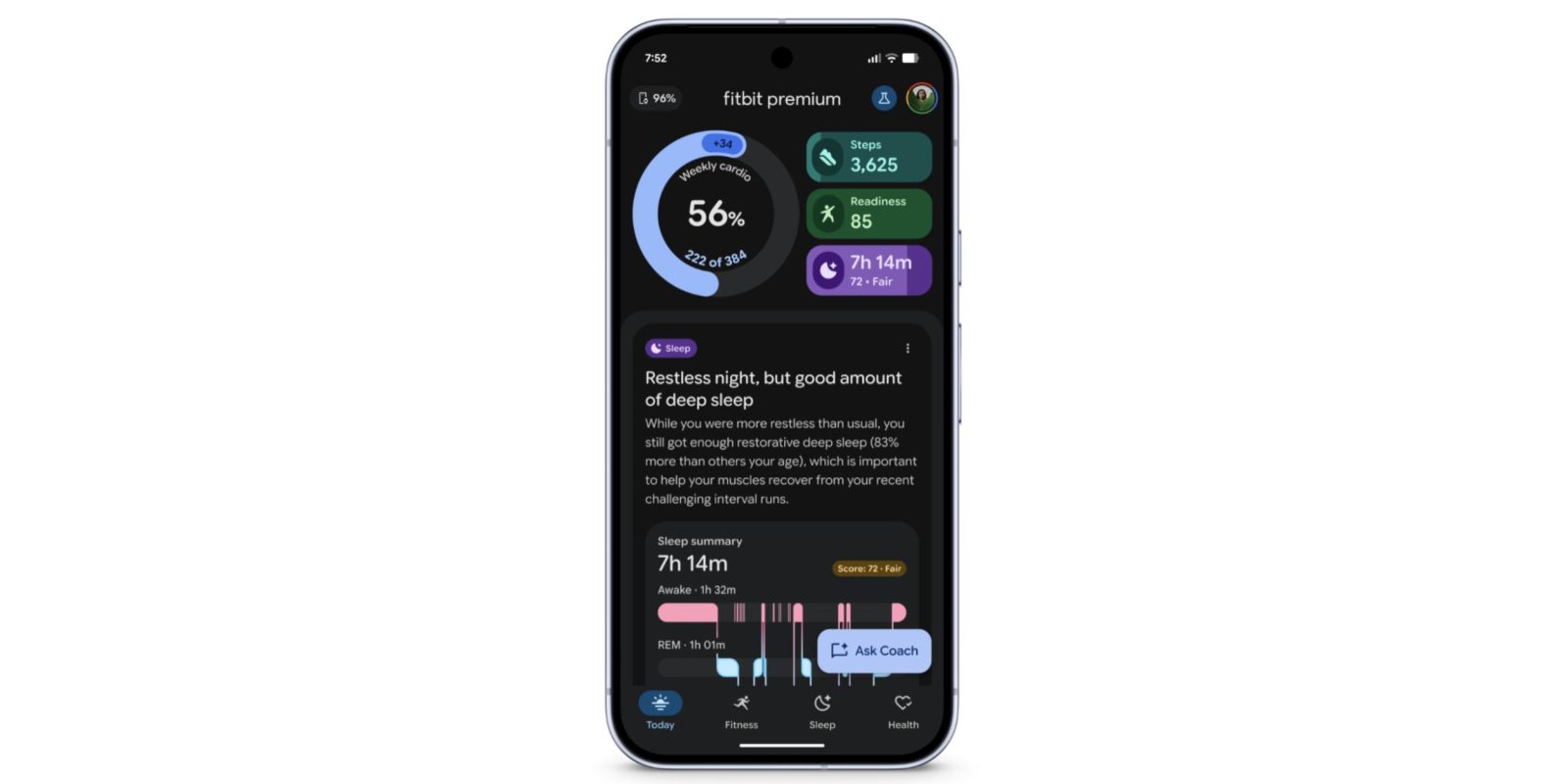
International Expansion
After the initial public preview in October, Google is bringing its Fitbit personal health coach preview to international Premium users. Eligible Fitbit Premium users in the US have had access to the Gemini‑powered experience since then. Fitbit Coach is now available for users in the UK, Canada, Australia, New Zealand, and Singapore. It’s offered in English and requires a Fitbit Premium subscription.
iOS Availability
The second expansion is to the iOS app, which was Android‑only at launch. The rollout will occur “over the next few weeks.” In addition to the subscription, you need a modern Fitbit smartwatch, tracker, or Pixel Watch. During the preview you can switch between the old and new app.
Core Features
Fitbit’s personal health coach acts as a fitness trainer, sleep expert, and health/wellness advisor. The sign‑up process involves a 5–10 minute chat about your goals, preferences, and available equipment.
Redesigned Fitbit App
The app now includes a Today tab and a new Fitness tab that together create a personal plan with suggested workouts and target metrics. Activities are updated based on real‑time data such as weekly progress and injuries.
Asking Fitbit Coach
You can ask Fitbit Coach questions like:
- “I’d like to start running but am not sure how far or long to run. What are some good goals for me?”
- “Create a 30‑minute upper body workout I can do in my hotel room.”
- “I’d like some workouts that just use my 20 lb dumbbells and exercise bands.”
- “What exercises are best for building biceps?”
- “What’s the difference between a deadlift, RDL and split squats?”
- “I liked the strength workout you recommended, can we make it part of my weekly routine and step it up?”
Fitness Tab
The Fitness tab displays cards for Exercise days, Steps, and Weekly cardio at the top, followed by scrollable sections for:
- Upcoming workouts
- Recent activities
- Key metrics
Sleep Tab
The Sleep tab shows all relevant stats, and Coach can answer queries such as:
- “Why did I wake up feeling tired today?”
- “What can I do to get more deep sleep?”
- “Can you suggest a relaxing wind‑down routine for me?”
- “Find patterns in my sleep and give me a summary of my sleep quality this past week.”
- “How is my sleep quality compared to others like me?”
- “How is my cardio load impacting my sleep quality?”
Health Tab
The Health tab (formerly Health metrics) rounds out the experience with Vitals:
- Breathing rate
- Blood oxygen (SpO₂)
- Resting heart rate
- Heart rate variability
- Skin temperature variation
Additional metrics are grouped under “Health areas” such as Weight & Body, Heart, Respiratory, and Temperature.
FTC: We use income‑earning auto affiliate links. More.