Day 21: Fetching Bank Transactions with Python (Plaid & Wise).
Published: (January 17, 2026 at 12:50 PM EST)
1 min read
Source: Dev.to
Source: Dev.to
Real Data for Fintech Apps
Welcome to Day 21.
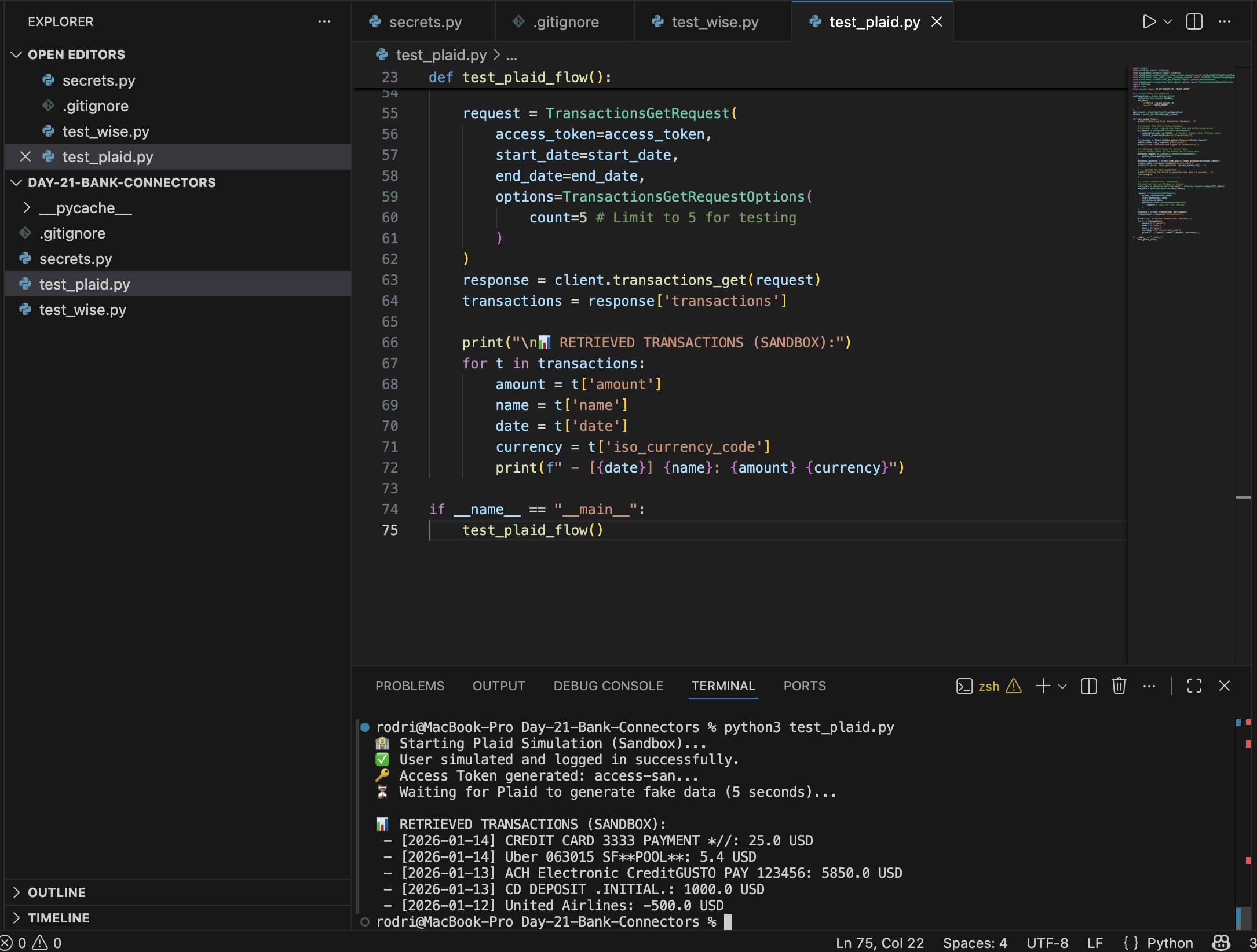
Building a fintech app? You need real transaction data. Today I built the ingestion engine for my Financial Agent.
The Setup
Dependencies
pip install plaid-python requestsThe Simulation (Plaid)
Plaid Sandbox lets you simulate a user logging into a bank (e.g., “Platypus Bank”) and returns realistic transaction data.
# Creating a fake public token
pt_request = SandboxPublicTokenCreateRequest(
    institution_id='ins_109508',
    initial_products=[Products('transactions')]
)

# Exchanging it for an Access Token
exchange_response = client.item_public_token_exchange(exchange_request)
The Reality (Wise)
For personal projects, Wise offers a convenient Personal Token API.
import requests

headers = {"Authorization": f"Bearer {WISE_API_TOKEN}"}
response = requests.get("https://api.wise.com/v1/profiles", headers=headers)
Lesson Learned
Always handle your SSL certificates on macOS Python! If you encounter SSL: CERTIFICATE_VERIFY_FAILED, run the Install Certificates.command script located in your Python installation folder.