
Customizable “Toast-like” Notification via openCustomDialog (Font Size & Panel Size)
Published: (March 15, 2026 at 09:28 PM EDT)
2 min read
Source: Dev.to
Source: Dev.to
Customizable “Toast-like” Notification via openCustomDialog (Font Size & Panel Size)
Requirement Description
Provide a Toast-like transient message that allows custom font size and panel width/height/border radius/background, which the built-in openToast API does not expose.
Background Knowledge
Toast (Instant Feedback): temporary feedback UI.
Guide:Global custom dialog (UIContext): recommended for richer, app‑wide prompts via
PromptAction.openCustomDialog.
Guide:Toast API limitation:
UIContext.getPromptAction().openToastdoes not provide font size or panel sizing.
API reference:
Implementation Steps
- Use a builder to compose the Toast content (e.g.,
Textwith customfontSize, color, alignment). - Open a non‑modal custom dialog with
openCustomDialog, passing width/height/cornerRadius/backgroundColor. - Auto‑dismiss after a short delay using
closeCustomDialog.- Keep it non‑modal and center‑aligned with an offset to mimic Toast behavior.
Code Snippet / Configuration
let customDialogId: number = 0

@Builder
function customDialogBuilder() {
  Column() {
    // Fully customizable typography & colors
    Text('Custom Toast').fontSize(20).fontColor('#fff')
  }
  .width('100%')
  .height('100%')
  .justifyContent(FlexAlign.Center)
  .alignItems(HorizontalAlign.Center)
}

@Entry
@Component
struct Index {
  @Builder
  customDialogComponent() {
    customDialogBuilder()
  }

  build() {
    Row() {
      Column() {
        Text('Show Toast-like Dialog')
          .fontSize(30)
          .fontWeight(FontWeight.Bold)
          .onClick(() => {
            this.getUIContext().getPromptAction().openCustomDialog({
              builder: () => this.customDialogComponent(),
              // Visual container controls (Toast‑like panel)
              backgroundColor: 'rgba(0,0,0,0.8)',
              backgroundBlurStyle: BlurStyle.NONE,
              cornerRadius: 5,
              width: '50%',   // panel width
              height: 50,     // panel height
              isModal: false, // non‑modal, like Toast
              alignment: DialogAlignment.Center,
              offset: { dx: 0, dy: 100 }
            }).then((dialogId: number) => {
              customDialogId = dialogId
              setTimeout(() => {
                this.getUIContext().getPromptAction().closeCustomDialog(customDialogId)
              }, 1500)
            })
          })
      }.width('100%')
    }.height('100%')
  }
}
Test Results
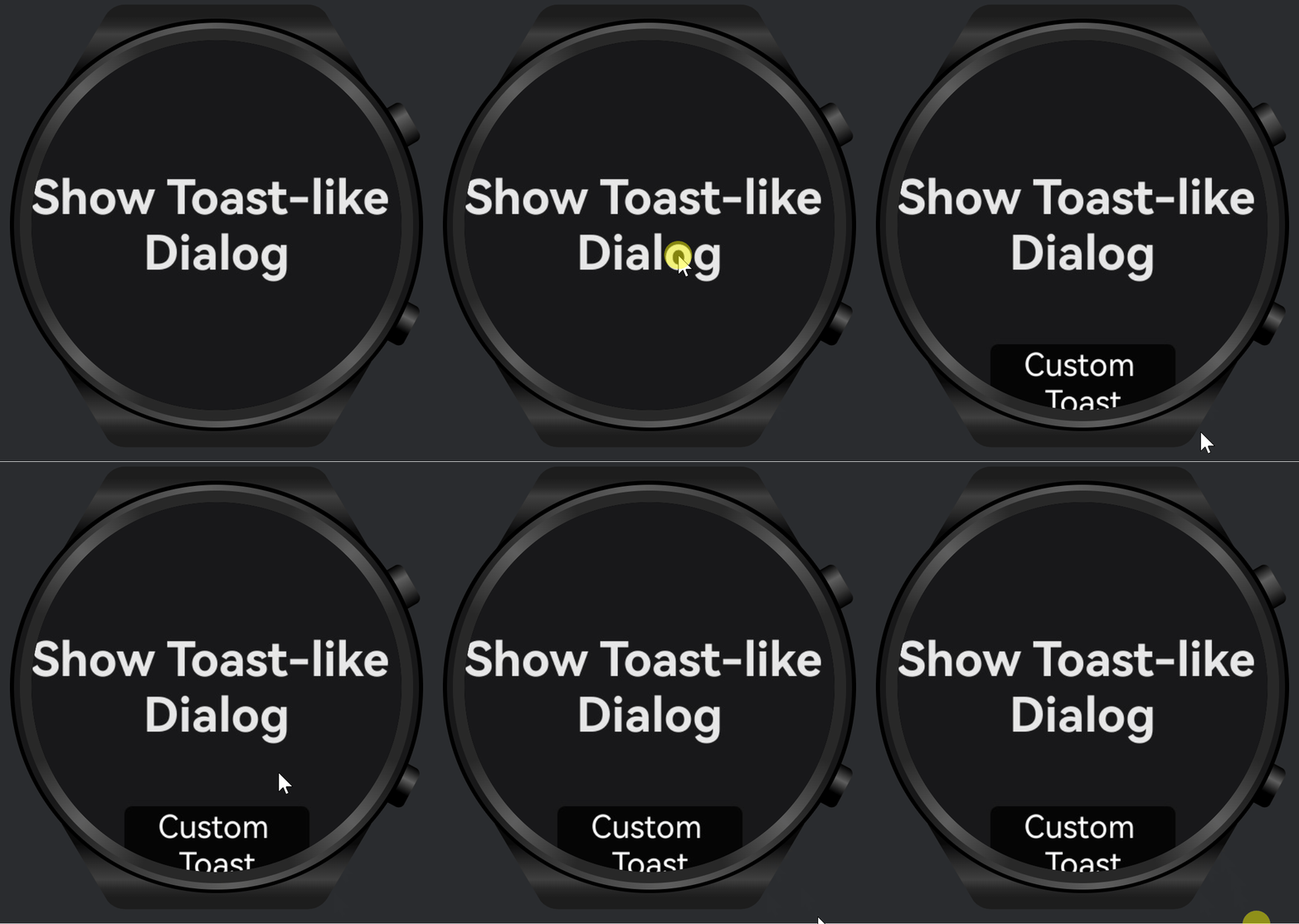
- Verified that text font size and panel width/height/corner radius/background are fully controllable.
- Auto‑dismiss works reliably at ~1.5 s; interaction remains non‑blocking (non‑modal).
Limitations or Considerations
openToastis simpler but not customizable for typography or panel size; use it only for basic messages.- Use
openCustomDialogfor complex styling or branded toasts; ensure accessibility (contrast, size). - Consider safe‑area and device variations (round/compact screens on wearables).
Related Documents or Links
- Toast guide:
- Global custom dialog guide:
PromptAction.openToastAPI: