
Context-Aware Networking & Runtimes: Agentic End-To-End
Source: Dev.to
AI network traffic can feel like a black box. You open an AI provider console or an Agent, ask a question or perform a task, and then what happens? Where does that traffic go? Is the traffic secure? Is it going to the appropriate destination? Where’s the context?
There are hundreds of questions that need to be answered from the moment an Agent makes a call to an LLM until you receive a response. To answer those questions you need an end‑to‑end workflow for when traffic leaves the Agent to when a task is completed.
Install Kagent
Kagent is an Agent framework that runs on Kubernetes.
Install the Kagent CRDs and create the kagent namespace
helm install kagent-crds oci://ghcr.io/kagent-dev/kagent/helm/kagent-crds \
    --namespace kagent \
    --create-namespace
Set your AI provider API key
For this example Anthropic is used, but any provider listed in the supported providers documentation will work.
export ANTHROPIC_API_KEY=your_api_keyInstall Kagent with the chosen provider
helm upgrade --install kagent oci://ghcr.io/kagent-dev/kagent/helm/kagent \
    --namespace kagent \
    --set providers.default=anthropic \
    --set providers.anthropic.apiKey=$ANTHROPIC_API_KEY \
    --set ui.service.type=LoadBalancer
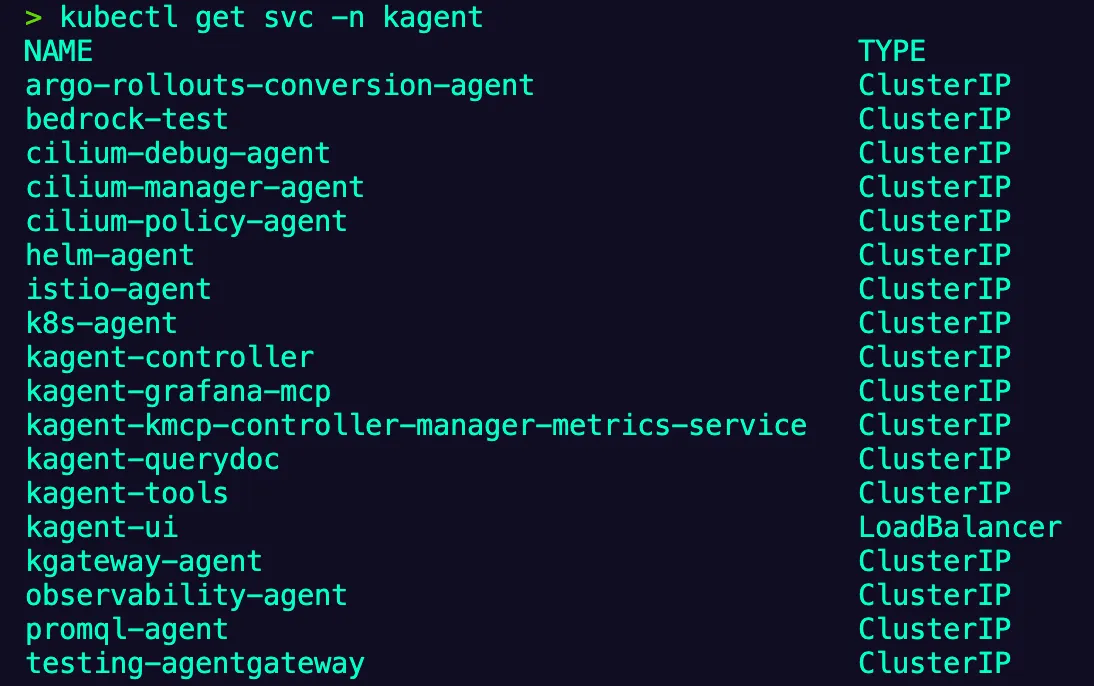
Verify the installation
kubectl get svc -n kagentYou should see output similar to:
Install Agentgateway + Kgateway
Kgateway is the control plane (the “brain”), and Agentgateway is the AI‑enabled data plane/proxy that handles all agentic traffic.
Install the Kubernetes Gateway API CRDs
kubectl apply -f https://github.com/kubernetes-sigs/gateway-api/releases/download/v1.4.0/standard-install.yamlInstall the Kgateway CRDs
helm upgrade -i --create-namespace --namespace kgateway-system kgateway-crds \
    oci://cr.kgateway.dev/kgateway-dev/charts/kgateway-crds \
    --version v2.1.1 \
    --set controller.image.pullPolicy=Always
Install Kgateway with Agentgateway enabled
helm upgrade -i -n kgateway-system kgateway \
    oci://cr.kgateway.dev/kgateway-dev/charts/kgateway \
    --version v2.1.1 \
    --set agentgateway.enabled=true \
    --set controller.image.pullPolicy=Always
Verify the control‑plane installation
kubectl get pods -n kgateway-systemList the available GatewayClasses
kubectl get gatewayclassExpected output
NAME           CONTROLLER                  ACCEPTED   AGE
agentgateway   kgateway.dev/agentgateway   True       20h
kgateway       kgateway.dev/kgateway       True       20h
LLM Gateway Creation
With both the AI Agent framework (kagent) and the AI gateway (agentgateway) installed, you can now configure LLM‑related traffic.
Create a secret for your AI provider (Anthropic example)
apiVersion: v1
kind: Secret
metadata:
  name: anthropic-secret
  namespace: kagent
  labels:
    app: agentgateway
type: Opaque
stringData:
  Authorization: $ANTHROPIC_API_KEY
Apply the manifest:
kubectl apply -f -Note: On a managed Kubernetes cluster the Gateway will receive a public IP. On a local cluster you may need to
kubectl port-forwardthe service.
Define the Backend that points to the LLM
apiVersion: gateway.kgateway.dev/v1alpha1
kind: Backend
metadata:
  name: anthropic
  namespace: kgateway-system
  labels:
    app: agentgateway
spec:
  type: AI
  ai:
    llm:
      anthropic:
        authToken:
          kind: SecretRef
          secretRef:
            name: anthropic-secret
        model: "claude-3-5-haiku-latest"
Apply the manifest:
kubectl apply -f -The :8080/anthropic endpoint will be routed securely to the Anthropic LLM, allowing you to observe and control AI‑related traffic end‑to‑end.