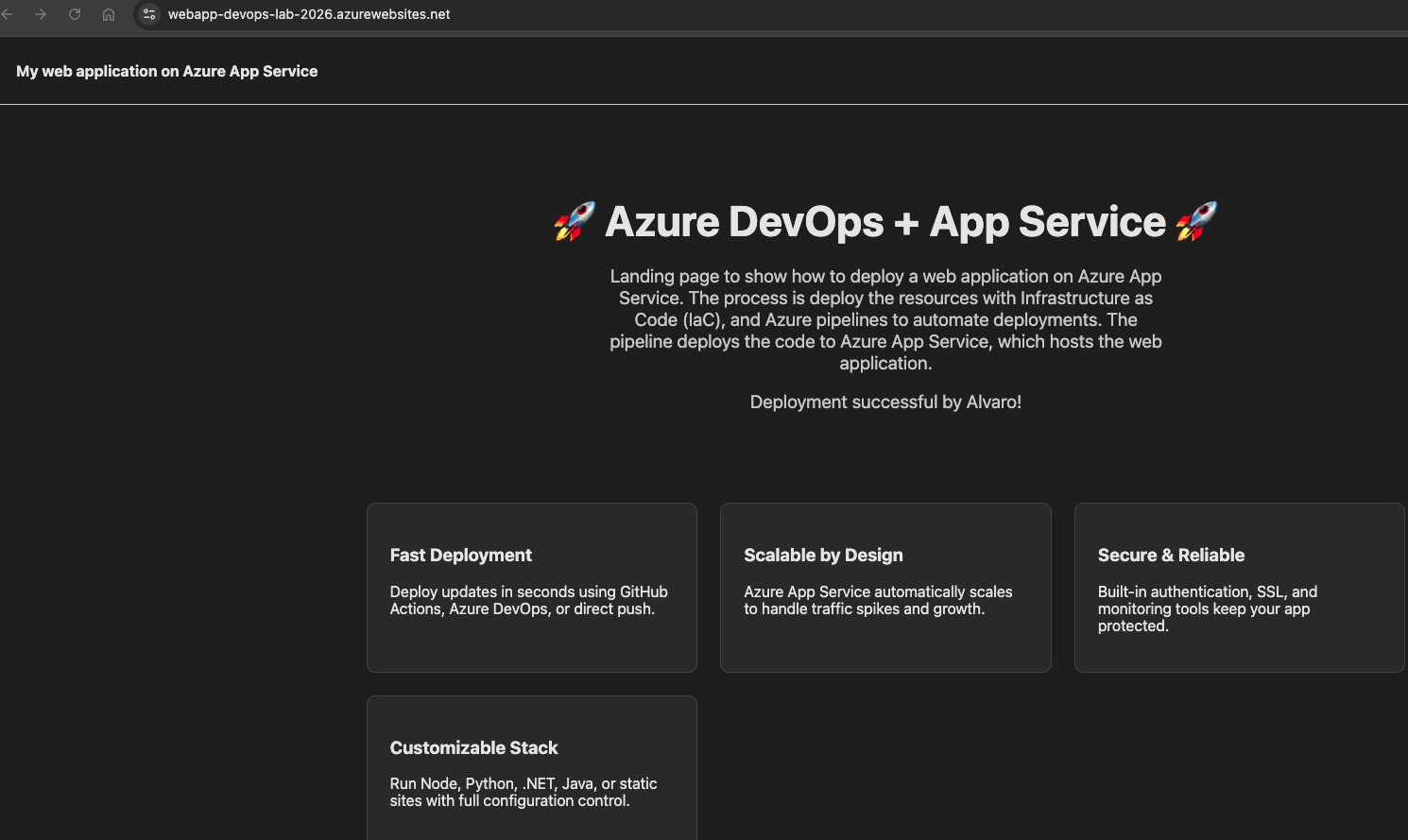
CI/CD Deployment of an Azure Web App using Terraform and Azure DevOps.
Source: Dev.to
Introduction
This project demonstrates an end‑to‑end DevOps workflow for deploying a web application to Microsoft Azure. Infrastructure is provisioned using Terraform, and application deployment is automated through Azure DevOps CI/CD pipelines.
The goal is to showcase Infrastructure as Code, pipeline automation, and cloud‑native deployment using Azure App Service.
Concepts
Azure App Service: A fully managed platform for building, deploying, and scaling web apps and APIs. It supports multiple languages and frameworks, providing built‑in infrastructure maintenance, security patching, and scaling capabilities.
Azure Web App: An HTTP‑based service for hosting web applications, REST APIs, and mobile back ends. It is a specific type of application hosted on the App Service platform.
Prerequisites
- Azure subscription
- Azure DevOps organization
- Azure DevOps repository
- Azure Service Connection with sufficient permissions
- Terraform installed (v1.x)
Repository Azure DevOps Structure
AzureAppService/
├── index.html
└── azure-pipeline.yml
Step 1: Prepare Terraform configuration files
The following Terraform configuration provisions the Azure infrastructure required to host the web application.
terraform {
  required_providers {
    azurerm = {
      source  = "hashicorp/azurerm"
      version = "~> 3.0"
    }
  }
}

provider "azurerm" {
  features {}
}

resource "azurerm_resource_group" "main" {
  name     = "Hawkins"
  location = "West Europe"
}

resource "azurerm_app_service_plan" "main" {
  name                = "asp-devops-lab"
  location            = azurerm_resource_group.main.location
  resource_group_name = azurerm_resource_group.main.name
  sku {
    tier = "Free"
    size = "F1"
  }
}

resource "azurerm_app_service" "webapp" {
  name                = "webapp-devops-lab-2026"
  location            = azurerm_resource_group.main.location
  resource_group_name = azurerm_resource_group.main.name
  app_service_plan_id = azurerm_app_service_plan.main.id
}
Step 2: Terraform commands
terraform init
terraform plan
terraform apply
Step 3: Create files for Azure DevOps
The pipeline packages the web application and deploys it to Azure App Service using an Azure Service Connection.
trigger:
  branches:
    include:
      - main

pool:
  vmImage: 'ubuntu-latest'

steps:
- task: ArchiveFiles@2
  inputs:
    rootFolderOrFile: '$(System.DefaultWorkingDirectory)'
    includeRootFolder: false
    archiveType: 'zip'
    archiveFile: '$(Build.ArtifactStagingDirectory)/webapp.zip'
    replaceExistingArchive: true

- task: AzureWebApp@1
  inputs:
    azureSubscription: 'Thor-Service-Connection'
    appName: 'webapp-devops-lab-2026'
    package: '$(Build.ArtifactStagingDirectory)/webapp.zip'
Step 4: Deploy the Application
Run the pipeline in Azure DevOps. The pipeline will package and deploy the web application automatically.
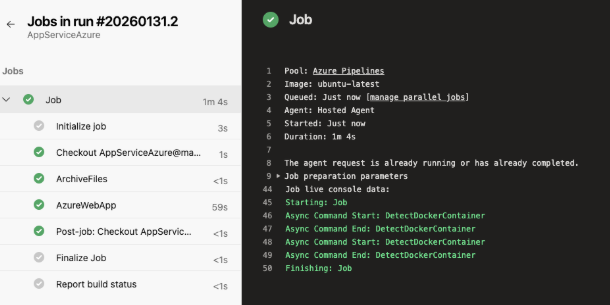
Step 5: Validate Deployment
After the pipeline completes, verify that the web app is reachable at its Azure App Service URL.