
Canvas Drawing Editor - A Zero-Dependency Canvas Editor Web Component
Published: (December 9, 2025 at 09:18 PM EST)
2 min read
Source: Dev.to
Source: Dev.to
Introduction
Canvas Drawing Editor is a modern canvas editor built on HTML5 Canvas, packaged as a Web Component for seamless integration into any frontend framework or vanilla HTML project.
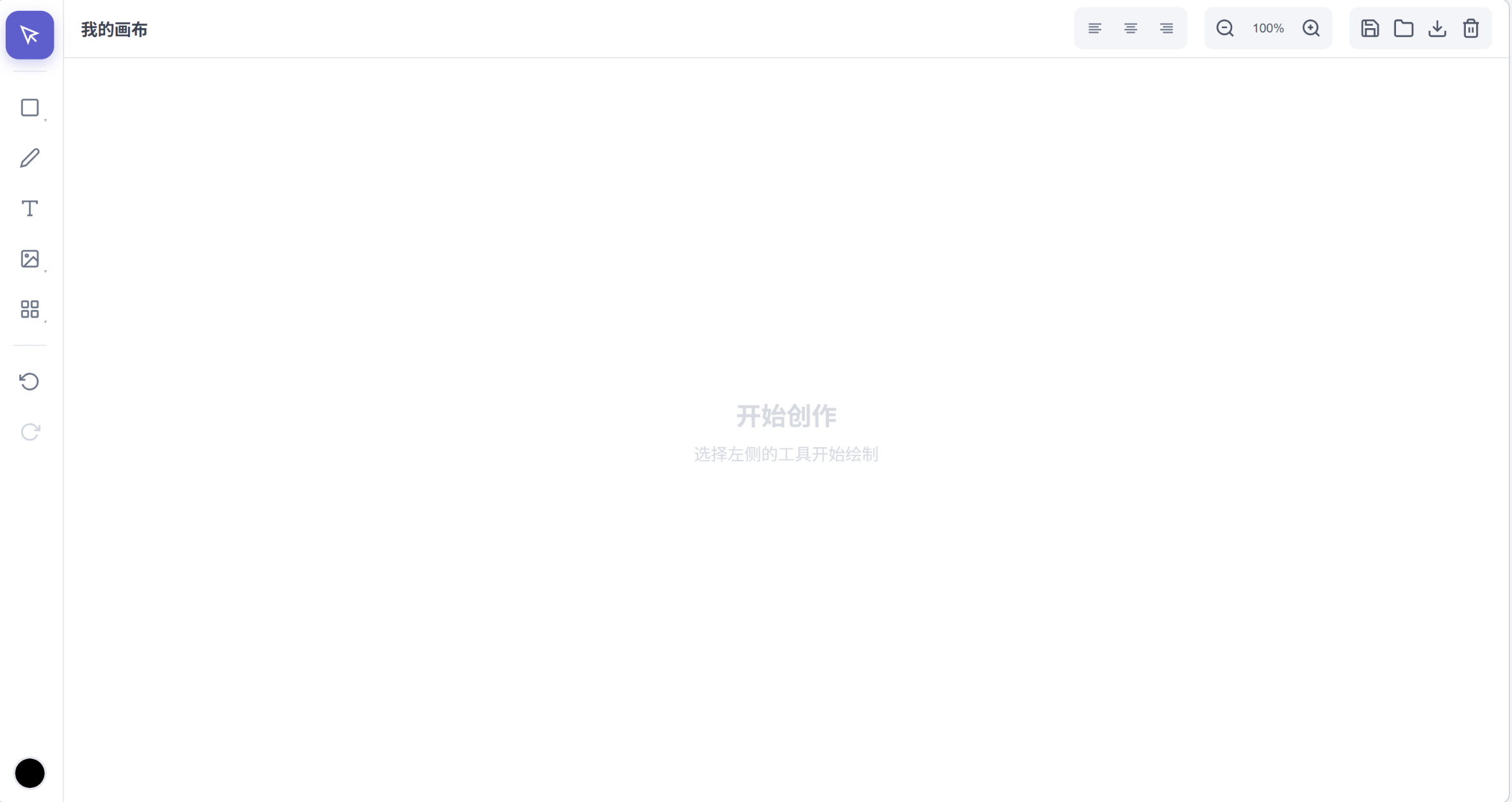
Core Advantages
- Zero Dependencies – Pure JavaScript implementation, no React, Vue, or other frameworks required.
- Lightweight – Only ~33 KB gzipped.
- Cross‑Framework – Supports Vue 2/3, React, Angular, and vanilla HTML.
- Feature‑Rich – Complete workflow for drawing, editing, and exporting.
- Mobile‑Friendly – Full touch‑gesture support.
Why Choose Canvas Drawing Editor
-
True Zero Dependencies
- No framework lock‑in.
- Smaller bundle size.
- Faster loading times.
- Simpler integration.
-
Web Component Standard
-
Enterprise‑Grade Features
- 20+ drawing tools.
- Complete undo/redo history.
- Layer management system.
- Hotzone template functionality.
- Tween animation engine.
- Multiple export formats.
Canvas Drawing Editor vs Popular Canvas Libraries
| Feature | Canvas Drawing Editor | Fabric.js | Konva.js | Excalidraw | tldraw |
|---|---|---|---|---|---|
| Bundle Size (gzip) | ~33 KB | ~90 KB | ~60 KB | ~500 KB+ | ~300 KB+ |
| Zero Dependencies | ✅ | ✅ | ✅ | ❌ (React) | ❌ (React) |
| Web Component | ✅ | ❌ | ❌ | ❌ | ❌ |
| TypeScript Support | ✅ | ✅ | ✅ | ✅ | ✅ |
| Framework Compatibility | |||||
| Vanilla HTML | ✅ Out of box | ✅ | ✅ | ❌ | ❌ |
| Vue 2/3 | ✅ Out of box | ⚠️ Wrapper needed | ⚠️ Wrapper needed | ❌ | ❌ |
| React | ✅ Out of box | ⚠️ Wrapper needed | ✅ react‑konva | ✅ Native | ✅ Native |
| Angular | ✅ Out of box | ⚠️ Wrapper needed | ⚠️ Wrapper needed | ❌ | ❌ |
| Drawing Tools | |||||
| Pencil/Freehand | ✅ | ✅ | ✅ | ✅ | ✅ |
| Rectangle/Circle | ✅ | ✅ | ✅ | ✅ | ✅ |
| Line/Arrow | ✅ | ✅ | ✅ | ✅ | ✅ |
| Polygon | ✅ | ✅ | ✅ | ❌ | ❌ |
| Star/Heart | ✅ | ❌ | ✅ (Star only) | ❌ | ❌ |
| Bezier Curve | ✅ | ✅ | ✅ | ❌ | ❌ |
| Text Input | ✅ | ✅ | ✅ | ✅ | ✅ |
| Rich Text | ✅ | ⚠️ Limited | ❌ | ❌ | ❌ |
| Image Import | ✅ | ✅ | ✅ | ✅ | ✅ |
| Editing Features | |||||
| Undo/Redo | ✅ Built‑in | ❌ DIY | ❌ DIY | ✅ Built‑in | ✅ Built‑in |
| Layer Management | ✅ Built‑in UI | ❌ DIY | ❌ DIY | ❌ | ❌ |
| Group/Ungroup | ✅ | ✅ | ✅ | ✅ | ✅ |
| Align/Distribute | ✅ Built‑in UI | ❌ DIY | ❌ DIY | ❌ | ✅ |
| Lock/Hide | ✅ | ✅ | ✅ | ❌ | ✅ |
| Rotate/Scale | ✅ | ✅ | ✅ | ✅ | ✅ |
| Advanced Features | |||||
| Built‑in Toolbar UI | ✅ | ❌ | ❌ | ✅ | ✅ |
| Image Filters | ✅ | ✅ | ✅ | ❌ | ❌ |
| Hotzone/Template Variables | ✅ | ❌ | ❌ | ❌ | ❌ |
| Tween Animation | ✅ Built‑in | ❌ DIY | ✅ Built‑in | ❌ | ❌ |
| Multiple Line Styles | ✅ | ✅ | ✅ | ✅ | ✅ |
| Import/Export | |||||
| JSON Save/Load | ✅ | ✅ | ✅ | ✅ | ✅ |
| PNG Export | ✅ | ✅ | ✅ | ✅ | ✅ |
| SVG Export | ❌ | ✅ | ❌ | ✅ | ✅ |
| Mobile Support | |||||
| Touch Gestures | ✅ | ⚠️ Limited | ✅ | ✅ | ✅ |
| Pinch to Zoom | ✅ | ⚠️ DIY | ✅ | ✅ | ✅ |
| Responsive Layout | ✅ | ❌ DIY | ❌ DIY | ✅ | ✅ |
| Developer Experience | |||||
| Learning Curve | ⭐ Low | ⭐⭐⭐ Medium‑High | ⭐⭐ Medium | ⭐ Low | ⭐ Low |
| Out‑of‑Box Ready | ⭐⭐⭐⭐⭐ | ⭐⭐ | ⭐⭐ | ⭐⭐⭐⭐ | ⭐⭐⭐⭐ |
| API Flexibility | ⭐⭐⭐ | ⭐⭐⭐⭐⭐ | ⭐⭐⭐⭐⭐ | ⭐⭐ | ⭐⭐ |
| Documentation | ⭐⭐⭐ | ⭐⭐⭐⭐⭐ | ⭐⭐⭐⭐ | ⭐⭐⭐⭐ | ⭐⭐⭐ |
Legend:
✅ Fully supported / Built‑in feature ⚠️ Partial support / Requires implementation ❌ Not supported DIY = Do It Yourself (custom implementation)
Features
🎨 Drawing Tools
| Tool | Shortcut | Description |
|---|---|---|
| Select | V | Select, move, scale objects |
| Pencil | P | Free‑form path drawing |
| Rectangle | R | Draw rectangles |
| Circle | C | Draw circles/ellipses |
| Line | L | Draw straight lines |
| Arrow | A | Draw arrows (single/double) |
| Polygon | – | Draw polygons (any number of sides) |
| Text | T | Add text |
| Rich Text | – | Text with mixed styles |
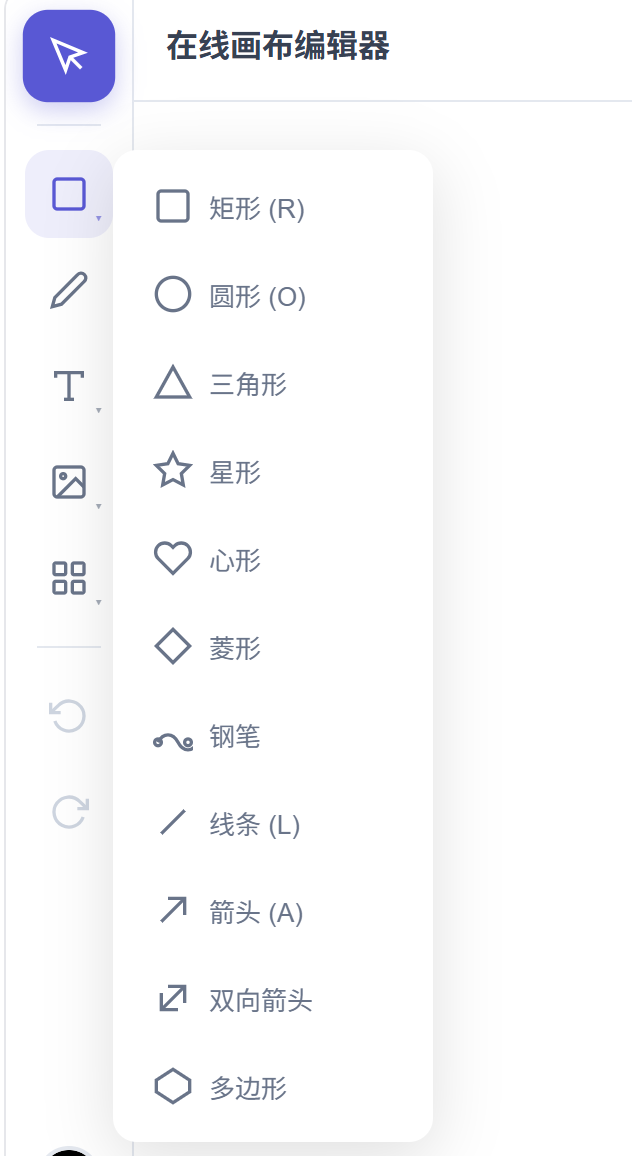
🔷 More Shapes
- Star – Customizable points and inner/outer radius.
- Heart – Perfect heart curve.
- Triangle – Equilateral triangle.
- Diamond – Standard diamond shape.
- Bezier Curve – Precise curve control.
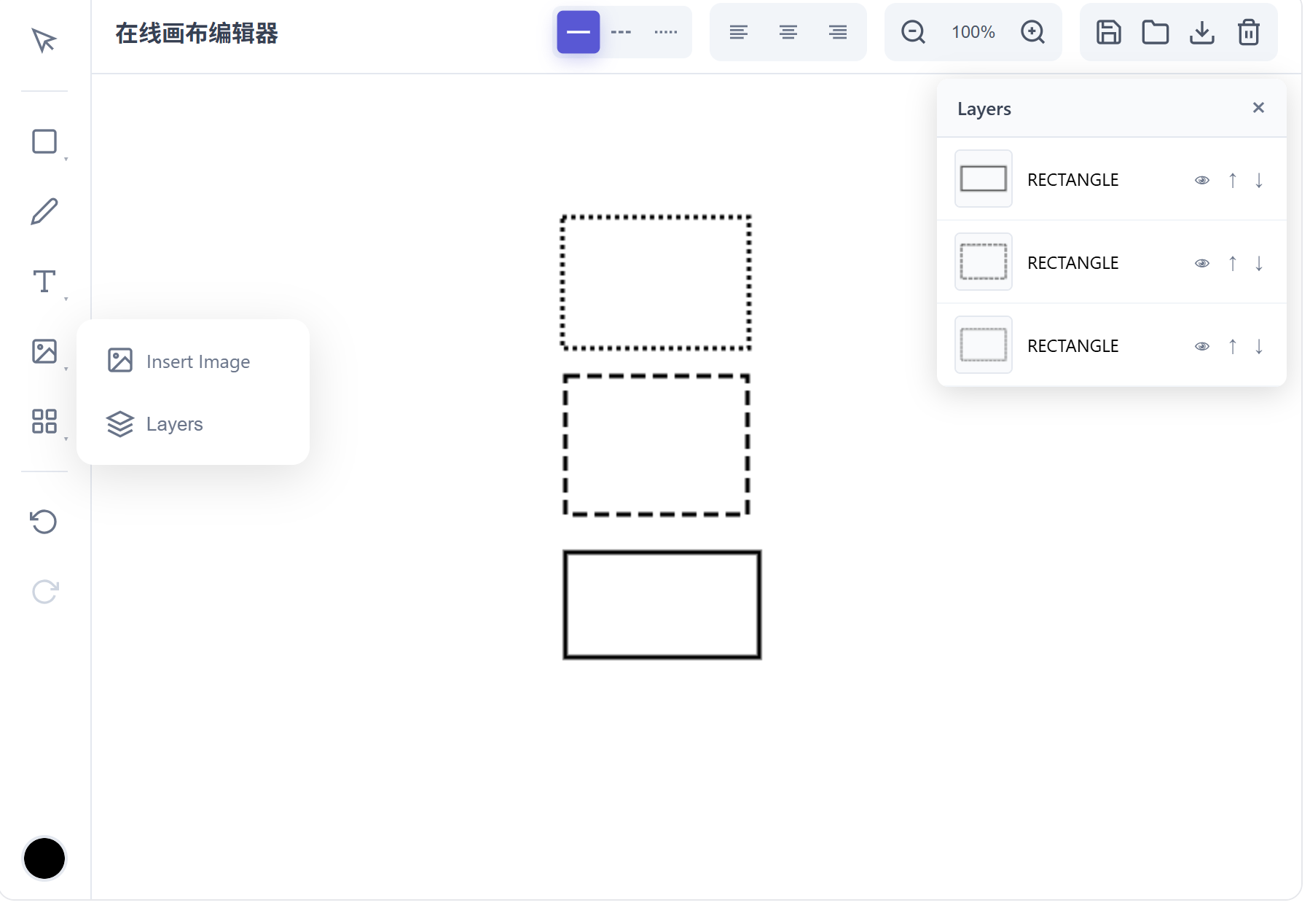
✏️ Line Styles
Three line styles are supported for all shapes:
- Solid
- Dashed
- Dotted

📚 Layer Management
- Move layer up/down.
- Bring to front / Send to back.
- Visibility control.
- Lock / Unlock.
🔄 Editing Features
- Undo/Redo – Complete history support (
Ctrl+Z/Ctrl+Y). - Copy/Paste – Quick object duplication (
Ctrl+C/Ctrl+V). - Delete – Remove selected objects (
Delete/Backspace). - Rotate – Free rotation of objects.
(Content truncated at the end of the source material.)