
Building my first Kiro Power: PostHog Observability
Source: Dev.to
What are Kiro Powers?
Kiro Powers are on‑demand capability bundles for your AI agent.
Instead of loading every tool and best‑practice guide into context all the time, a Power is activated only when it’s relevant. This lets the agent load the right context and tools at the right moment.
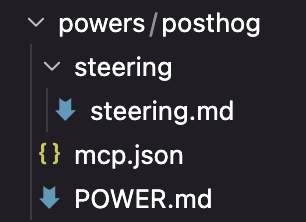
A typical Power packages:
- MCP servers / tool connections – so the agent can interact with real systems.
- Steering / guidance files – best‑practice and workflow patterns.
- (Optional) Hooks – validation or automation specific to the Power.
The “load on demand” idea keeps the agent focused without overwhelming it with irrelevant context.
Official docs:
Building the Power with Kiro’s “Build a Power”
The first step was to use the Build a Power template, which guides you through the folder structure and basic setup.

My approach
- Told Kiro I wanted to create a Power for PostHog MCP.
- Provided the PostHog MCP URL / docs as context (link below).
- Mentioned that I already had the Datadog Observability Power installed and asked if it could be used as a template, since both are observability‑oriented.
I usually work with spec‑driven development, but for this small, specific Power I treated the process more like a guided conversation than a formal spec.
“An unexpected error occurred, please retry.”
A common Kiro error that shows up in the Discord community is:
“An unexpected error occurred, please retry.”
I hadn’t seen it until I installed my own Power. My first instinct was that I’d made a mistake in the implementation or missed a required configuration step, which led me down a rabbit hole.
What actually fixed it?
- Uninstalled a couple of unused Powers.
- Re‑installed everything cleanly.
- Retried the install.
- Clicked “Try this Power.”


Installing, testing, and open‑sourcing it
For a quick test I imported the Power from a local folder. After adding my PostHog API key, the Power was ready to go.

Testing
My application was already wired up with PostHog, so I could ask Kiro to:
- Inspect existing PostHog dashboards, insights, and data shape.
- Suggest using Feature Flags (a useful recommendation for my basic flag usage).
- Propose a plan for adding LLM monitoring, which I’m now planning to implement as the next feature.
The Power lets me stay data‑driven by simply asking the agent to look at my PostHog setup.
Open‑source repository
All code, documentation, and assets are available at:
Feel free to clone, experiment, and contribute!
Kiro to Look Into My Data on PostHog and Use It as Context or New Features
How to Try It?
To install the Power, you only need the GitHub URL and your PostHog API key in the MCP config:
https://github.com/llamojha/posthog-kiro-power/tree/main/powers/posthog

Lessons Learned and What’s Next
Initially, building a Power felt a bit intimidating. That changed once I tried it. The “Build a Power” helper guided me through the process, making it feel like a conversation with Kiro—straightforward and enjoyable. I highly recommend giving it a try, even if just to see how it works.
If you already know the tool you want to wrap—whether it’s an MCP server, a CLI, or a frequently used workflow—creating a Power is mainly about:
- Packaging the tool cleanly.
- Making it easy for the agent to load when relevant.
Next Steps
This was a fun and smooth experience, so I’m eager to keep building. Here are a few ideas for what’s next:
- New Relic Power – I’ve used New Relic before, so I’m exploring the New Relic MCP side and planning to create a New Relic Power.
- More Complex Power – Bundle up Hooks and Steerings and test how far the Power concept can go in a larger workflow.
If someone from PostHog is reading this, feel free to copy my work and make an official PostHog Kiro Power <3.
What was your experience with Kiro Powers? Have you built your own? Share your thoughts in the comments or join the Kiro Discord.
Links
- My first Kiro Power for PostHog repository: GitHub – posthog-kiro-power
- Kiro Powers docs: Kiro Docs – Powers
- PostHog MCP docs: PostHog – Model Context Protocol