
Building a Secure GCP Foundation From an AWS Engineer's Perspective
Source: Dev.to
Building a Secure GCP Foundation: An AWS Engineer’s First Lab
I have two AWS certifications and essentially zero GCP experience. I set a constraint for myself: build a security‑first GCP environment from scratch, using only the console (ClickOps), in a single sitting. No tutorials—just apply what I know about cloud security principles and see how GCP implements them.
Below is exactly what I built, how it maps to AWS, and the security decisions I made at every step.
Starting Point: Project Isolation
In AWS, the highest‑level security boundary is the AWS Account. In GCP, the equivalent is a Project.
I created a new project called secure-app-foundation.
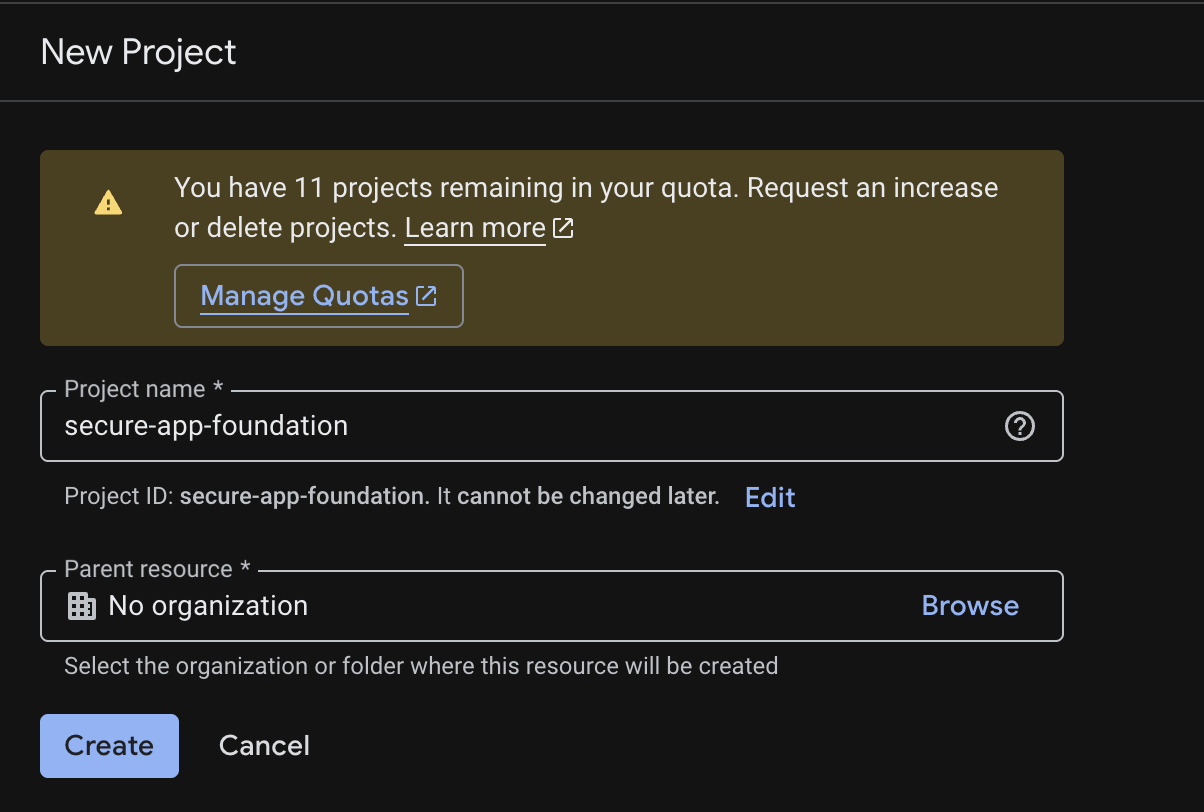
“I like starting with project isolation because the project boundary is a fundamental security and billing boundary in GCP. Every resource lives inside a project, and IAM policies, API enablement, and billing are all scoped to it.”
This is the same reason you wouldn’t deploy a production workload into your personal AWS account—isolation is the first control, not an afterthought.
From there I enabled only the APIs I needed. GCP requires you to explicitly enable services (Compute, Storage, etc.)—a nice security‑by‑default posture that AWS doesn’t enforce at the same level.
Network: Custom VPC, Not the Default
GCP creates a default VPC in every new project—just like AWS creates a default VPC in every new region. As with AWS, you should never use it for anything real.
“I used a custom VPC instead of the default to avoid inherited permissive behavior and to make network intent explicit.”
What I created
| Resource | Name | Details |
|---|---|---|
| VPC | secure-vpc | Custom mode (manual subnet creation) |
| Subnet | app-subnet | us-central1, CIDR 10.10.1.0/24 |


AWS equivalent: creating a custom VPC with a private subnet instead of using the default. In both clouds, the default network has overly permissive firewall/security‑group defaults that you’d spend time undoing anyway.
Identity: Workload Service Account
In AWS, you attach an IAM Role to an EC2 instance to give it permissions without embedding credentials. In GCP, the equivalent is a Service Account attached to a VM.
I created a service account named app-runtime-sa—and did not grant it any permissions at creation time.
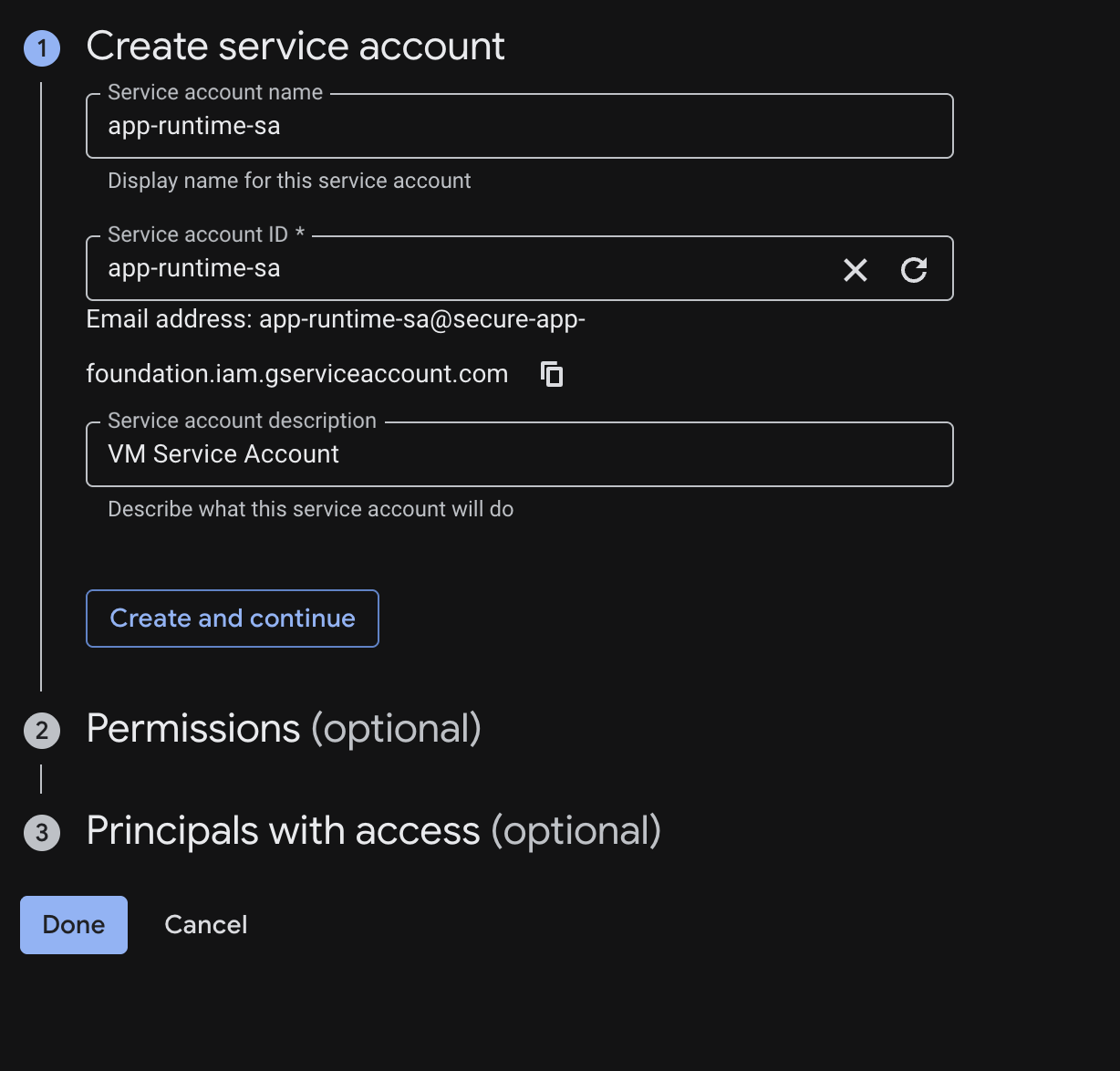
“I separated workload identity from human access and attached a service account to the VM rather than relying on user credentials. Permissions get added only when the workload has a specific, documented need.”
This is least‑privilege in practice. Adding permissions later is easy; removing over‑provisioned permissions after the fact is hard.
AWS ↔ GCP Concept Mapping
| Concept | AWS | GCP |
|---|---|---|
| Workload Identity | IAM Role → EC2 Instance Profile | Service Account → VM |
| Human Access | IAM User / SSO Role | Google Account / Workforce Identity |
| Network Boundary | VPC / Security Groups | VPC / Firewall Rules |
| Isolated Environment | AWS Account | GCP Project |
| Posture Monitoring | AWS Security Hub | Security Command Center |
| Object Storage | S3 + Bucket Policy | GCS + Uniform Access |
Compute: Hardened VM with No Public IP
I deployed a VM (app-vm-01) into app-subnet and applied several hardening decisions immediately.
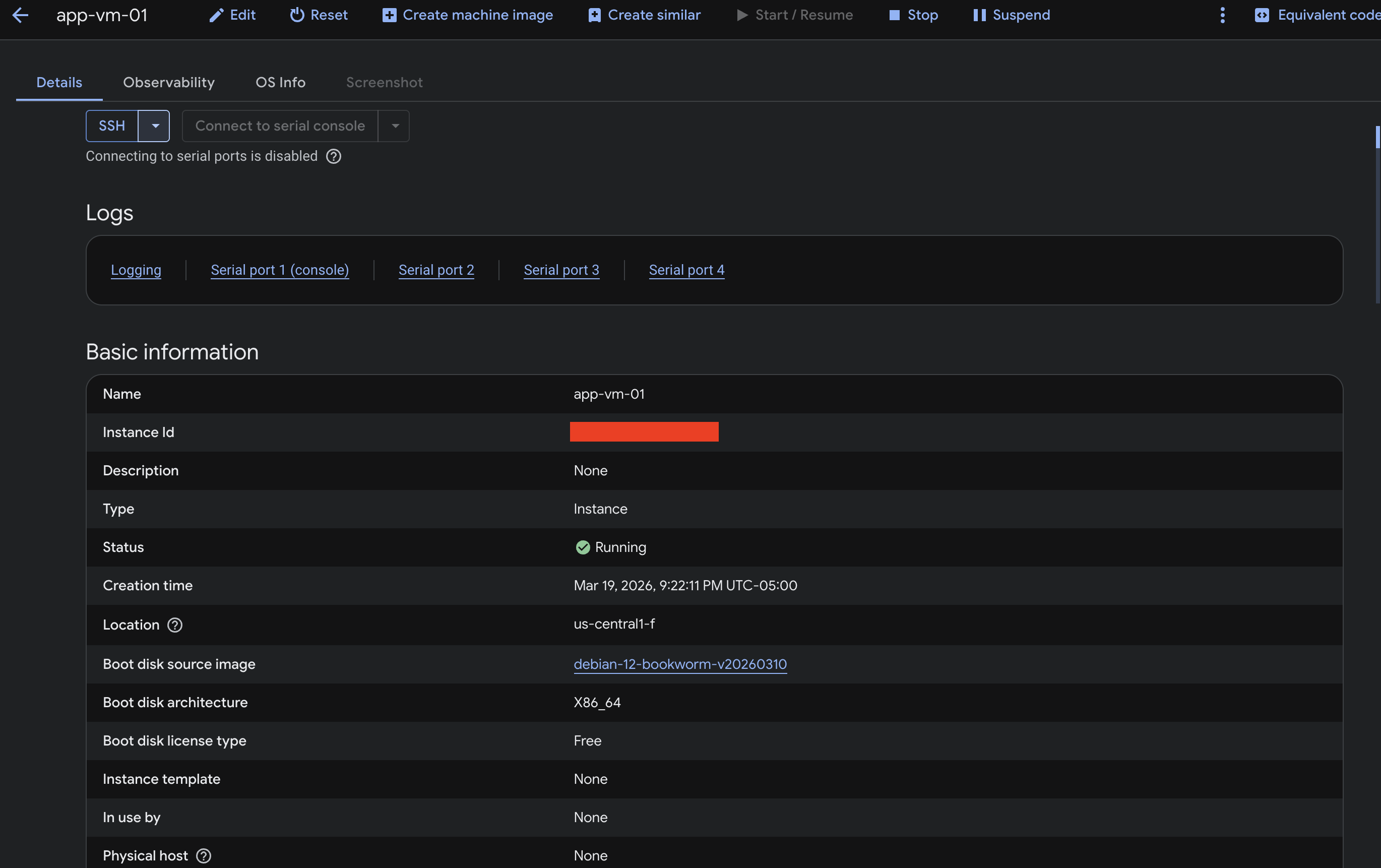
Hardening steps
- No External IP Address – Removed the default public IP. The VM has no direct internet‑facing interface; connectivity is only possible through explicitly defined firewall rules and internal network paths.
- Disabled Project‑Wide SSH Keys – GCP can propagate SSH keys across all VMs in a project. I disabled this so the VM only accepts keys explicitly assigned to it.
- Attached the
app-runtime-saService Account – The VM runs with a dedicated service account that initially has no permissions, rather than the default Compute service account (which often has broader access than needed).
“I intentionally removed the public IP to reduce the attack surface, then layered additional controls (firewall rules, IAM, OS hardening) to enforce a zero‑trust posture.”
Summary
By starting with project isolation, moving to a custom VPC, using a dedicated service account, and launching a hardened VM without a public IP, I recreated many of the security best practices I’m used to from AWS—only using GCP’s native constructs. The exercise reinforced that, despite different terminology, the core security principles (least privilege, defense in depth, explicit boundaries) are universal across clouds.
Cleaned‑up Markdown
Reduce the Attack Surface
“Treat connectivity as an explicitly controlled path rather than the default.”
In AWS terms this is like launching an EC2 instance in a private subnet with no Elastic IP and assigning it a minimal IAM role. You only reach it through a bastion host, SSM, or VPN — never directly from the Internet.
Firewall Rules: Explicit Allowlist, Nothing Else
GCP firewall rules differ from AWS Security Groups: they’re defined at the VPC level and applied via target tags or service accounts, not attached directly to instances. This adds flexibility but requires intentional design.
Ingress Rules I Created
| Rule | Description | Priority |
|---|---|---|
allow-ssh-admin | Allows TCP:22 from a specific home IP address only. No broad /0 ranges. | 1000 |
allow‑internal | Allows SSH from within the 10.10.1.0/24 subnet for internal workload communication. | (default) |

“I constrained ingress to only what was required and avoided the common mistake of using overly broad allow rules like
0.0.0.0/0on sensitive ports.”
Storage: Private Bucket with Uniform Access

I created a Cloud Storage bucket secure-app-logs-657483678438 as the log sink for this environment. Two non‑negotiable settings:
- Uniform bucket‑level access – disables per‑object ACLs so all access is controlled through IAM only.
- Public access prevention: Enforced – blocks any configuration that would make the bucket publicly accessible, even if a future IAM binding allowed it.
“For storage, I enforced uniform bucket‑level access and public access prevention to reduce accidental exposure through object ACLs.”
The S3 equivalent: enable “Block all public access” at the bucket level and use bucket policies instead of ACLs. The principle is identical.
Role Design: Operator, Auditor, Workload
Even in a small lab, I modeled IAM roles as if this were a production system:
“I would normally split roles by operator, auditor, and workload identity. For the lab, I modeled that pattern even if the environment was small — because the habit matters more than the scale.”
| Role | Purpose |
|---|---|
| Operator | Humans who manage infrastructure. Scoped, not project‑owner. |
| Auditor | Read‑only access to logs, IAM, and resource configs. No write permissions. |
| Workload Identity | The app-runtime-sa. Receives only the permissions the application actually needs, added on demand. |
What I Didn’t Get To: Security Command Center
I wanted to explore Security Command Center (GCP’s equivalent to AWS Security Hub) for centralized findings and misconfiguration detection — but SCC requires an organizational account, not just a standalone project.
“At enterprise scale you’re always working within an organization hierarchy, and tools like SCC, org policies, and VPC Service Controls only make sense in that context. In a real role, this is where most of the interesting work lives — building guardrails at the org level that automatically apply to every project, rather than configuring each one manually.”
Key Takeaways
- Cloud security principles transfer. Least privilege, explicit allowlists, no public exposure by default — these aren’t AWS‑only or GCP‑only; they’re universal fundamentals.
- The mental model maps cleanly. Once you understand AWS deeply, GCP is largely a translation exercise:
- Projects ↔ Accounts
- Service Accounts ↔ IAM Roles
- Firewall Rules ↔ Security Groups
- ClickOps first, IaC second. Doing the setup manually forces you to understand every decision; converting it to Terraform afterward makes you a better IaC author because you know what each resource actually does.
- Design for org scale from day one. Patterns you use in a one‑project lab — role separation, custom VPCs, no default credentials — are exactly the patterns you need when managing hundreds of projects.
What’s Next
- Convert the entire setup to Terraform – codify every decision as Infrastructure as Code.
- Set up a CI/CD pipeline (GitHub Actions or Cloud Build) with security checks before any infra change is applied.
- Explore VPC Service Controls to build a data perimeter around sensitive resources.
- Obtain access to an org account and dig into Security Command Center and org‑level policies.
“The fundamentals are the same across clouds. The vocabulary is different. If you understand why security controls exist, picking up a new platform is mostly learning new names for familiar ideas.”